
How to install and activate Neve Pro
If you just purchased Neve Pro and you are wondering how to activate it, below is a video that should help.
In this article
In case you can't access the video, you can follow the steps below.
📝 Note: The same Neve Pro license key can be activated on more than one website at the same time. You do not need to deactivate the license on an existing website before activating it on another one, and you do not need to buy another subscription or upgrade your plan just to add another website. Compare plans based on the features you need rather than the number of sites. To activate the license on an additional website, repeat the steps below there using the same key.
1. Install the Neve theme, using these instructions.
2. Go to Themeisle store and insert your credentials.
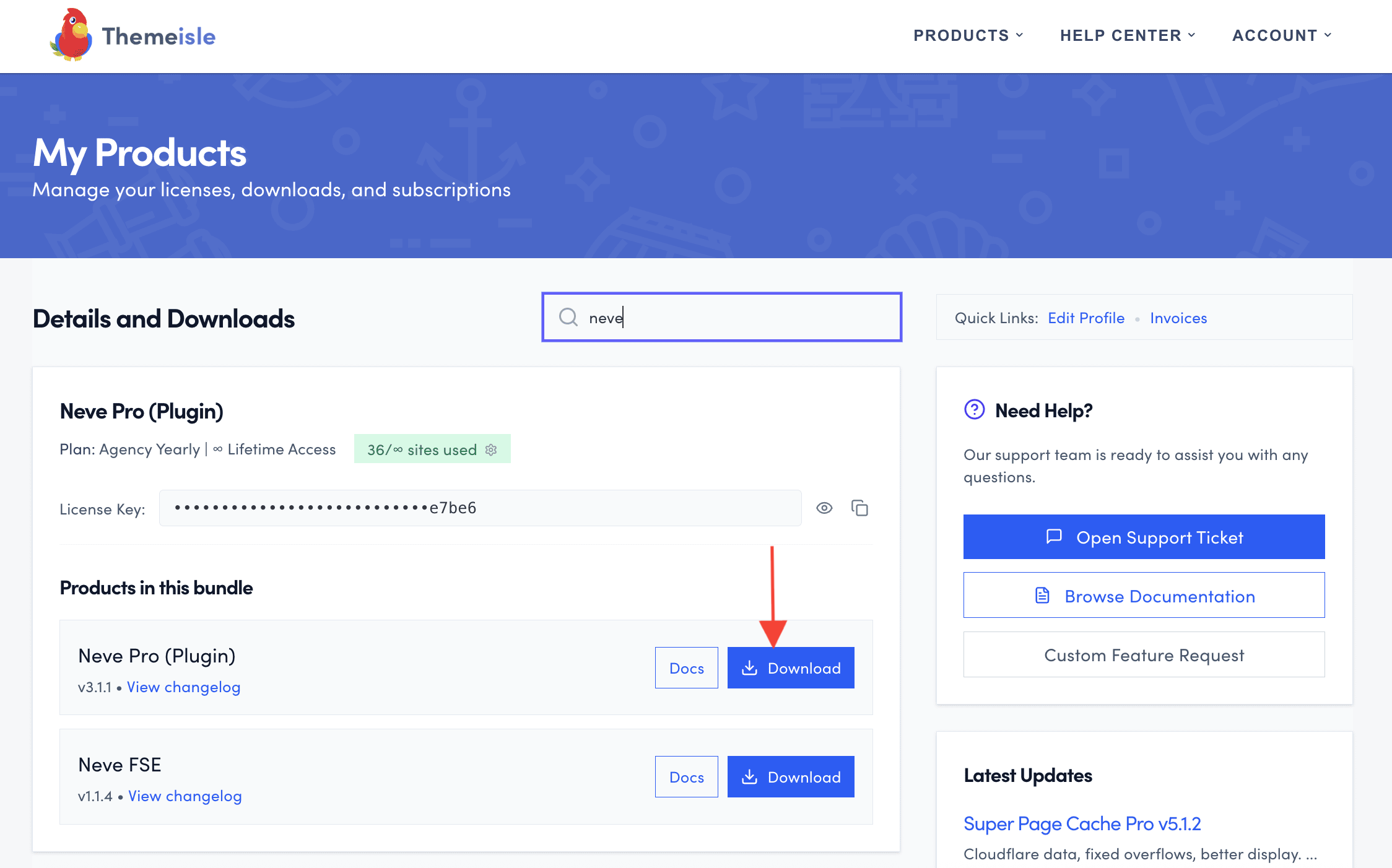
3. Access the Purchase history, scroll down and find Neve Pro ( Plugin ).
4. Click on the Download button to download the archive.
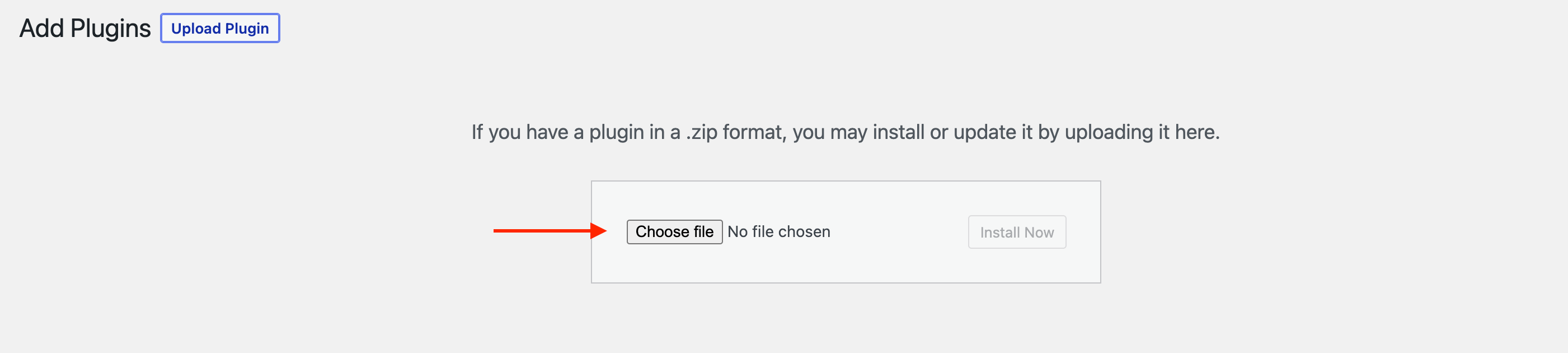
5. Navigate to Dashboard > Plugins > Add New.
6. Click on Add New and upload the Neve Pro Addon plugin ZIP, then click Activate. The license field appears only after Neve Pro Addon is installed and active under Plugins > Installed Plugins.
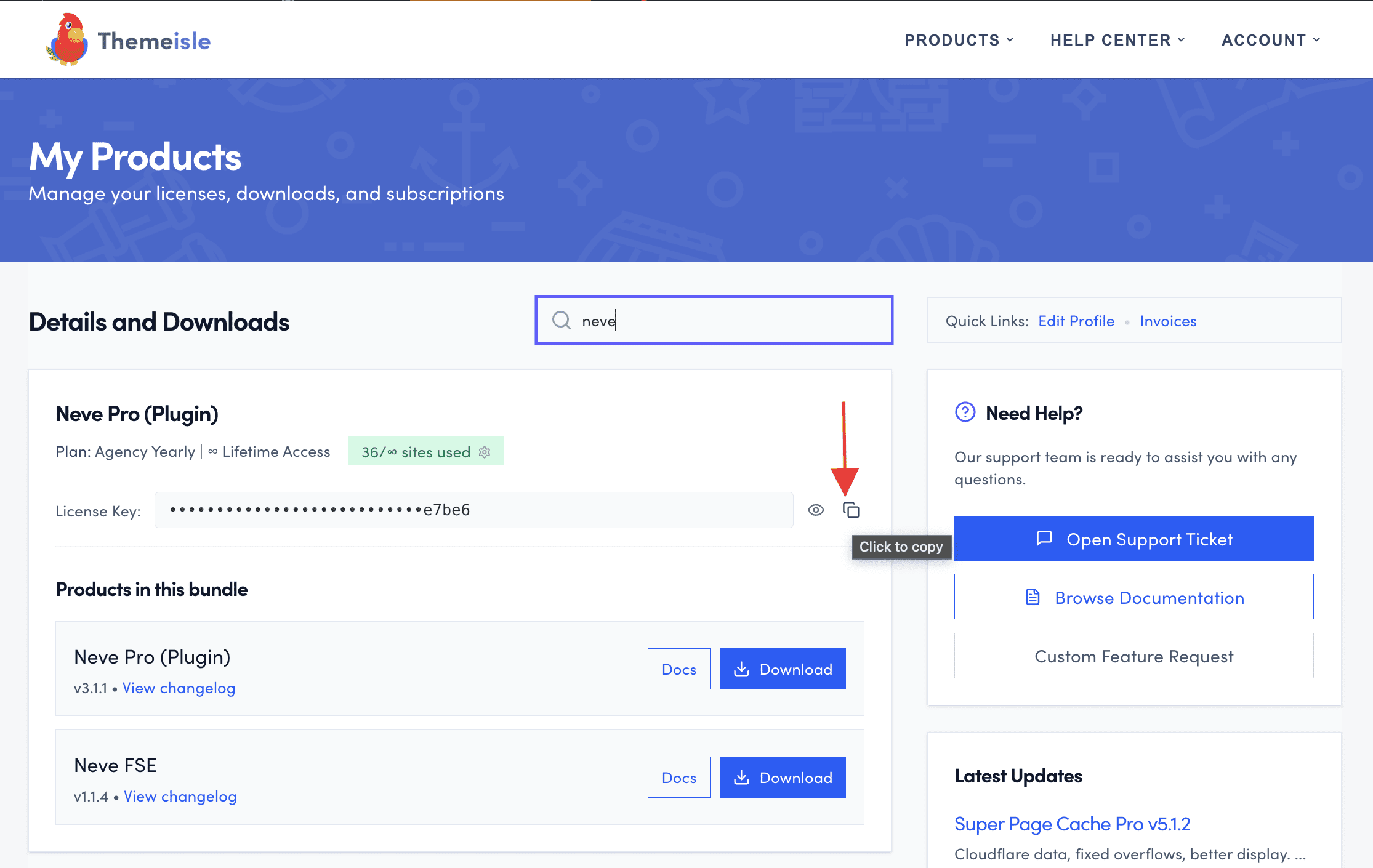
7. The license key is usually activated by default. If it's not, you can manually activate it. Click on it in the Themeisle store.
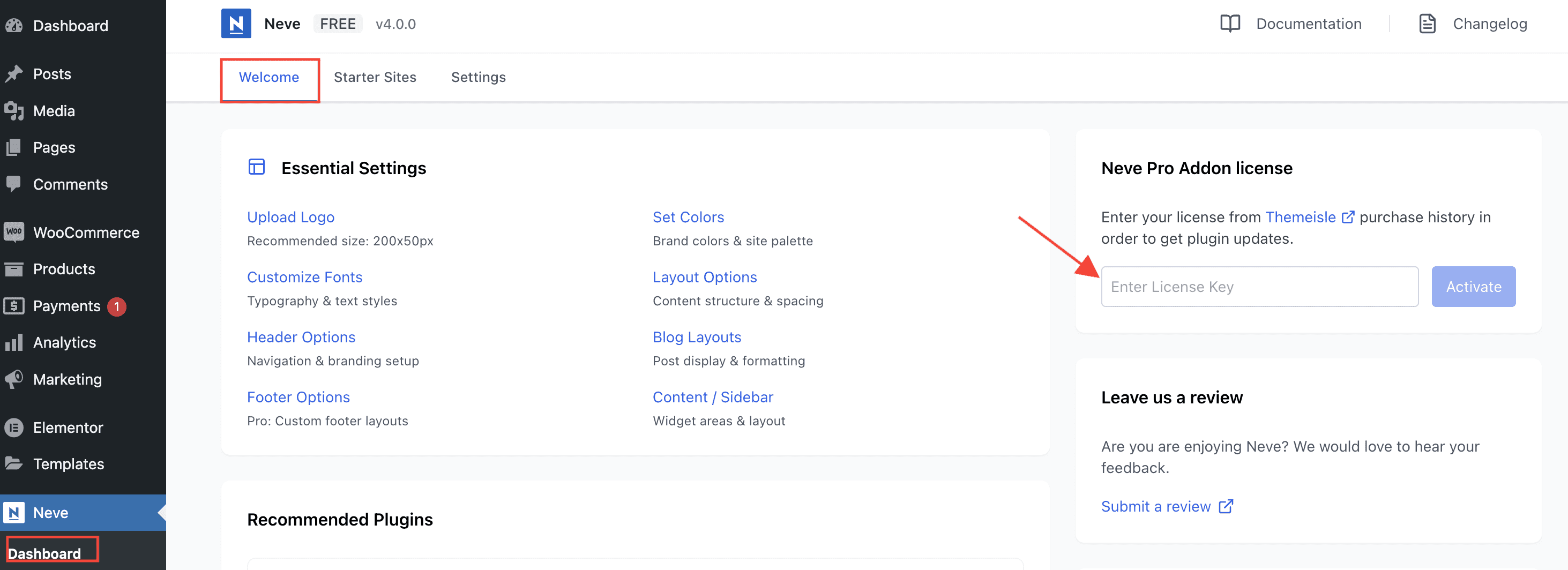
8. Go to Neve > Dashboard > Welcome, paste the license key, then click the Activate button.
Replace a license key that is already active
If a Neve Pro license is already active on the site, Neve > Dashboard shows the key masked with asterisks, a plan label such as Agency next to a Valid status, and the button reads Deactivate instead of Activate. The key field is greyed out, so you cannot paste a different key over it.
To use a different key on the same site:
1. Go to Neve > Dashboard and find the license section.
2. Click Deactivate. The field is cleared and becomes editable again.
3. Paste the new license key and click Activate.
4. Check that the status shows as Valid and that the plan label matches the plan you purchased.
5. Go to Dashboard > Updates and install any available Neve Pro Addon update.
⚠️ Important: The features you get depend on the plan of the key that is currently active. If the new key is for a lower plan than the previous one, the modules that require the higher plan stop being available and show an upgrade button in Neve > Dashboard > Settings > Manage Modules. Replacing an Agency key with a Business key, for example, removes access to White Label and WP Dashboard Customizer. Replacing the key does not reinstall the theme or the plugin, and your content, design settings, and customizations stay on the site.
If you are an agency handing billing over to a client, follow Agency guide: transfer license responsibility to a client. If you are keeping the same key after a renewal or an upgrade, see How to refresh the Neve Pro license status after an upgrade or renewal instead.
Troubleshooting
- If Neve > Dashboard opens but you do not see the Neve Pro license field, go to Plugins > Installed Plugins and confirm Neve Pro Addon is active. If it is missing, download it from your Themeisle store account and install it by following steps 2–6 above. After activation, return to Neve > Dashboard > Welcome and enter your key. If installation fails with “Destination folder already exists”, follow Fix "Destination folder already exists" plugin installation error in WordPress.
- If the Neve menu or Neve > Dashboard is missing entirely, see How to Fix Neve Pro License Activation Errors.
- If Neve Pro Addon still will not update, or the license shows an incorrect expiration date after a renewal or an upgrade, see How to refresh the Neve Pro license status after an upgrade or renewal.