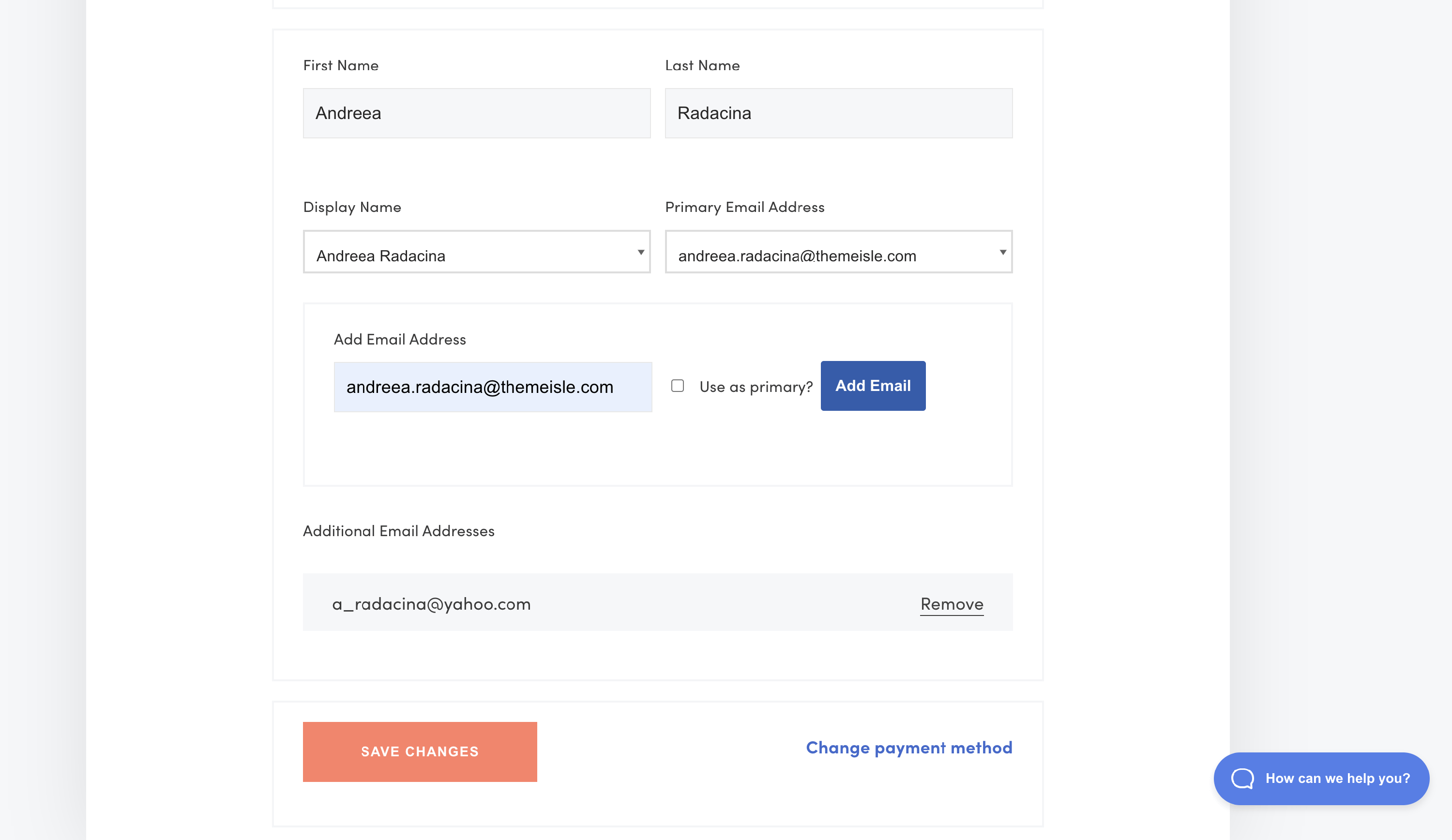
How to Add Multiple Emails in your Themeisle account?
Your Themeisle account supports multiple email addresses, letting you associate additional emails and designate a primary one for communications and billing.
1. Please navigate to your ThemeIsle account.
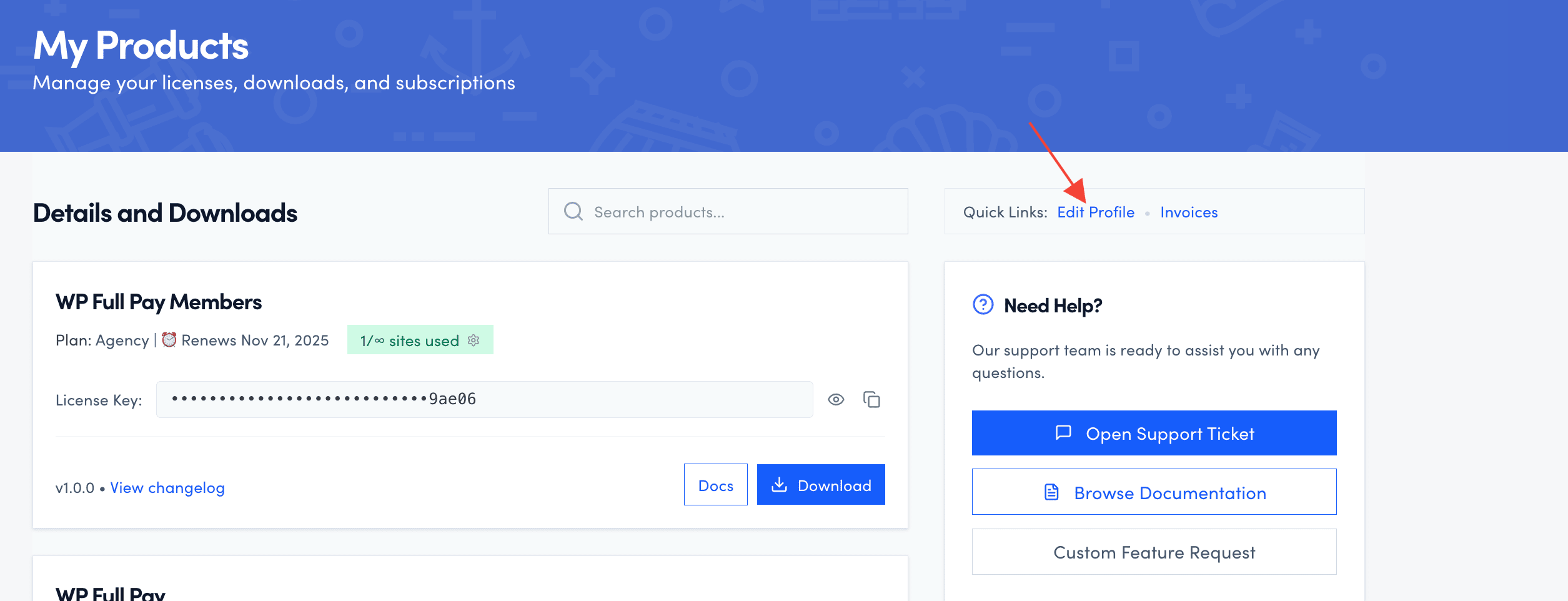
2. Access the Edit your profile tab.
3. Scroll down to the personal information.
4. Type in the email address in the Add Email Address field. 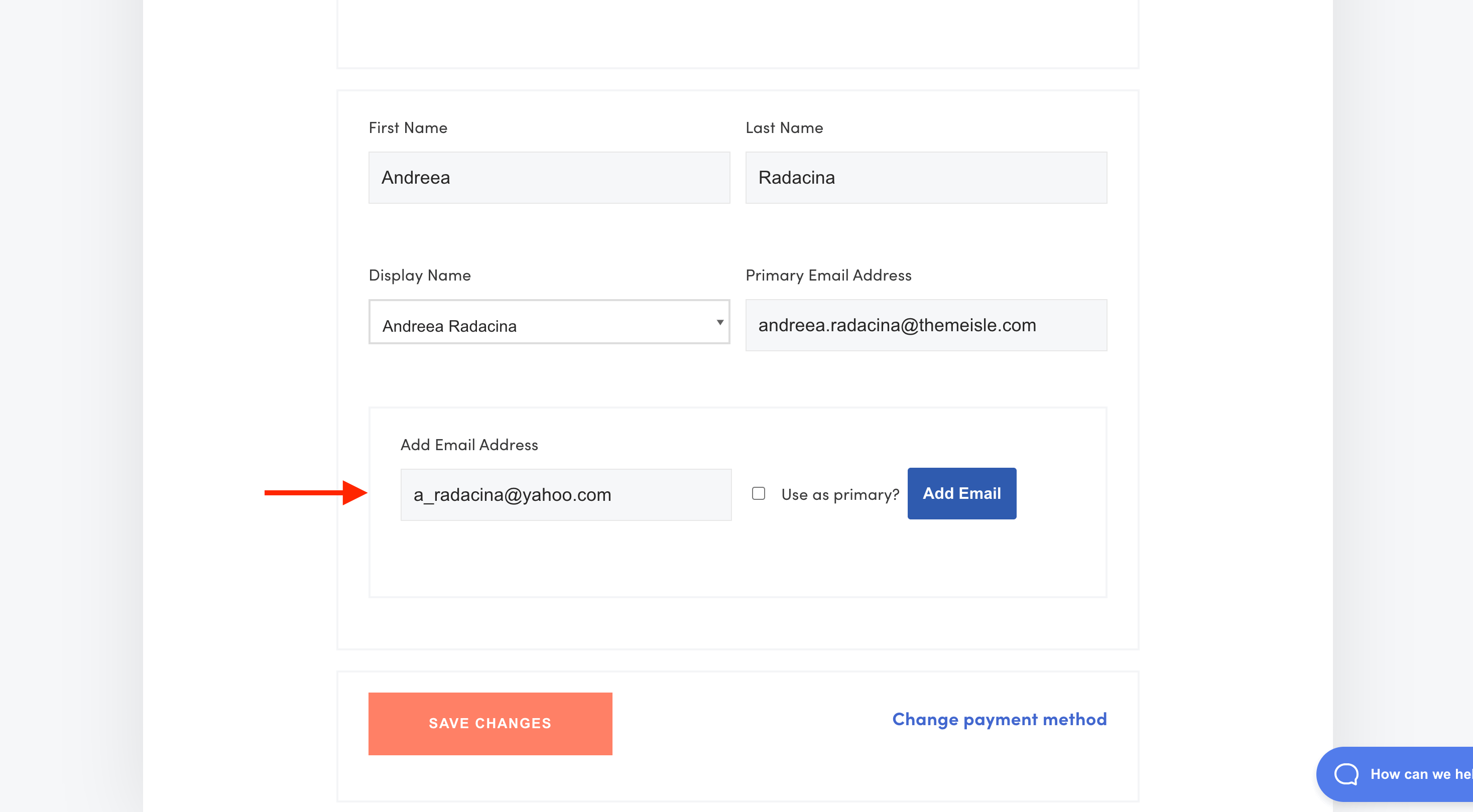
5. If you want to make it primary, make sure you also check that option.
6. Click on Add Email and then Save Changes.