How To Configure The Shop Page?
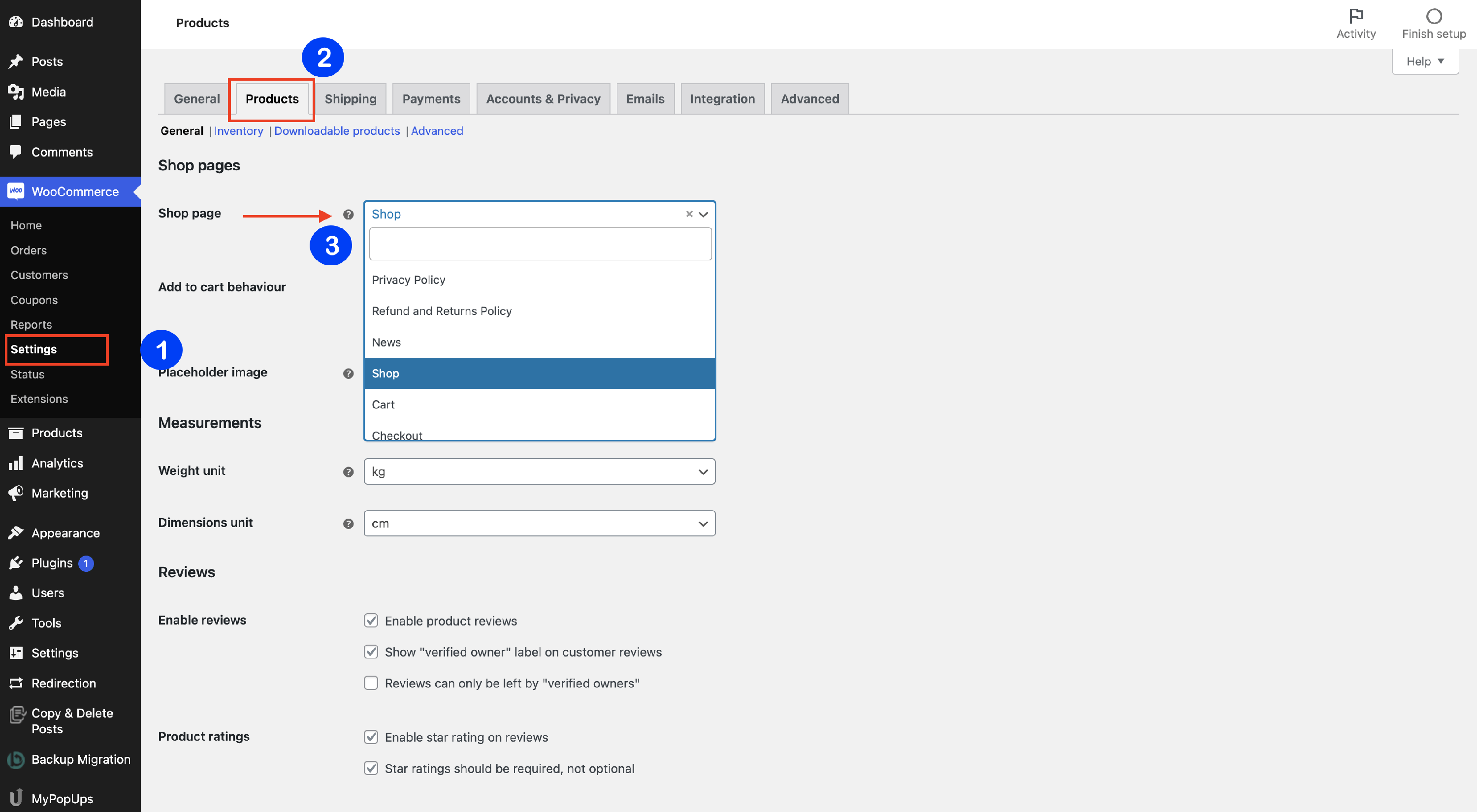
You can configure your WooCommerce shop page, including which page serves as the shop, directly from the WooCommerce settings.
1. Navigate to WooCommerce > Settings > Products.
2. Go to the Shop page and click the 🔽 icon to open the dropdown list.
3. Select from there the page that you want to be the page of your shop: