The Copyright Component - Neve Header / Footer Builder
The free Neve theme includes a basic copyright text in the footer bottom row, editable via the Customizer. The full Copyright component described in this article (with dynamic tags, HTML formatting, and advanced styling options) requires the premium version of Neve (any license tier), available from here.
The Copyright component is an indispensable tool of the Header / Footer Builder, that appears at the bottom of the page.
Using the Component
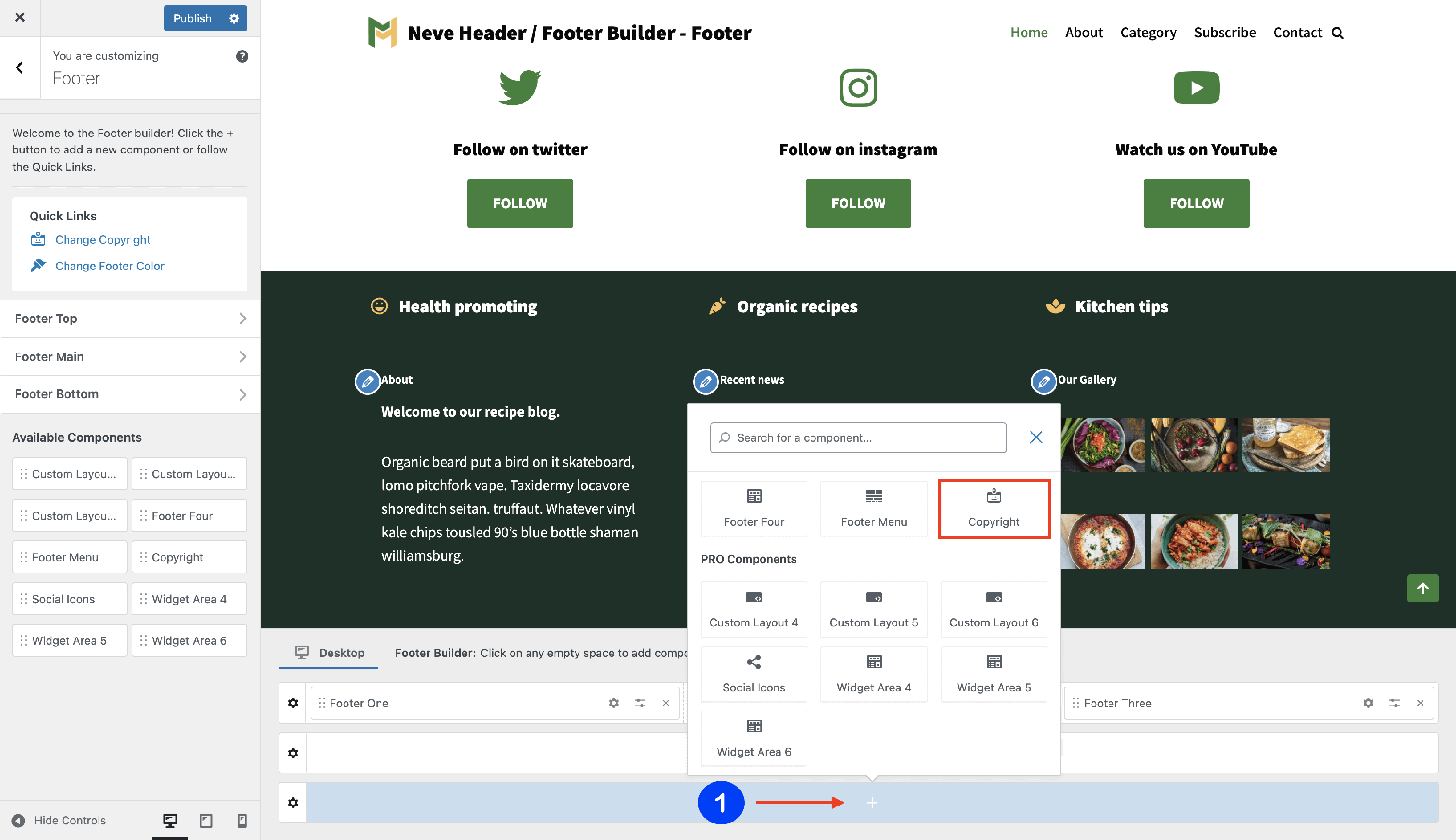
1. Start by adding the component into the rows, by clicking on the ➕ button and selecting the component.
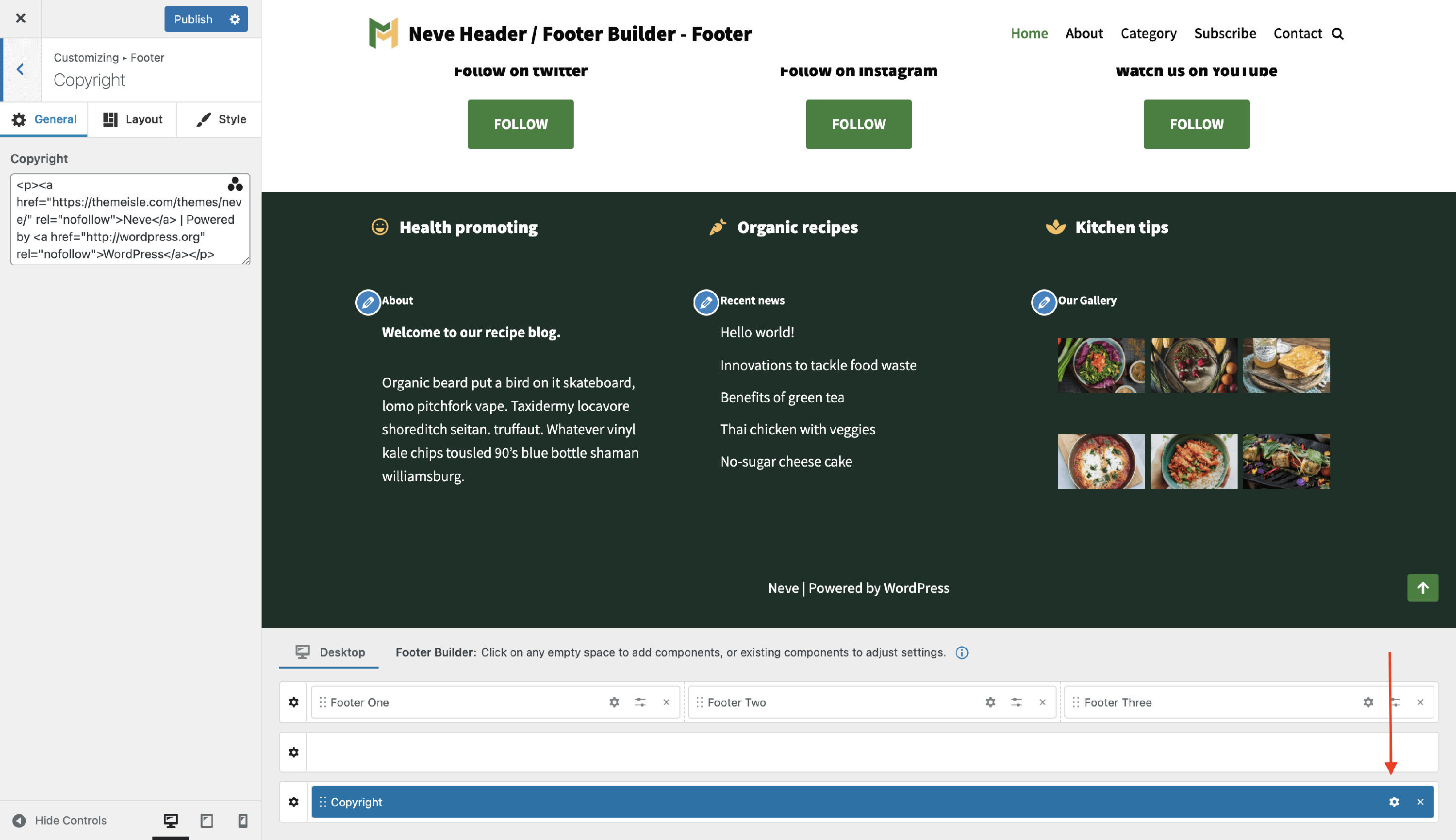
2. Open the component's settings to customize it, by clicking on the ⚙️icon.
Customizing the Component
There are three panels with customizing options for this component, which allow you to create the desired header / footer:
General Panel
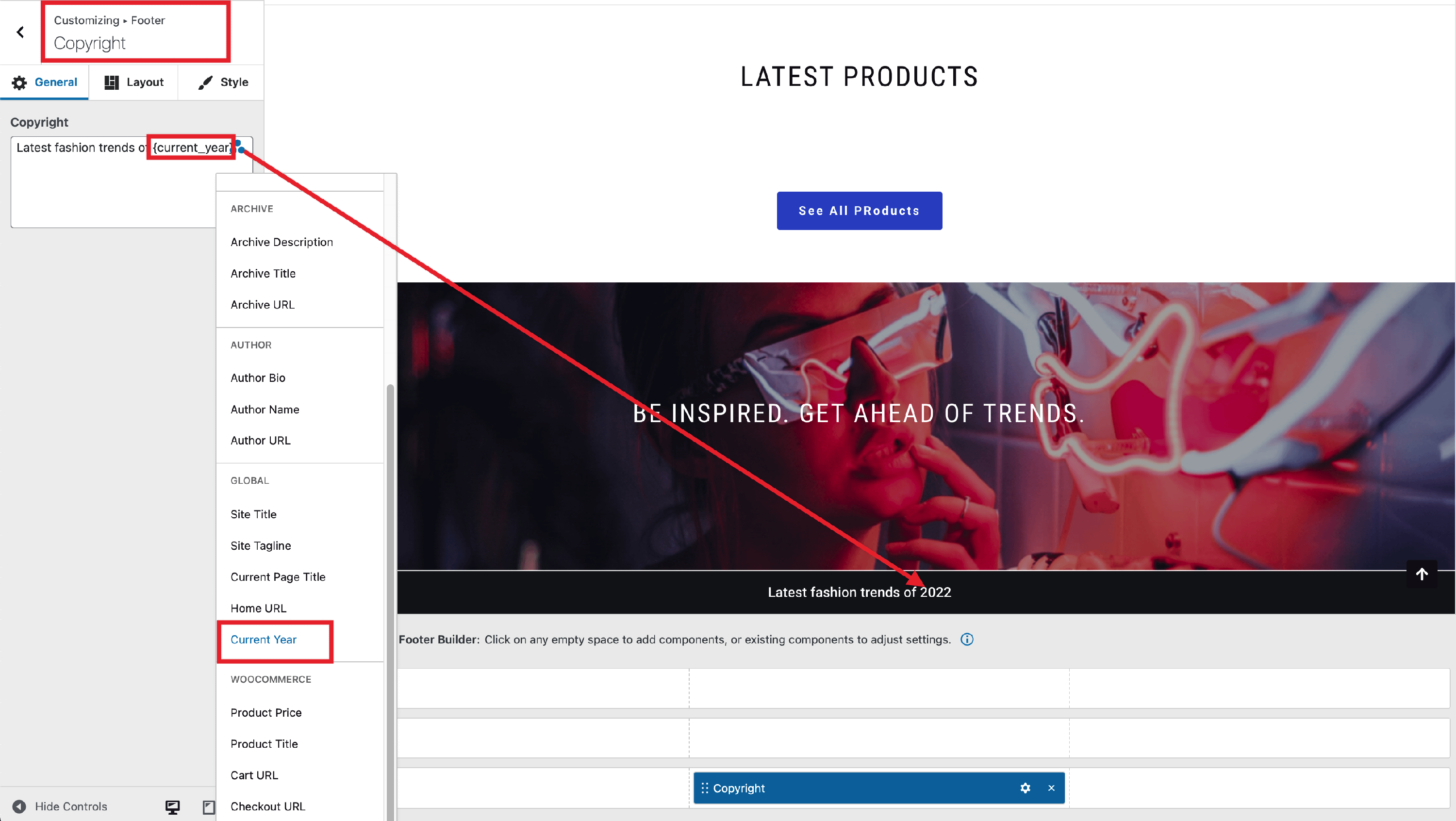
When you click on the ⚙️ icon, the General tab will appear on the left side. It contains a text/HTML field where you can type plain text or HTML directly. To insert a dynamic tag, click the ➕ button, which opens the dynamic tag picker.
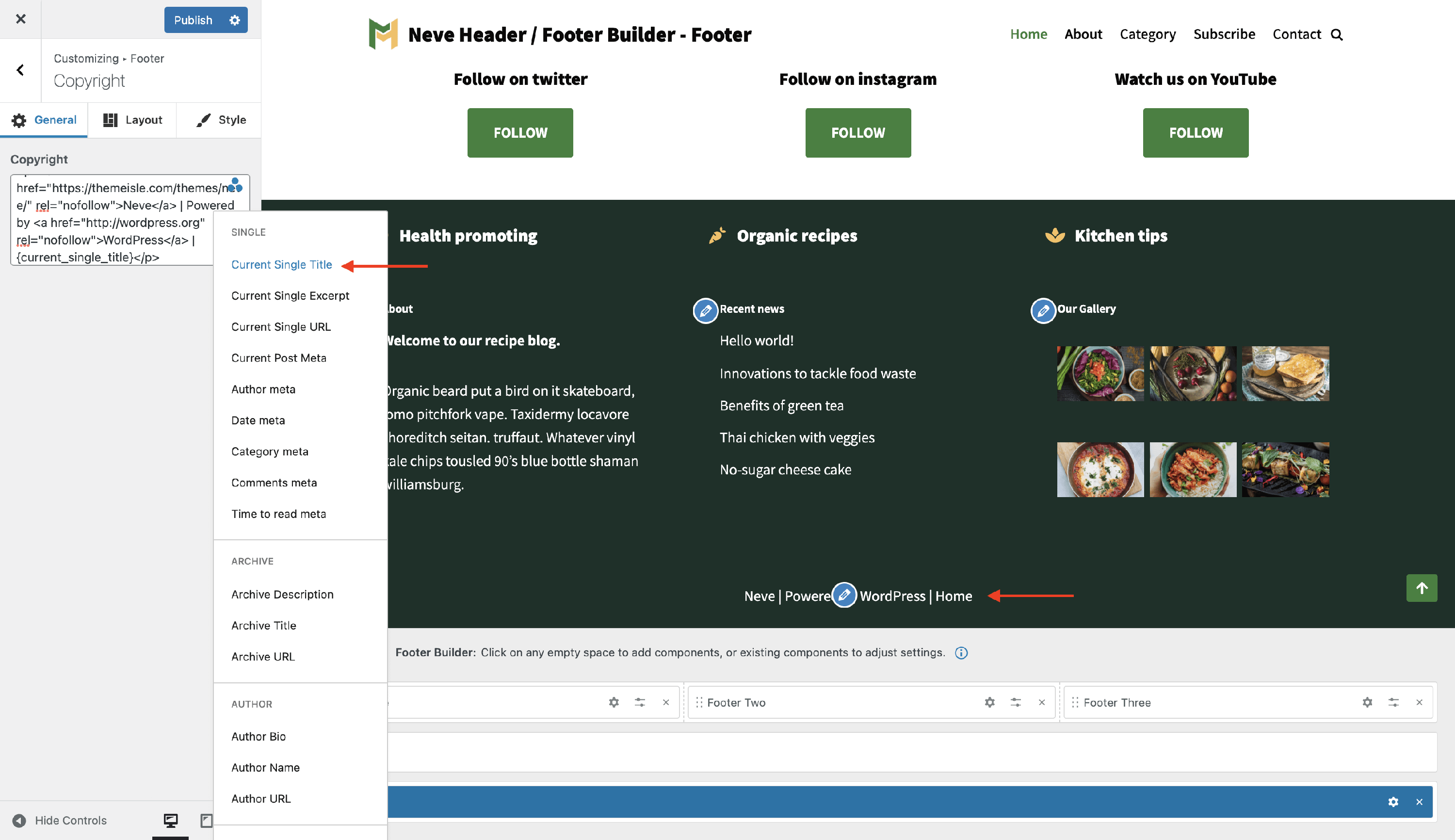
Dynamic Tags are another way of adding content to the HTML component. Dynamic Tags draw content from the website, or from the current page/post, changing dynamically according to the Page or Post it’s on. To get access to the Dynamic Tags click on the three dots shaped like a triangle.
Here is an example of how to configure the current year to appear in the footer and to update automatically next year, without further actions required from your side.
Layout Panel
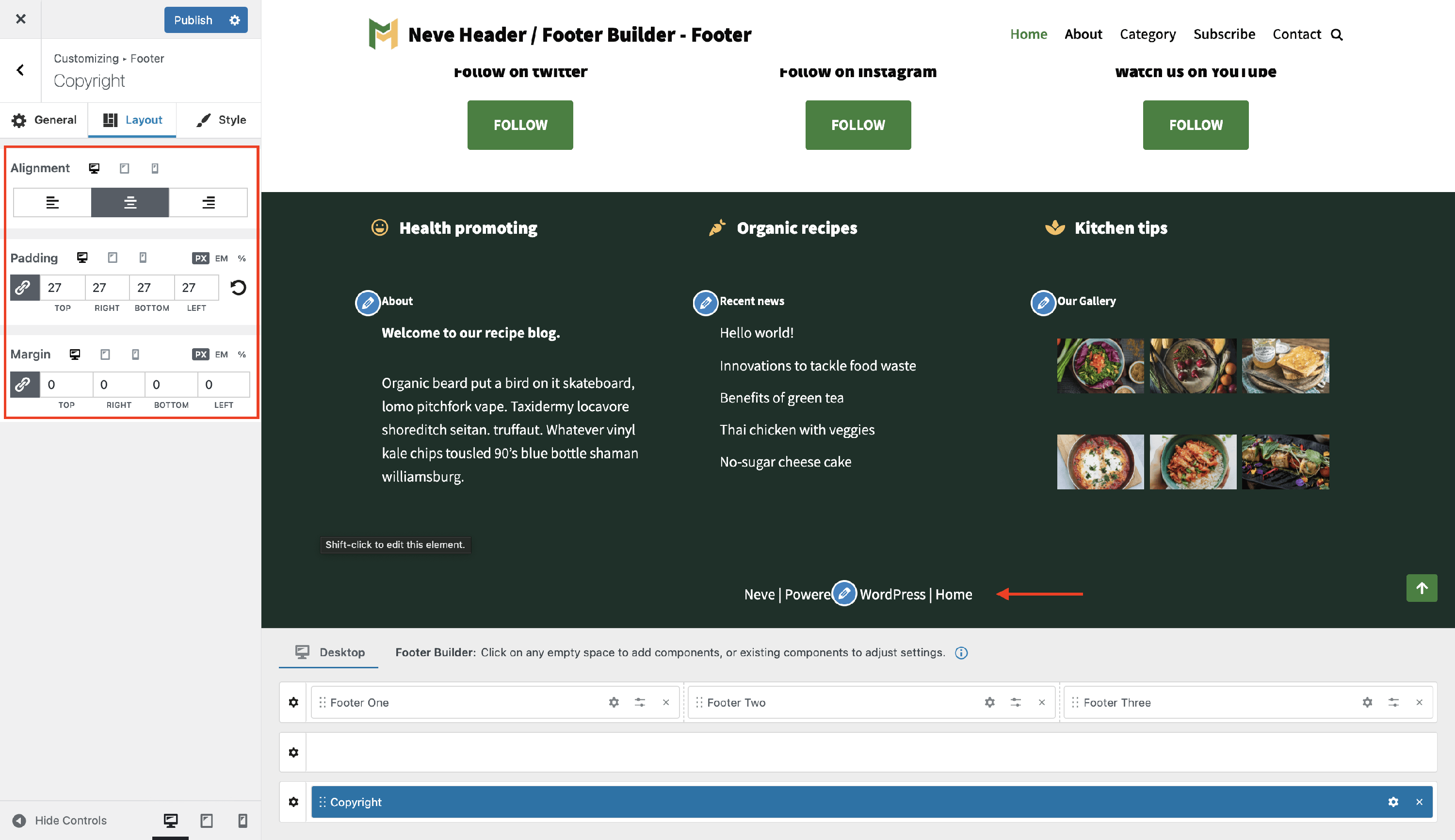
In the Layout tab, you also have access to advanced positioning options like:
- Alignment - left / center / right, inside the header builder available space for the Menu Icon component.
- Padding and Margin - available in PX, EM, REM, and %, with a link button that helps establish the same dimension for all the directions ( Desktop | Tablet | Mobile ).
Style Panel
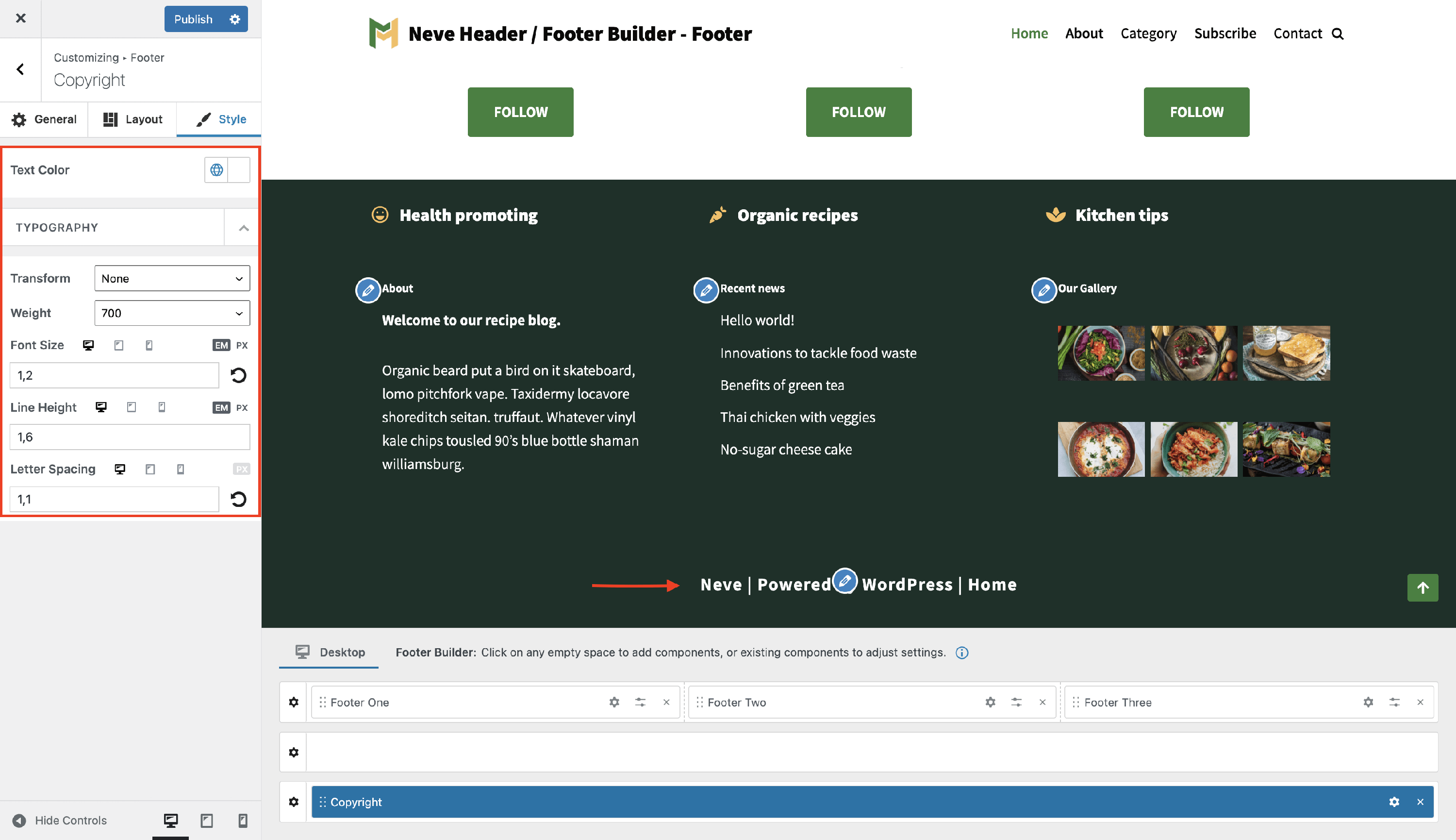
In this area, you will find options for customization for the copyright text.
setting colors for Text - with the option to choose one of the global colors ( theme's default colors ), by clicking on the 🌐 button. The typography subpanel found in the Style tab offers the following options:
Transform - None / Capitalise / Lowercase / Uppercase
Weight - None / 100 to 900
Font Size, Line Height (in PX / EM) , Letter Spacing (in PX) - along with a reset button ( Desktop | Tablet | Mobile ).