
How to change the color of the payment icons in Neve
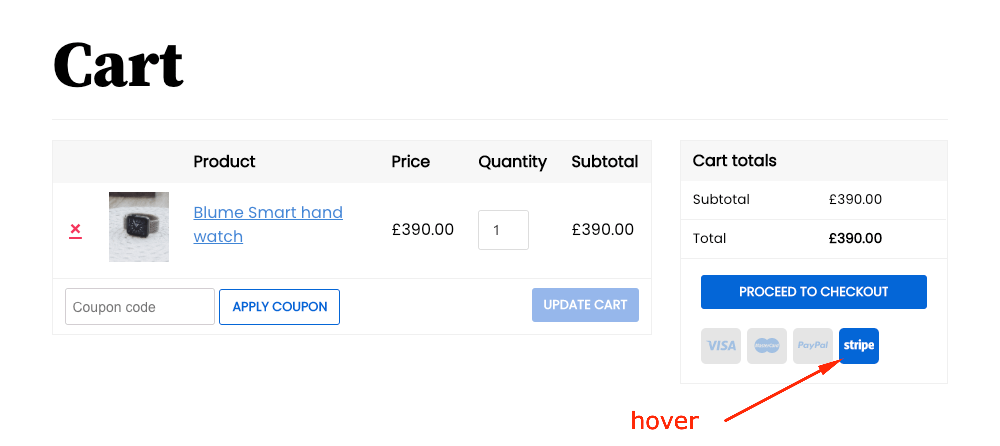
The color of the Payment Icons available in Neve can be changed by adding the following code into the Additional CSS editor within the Customizer.
Regular state
/* background-color */
.builder-item--payment_icons .nv-payment-icons-wrapper .nv-payment-icon,
.nv-payment-icons-wrapper .nv-payment-icon {
    background-color: #e5e5e5;
}

/* icon text color */
.builder-item--payment_icons .nv-payment-icons-wrapper .nv-payment-icon,
.nv-payment-icons-wrapper .nv-payment-icon {
    fill: #a2c0e2;
}
Hover state
/* background-color on hover */
.builder-item--payment_icons .nv-payment-icons-wrapper .nv-payment-icon:hover,
.nv-payment-icons-wrapper .nv-payment-icon:hover {
    background-color: #0366d6;
}

/* icon text color on hover */
.builder-item--payment_icons .nv-payment-icons-wrapper .nv-payment-icon:hover,
.nv-payment-icons-wrapper .nv-payment-icon:hover {
    fill: #fff;
}
A color picker that generates the hex value is available on this page.