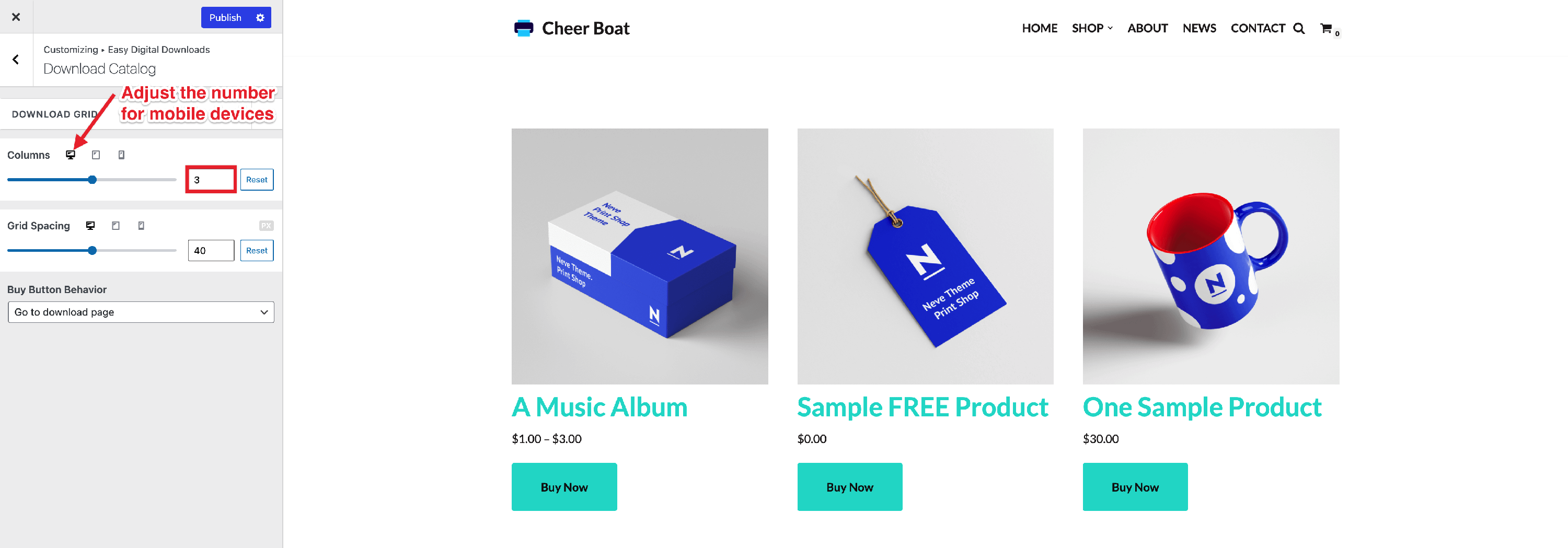
Easy Digital Downloads Booster Module Documentation
The Easy Digital Downloads Booster is a Neve PRO module (Business and Agency plans) that adds extra customization options for the Download Catalog page provided by the Easy Digital Downloads plugin.
For more details check out the full Neve documentation and Neve PRO documentation.
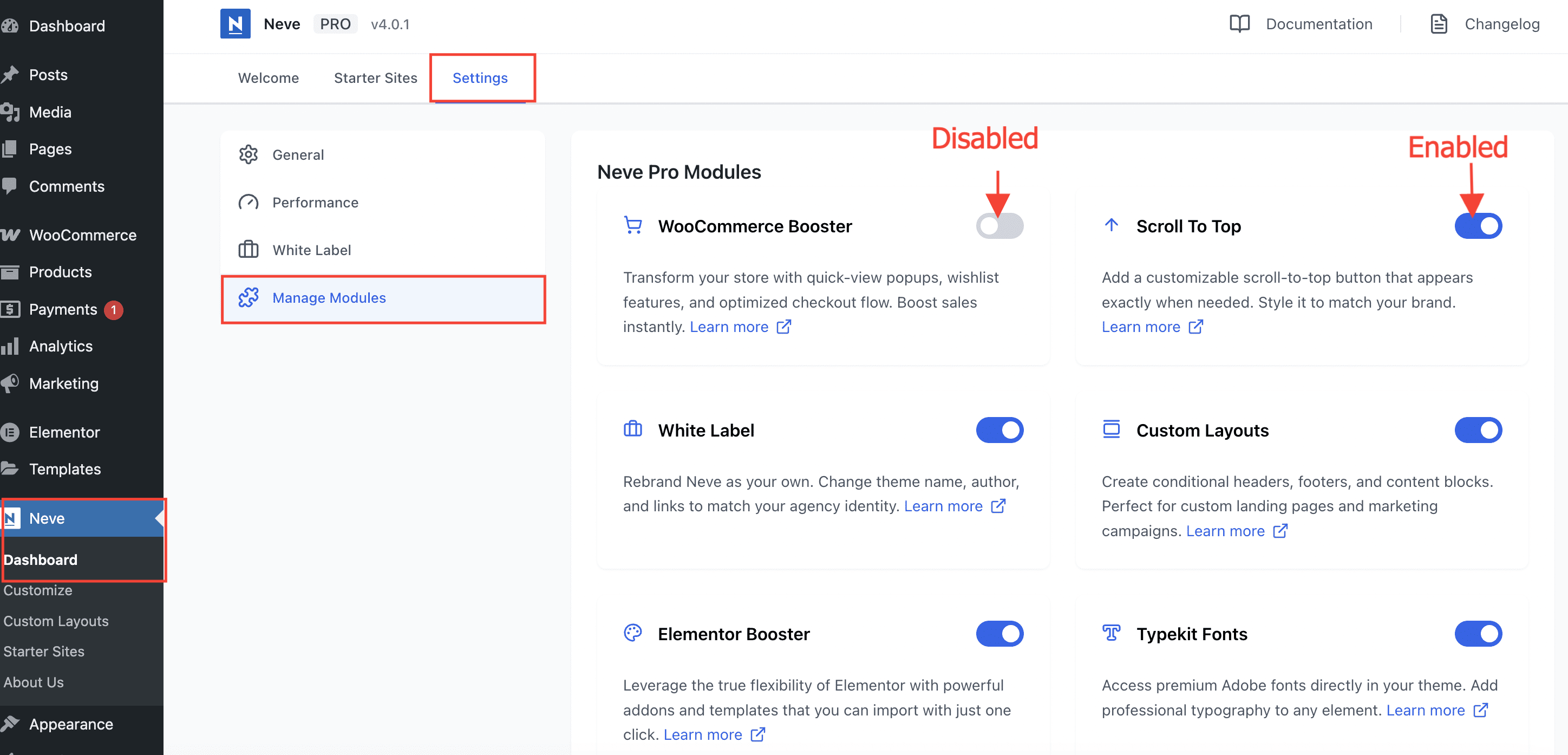
Enable or disable modules
Part of Neve PRO options consists of modules which can be enabled/disabled if used or not.
To enable/disable modules, navigate to Neve > Dashboard > Settings > Manage Modules.
Use the module
Important: The Easy Digital Downloads module is part of just two of Neve PRO plans: Business and Agency.
The Easy Digital Downloads Booster is an add-on for the Easy Digital Downloads plugin, which adds a few extra options for the Download Catalog page coming from the plugin.
The options can be found by navigating to Appearance > Customize > Easy Digital Downloads.