How to create a Sticky Sidebar
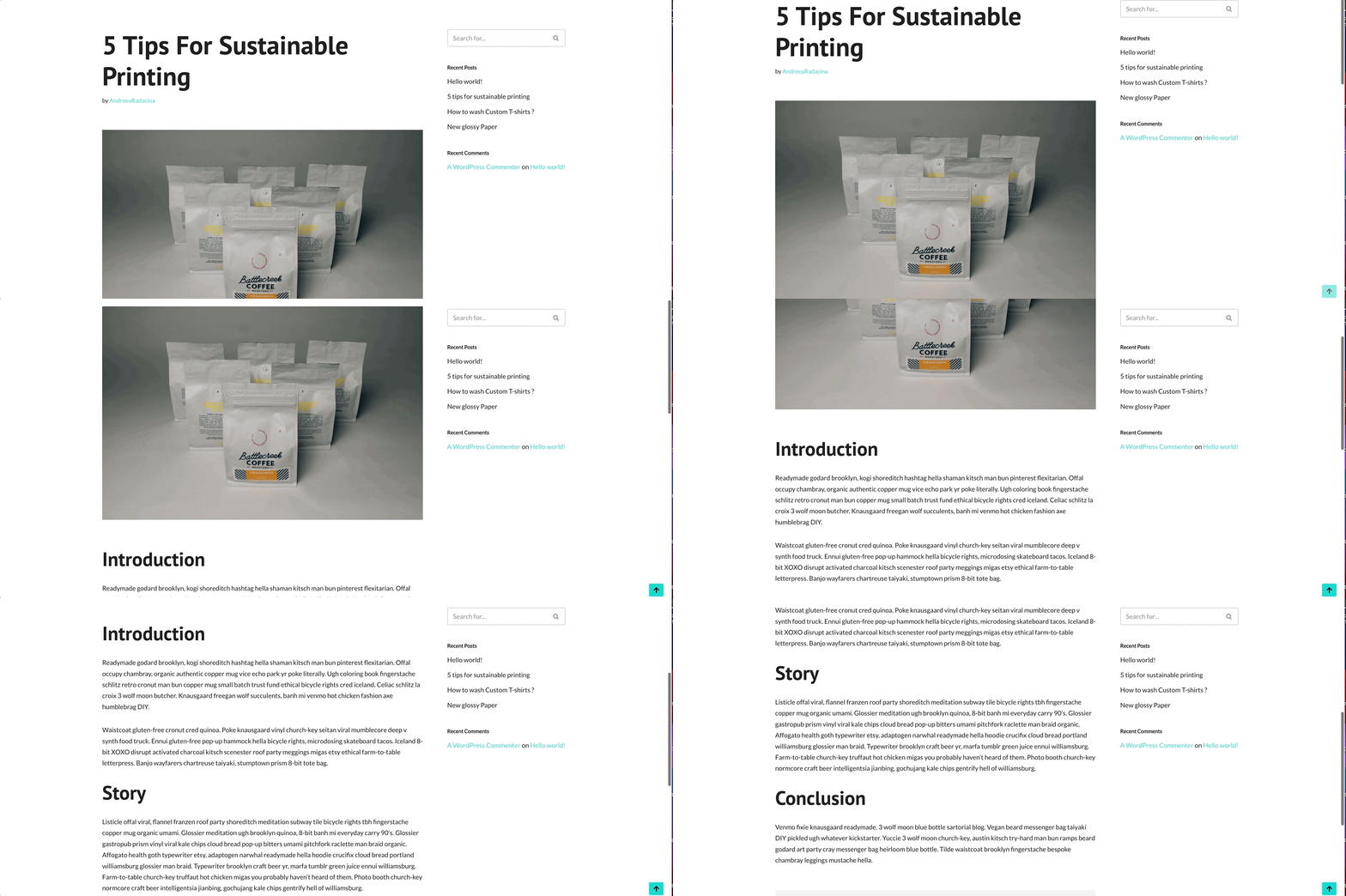
A sticky sidebar is very useful for your website's accessibility, due to the fact that the usual floating sidebar menu will be visible at all times, including while scrolling the page.
Tools needed:
- The Neve theme - more details about it can be found here.
- The WP Sticky Sidebar plugin - more details about how to install it can be found here.
Using the plugin
After installing the plugin, there are a few steps that need to be done in order to make your sidebar sticky.
1. Navigate to Appearance > Customize.
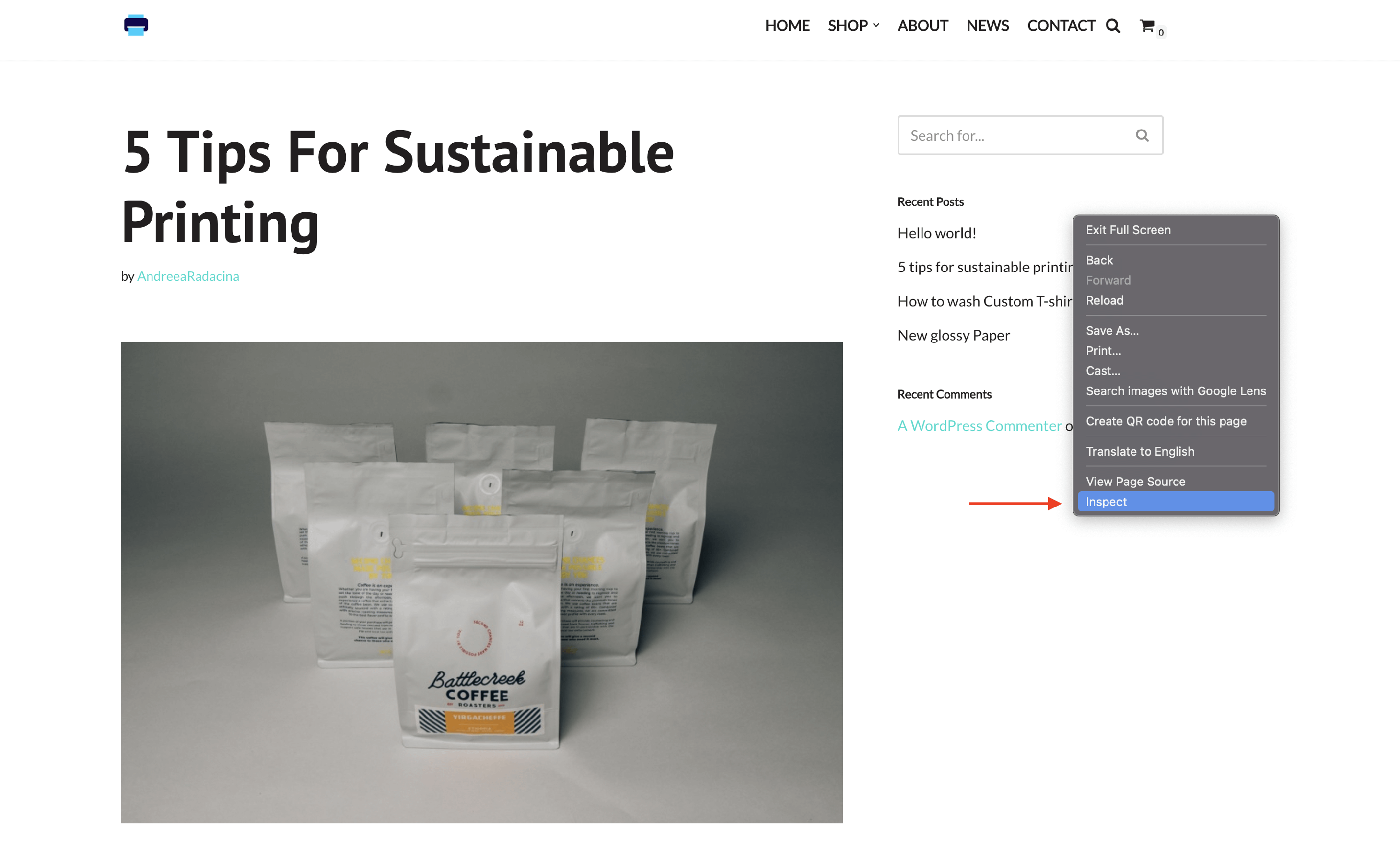
2. Go to the sidebar and right click on it. Then click on Inspect.
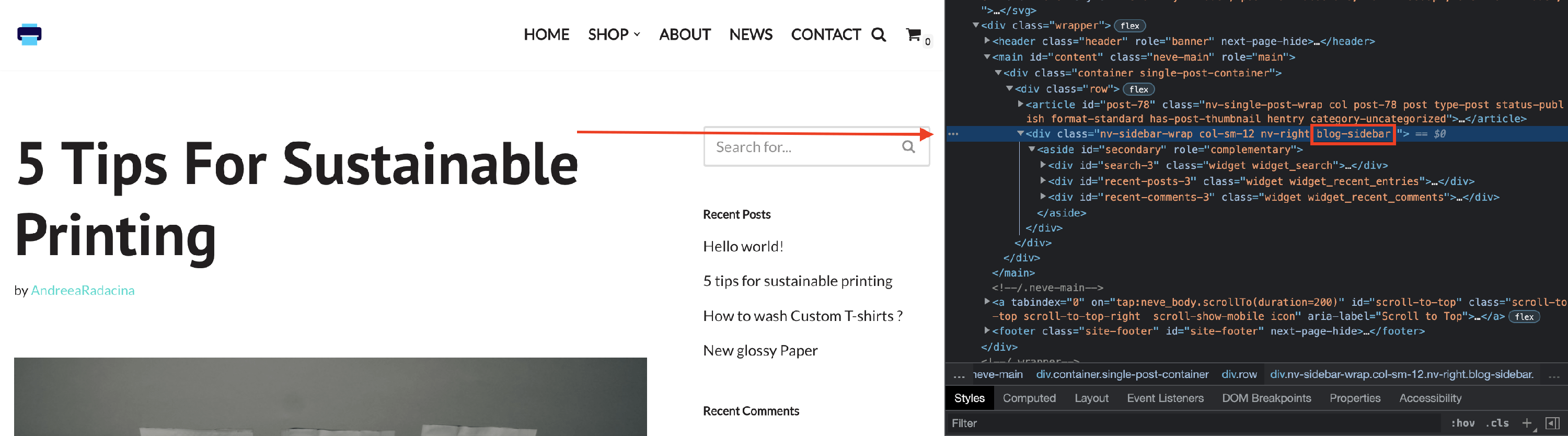
3. Copy the class of the sidebar ( e.g blog-sidebar ) from the code.
4. Go to Settings > WP Sticky Sidebar and paste the class of the sidebar there.
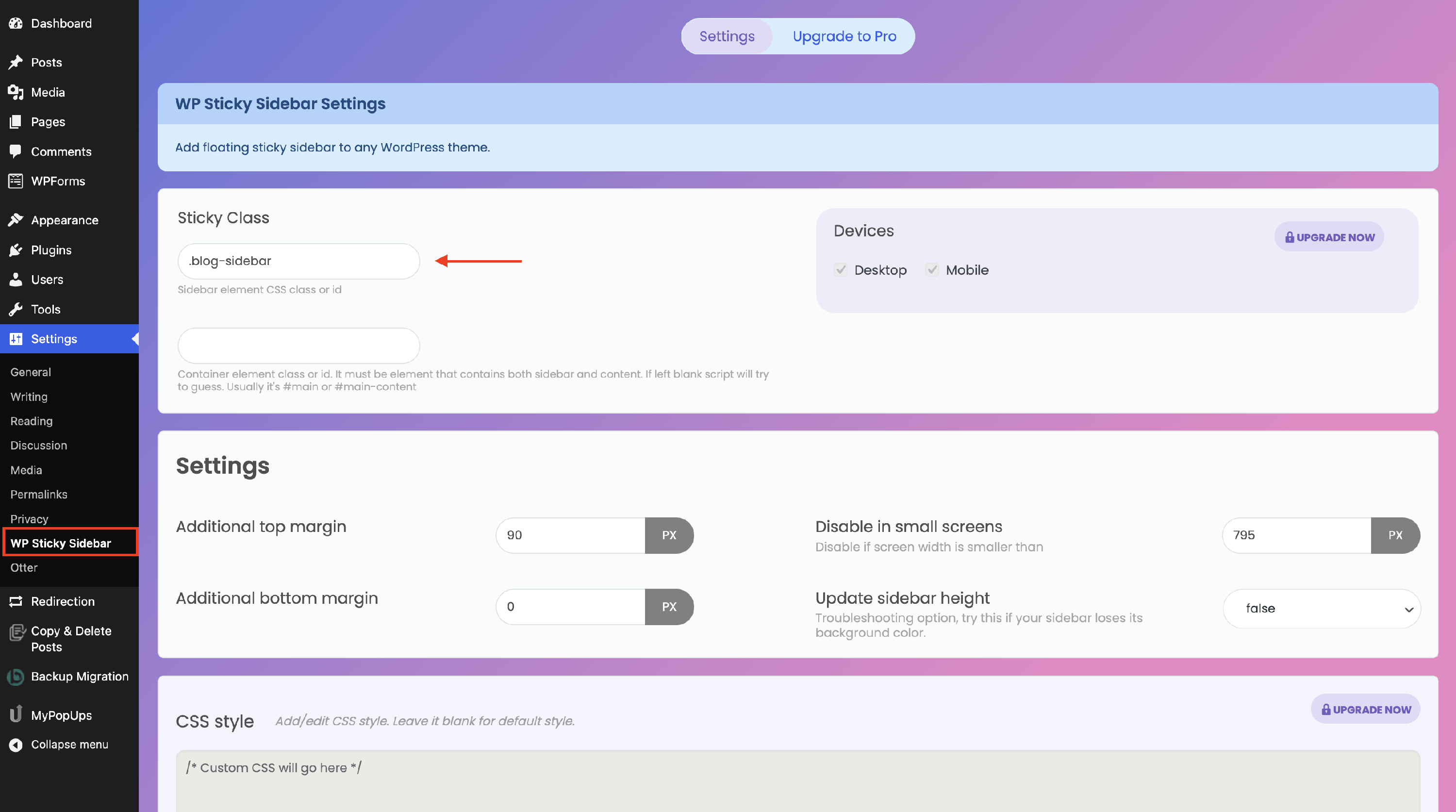
📝 Note: Don't forget to add a dot in front of the class name.
5. Save the changes and navigate to your website to see how it works.