White Label Module Documentation
The White Label module, available in the Neve Pro Agency plan, lets you rebrand Neve and its plugin under your own name.
For more details check out the full Neve documentation and Neve PRO documentation.
Enable or disable modules
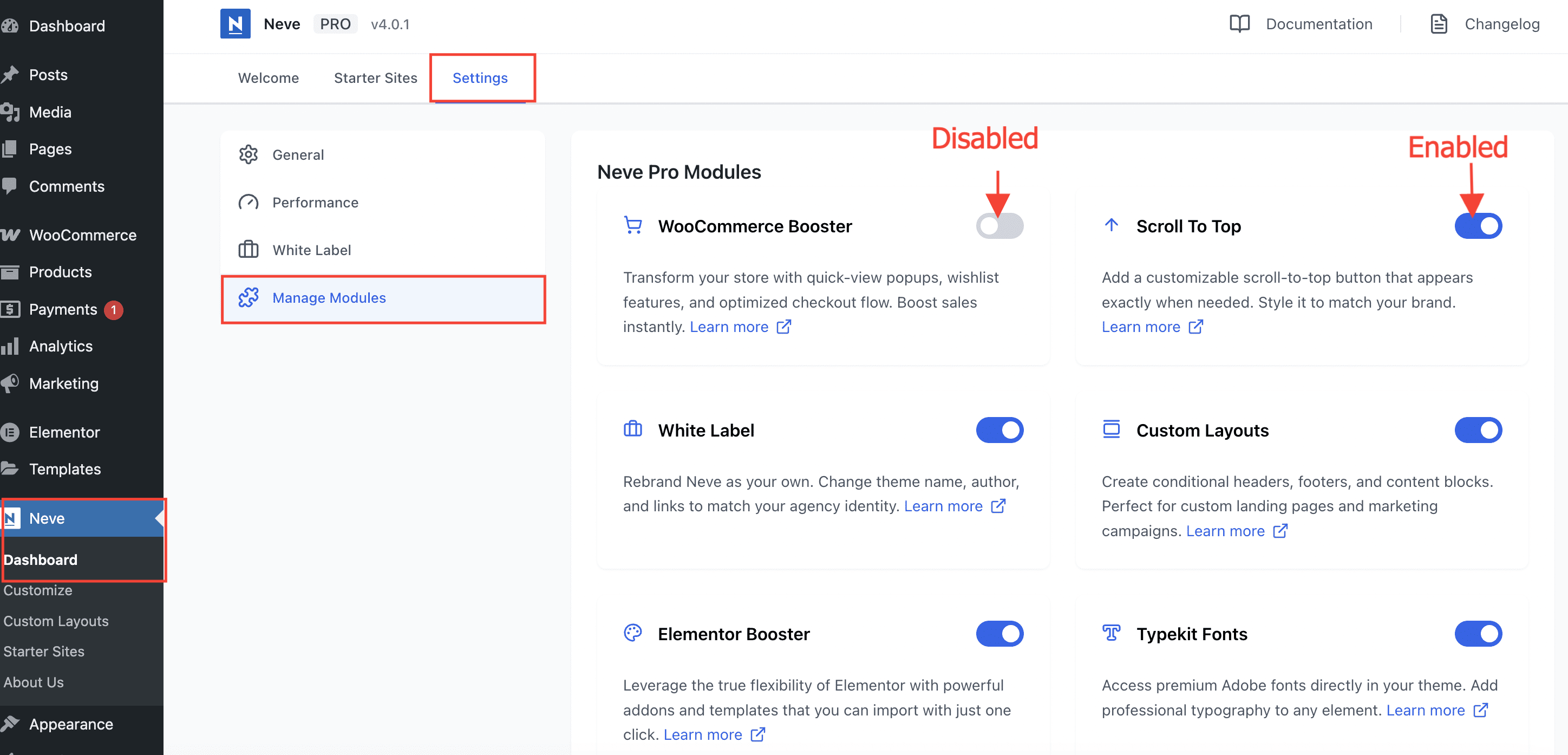
Part of Neve PRO options consists of modules which can be enabled/disabled if used or not.
To enable/disable modules, navigate to Neve > Dashboard > Settings > Manage Modules.
Use the module
Important: The White Label module is available only in the Agency subscription of Neve PRO.
The White Label module allows you to rebrand Neve as your own. This helps you hide the actual identity of the theme and pro plugin used and lets you use your brand name instead. Make a note that, you cannot change the folder names.
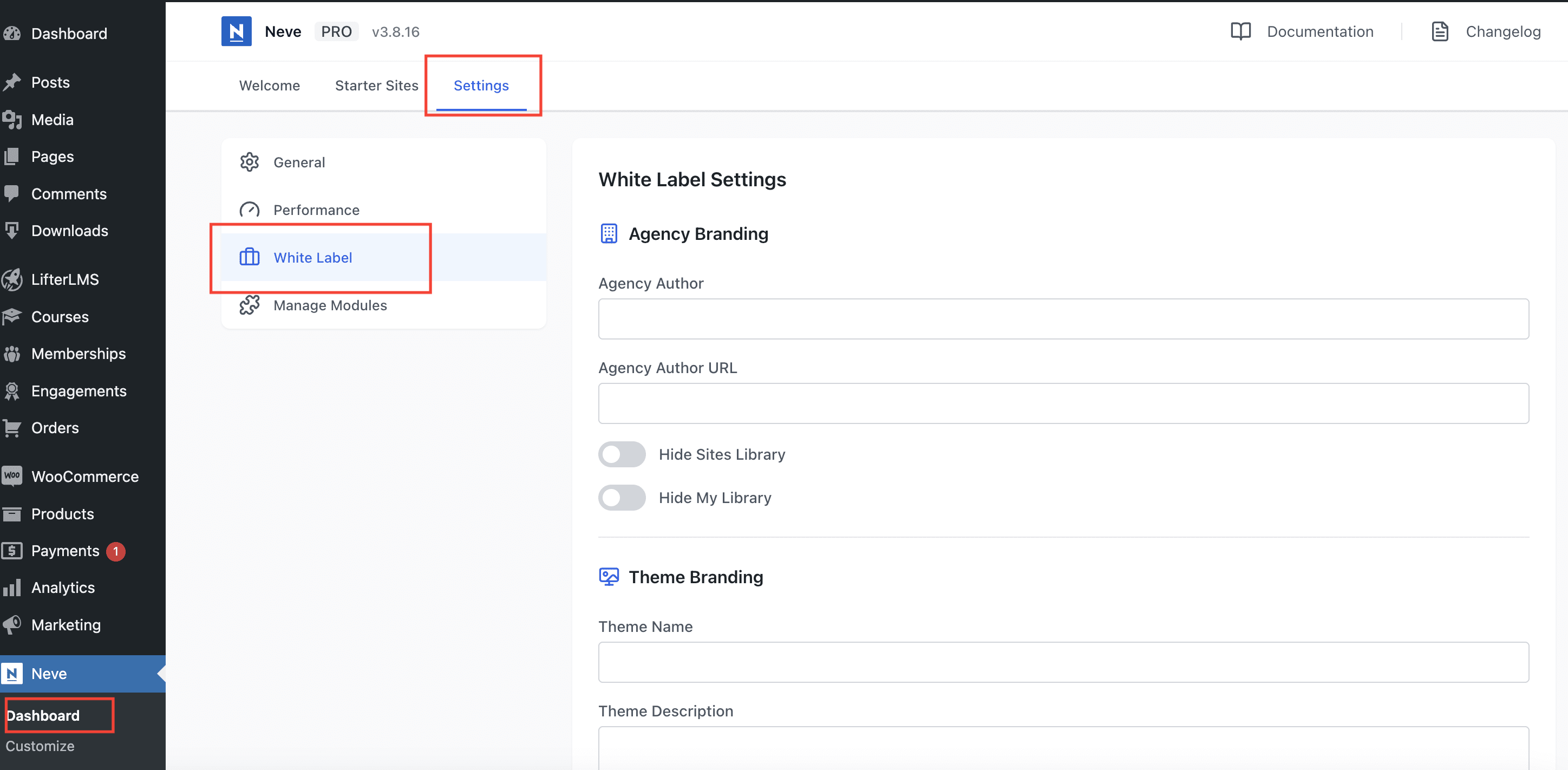
In order to access the White Label settings, navigate to Neve > Dashboard > Settings > White Label and add your own brand details.