
Block Editor Booster Module Documentation
The Block Editor Booster is a Neve PRO module that unlocks premium Gutenberg blocks and dynamic content capabilities when used alongside the Otter PRO plugin.
For more details check out the full Neve documentation and Neve PRO documentation.
Important: The Block Editor Booster requires you to install and activate the Otter PRO plugin ( You can use the same license key as for Neve PRO ). When Otter PRO is active, the module is available on all Neve PRO plans. Without Otter PRO, it is available on the Agency plan only.
Enable or disable modules
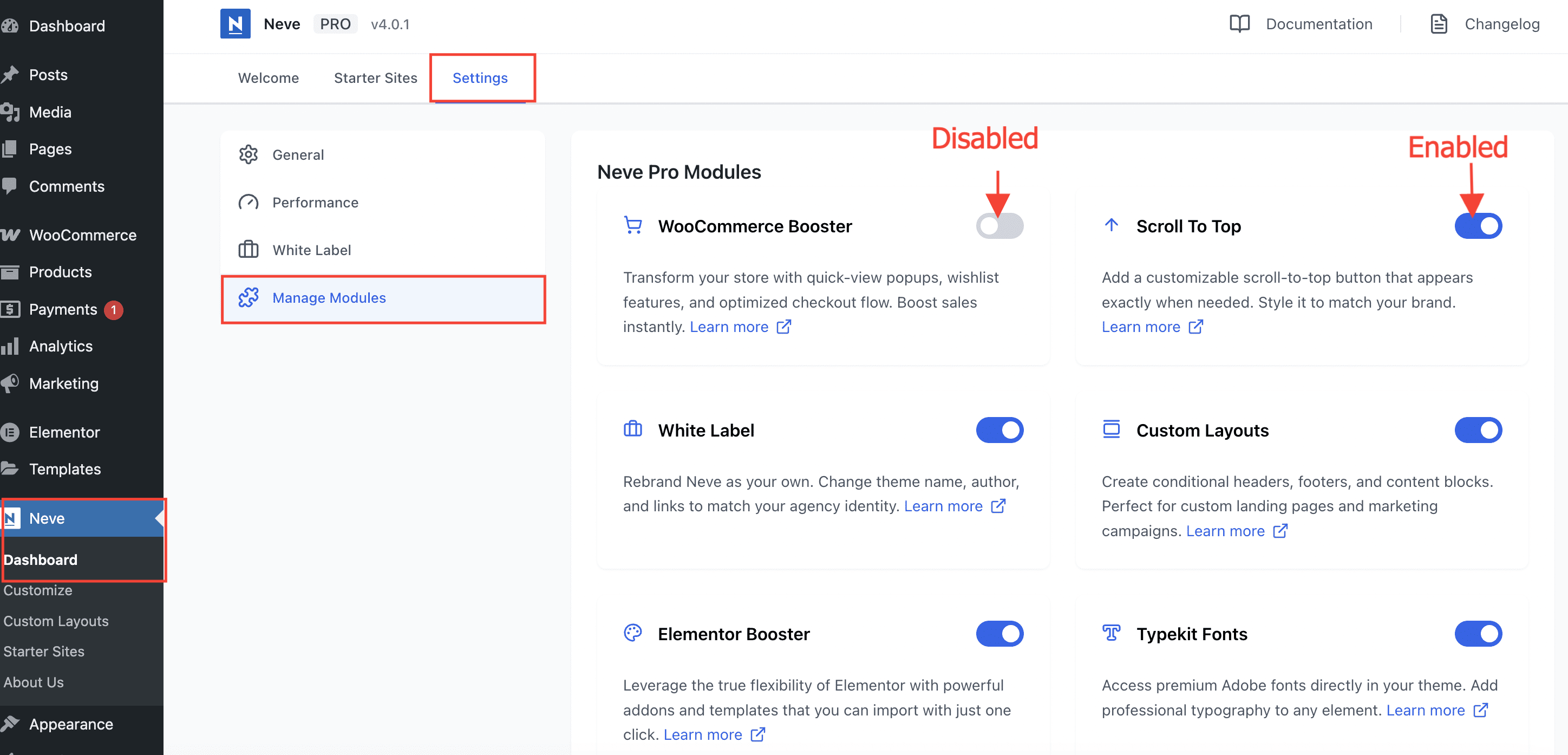
Part of Neve PRO options consists of modules which can be enabled/disabled if used or not.
To enable/disable modules, navigate to Neve > Dashboard > Settings > Manage Modules.
Use the module
After enabling the module, when editing posts or pages, you will have access to 5 premium blocks:
- Review Comparison Block - Generate comparison tables from your Review Blocks.
- Product Comparison Block - Generate comparison tables from your WooCommerce Products.
- Business Hours Block
- Popup Block - Create popups using the Block Editor and display them on triggers.
- Add to Cart Block
The module also brings in Dynamic Content (Display the content from your content fields anywhere in your blocks) and the option to Display Blocks Conditionally.