WP Dashboard Customizer Module Documentation
Important: The WP Dashboard Customizer Module is part of Neve PRO Agency plan.
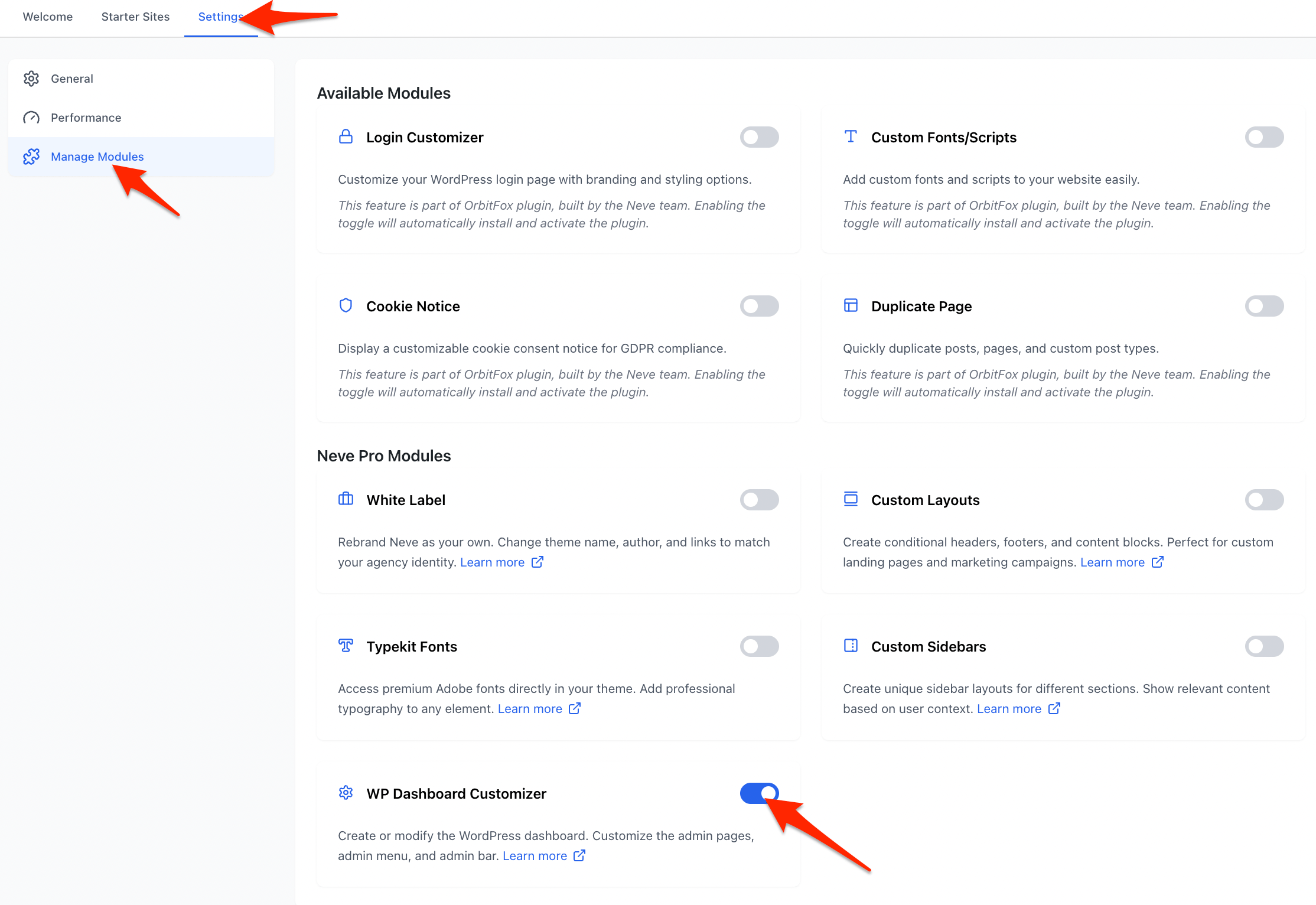
Enabling the Module
The WP Dashboard Customizer module introduces three key features that allow users to personalize the WordPress admin experience:
- Admin Pages Creator
- Admin Menu Editor
- Admin Bar Editor
In this article
1. Admin Pages Creator
This feature allows users to create custom admin pages directly within WordPress.
A new custom post type, Admin Pages, will be registered. By default, it will be accessible to users with the manage_options capability.
Admin Menu Integration
- The "Admin Pages" menu appears under the Neve top-level menu.
- It is only be visible when the WP Dashboard Customizer module is active.
Post Type Settings
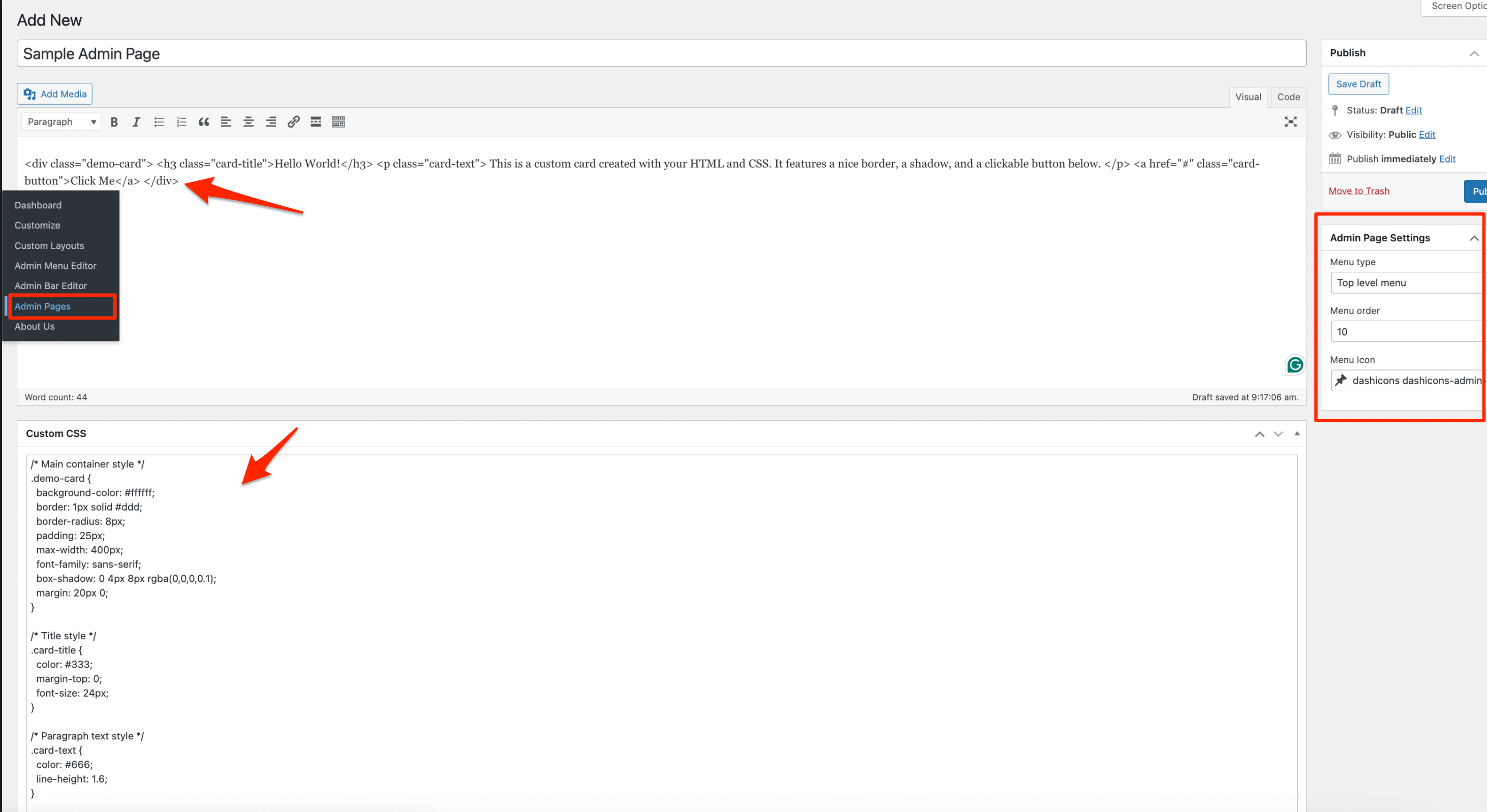
Each Admin Page has the following options:
- Menu Settings:
- You can define whether it's a **top-level page** or a **submenu** of an existing menu item.
- Set the menu order.
- Choose a menu icon.
- Content:
- Add custom HTML content via the post editor (
post_contentand title). - Custom CSS field to add styling specific to that page.
- Add custom HTML content via the post editor (
- Editor Compatibility:
- It supports the Classic Editor only (the block editor and Elementor are not supported)
Here is how creation of a new page looks like:
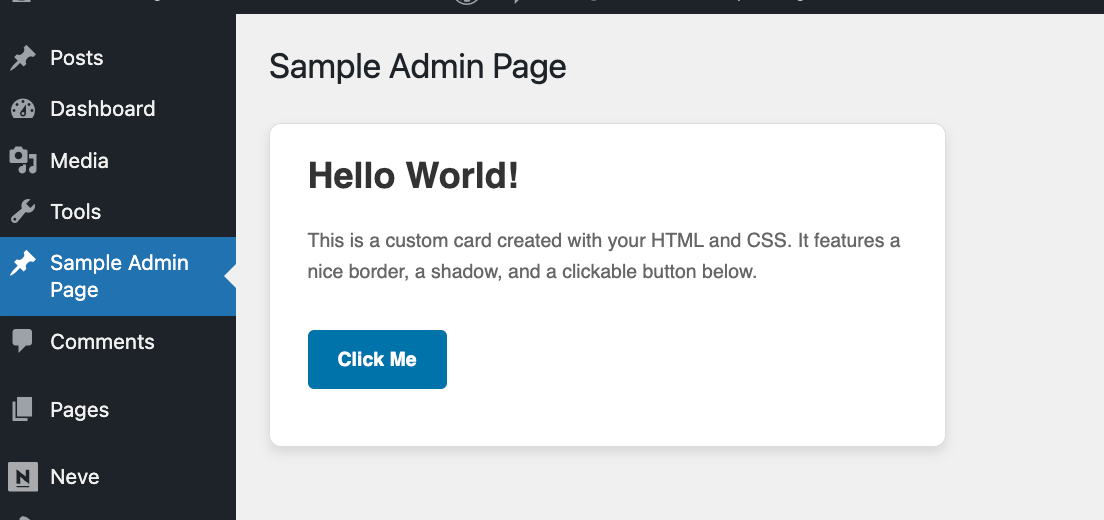
If I create such a page it appears as a new admin menu item and a page which you can dedicate for multiple purposes:
2. Admin Menu Editor
This tool allows editing of the WordPress Admin Menu for different user roles.
It is located under the Neve top-level menu and appear only when the module is active.
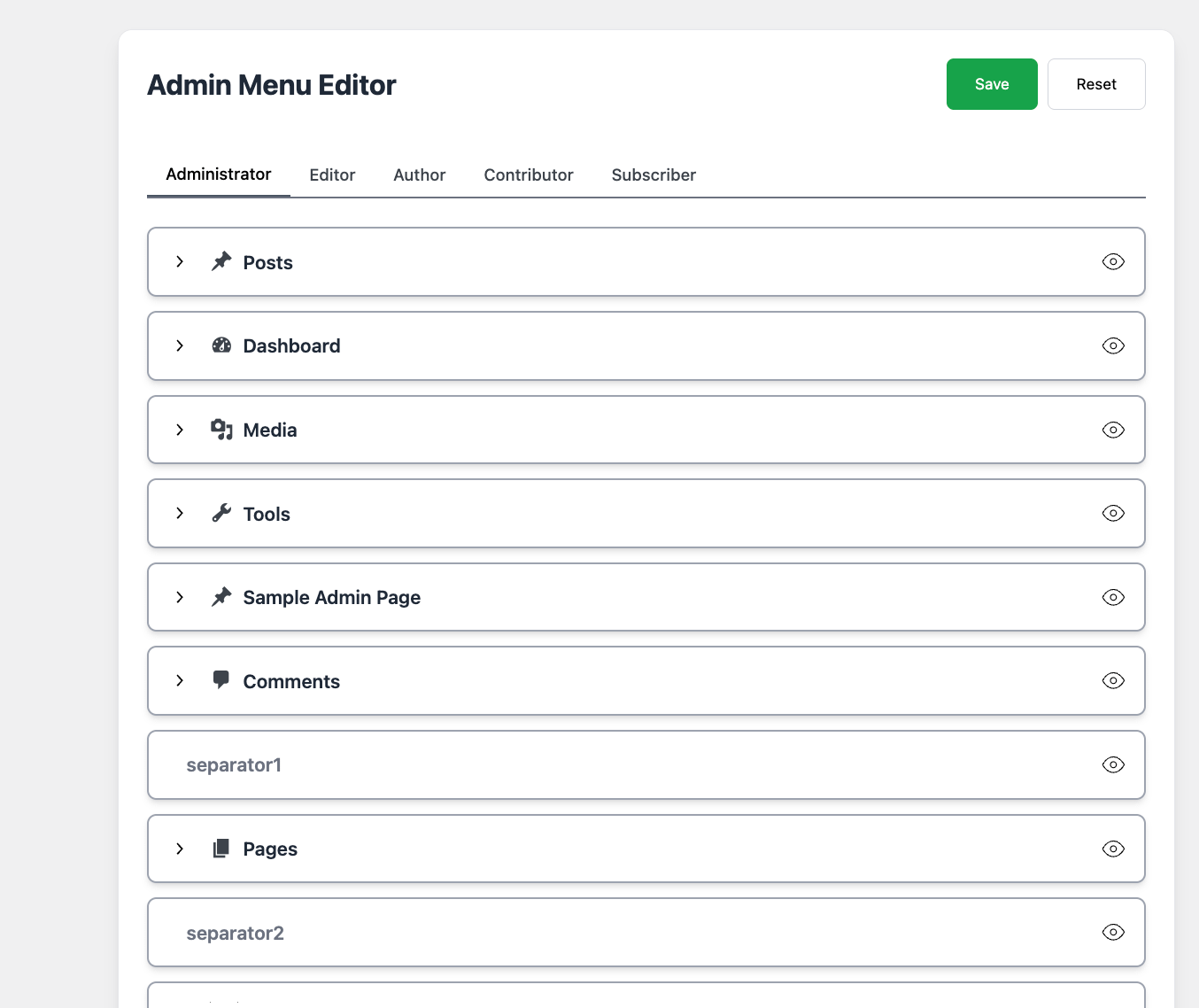
UI & Functionality
For each menu item (and submenu), per role you can:
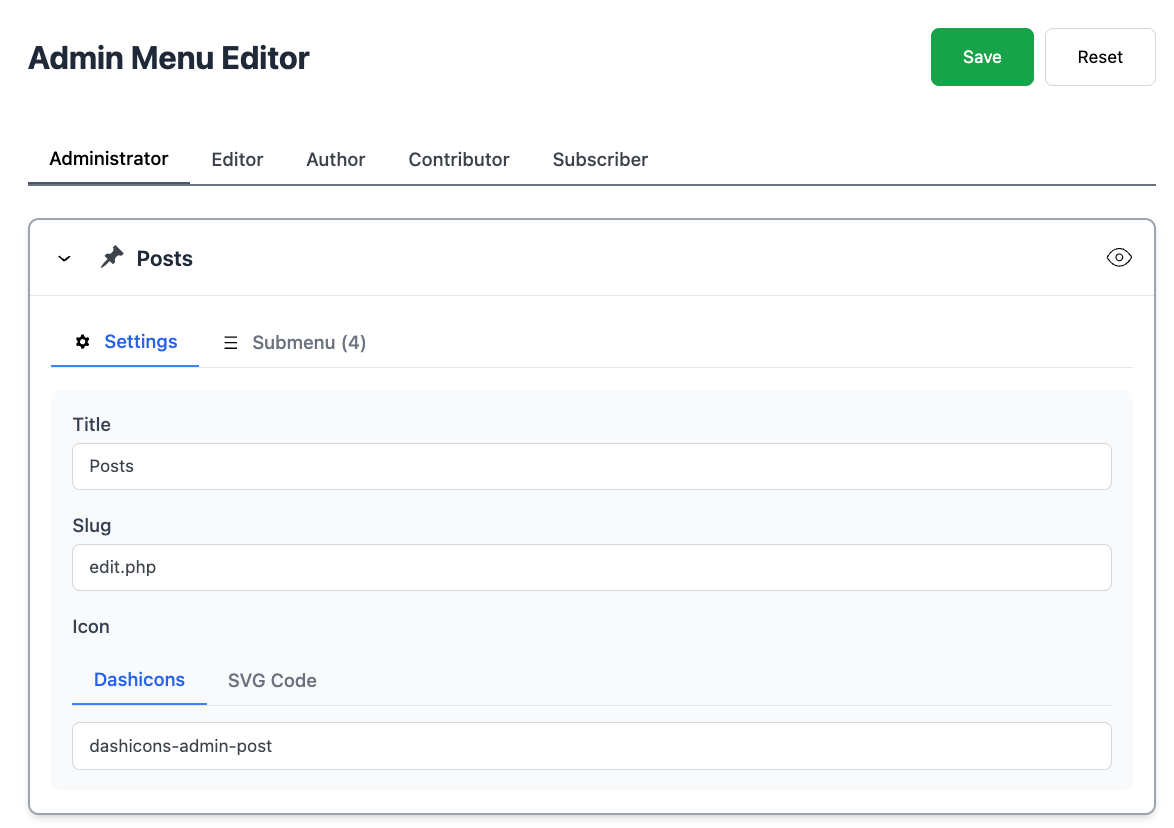
Change the title
Change the icon (Dashicon or custom SVG)
Hide menu items if desired
You can also drag&drop items to reorganize them for each role separately.
Editing each menu looks like this:
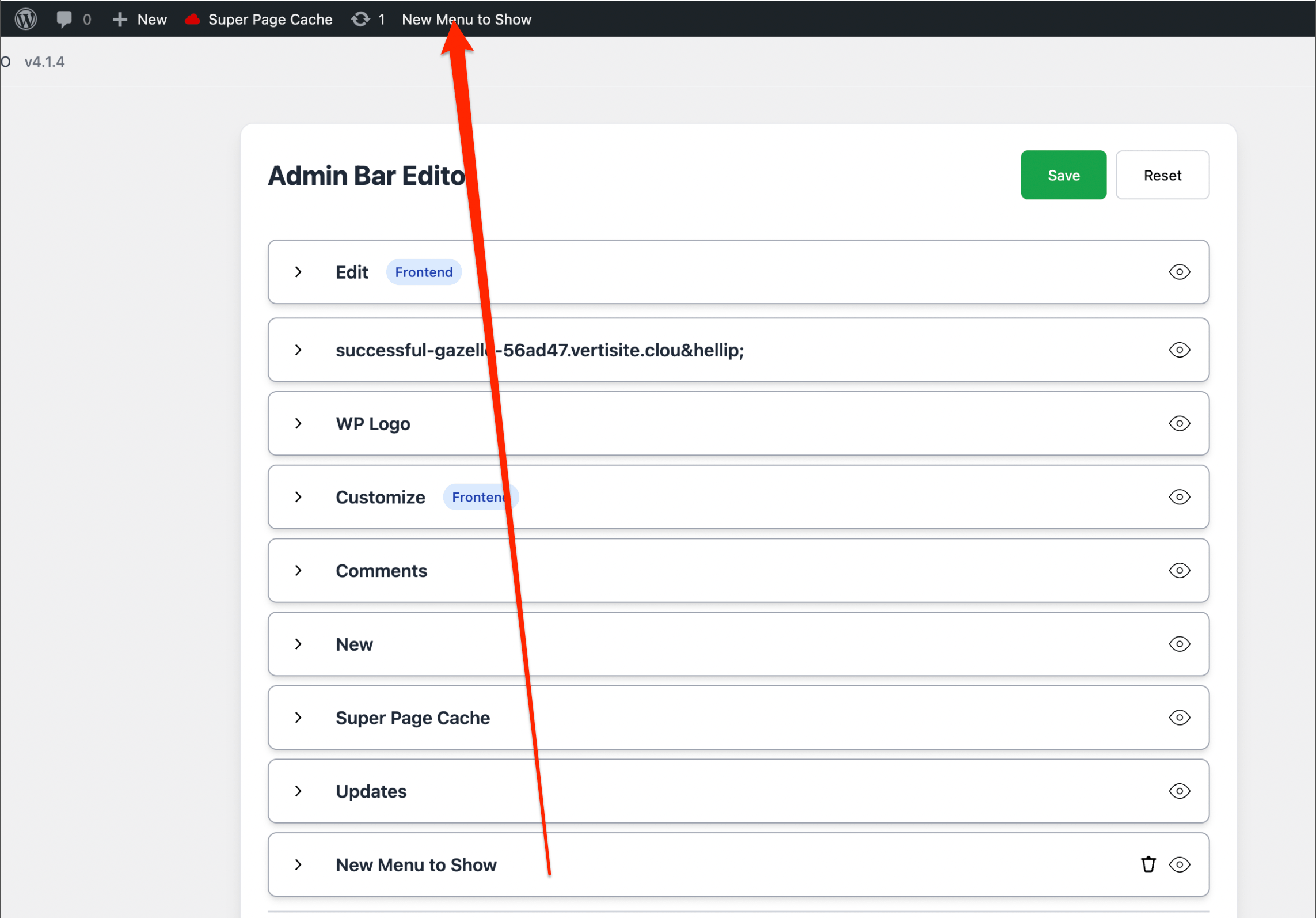
3. Admin Bar Editor
This feature provides similar functionality to the Admin Menu Editor but for the WordPress Admin Bar.
Capabilities
- View and customize existing admin bar items.
- Add new items to the admin bar.
- Modify, rename, or hide items for specific roles.
The user experience is similar to the Admin Menu Editor.
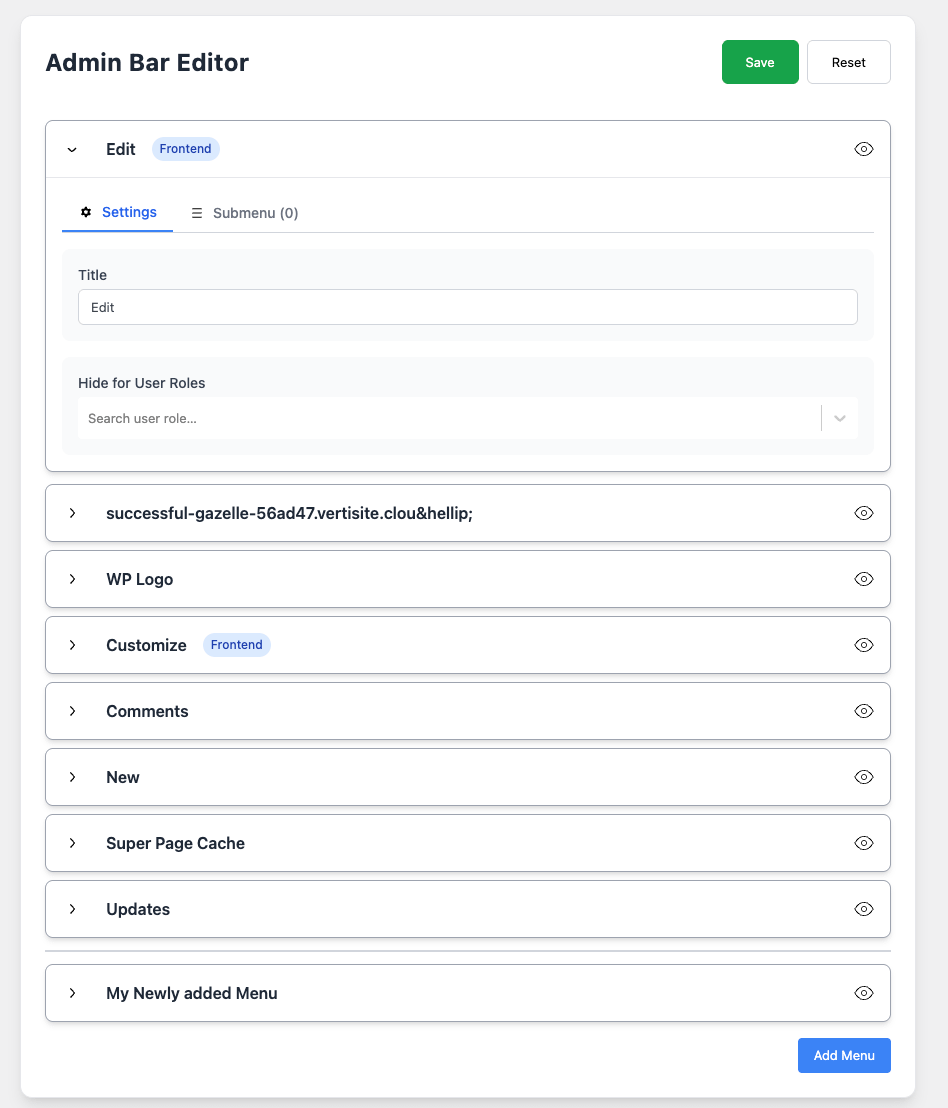
Once you create an item it appears in the top bar: