
Refresh a Themeisle license after an upgrade or renewal
📝 Note: In case you want to unlock powerful features, check this doc about upgrading your subscription.
📝 Note: Are you using Neve? If that's the case, please refer to this guide.
This article contains steps that should help you in the following cases:
- In case you have recently upgraded your plan, the license key needs to be reactivated in order to enable the new features.
- In case you tried to update a theme/plugin manually and got the "download failed/forbidden" error, you can solve it by following the steps below.
- After a completed renewal, your Themeisle account shows your subscription and current license as active, but WordPress still shows an expired, suspended, or outdated license status or a renewal notice.
Before following the steps below, check your Themeisle account to confirm that your renewal payment is complete and your subscription is active. If you are unsure about your payment or subscription status, see How to manually renew your plan or subscription.
Reactivating the key refreshes your site's license association so it can use the current license data. It does not complete a pending payment or correct an account record that still shows the wrong status.
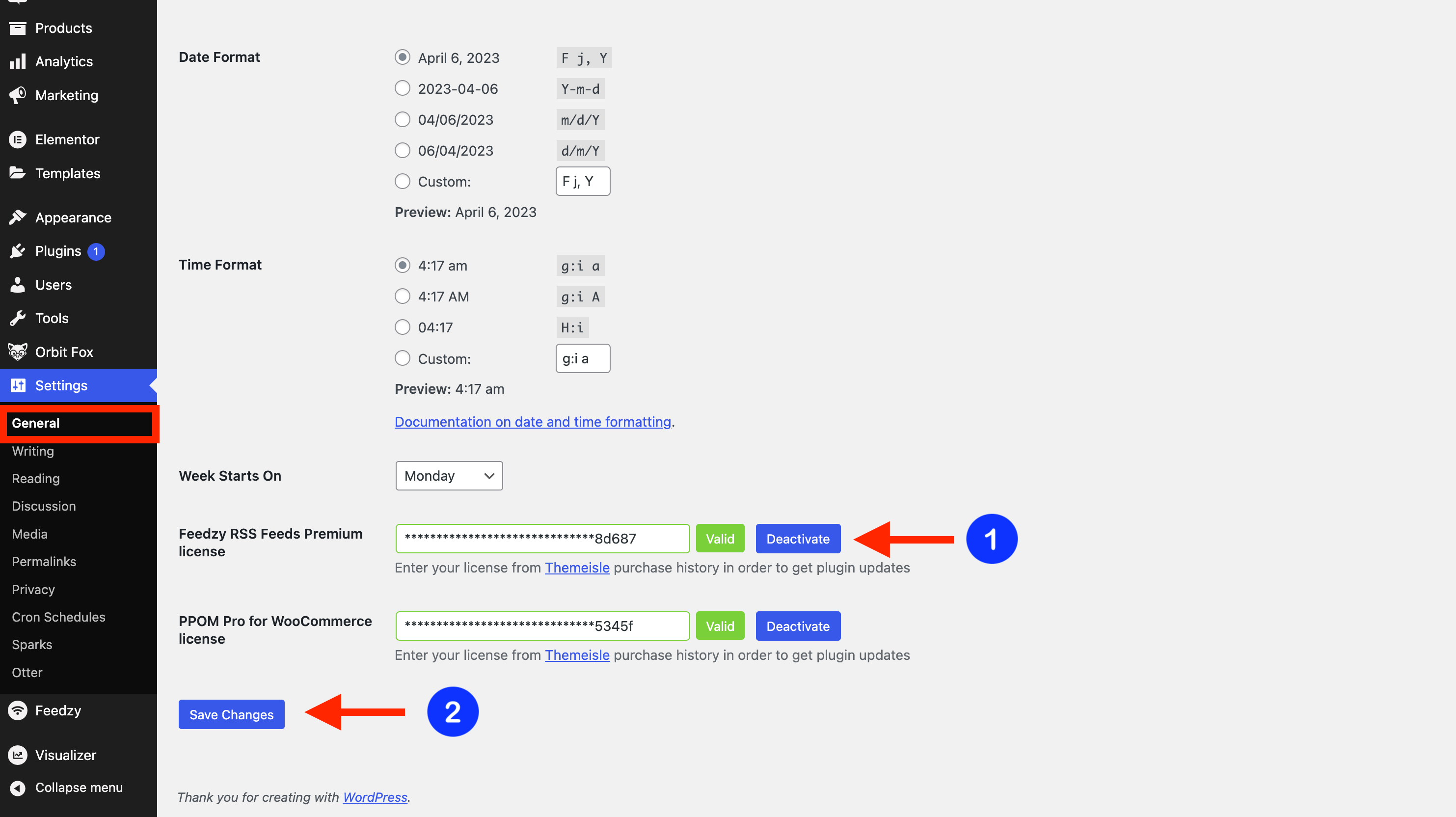
1. Deactivate the license key on your website in Dashboard > Settings > General.
Note: Depending on the product you are using, the license key may be located in a different place.
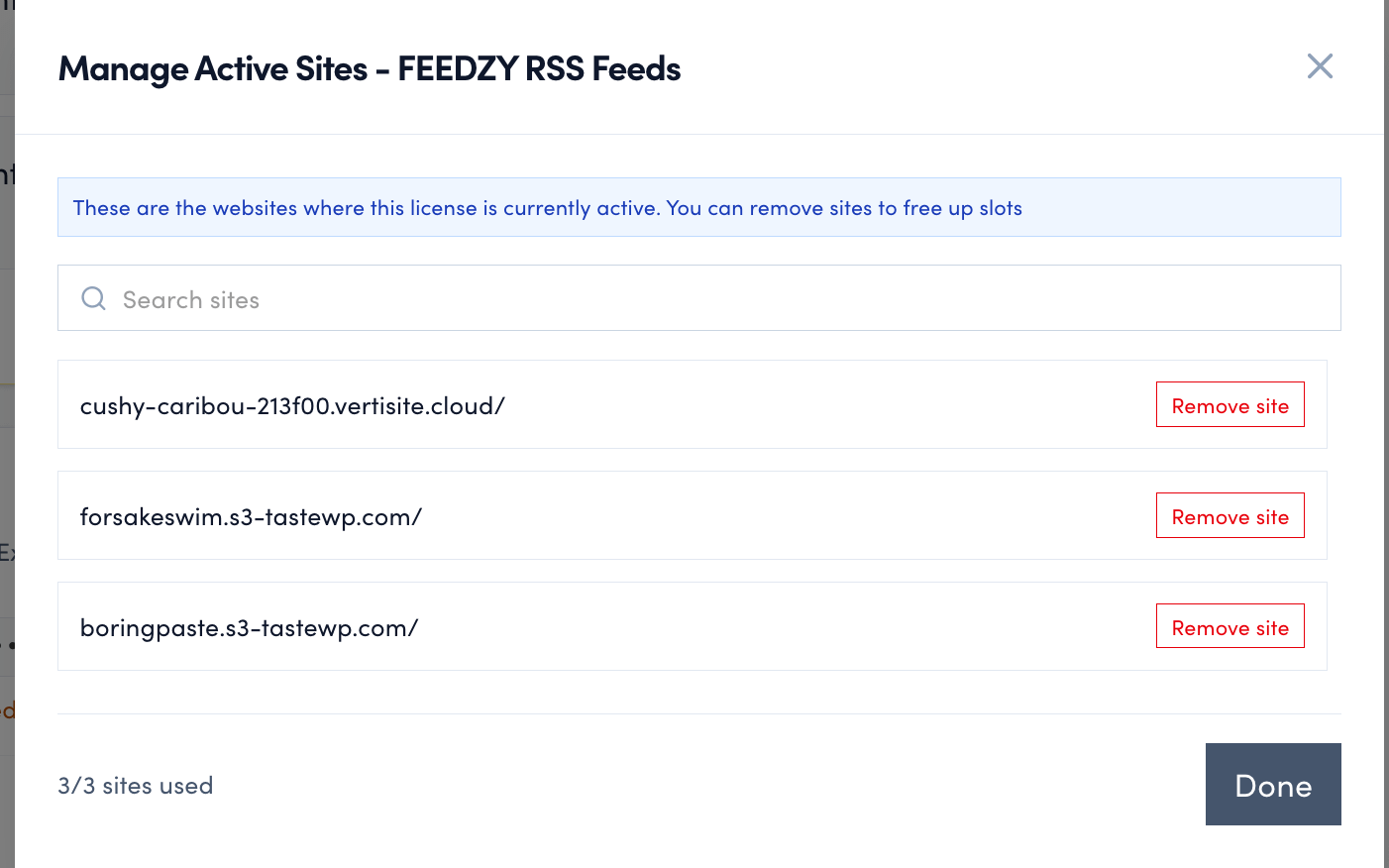
2. Remove the website URL from your ThemeIsle account > My Products by clicking on the number of sites used and clicking Remove site next to the domain.

3. Activate the current license key again on your website in Dashboard > Settings > General.
📝 Note: Make sure that the website URL appears back in your ThemeIsle account.
If your account is active but your site still shows an expired or suspended license after all three steps, contact support instead of paying for another renewal; some renewal synchronization issues require an account-side correction.