
How to make both Hestia pricing tables raised
In Hestia Pro, only one pricing table is elevated by default. Using Additional CSS, you can raise both tables, only the second, or neither.
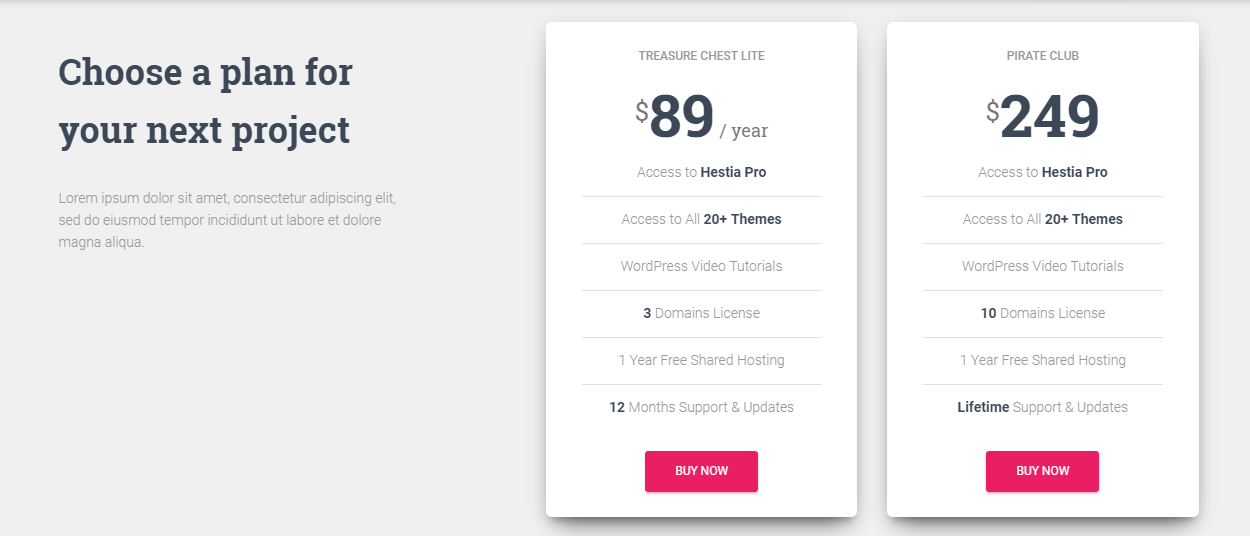
In this document will show you how to get both pricing tables raised, we'll also show how to get neither raised and the second raised.
To get both pricing tables raised go to Appearance->Customize->Additional CSS and add the following:
.card.card-pricing {
    box-shadow: 0 16px 38px -12px rgba(0,0,0,.56), 0 4px 25px 0 rgba(0,0,0,.12), 0 8px 10px -5px rgba(0,0,0,.2);
    background: white;
}
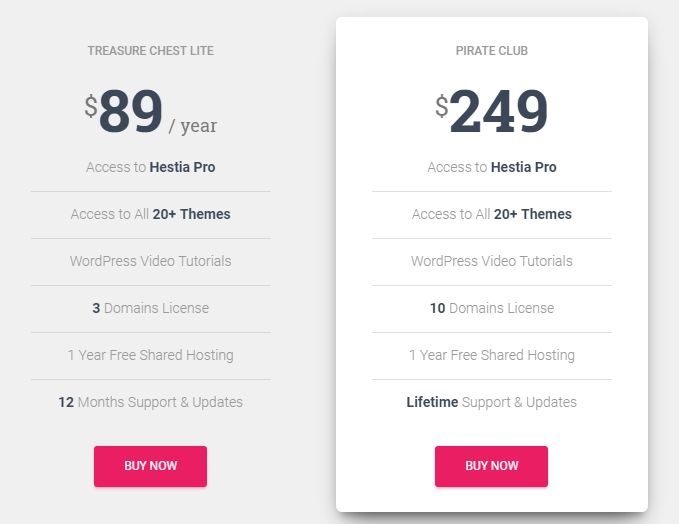
To get the Second table alone raised use this code instead:
.hestia-pricing .hestia-table-one .card {
  box-shadow: none !important;
  background: none !important;
}

.hestia-pricing .hestia-table-two .card {
  box-shadow: 0 16px 38px -12px rgba(0,0,0,.56), 0 4px 25px 0 rgba(0,0,0,.12), 0 8px 10px -5px rgba(0,0,0,.2);
  background: white;
}
Save your changes in each case and that should be it! Need help or having any other issues? You can contact us here.