
How to hide footer copyright credits in Hestia?
This guide explains how to hide or customize the footer copyright credits in Hestia Pro using the built-in Footer Options panel in the WordPress Customizer. Note that this feature is only available in the premium version of the theme.
📝 Note: The following steps are available in the premium version of Hestia, which you can get from here. The free version does not provide customizations for footer copyrights.
1. Navigate to Appearance > Customize > Footer Options.
2. Open Footer Credits and edit or delete the text.
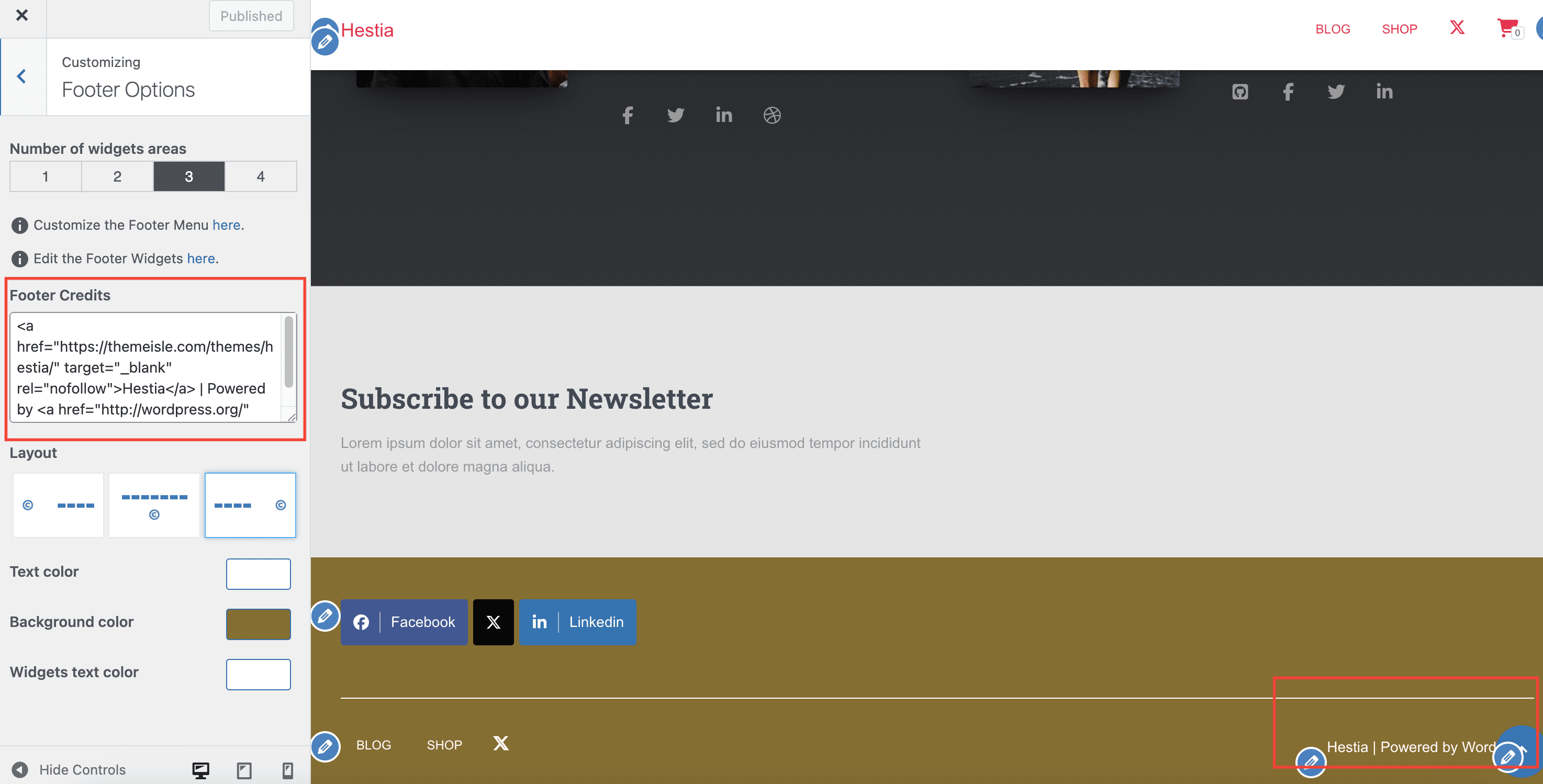
How to add a link to the footer credits
Inside Appearance > Customize > Footer Options > Footer Credits, you can use an HTML anchor tag to make only part of the footer text clickable.
<a href="https://example.com">Your linked text</a>Replace:
https://example.comwith the destination URL.Your linked textwith the phrase you want visitors to click.
You can use the link tag by itself or include it alongside regular text. For example:
© 2026 Your Company | <a href="https://example.com">Your linked text</a>Preview and publish the change
- Check the Customizer preview and make sure only the intended phrase is clickable.
- Click Publish.
- Open your live site and test the footer link to confirm it goes to the correct page.
What does the footer credit mean?
The "Hestia | Developed by Themeisle" credit that appears in your site's footer is standard theme attribution. It identifies the WordPress theme used to build the site — nothing more.
Themeisle is a theme and plugin provider. Seeing this credit does not mean that Themeisle manages your domain, hosting, or website in any way. Themeisle has no access to your site, server, or domain account.
📝 Note: If you need to find out who manages your domain or hosting, check your company's internal records, contact your IT team, or look up your domain registration details using a WHOIS lookup service such as whois.domaintools.com or lookup.icann.org.