
How to automatically display the year in Hestia's footer copyright text
Hestia's footer copyright text can be updated manually each year, or you can display the current year automatically with a simple JavaScript snippet added through a header and footer scripts plugin.
In this article
Update the copyright text manually
You can update the copyright portion of Hestia's footer manually from the Customizer:

Display the current year automatically
If you'd like to add a proper Copyright for your own brand that includes the current year automatically, without having to update the text manually every year, you can use a bit of JavaScript code. The JavaScript automatically gets the current year through a request and adds it to your site according to your preferences.
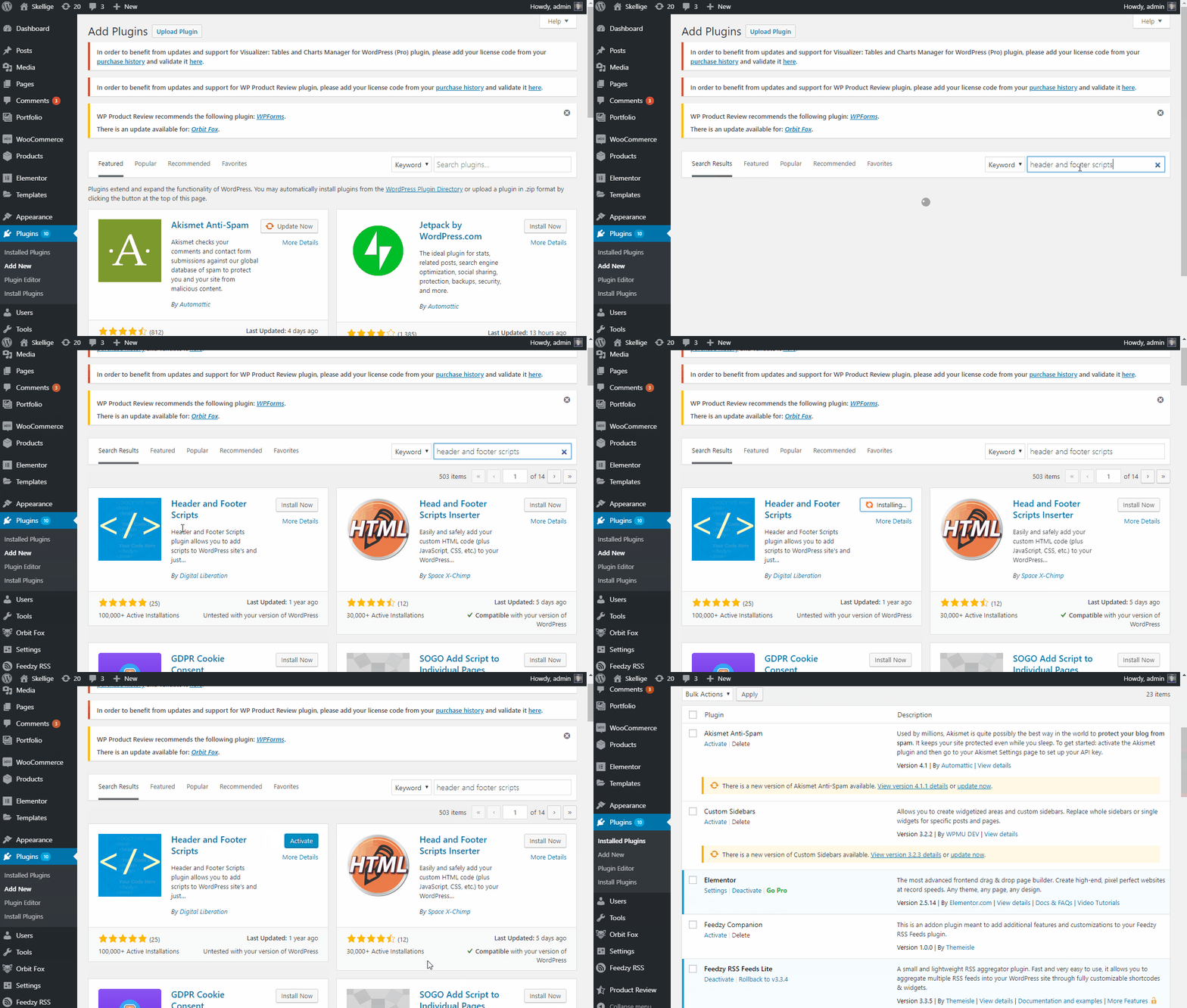
Install and activate the Header and Footer Scripts plugin, which lets you add the code to your website.
Go to Settings > Header and Footer Scripts. You will see two text fields:
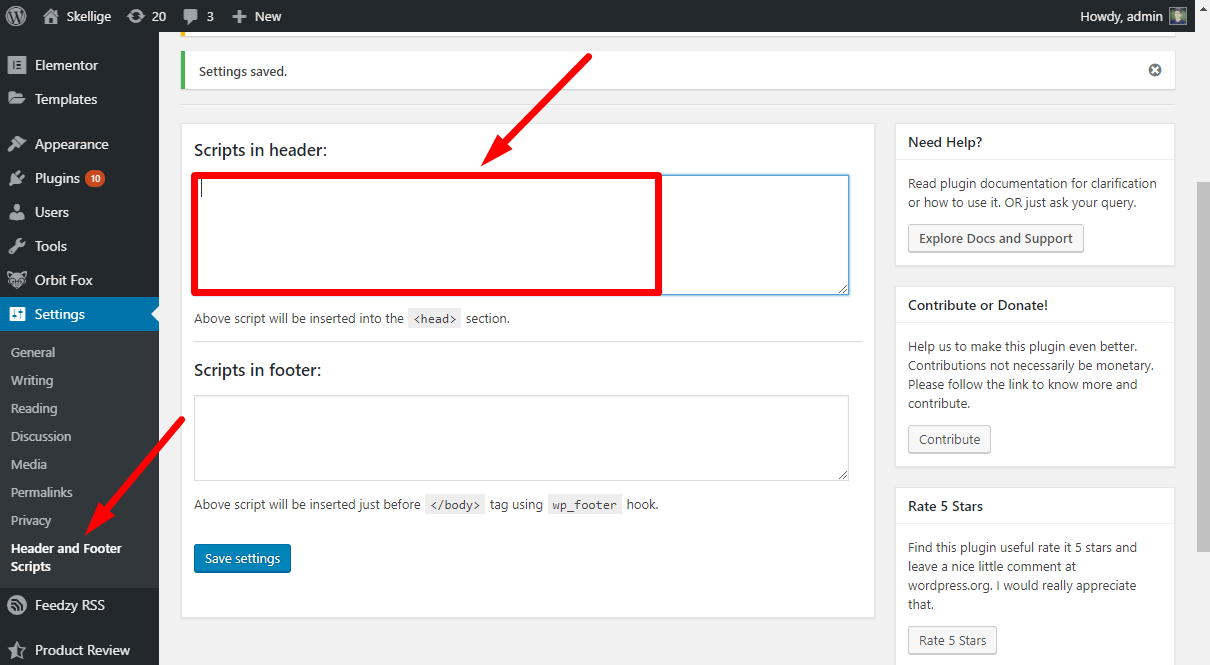
Add the following code to one of the two text fields (preferably the Footer field):
<script type="text/javascript">

window.addEventListener('load', function(){
   const copyright = document.querySelector('footer.footer div.hestia-bottom-footer-content div.copyright');

   var year = new Date();
   copyright.innerHTML = 'Copyright ' + year.getFullYear() + ' My Brand Name';
});

</script>- Save the changes.
What the code does and how to customize it
