
How to Customize the About section in Hestia?
Where to find the About section
To edit the About section:
- In your WordPress dashboard, go to Appearance > Customize.
- Open the Frontpage Sections panel.
- Select About.
You can then adjust the controls described below.
An "About" section on a website is useful for establishing credibility and building trust with visitors. Here are the available customizations:
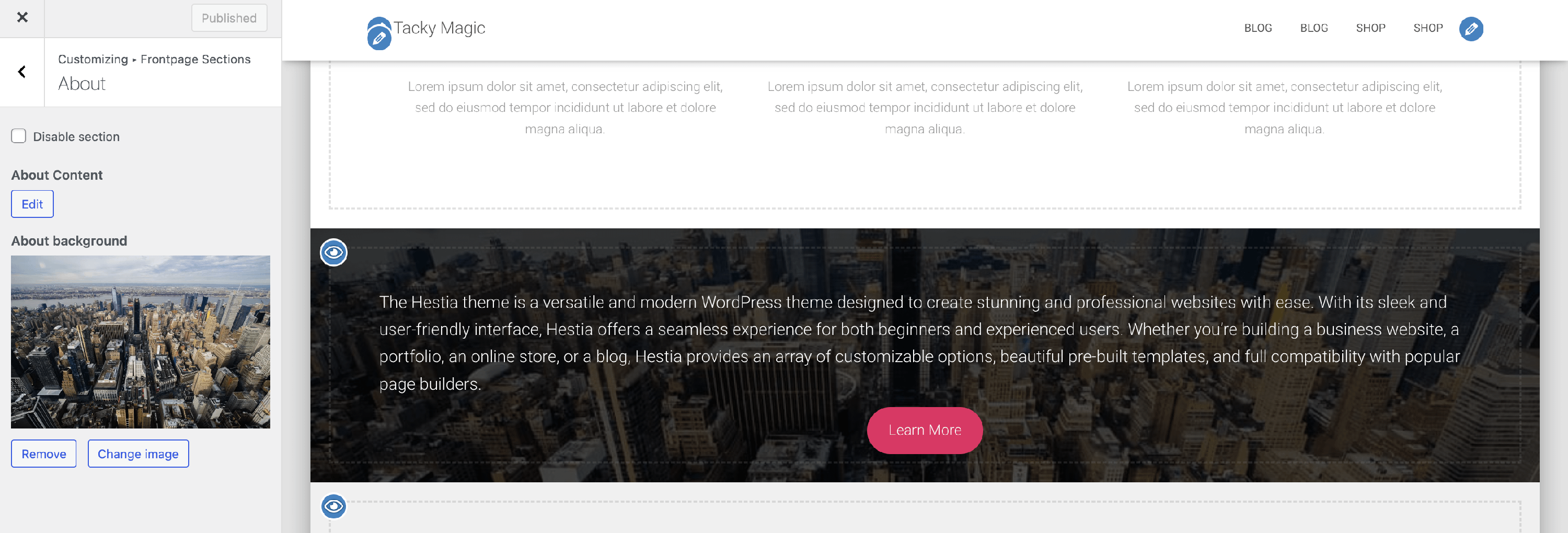
- Disable section - option to disable the section.
- About Content - allows you to insert the content for the About Section. The control supports text, HTML elements, and media attachments. If you press the Edit button, you will be redirected to the WordPress/Elementor editor. This lets you build the sections however you wish, including adding buttons, links, images, etc.
- About background - here, you can add a background image for the About Section.
📝 Note: The content of the About section is synchronized with the content of the page set as Frontpage. This means that the control will also be updated if the page content is changed.
If you cannot see the About section
If the About section or the Frontpage Sections panel is missing from the Customizer, make sure the Orbit Fox plugin is installed and active. For more troubleshooting steps, see Hestia Frontpage Sections Disappearing.