
How to customize read more links in Hestia
Hestia supports multiple blog layout styles, and each has its own Read More button or link that you can customize. You can change the text or color, or hide it entirely, for the classic, grid, and featured post layouts.
💡 Tip: For the classic Post List layout, you can change the Read More text without any code from Appearance > Customize > Blog Settings > Blog using the Read more field.
In this article
Classic Blog layout scenario
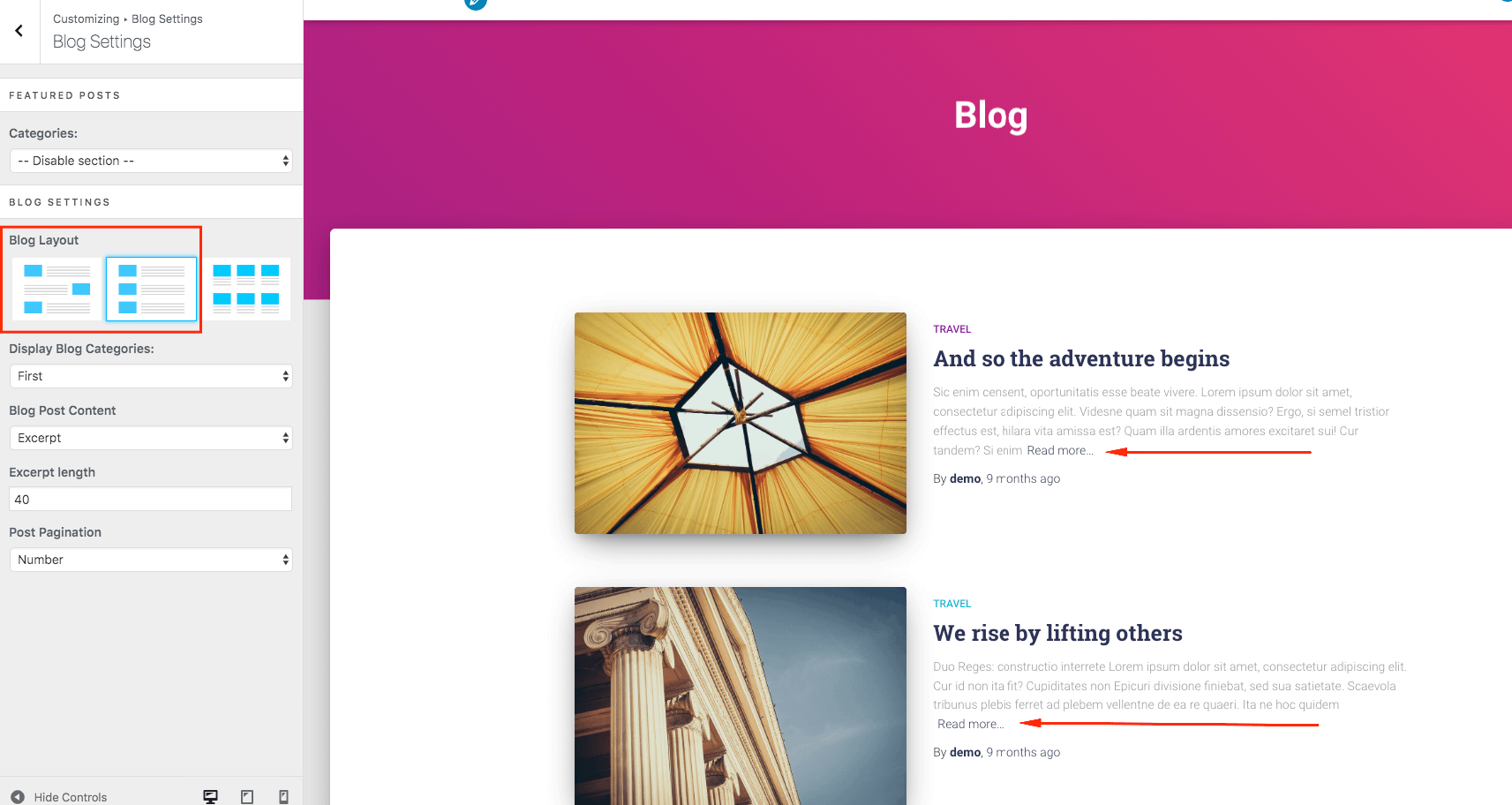
Classic/Alternative blog layout
In order to change the Read more... link text, first, you need to create a child theme. Please check this guide on how to create a child theme for Hestia (Pro).
There are also ready-made child themes available to download for both versions of the theme.
Add the following code at the end of the functions.php file within the child theme.
function hestia_excerpt_more_new( $more ) {
	global $post;
	if ( ( ( 'page' === get_option( 'show_on_front' ) ) ) || is_single() || is_archive() || is_home() ) {
		return '<a class="moretag" href="' . esc_url( get_permalink( $post->ID ) ) . '"> ' . esc_html__( 'Continue Reading...', 'hestia-pro' ) . '</a>';
	}
	return $more;
}
add_filter( 'excerpt_more', 'hestia_excerpt_more_new', 20 );
Grid layout scenario
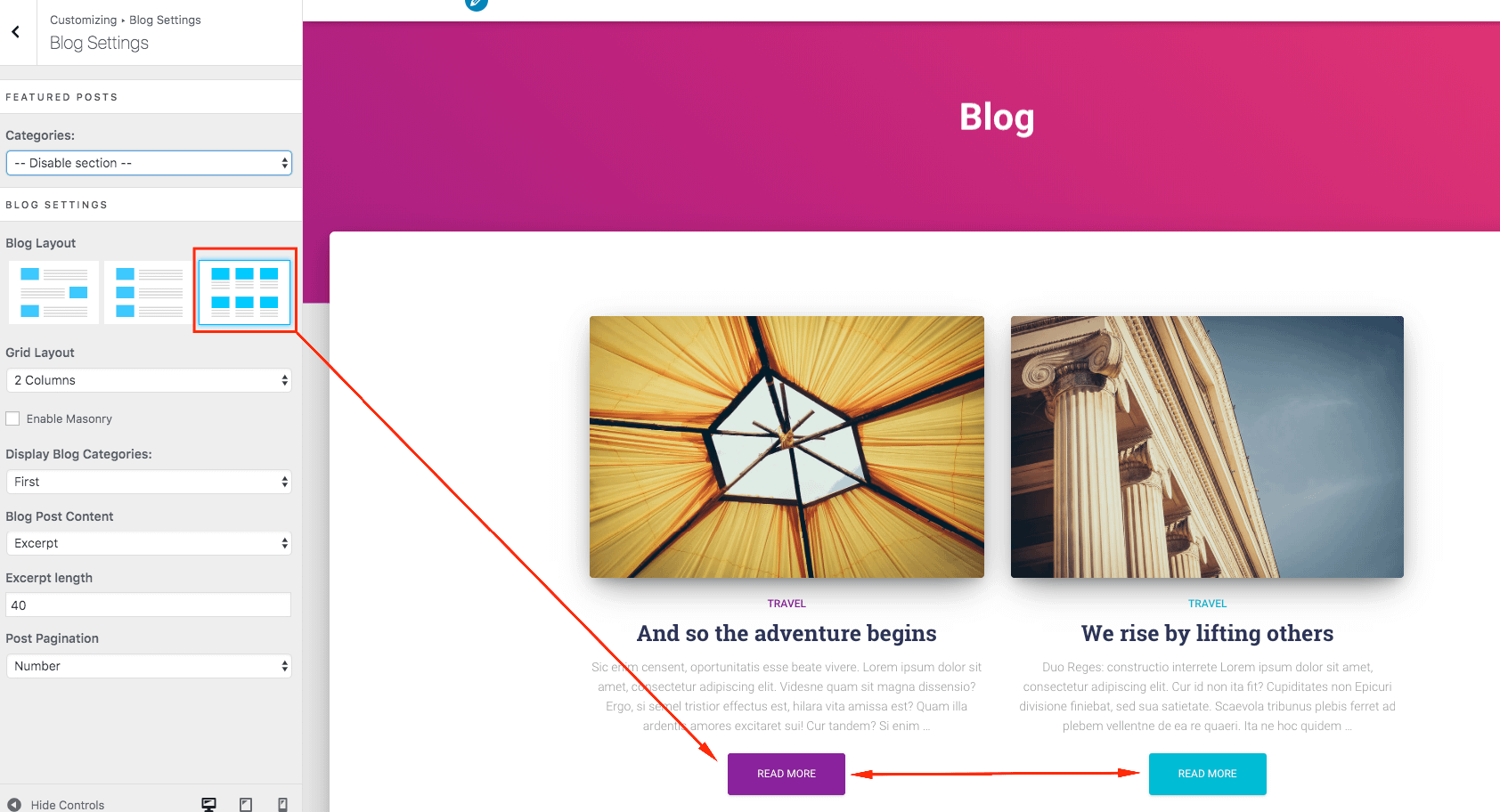
Regular posts
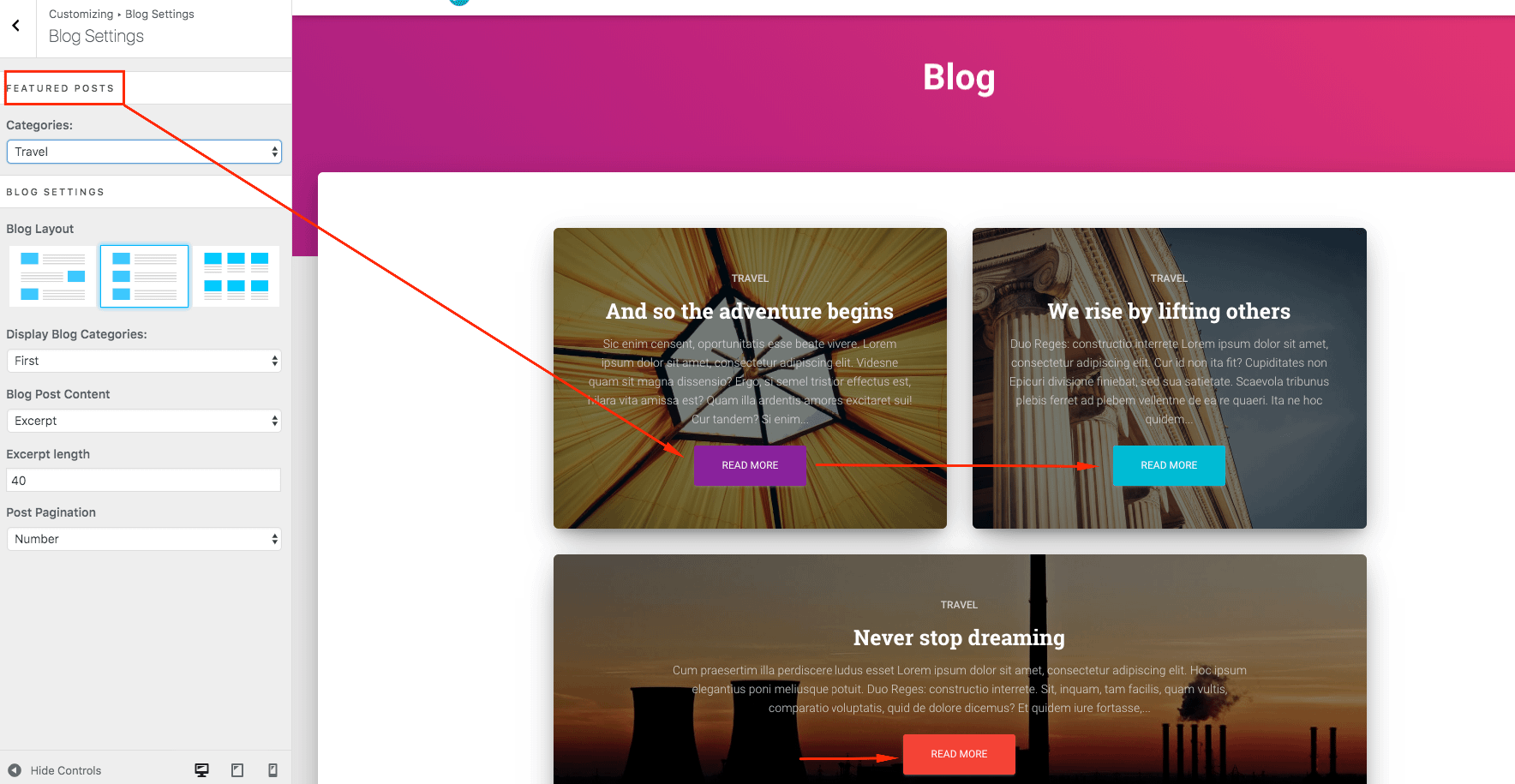
Featured posts section
Customize buttons' text
In order to change the READ MORE buttons text, first, you need to create a child theme. Please check this guide on how to create a child theme for Hestia (Pro).
There are also ready-made child themes available to download for both versions of the theme.
Add the following code snippets at the end of the functions.php file within the child theme.
function change_read_more_button_featured_posts() {
	return "CHANGE TEXT HERE 1";
}
add_filter( 'hestia_features_blog_posts_button_text', 'change_read_more_button_featured_posts', 25 );function change_read_more_button_grid_layout() {
return "CHANGE TEXT HERE 2";
}
add_filter( 'hestia_blog_posts_button_text', 'change_read_more_button_grid_layout', 25 );Customize buttons' color
Add the following code in Dashboard->Appearance->Customize->Additional CSS.
.blog .btn.colored-button {
    background-color: #abcabc !important;
}
HEX codes for colors can be found on this page.
Hiding the buttons
Add the following code in Dashboard->Appearance->Customize->Additional CSS.
.blog .btn.colored-button {
    display:none;
}