
How to Customize the Blog section in Hestia?
The blog section is valuable as it provides a platform for businesses to share valuable content, demonstrate expertise, engage with their audience, and improve SEO by regularly updating the website with fresh and relevant information.
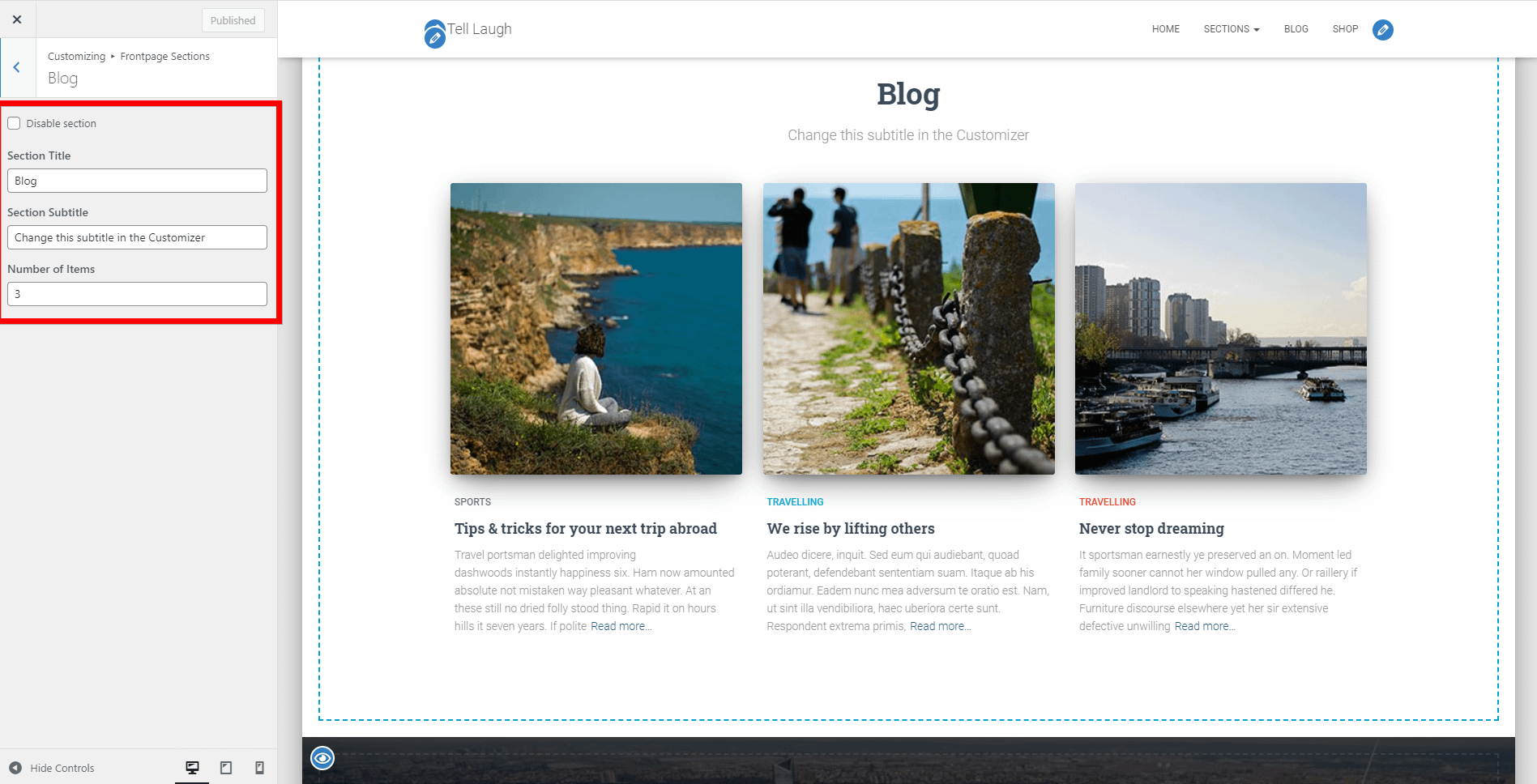
This section consists of the latest blog posts (articles) published on your site. Make sure you set featured images for each post if you want images to be displayed in the Blog Section.
Disable section
Section Title and Section Subtitle
Number of Items - allows you to change the number of articles displayed in the Blog Section.
💸Categories - choose from what category to display posts.
📝 Note: Here is a dedicated doc about how to edit the blog page in Hestia Pro.
Can I show post dates in the homepage Blog section?
Post dates are not displayed in the homepage Blog section by default, and there is no Customizer toggle to enable them. The native Blog section controls are limited to: section visibility, title, subtitle, number of posts, featured image, and (in Pro) category filtering.
If your homepage design requires post dates, you have two options:
- Hestia Pro — Custom Layouts or Hooks: Replace or supplement the Blog section with a custom layout that includes post meta. See How to add a custom section to Hestia for setup instructions.
- Page builder: Use a page builder or block-based template that supports post meta fields (such as a Query Loop block with a Post Date block) to build a custom blog listing on the front page.