How to Customize the Ribbon section in Hestia?
📝 Note: This section is part of Hestia Pro. In the free version of Hestia, it requires the Orbit Fox plugin (Hestia Enhancements module).
A ribbon section is useful on a website because it serves as a prominent and eye-catching element, drawing attention to important announcements, limited-time offers, or special promotions. It effectively communicates crucial information or calls to action, ensuring visitors don't miss out on key messages, events, or opportunities.
The available customizations are:
- Disable section - option to disable the section.
- Background image - add a catchy background image for the Ribbon Section.
- Text - insert the content of the Ribbon Section. It allows for HTML text, which means that you can even insert a new button.
- Button Text - insert a suitable button label for the Ribbon Section.
- Link - redirect the visitors to a new page using a button link for the Ribbon Section.
📝 Button not showing for visitors? Visitors see the button only when both Button Text and Link have a saved value. Until you replace the sample content, it is shown in the Customizer and to logged-in administrators, but not to visitors. To make the button visible:
- Enter the label in Button Text and the full destination URL in Link.
- Select Publish.
- Open the homepage in a private/incognito window to check what visitors see.
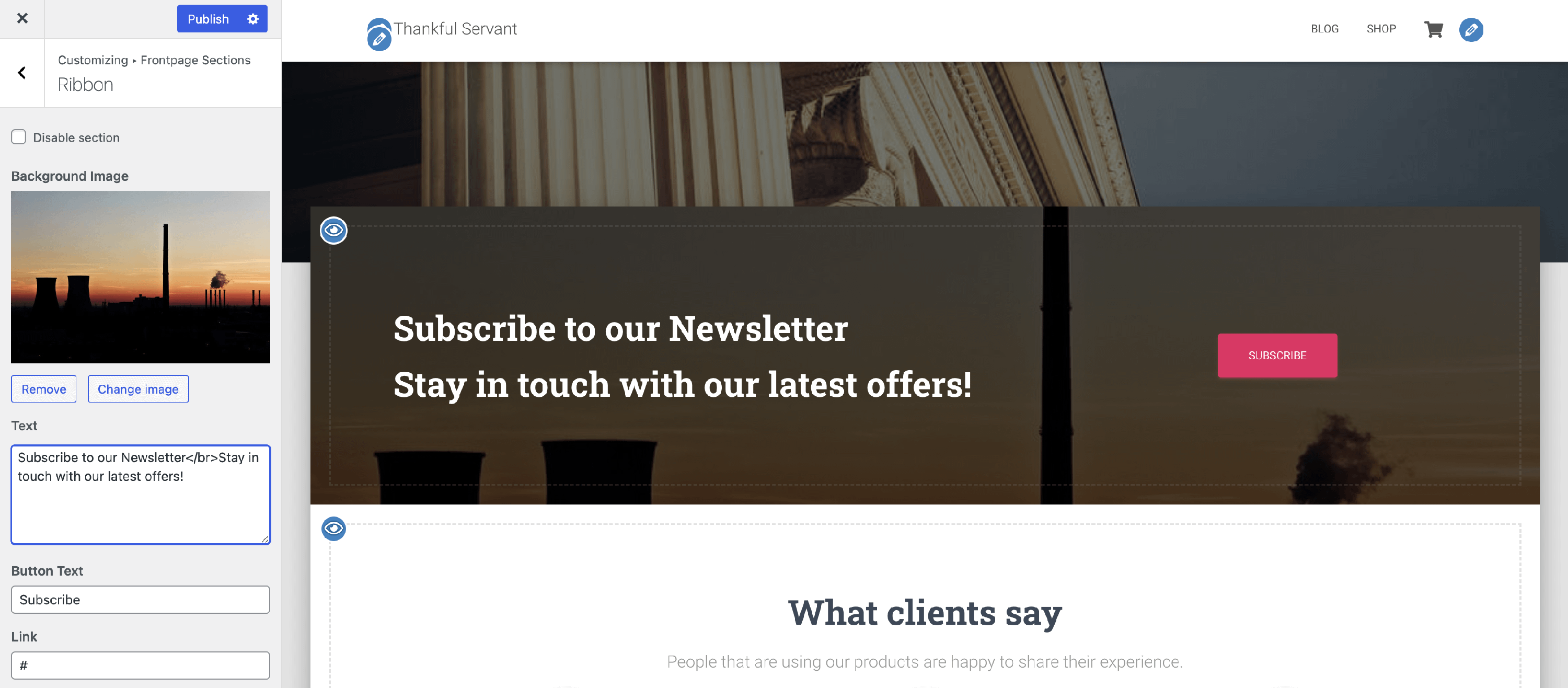
Ribbon section with one button
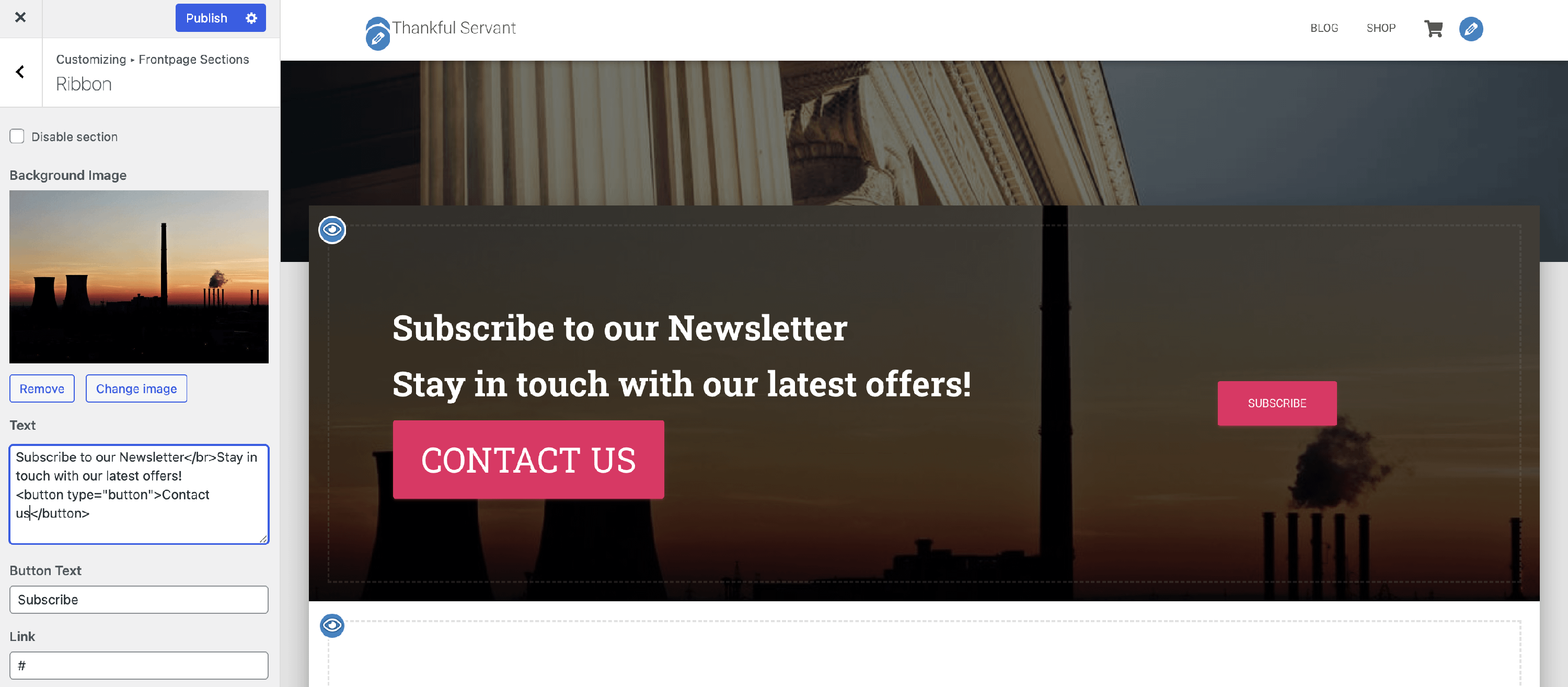
Ribbon section with two buttons