How to Customize the Shop section in Hestia?
📝 Note: The Shop Section requires the WooCommerce plugin to work, so make sure it's installed.
A shop section is useful on a website because it allows businesses to showcase and sell their products or services directly to customers online, providing a seamless and convenient shopping experience. The Shop frontpage section is designed to showcase your best products and is divided into two panels:
First Panel - General Settings
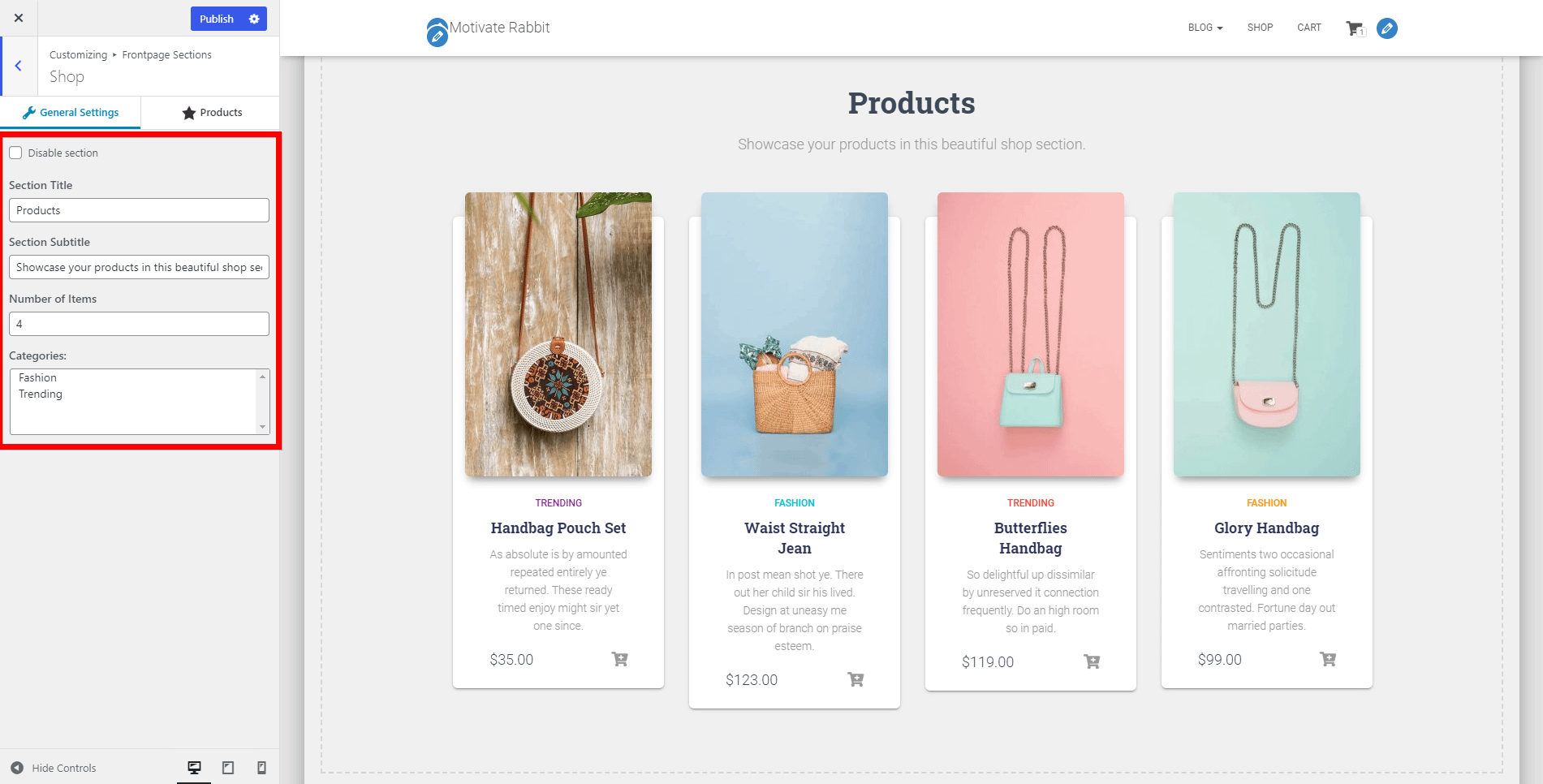
- Disable section - option to disable the section.
- Section Title and Subtitle
- Number of Items - allows you to change the number of products displayed in the Shop Section.
- 💸 Categories - choose the category from which products should be displayed. Available only in pro.
Second Panel - Products
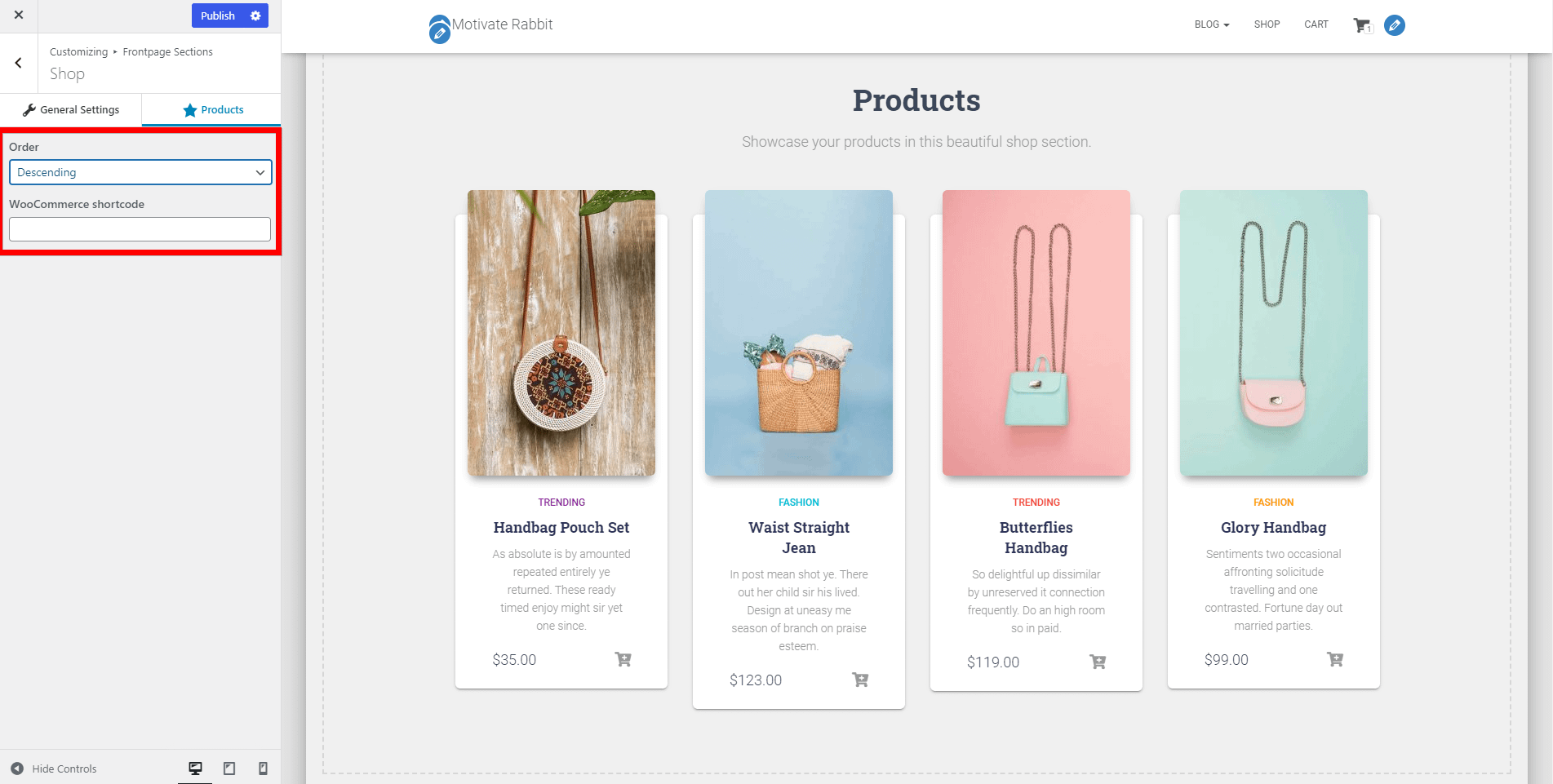
- Order - select the order of products Descending / Ascending.
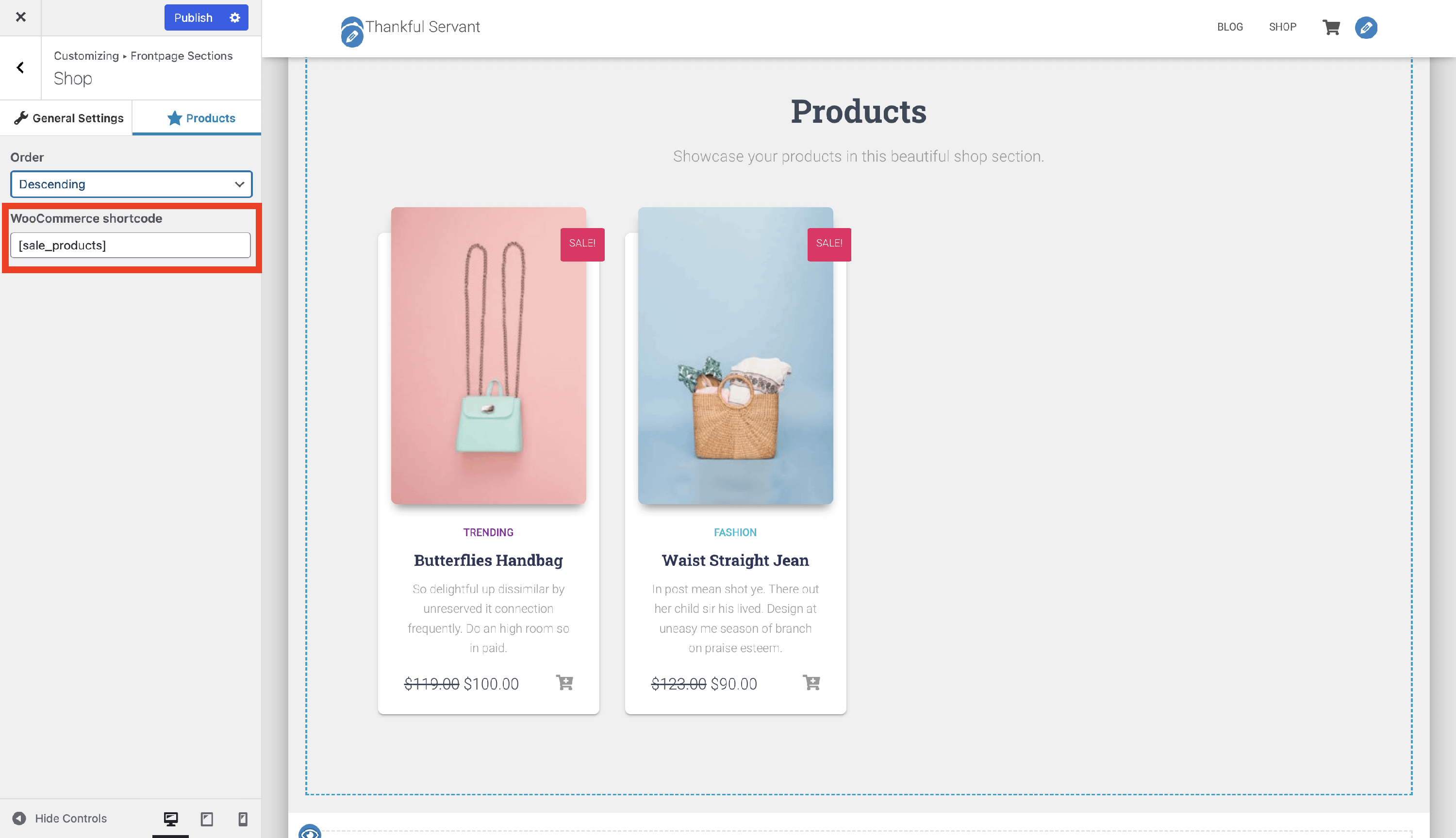
- WooCommerce shortcode - insert WooCommerce specific shortcodes to display certain shop attributes. In the below example, we added the [sale_products] shortcode, which allowed us to display only the products that were on sale. Check the complete list of shortcodes here.