Hestia - Change menu background for all pages
📝 Note: This option is a part of Hestia Pro.
If you want to put some color and make the menu background for all pages uniform, then this article is for you.
Step 1: Go to Dashboard> Appearance > Customize > Header Options > Website - Header.
Step 2: Uncheck the option " Transparent Navbar".
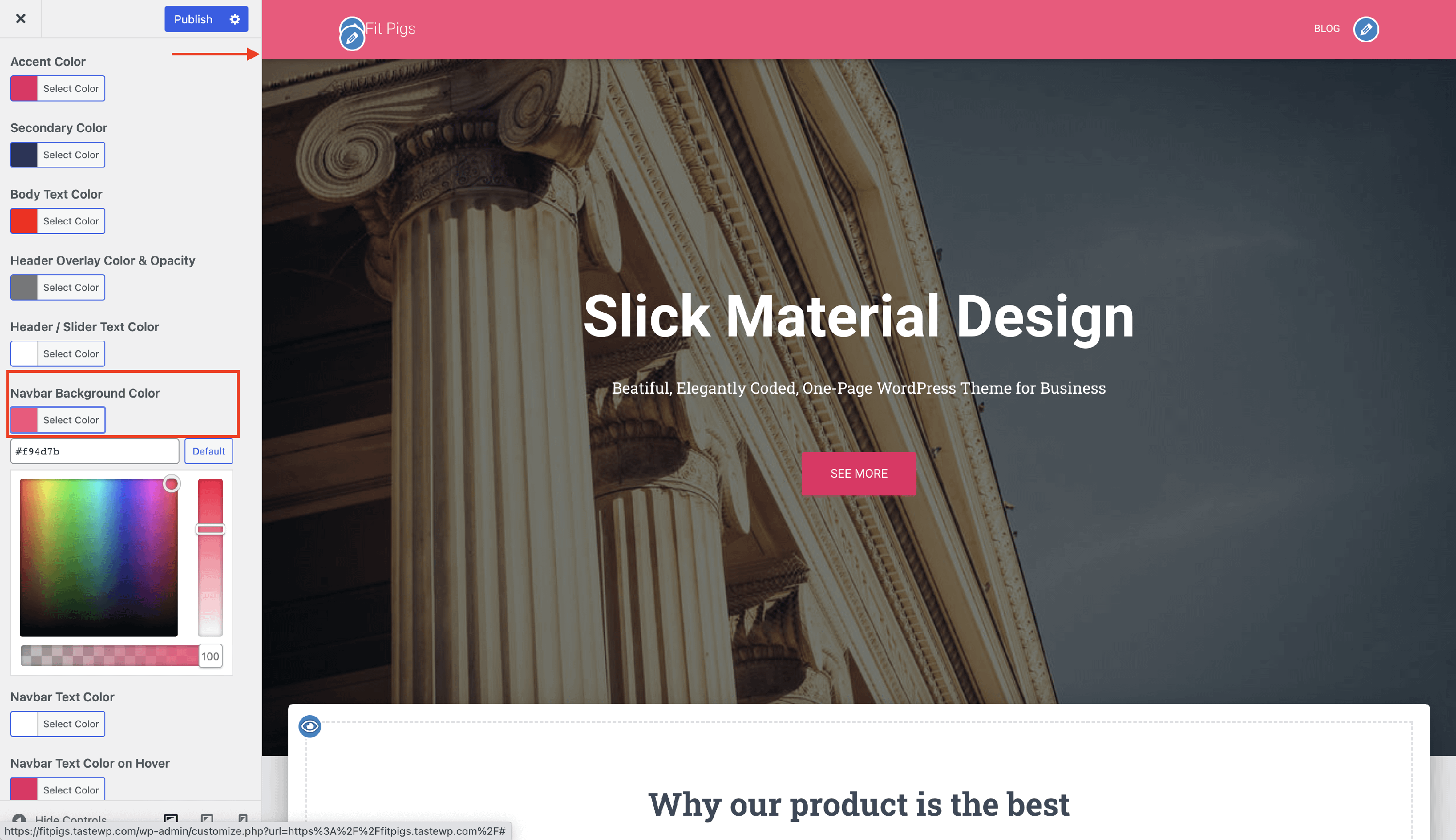
Step 3: Navigate to Customize > Appearance Settings > Colors.
Step 4: Adjust the Navbar Background Color to suit your needs.