
How to change the product category color in Hestia
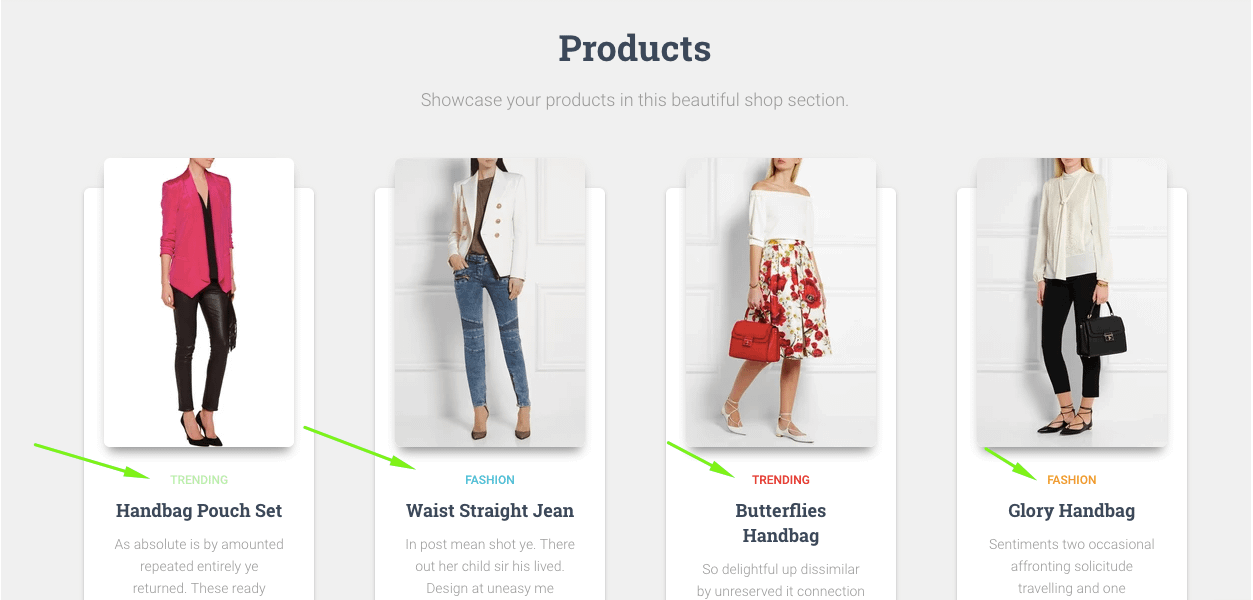
In order to change the color of the product category name displayed on the home page in the shop section, you need to add the following custom CSS to Appearance -> Customize -> Additional CSS section.
.shop-item:nth-of-type(6n+1) .category a {
  color:  #000000;
}
.shop-item:nth-of-type(6n+2) .category a {
  color:  #000000;
}
.shop-item:nth-of-type(6n+3) .category a {
  color:  #000000;
}
.shop-item:nth-of-type(6n+4) .category a {
  color:  #000000;
}
.shop-item:nth-of-type(6n+5) .category a {
  color:  #000000;
}
.shop-item:nth-of-type(6n) .category a {
  color: #000000;
}
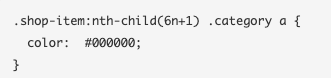
The first block of code is meant to bring changes to the category color of the first product appearing on your home page:
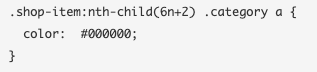
The second block applies for the category of the second product:
And so on until the sixth post.
Save your changes and you're done!
You could generate a custom color Hexadecimal code by using this website: http://www.hexcolortool.com/
Product category color on the shop page
To change category color on the shop page, please use the following code:
.woocommerce.archive .blog-post .products li:nth-of-type(6n+1) .category a, .woocommerce .products li:nth-of-type(6n+1) .category a{
  color:  #000000;
}
.woocommerce.archive .blog-post .products li:nth-of-type(6n+2) .category a, .woocommerce .products li:nth-of-type(6n+2) .category a{
  color:  #000000;
}
.woocommerce.archive .blog-post .products li:nth-of-type(6n+3) .category a, .woocommerce .products li:nth-of-type(6n+3) .category a{
  color:  #000000;
}
.woocommerce.archive .blog-post .products li:nth-of-type(6n+4) .category a, .woocommerce .products li:nth-of-type(6n+4) .category a {
  color:  #000000;
}
.woocommerce.archive .blog-post .products li:nth-of-type(6n+5) .category a, .woocommerce .products li:nth-of-type(6n+5) .category a{
  color:  #000000;
}
.woocommerce.archive .blog-post .products li:nth-of-type(6n) .category a, .woocommerce .products li:nth-of-type(6n) .category a{
  color: #000000;
}