How to remove comments on individual posts and pages
The comments are useful when it comes to sharing impressions, increasing the credibility of the website, but can also create some hard-to-handle situations.
This article will present to you how can you disable the comments on individual posts and pages, and a result of the process.
1. Navigate to your Dashboard > Posts ( or Pages ).
2. Pick one of the Posts ( or Pages ) and click on the Quick Edit option.
3. On the right side of the option you will find the " Allow Comments" option. Once disabled, the comments will no longer appear on the Posts / Pages.
⏪ Before - how the article looked before the changes.
⏩ After - how the article looks after the changes.
📝Note: After enabling the option, from the article will disappear the comments section.

How to remove comments on individual posts and pages
The comments are useful when it comes to sharing impressions, increasing the credibility of the website, but can also create some hard-to-handle situations.
This article will present to you how can you disable the comments on individual posts and pages, and a result of the process.
1. Navigate to your Dashboard > Posts ( or Pages ).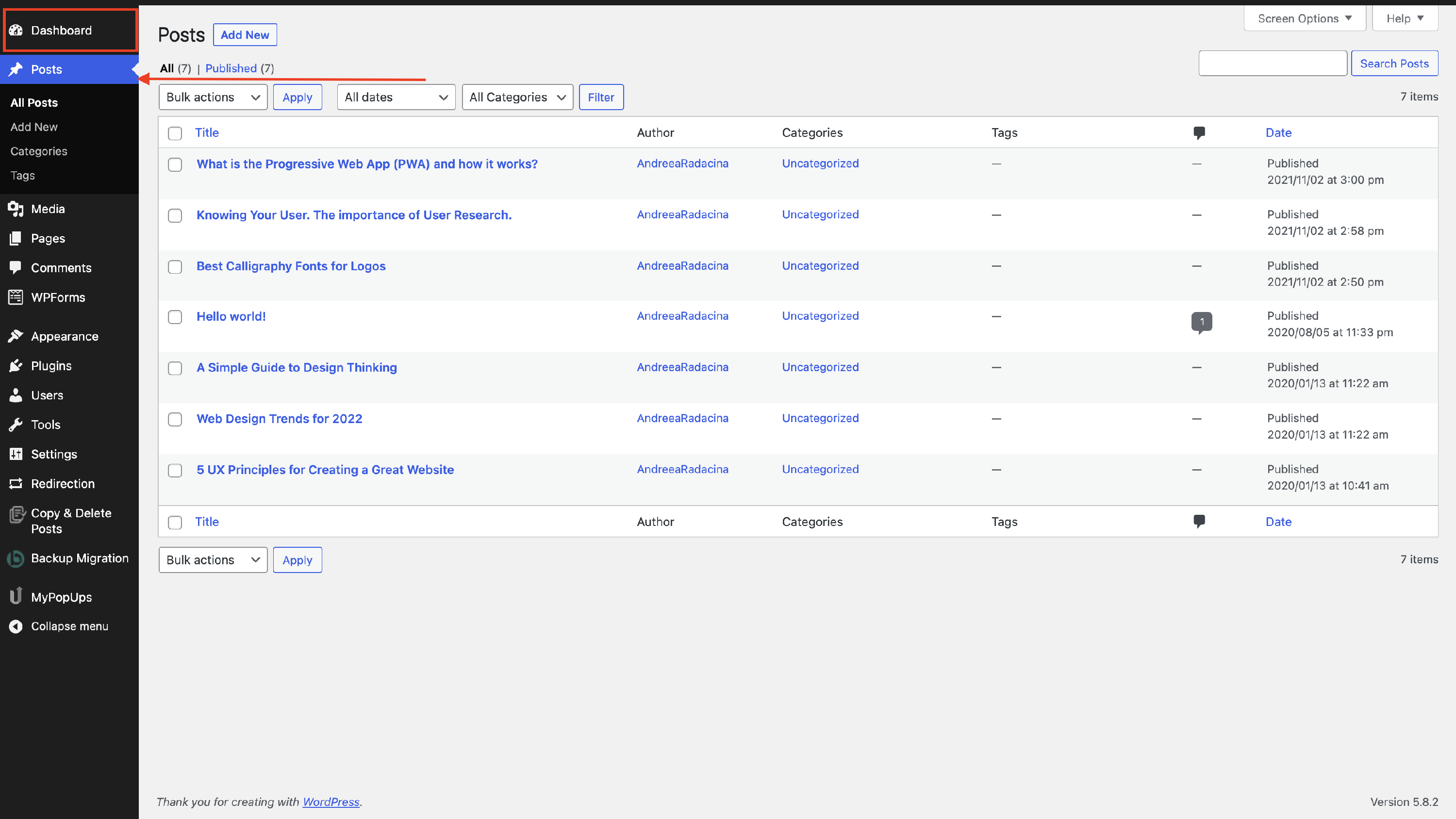
2. Pick one of the Posts ( or Pages ) and click on the Quick Edit option.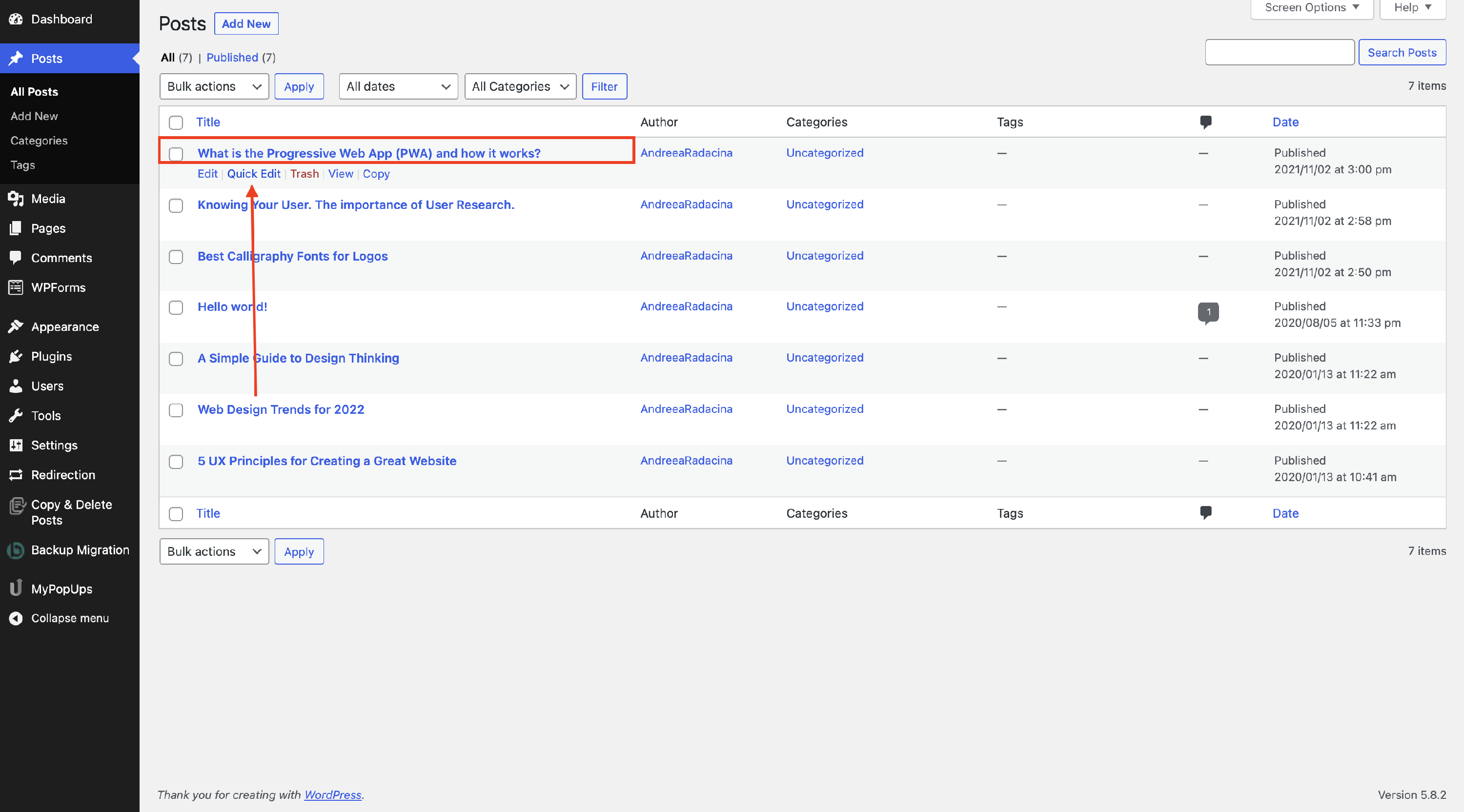
3. On the right side of the option you will find the " Allow Comments" option. Once disabled, the comments will no longer appear on the Posts / Pages.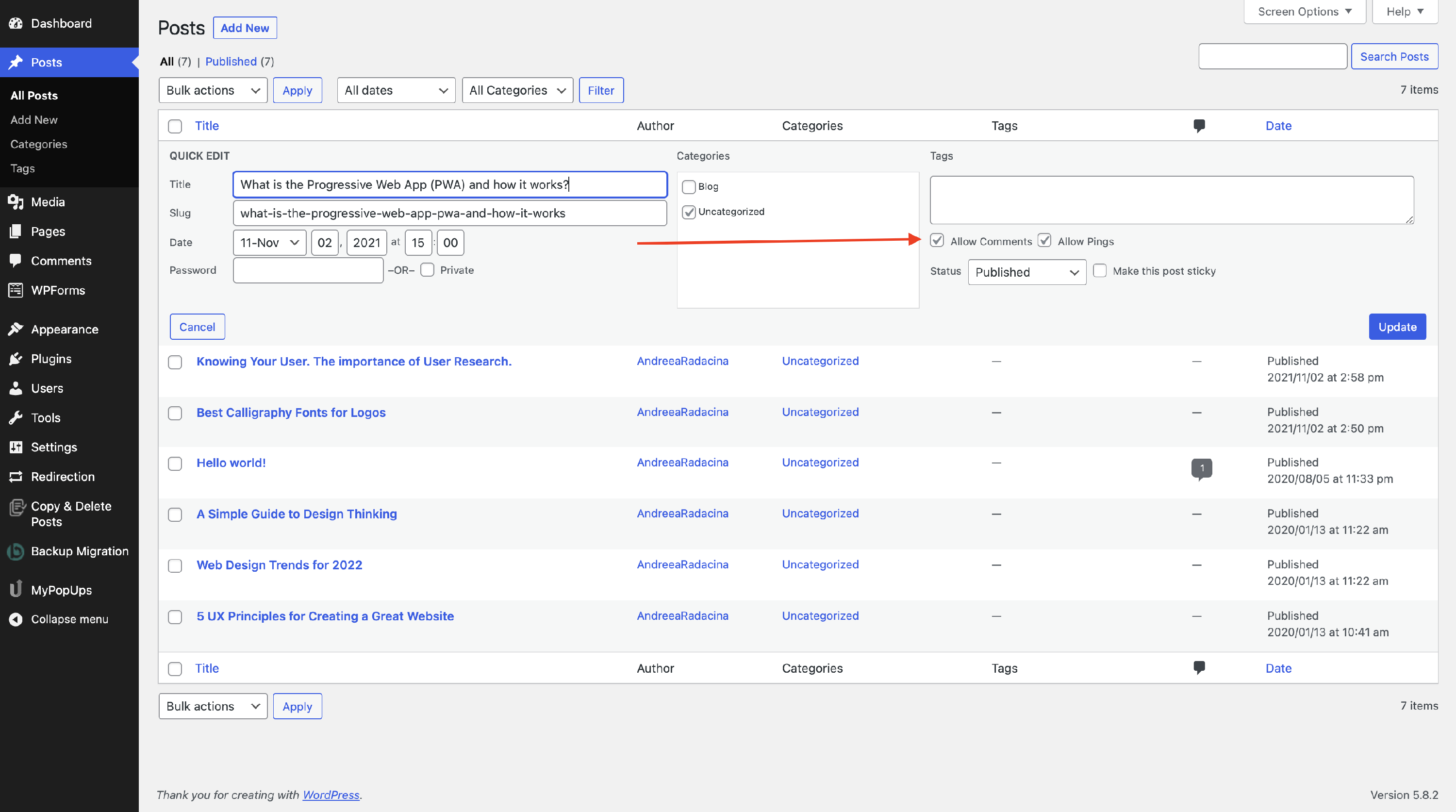
⏪ Before - how the article looked before the changes.
⏩ After - how the article looks after the changes.
📝Note: After enabling the option, from the article will disappear the comments section.