How to add categories on shop page using WooCommerce
📝 Note: This documentation assumes that you are using the WooCommerce plugin for your shop page.
To add a new category on the shop page, these are the steps to follow:
Step 1:
Navigate to Dashboard > Products > Categories.
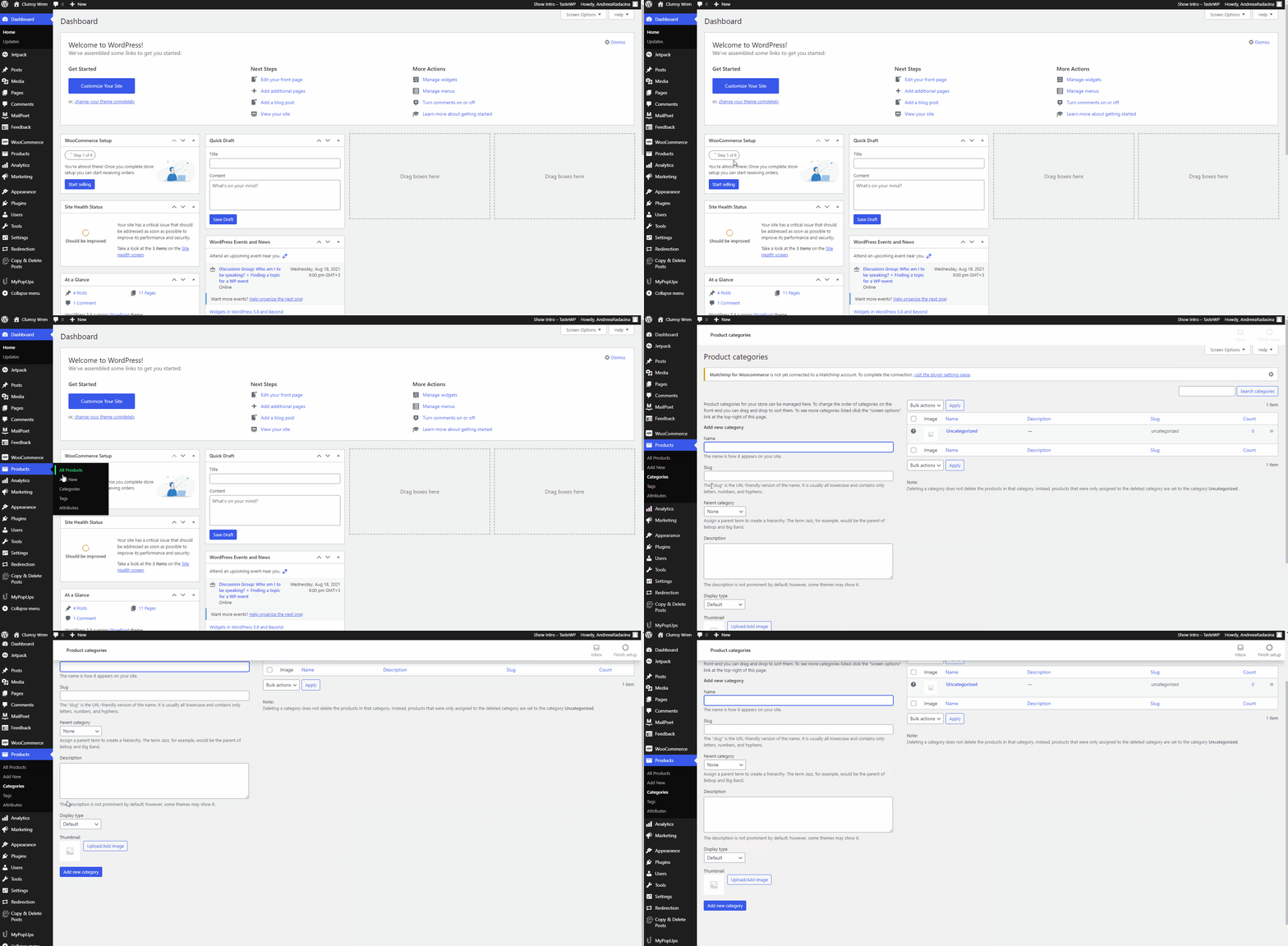
Step 2:
Start filling the fields below "Add new category".
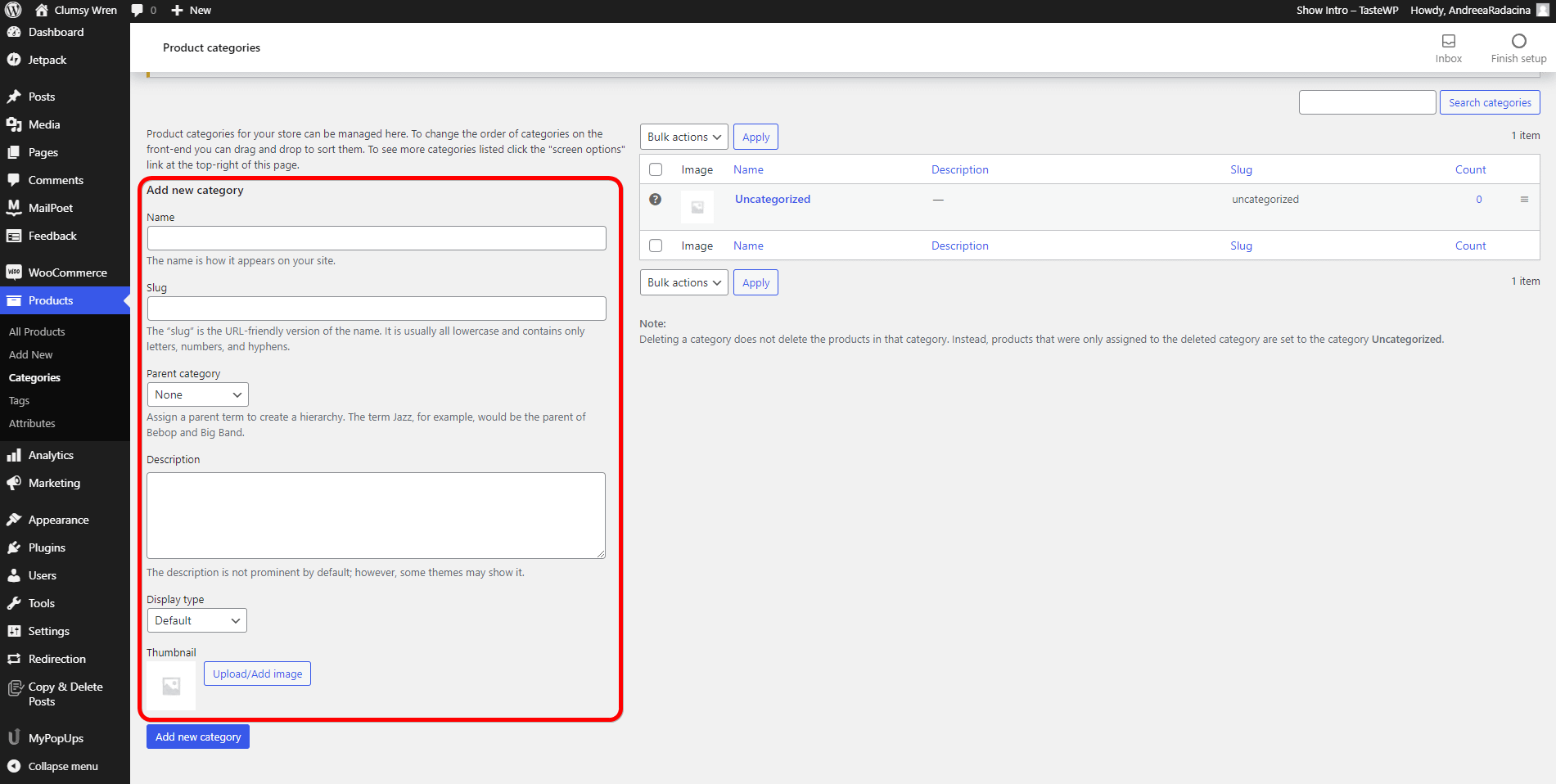
Step 3:
After finishing adding the required information, click on the "Add new category" button.
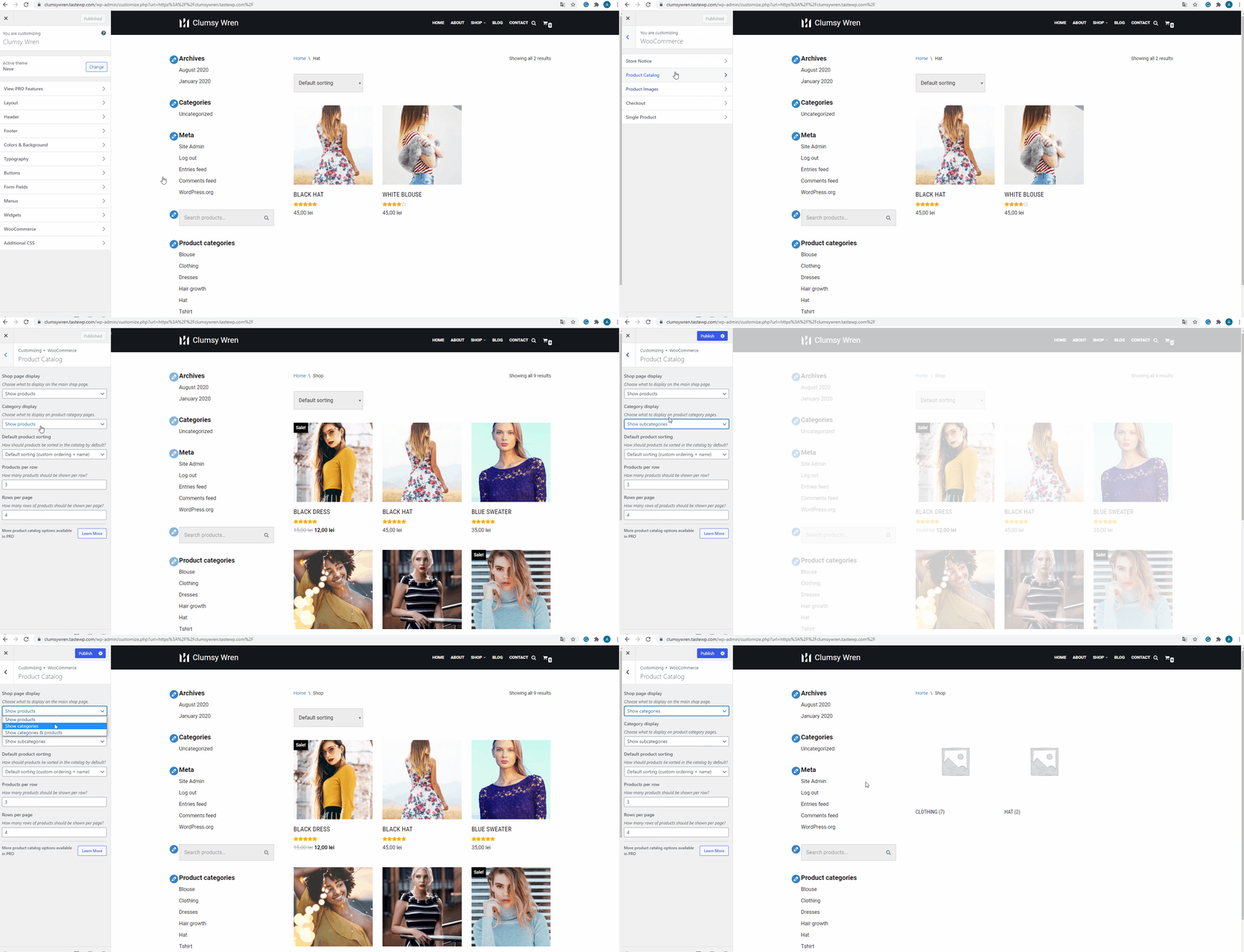
If you want to modify the way products are displayed, navigate to Appearance > Customize > WooCommerce > Product Catalog: