
How to Enable Automatic Updates in WordPress?
There are two ways to keep your website up to date, in a manual or in an automatic way. This doc presents how this can be done automatically, for themes and plugins.
Automatic Updates for Themes
1. Go to Appearance > Themes and open the active theme details.
2. From there, click on the Enable auto-updates option.
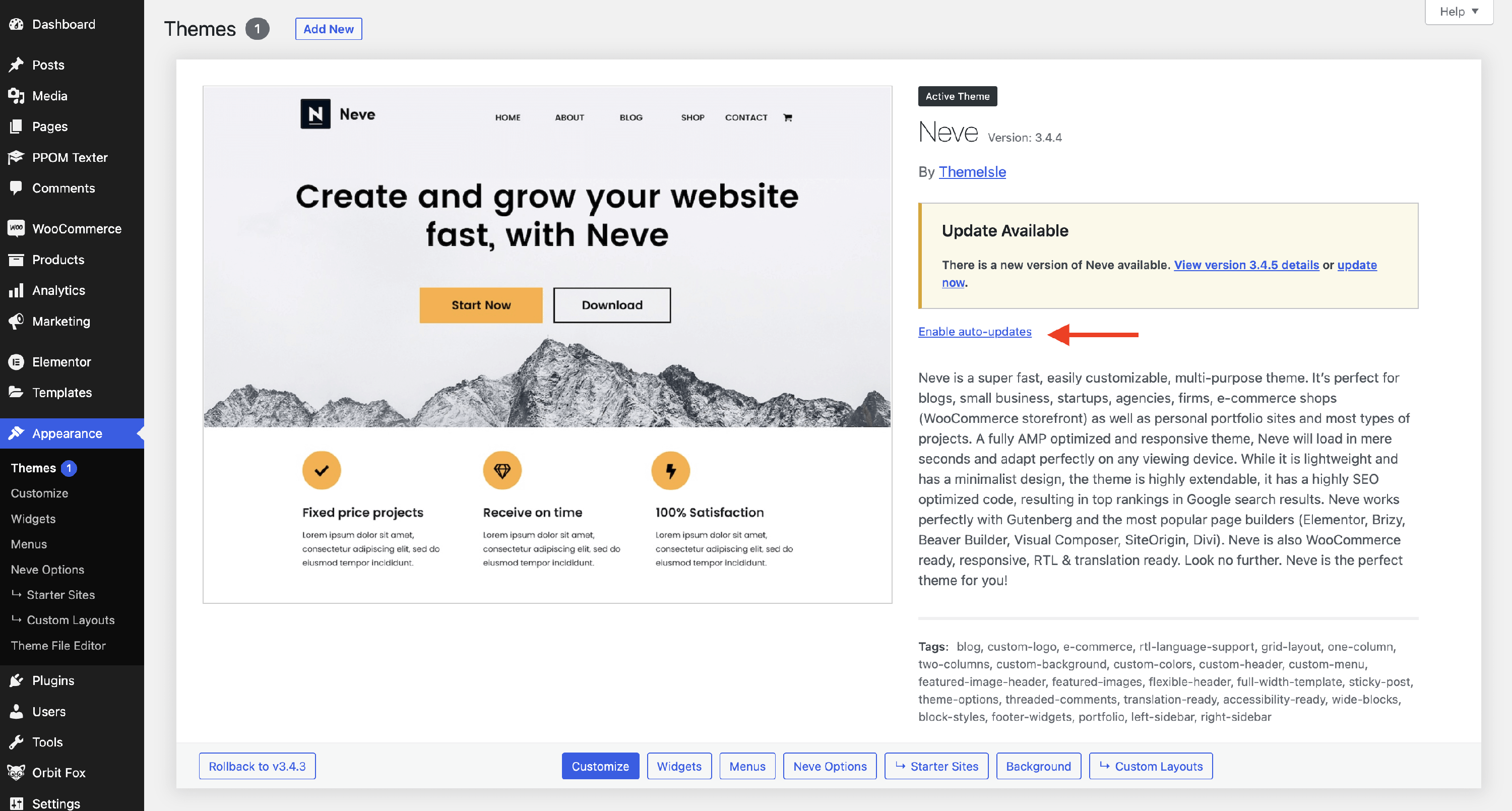
To disable them, just follow the same path; this time the button is called " Disable auto-updates".
Automatic Updates for Plugins
1. Go to Plugins and check the one that you want to update.
2. At the end of the row, click on the Enable auto-updates option.
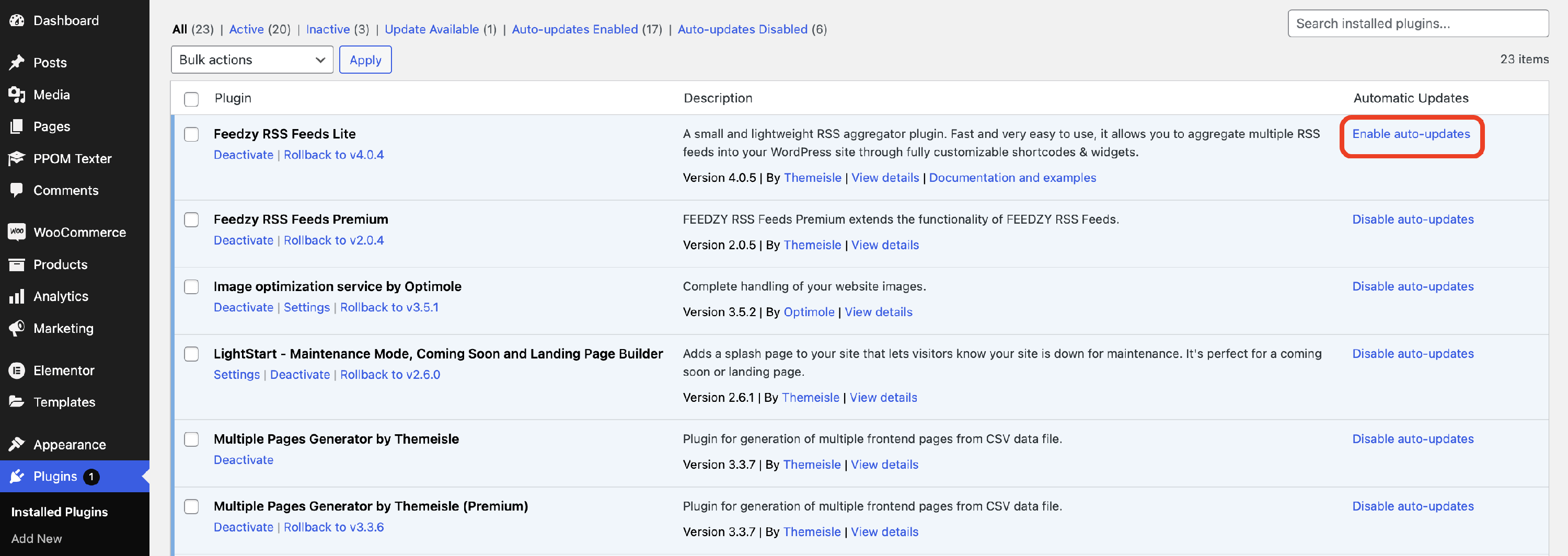
As you can see in the screenshot, click on the Disable auto-updates option**.**