Display Custom Fields in Gutenberg / WordPress 5
To find or display custom fields in latest version of WordPress, it requires only a couple of the following steps:
Add/Edit any post in WordPress admin.
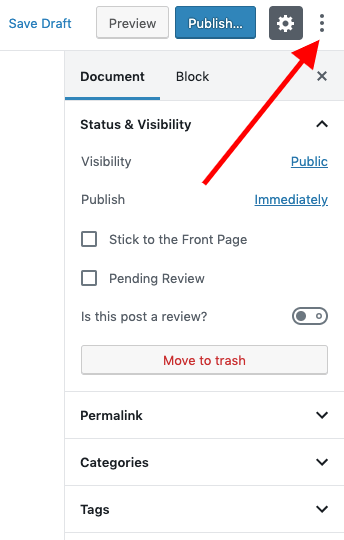
Click on three dots given at the top-right corner of the screen.
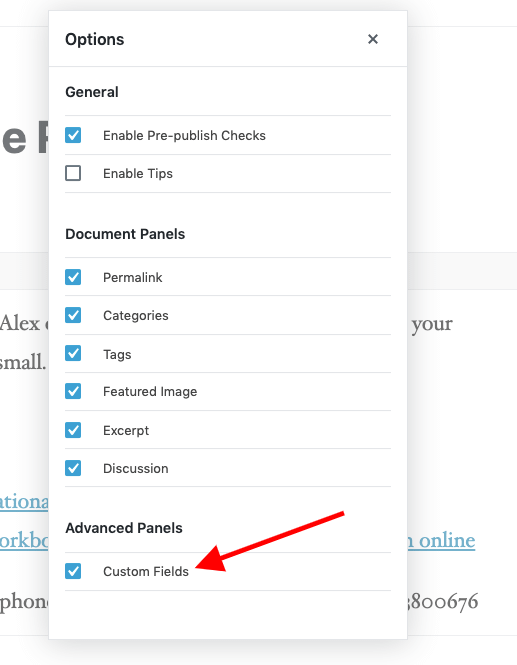
Click on "Options" there which will open a pop-up. Enable "Custom Fields" there. And, you're done!