How to Backup a WordPress Site?
This article will present how to back up your website using the UpdraftPlus plugin. This allows you to schedule automatic backup to the cloud on schedule.
1. Install and activate the UpdraftPlus plugin in Plugins > Add New.
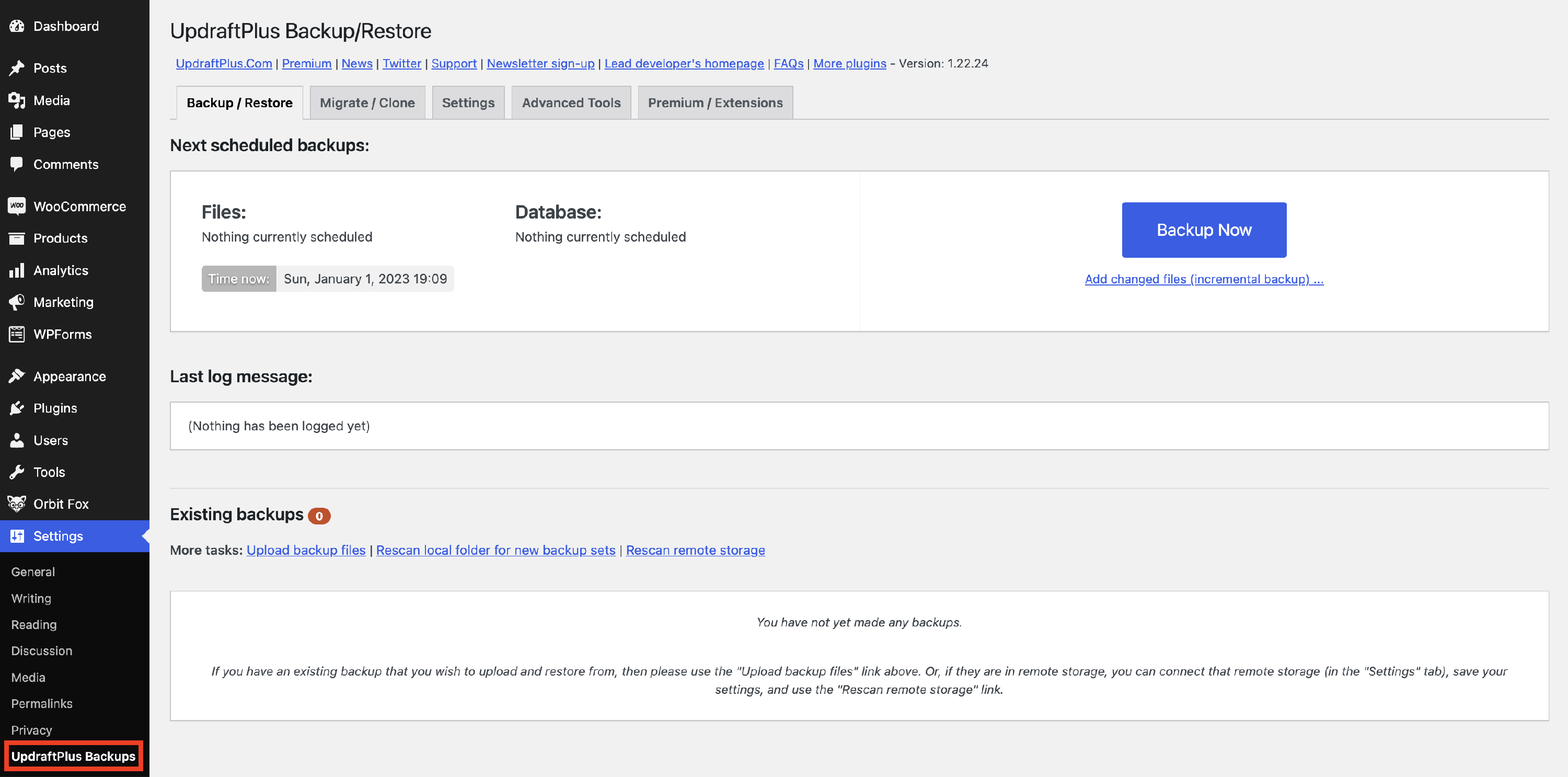
2. Go to Settings > UpdraftPlus Backups.
Manual Backup
3. For a manual backup, just click on the Backup Now button.
Automatic Backup
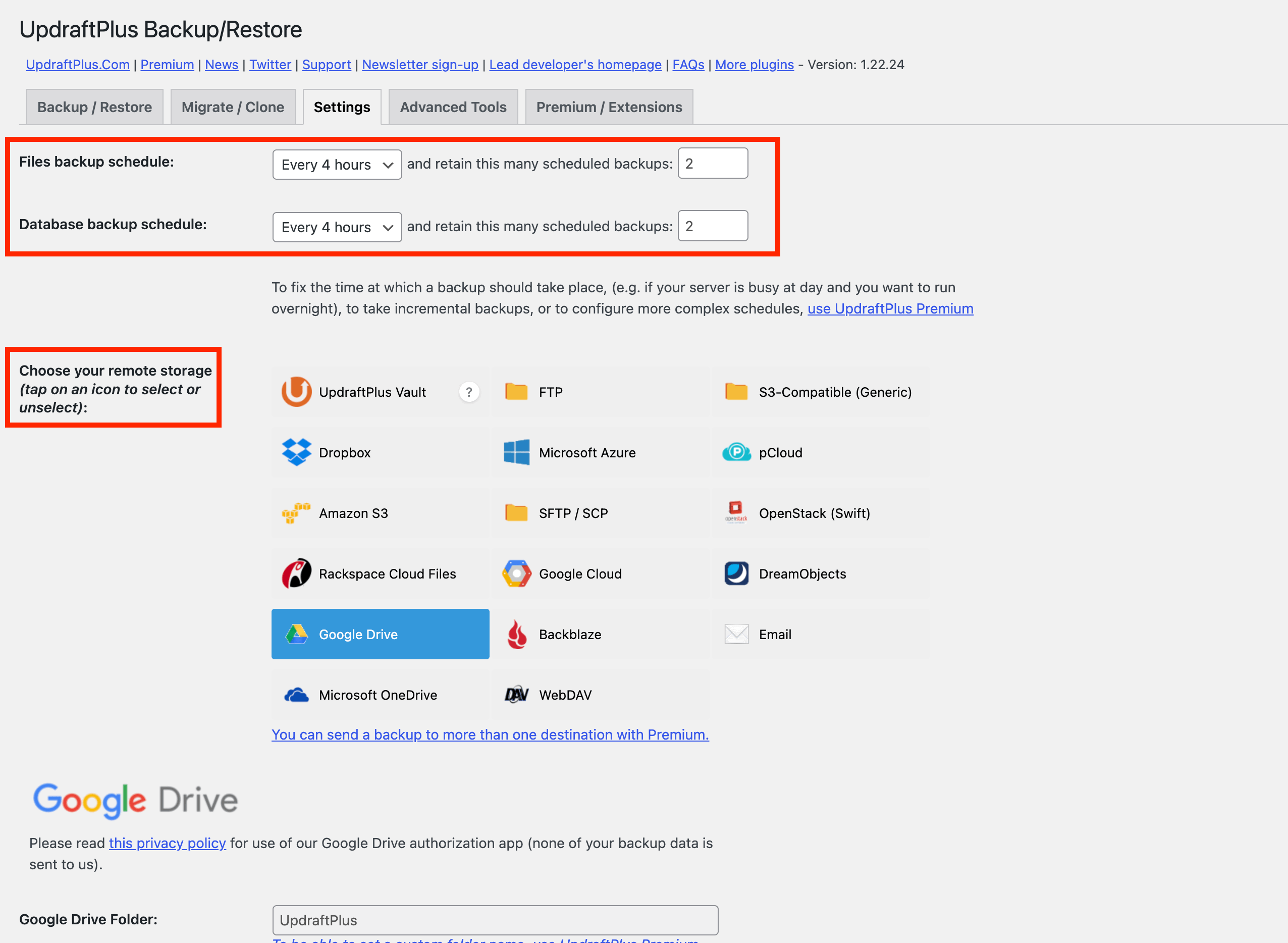
3. For a scheduled backup, go to the Settings tab.
4. Choose how often you want to back up the database and files.
5. Select a remote storage location, then choose what files to include in the backup.
Restore backups
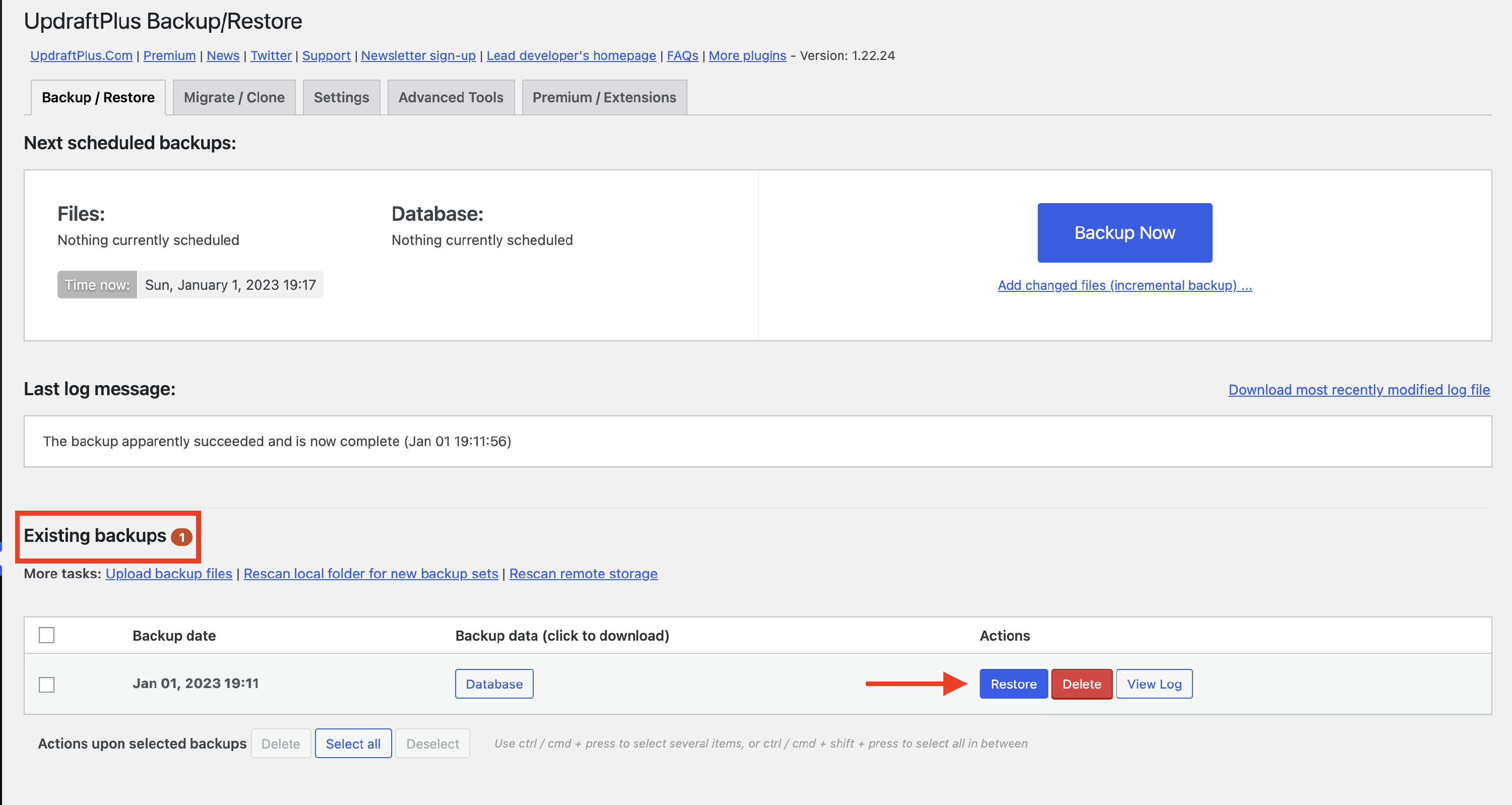
To restore backups, go to the Backup/Restore tab in UpdraftPlus Settings and navigate to the existing backups. Click on the Restore button next to the backup that you need.