
How to change Front page meta tags/Search Appearance?
Meta tags are pieces of code, visible only in the HTML code, that hold information about the website. The most important meta tags are the meta title and meta description.
There are two types of homepage: a static page, and the latest posts, where the homepage displays the blog posts.
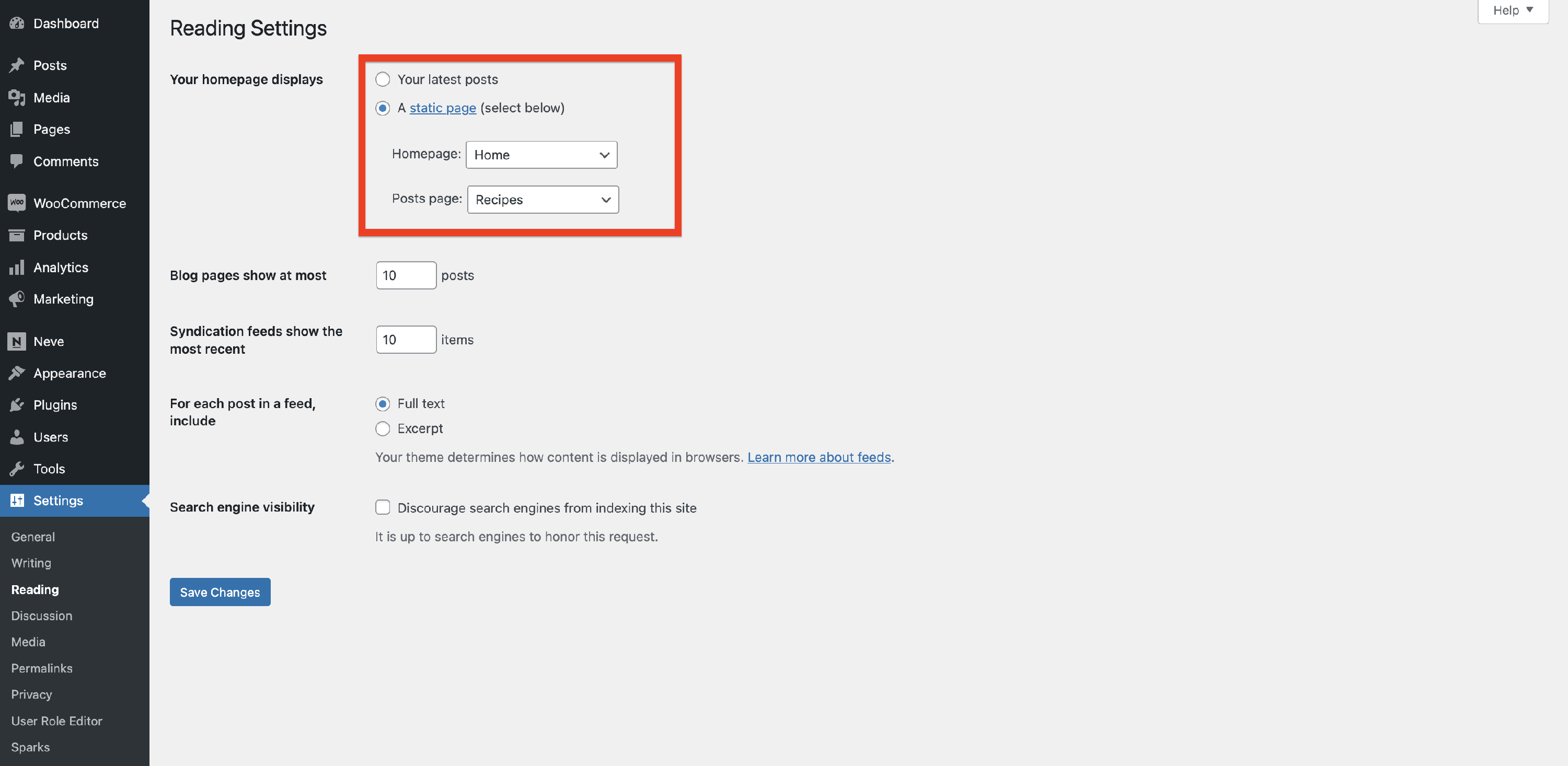
📝 Note: Changing the search appearance is possible only if you use an SEO plugin. This article uses the Yoast SEO plugin.
A static page
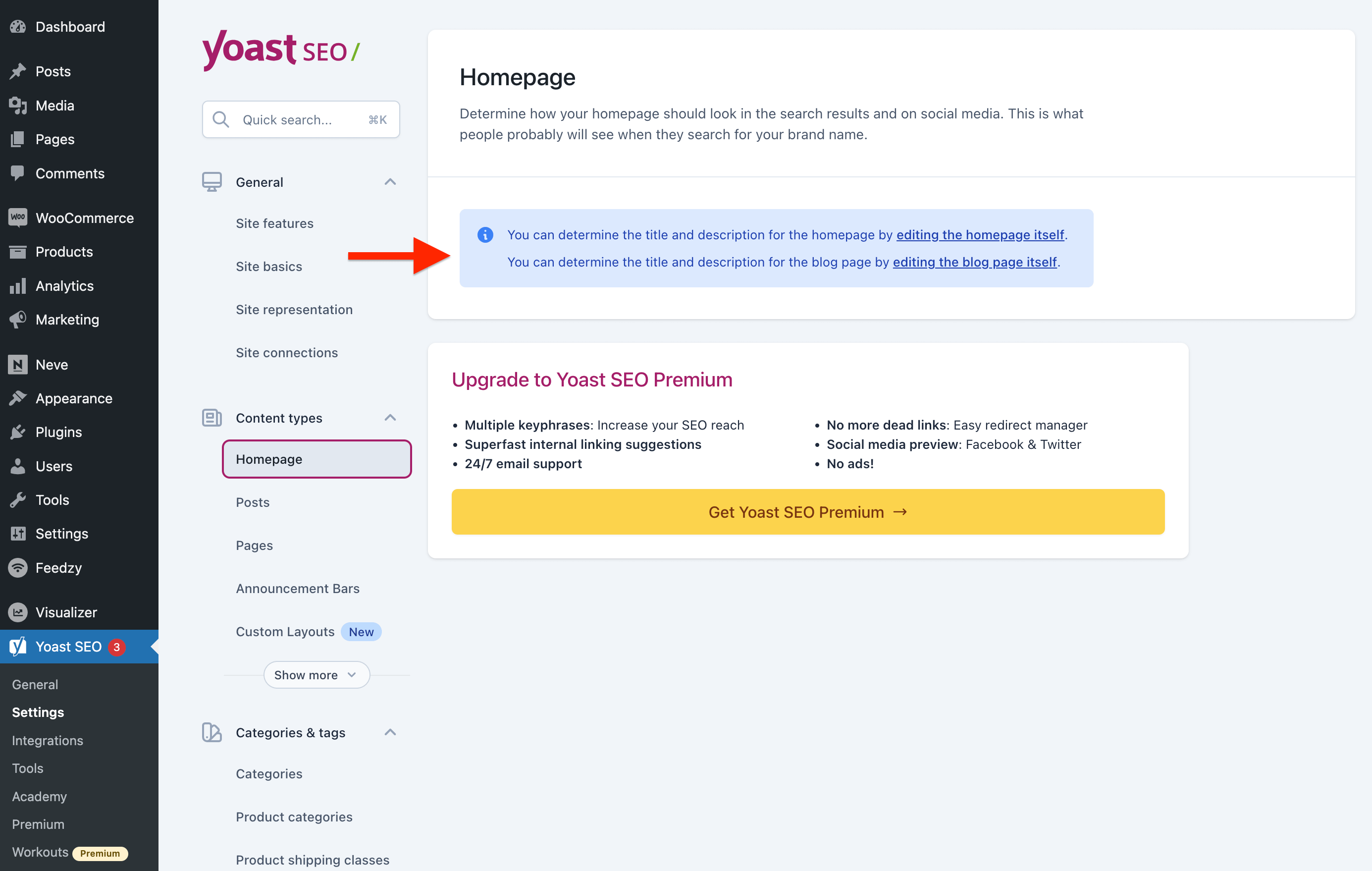
Go to Dashboard > Yoast SEO > Settings.
In the left sidebar, expand the Content types accordion.
Select Homepage.
Click on the editing the homepage itself link.
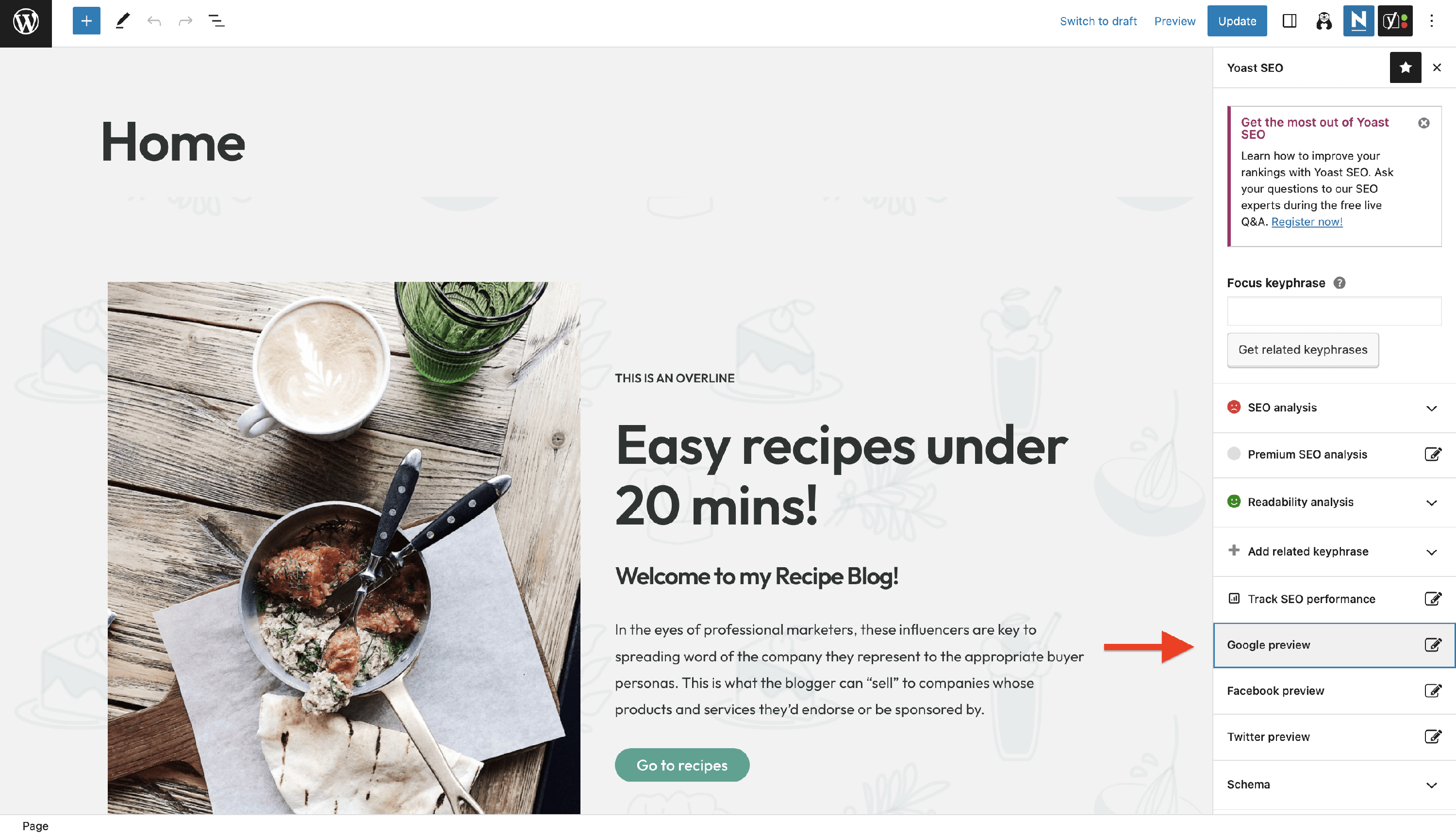
Once the editor opens, click on the Yoast SEO icon to open the settings.
Click on Google preview.
Once the modal opens, make the desired adjustments.
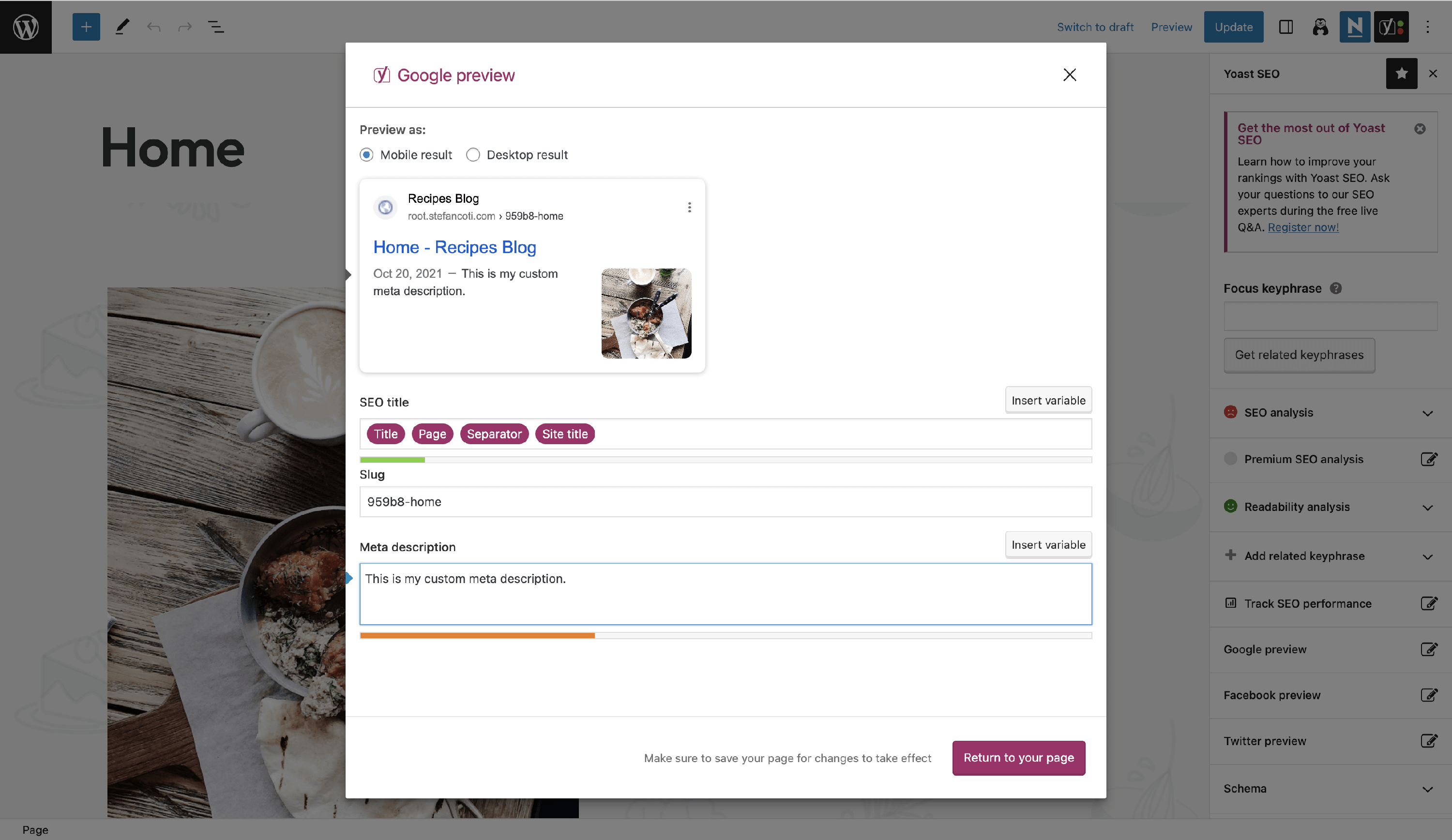
Save the changes and check the result.
Latest posts
Go to Dashboard > Yoast SEO > Settings.
In the left sidebar, expand the Content types accordion.
Select Homepage.
Use the Search Appearance section to configure the SEO title and Meta description.
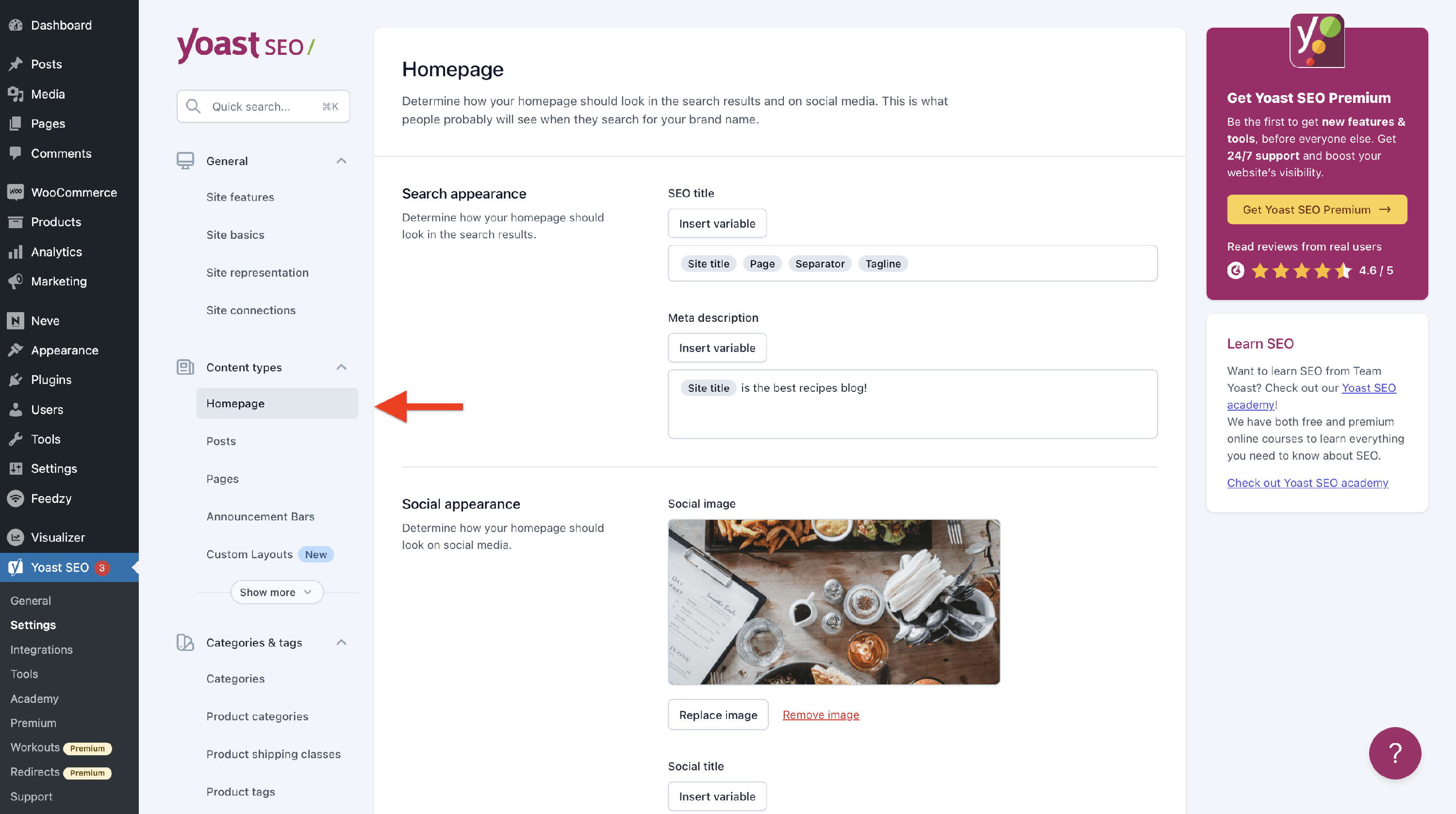
Save the changes and check the result.