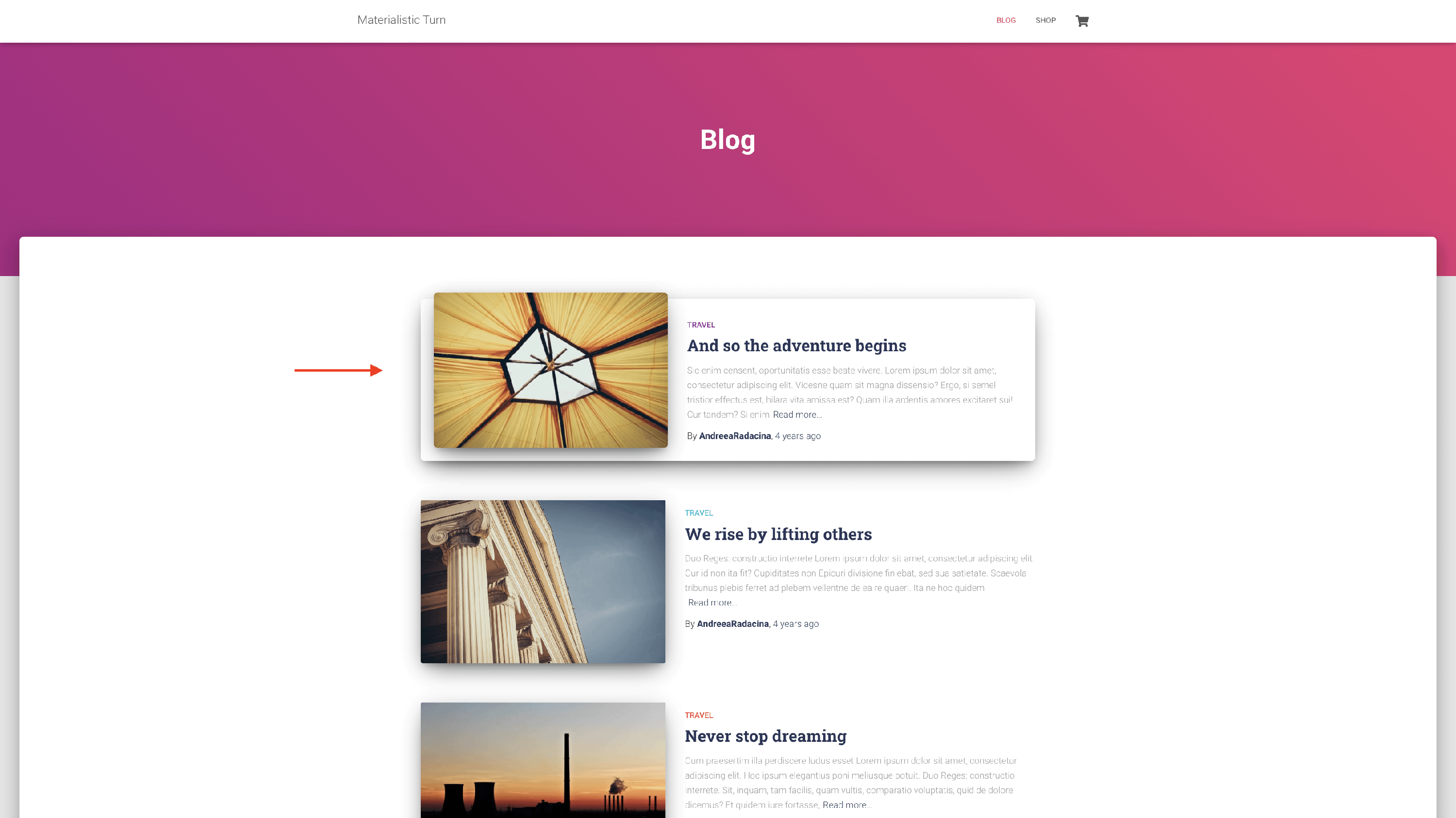
How to make a Post Sticky?
You can make a post stick to the top of the blog page to highlight its content easily in two ways:
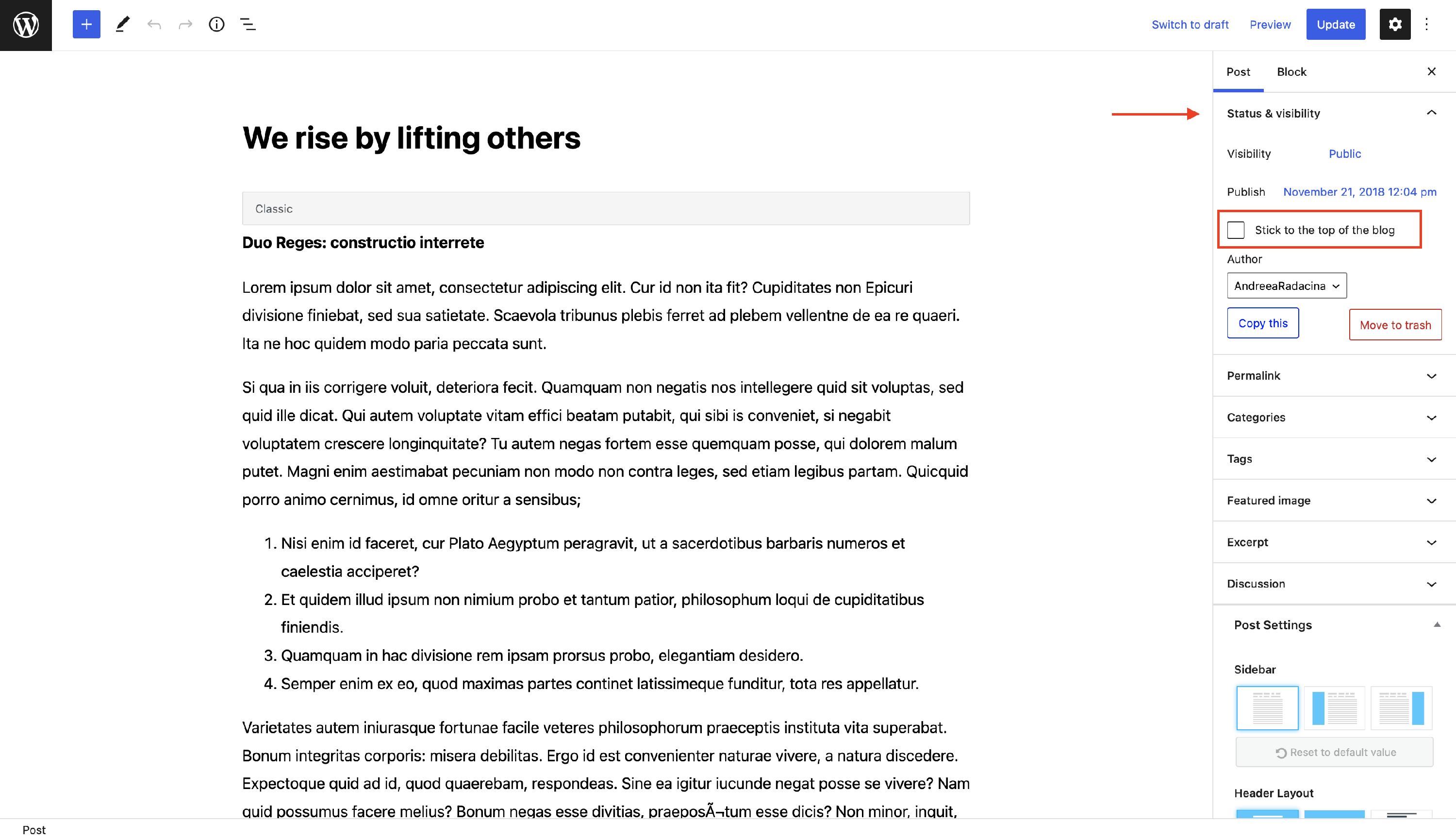
From the Editor
1. Navigate to Dashboard > Posts and pick the desired post.
2. Open the editor.
3. Under the Status & Visibility tab, enable the Stick to the top of the blog option.
From Quick Edit
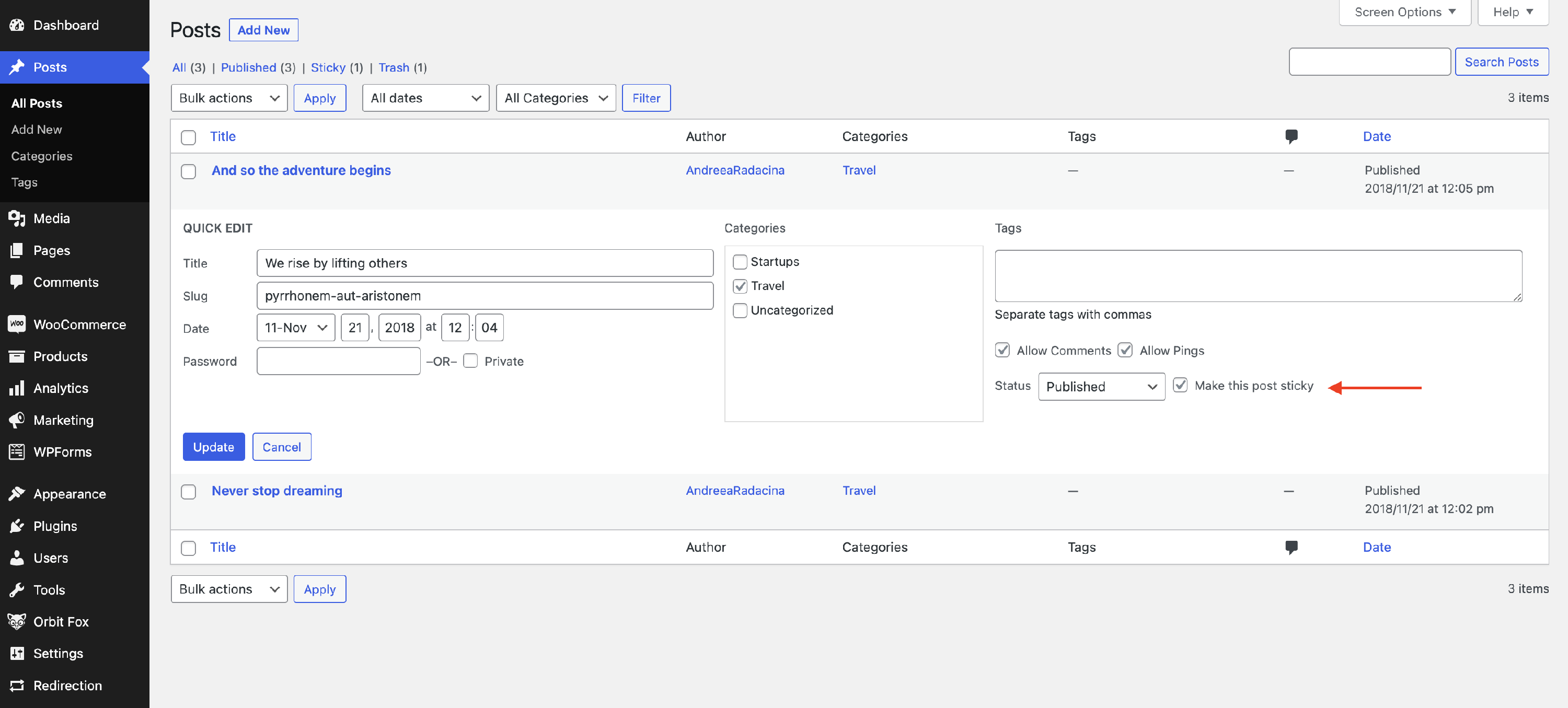
1. You can also do this directly from Dashboard > Posts.
2. Pick the desired post and click on Quick Edit.
3. Enable the Make this post sticky option.
💡 Result - how it appears on the website