
How to Migrate Customizer Options?
To migrate the Customizer options, just a few steps need to be done.
1. Install the Customizer Export/Import plugin.
2. Navigate to Appearance > Customize and open the Export/Import panel.
Export Customizer Options
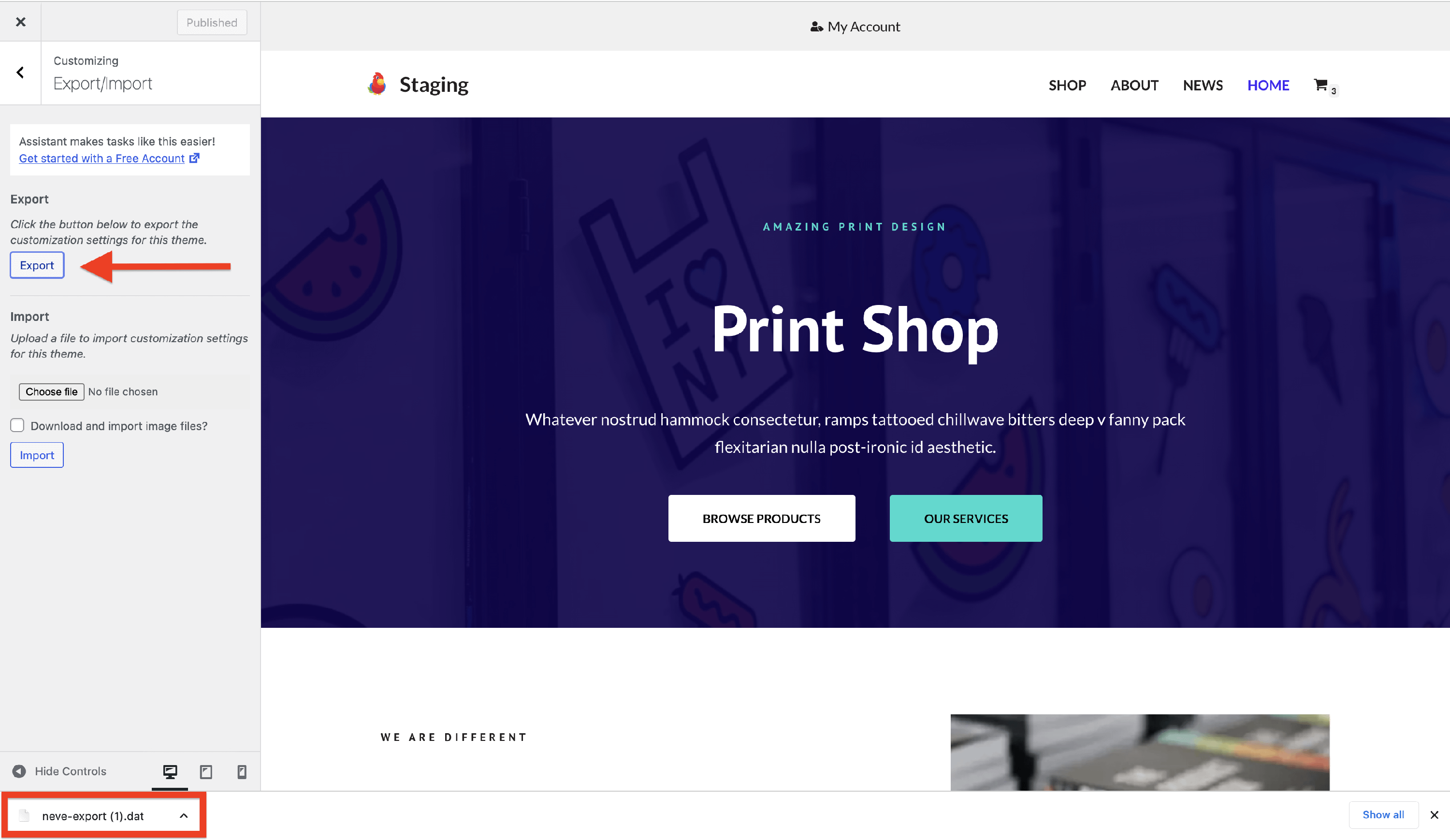
To export the customizer options, inside the Export/Import panel, click on the Export button.
A .dat file with the name of the theme that you are using will automatically start downloading. This export process will help you generate a file containing the current configuration of your theme that you can use on other websites as well.
📝 Note: The file can be used only for the theme or child theme that it came from.
Import Customizer Option
To import on other websites the file that you have previously downloaded during the Export phase, follow these steps:
1. Navigate to Appearance > Customize, then open the Export/Import panel.
2. Upload the .dat file using the Choose file button.
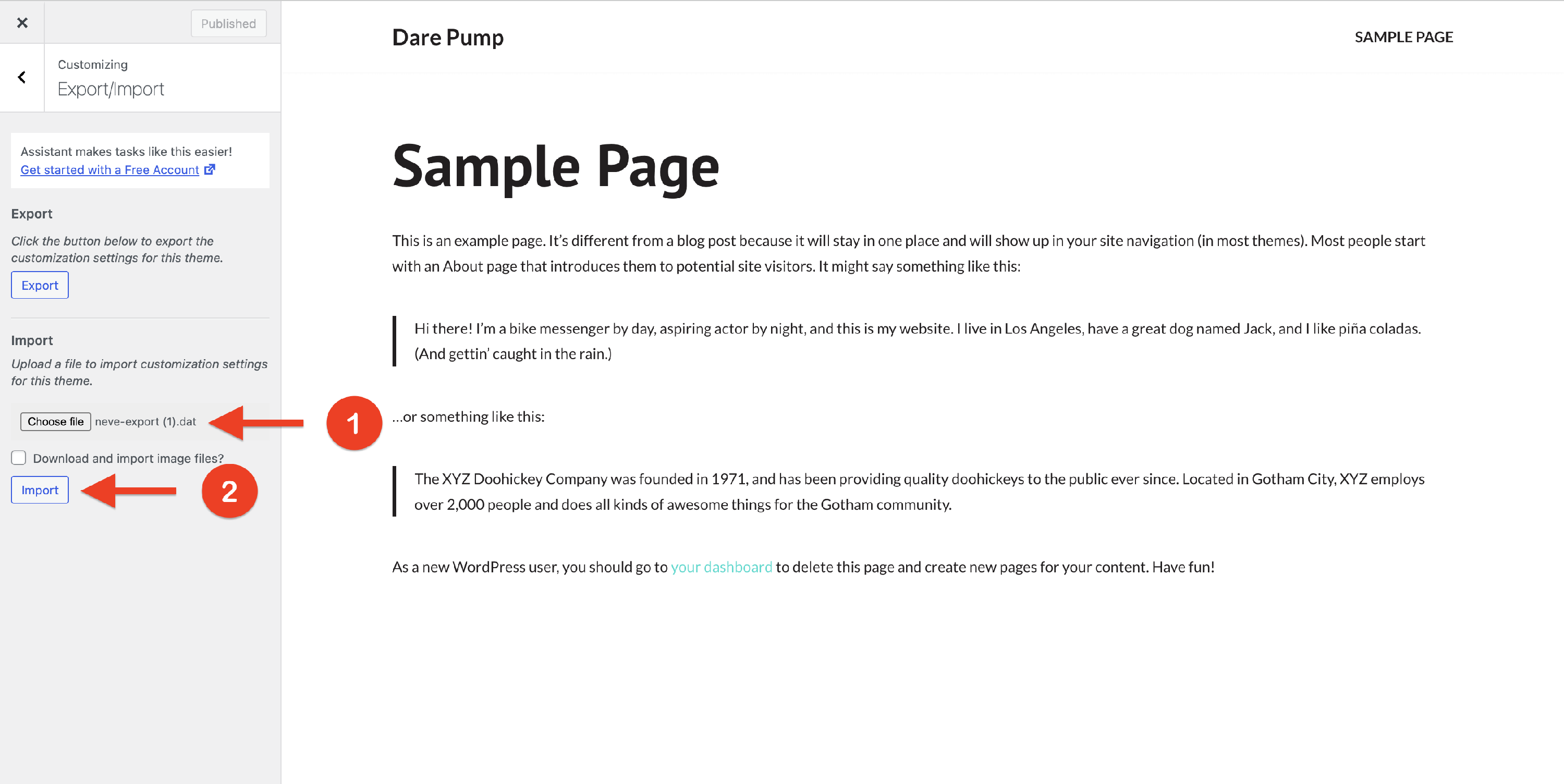
After that, you should be able to see the previous options in the Customizer.