
The WooCommerce Builder Feature - Otter Features Library
The WooCommerce Builder is a feature meant to boost your e-commerce experience by creating a unique website, using Otter blocks.
📝 Note: The WooCommerce Builder is part of the PRO version of the plugin and requires an active license.
In this article
Using the Feature
1. To start the process, make sure you have installed the WooCommerce plugin.
2. From that point, navigate to Products > All Products and pick the desired one.
3. On the right side you will see a section that contains the Enable WooCommerce Builder button.
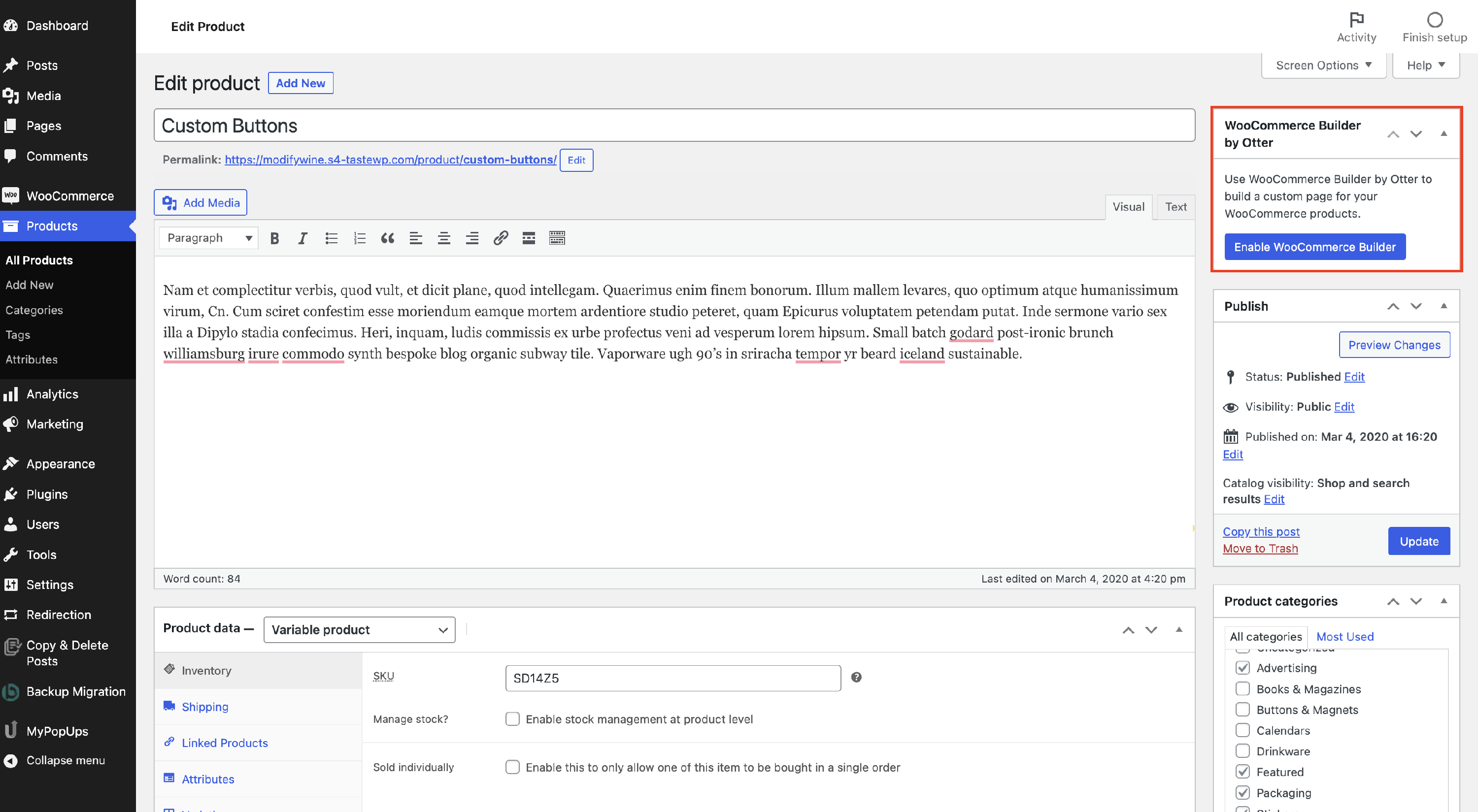
📝 Note: If the WooCommerce Builder section is not visible in the right sidebar, it may be hidden via WordPress Screen Options. See Troubleshooting Visibility below for steps to enable it.
4. You will be redirected to the WooCommerce Builder, similar to the WordPress Editor.
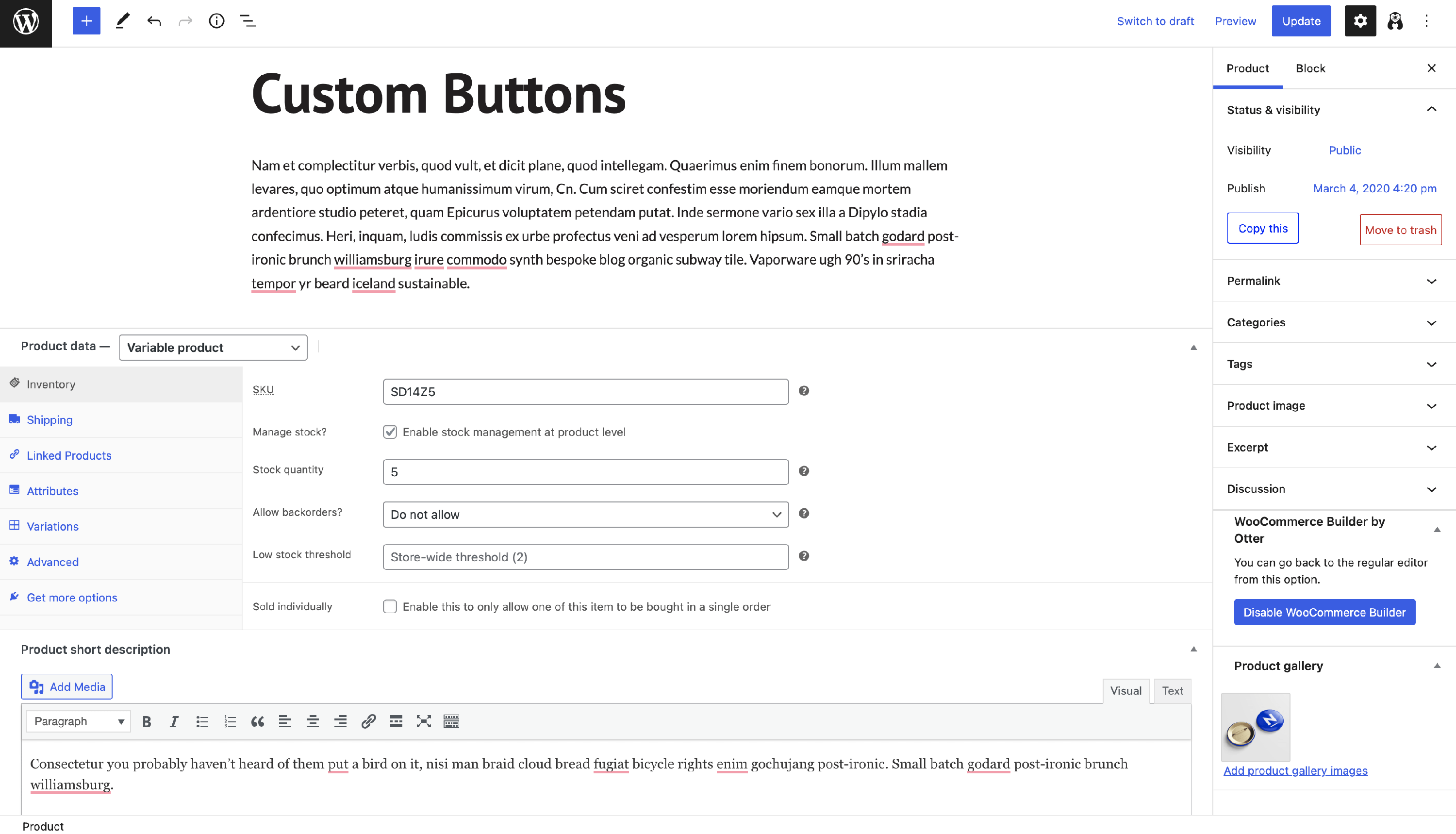
From this point, you can start adding blocks and customizing the sale page of the product.
Using the Blocks
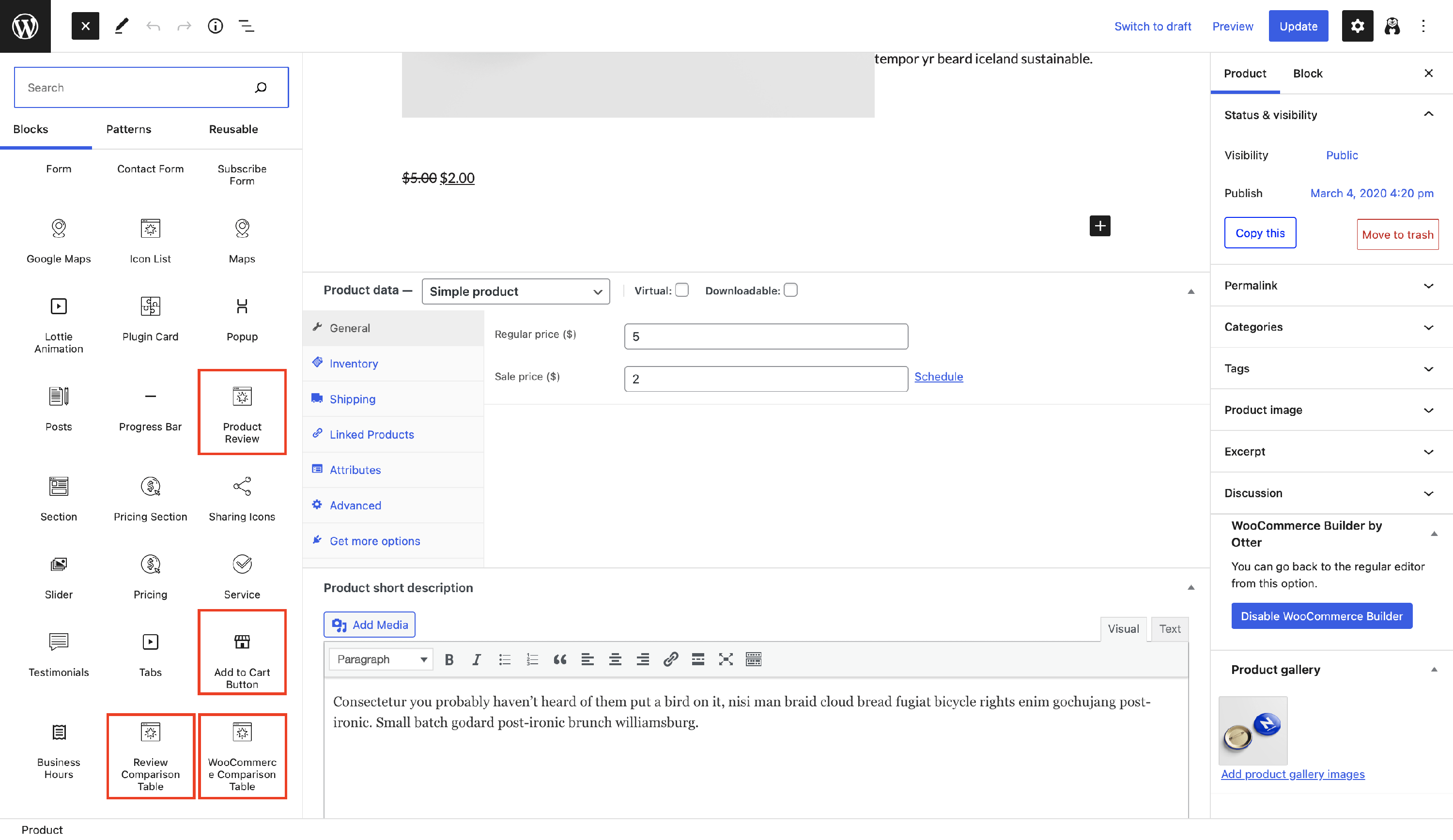
The WooCommerce plugin brings in new blocks within the integration with Otter. You can find them in the Block List:
📝 Note: The WooCommerce Comparison Table is not available directly from the block inserter. It requires the Sparks for WooCommerce plugin; without it, the block shows a placeholder prompting you to install Sparks.
Troubleshooting Visibility
If the WooCommerce Builder section does not appear in the right sidebar on the product edit screen, it has likely been hidden using the WordPress Screen Options feature.
To make the section visible again:
- Open a product by navigating to Products > All Products and clicking the product you want to edit.
- Click the Screen Options tab in the top-right corner of the screen (next to the Help tab).
- In the panel that expands, check the box next to WooCommerce Builder by Otter.
- The WooCommerce Builder section will now appear in the right sidebar.
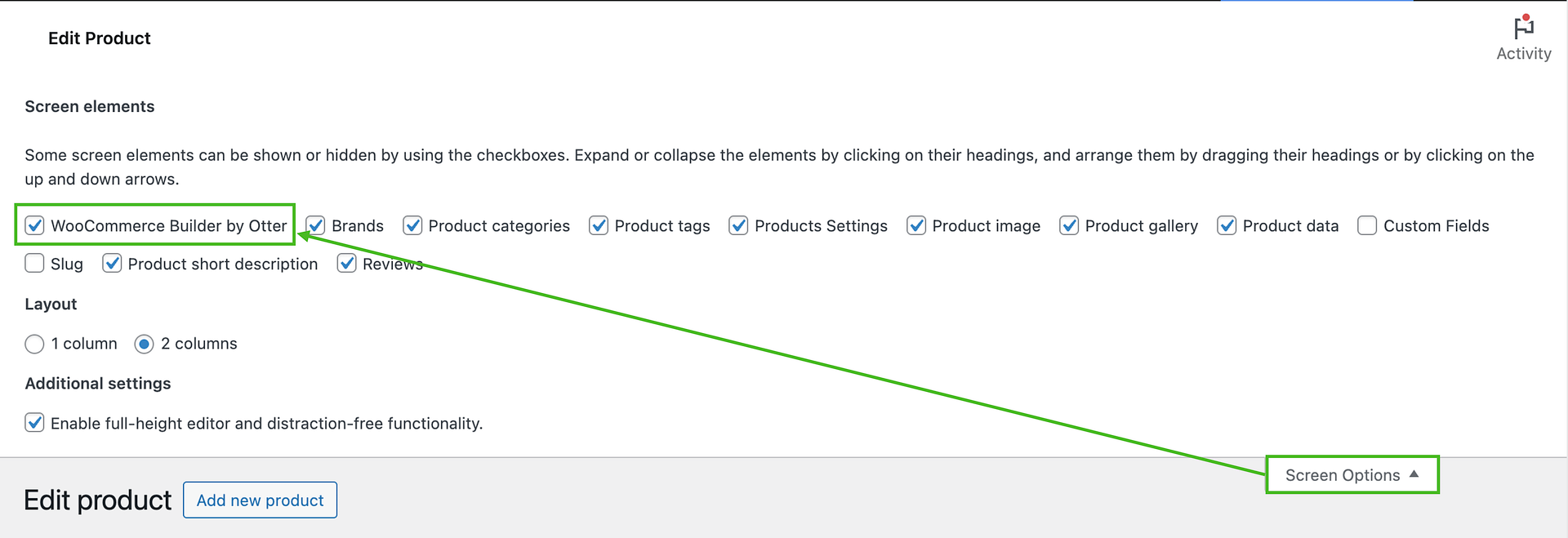
📝 Note: Screen Options is a standard WordPress feature that controls which panels are shown on each admin screen. The setting is saved per user, so if multiple users access the same site, each user may need to enable it separately.