
Copy / Paste Styles Feature - Otter Features Library
📝Note: This feature has been removed from Otter Blocks to simplify the user interface and reduce potential conflicts.
The Copy / Paste Styles feature of Otter Blocks is meant to help you duplicate the styles of the blocks with just a few clicks.
Using the Feature
1. Navigate to the block you want to copy or where you want to paste content.
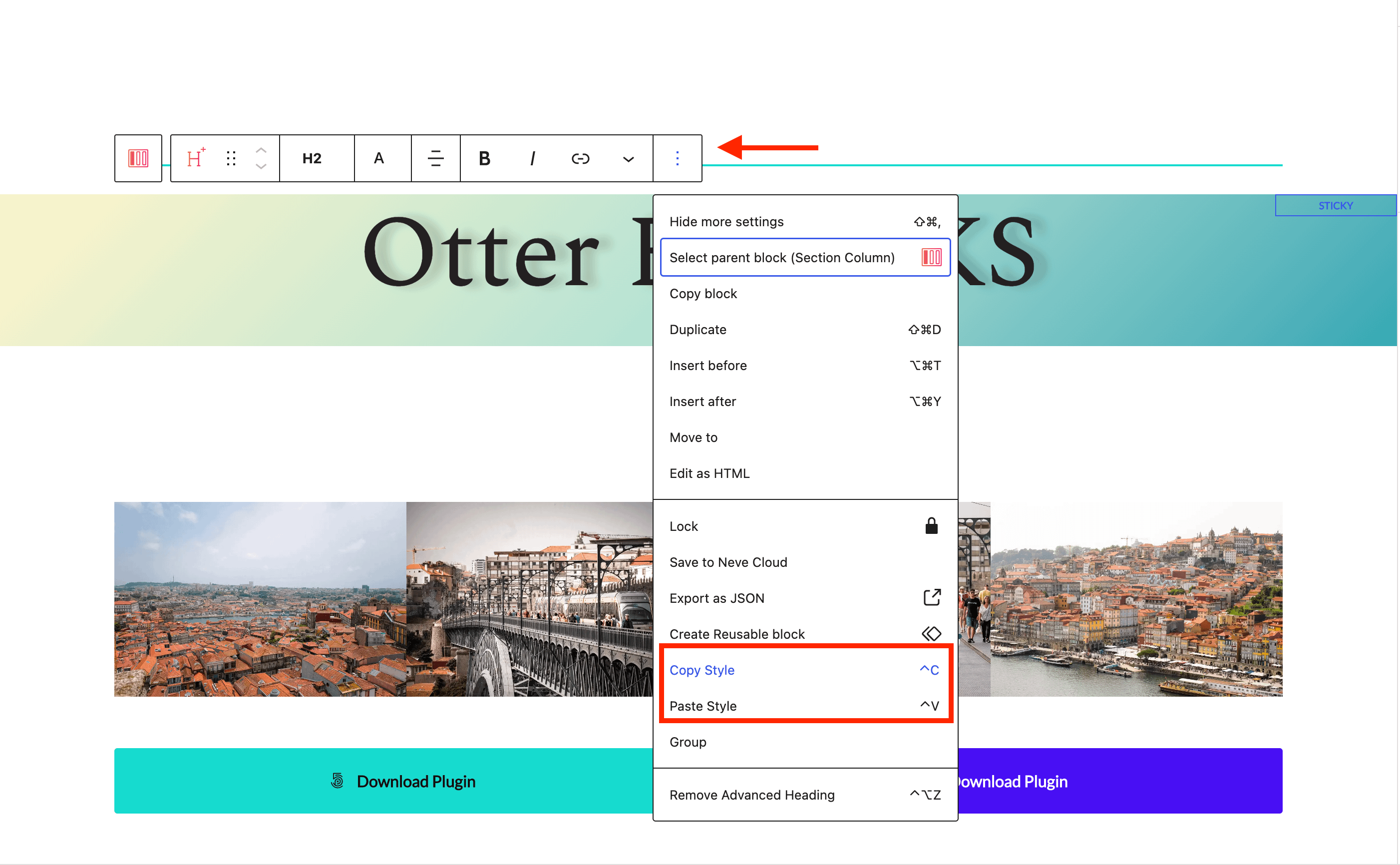
2. Click on the block and click on the three dots icon.
3. Use the Copy Style / Paste Style to manage the content as you wish.
List of Supported Blocks
Not all the blocks have this feature, so we have created a list with the supported blocks:
Gutenberg Blocks
- column / columns
- group
- paragraph
- heading
- list
- image
- button / buttons
- gallery
- cover
Otter Blocks
- advanced-column / advanced-columns
- button / button-group
- font-awesome-icons
- icon-list / icon-list-item
- accordion
- progress-bar
- tabs
- flip
- form
- circle-counter
- review
- advanced-heading
- countdown
- woo-comparison
- business-hours / business-hours-item
- sharing-icons