How to Modify Review Block Schema?
The Product Review block, by default, displays the product name, rating, pros, and cons, price, as well as some key characteristics. These appear in the structured data of the post where the block is inserted.
However, if you need to display other markups in the structured data of the post, you can do so by following these steps:
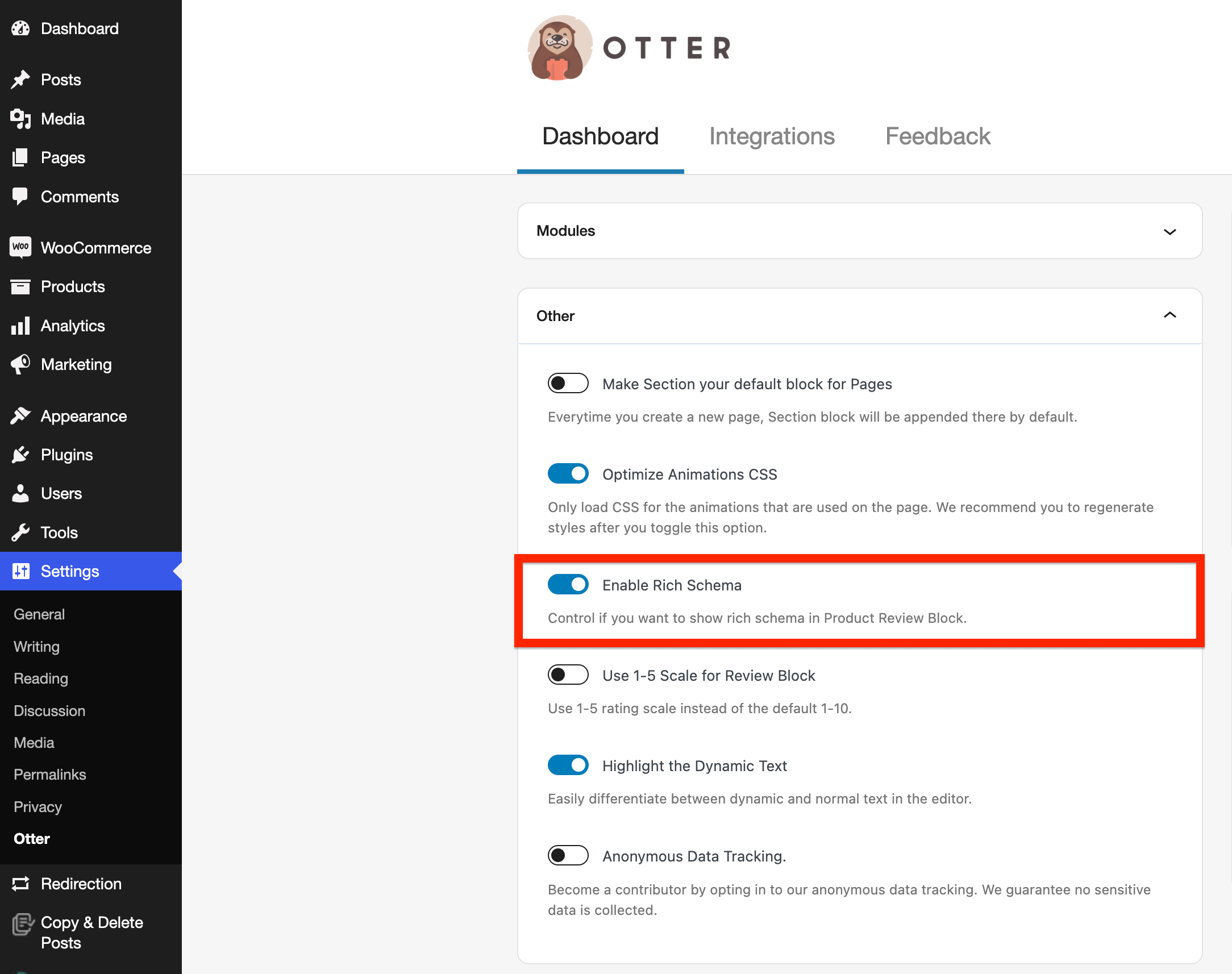
1. First, navigate to the top-level Otter Blocks menu and enable the Enable Rich Schema option.
2. Copy the following code snippet:
add_filter( 'otter_blocks_review_block_schema', function( $schema, $attributes ) {
	$schema['brand'] = array(
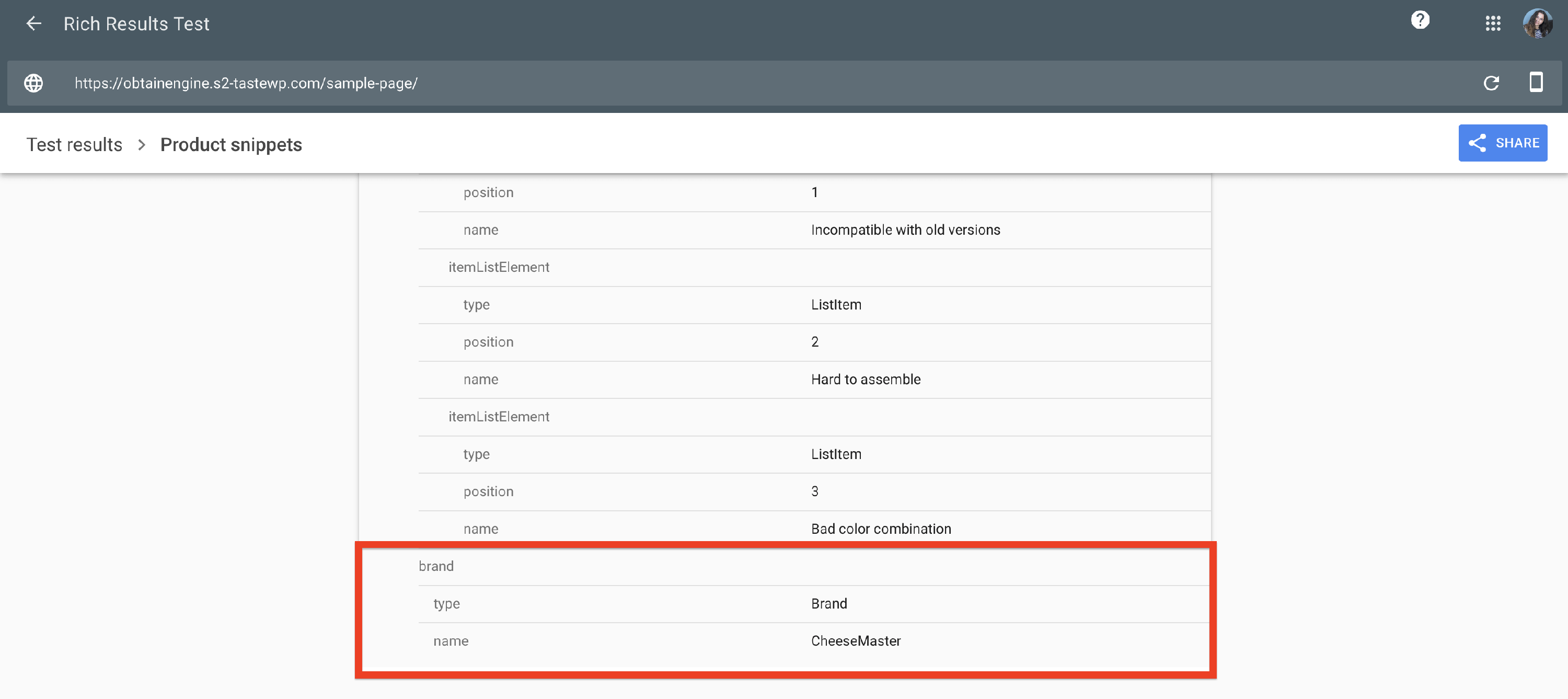
		'@type' => 'Brand',
		'name'  => 'CheeseMaster'

	);
	return $schema;
}, 10, 2 );
📝 Note: For more information about the Review Schema, check this documentation.
3. Replace the "brand" word inside the schema, the type, and the name to contain the desired markup.
4. Paste the code into your theme's (or child theme's) functions.php file, or into a custom site-specific plugin. Avoid editing the Otter Blocks plugin files directly, as your changes would be lost when the plugin updates.
5. Once you have done this, the new markup will appear in the schema.org: