The Dynamic Values Feature - Otter Features Library
The Dynamic Values feature in Otter lets you insert live WordPress data (such as post titles, author names, or custom field values) directly into your block content by typing the %% symbol in the editor.
Using the Feature
The Otter plugin allows you to insert dynamic values only by adding the " %%" symbol anywhere inside the editor. The dynamic values can import information and automatically display it on your website.
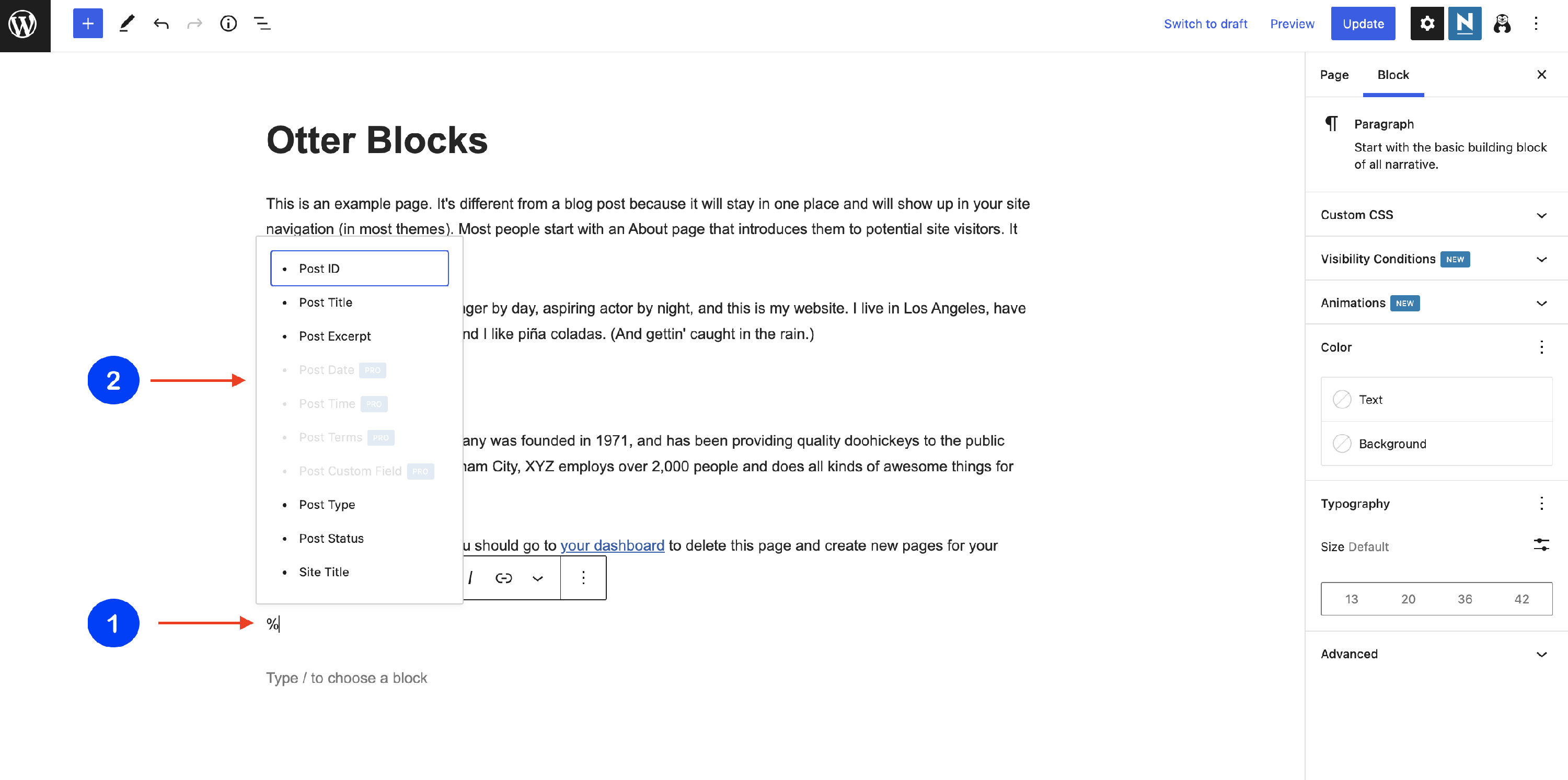
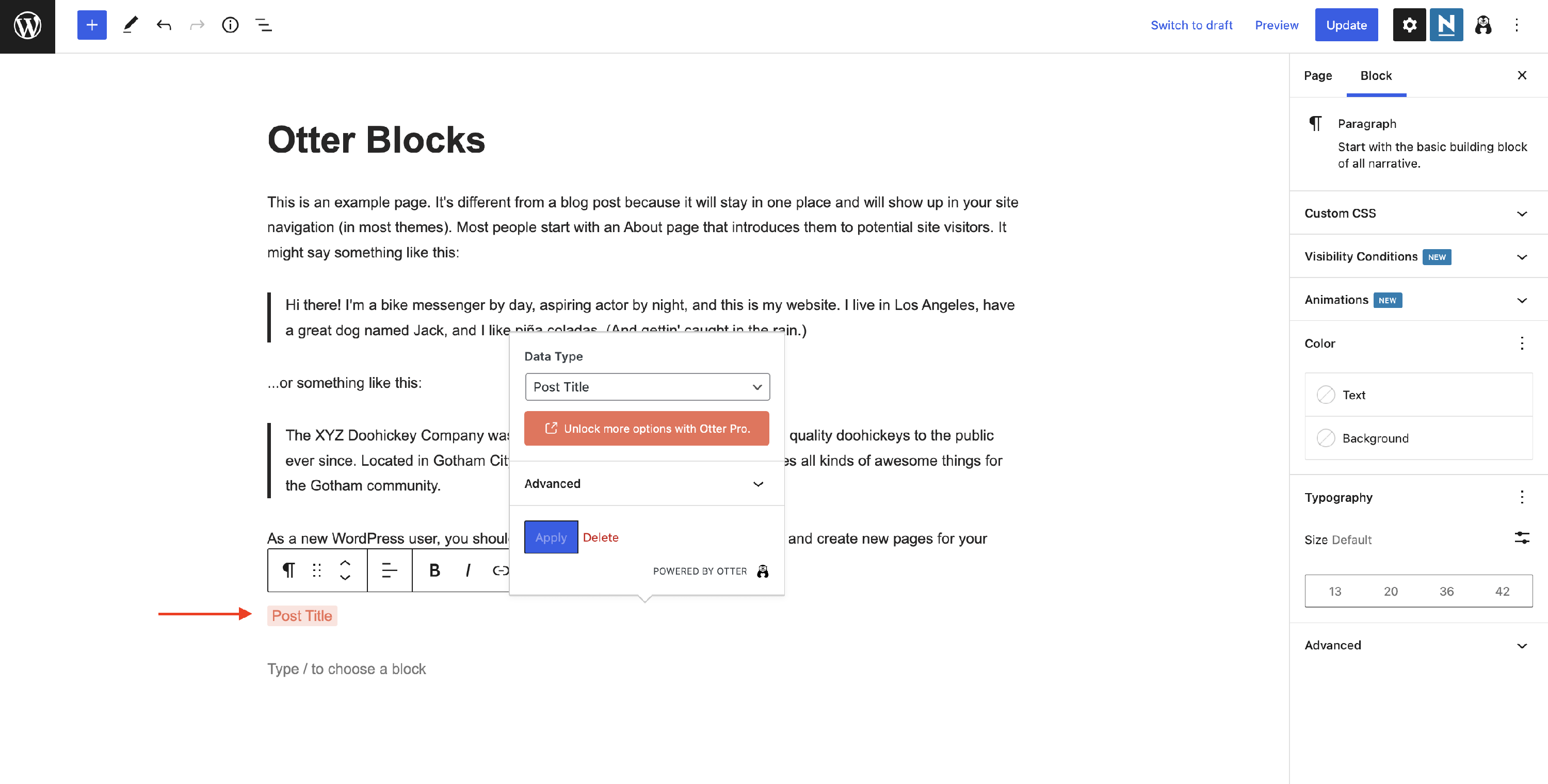
Once you added a value from the list, you will be able to make some customizations by clicking on it:
📝 Note: You can use dynamic values to display magic tags anywhere on your website, not only in the editor. Check this doc to learn more about it.
If you click somewhere outside the containing block, you will be able to check the live preview of the dynamic value:

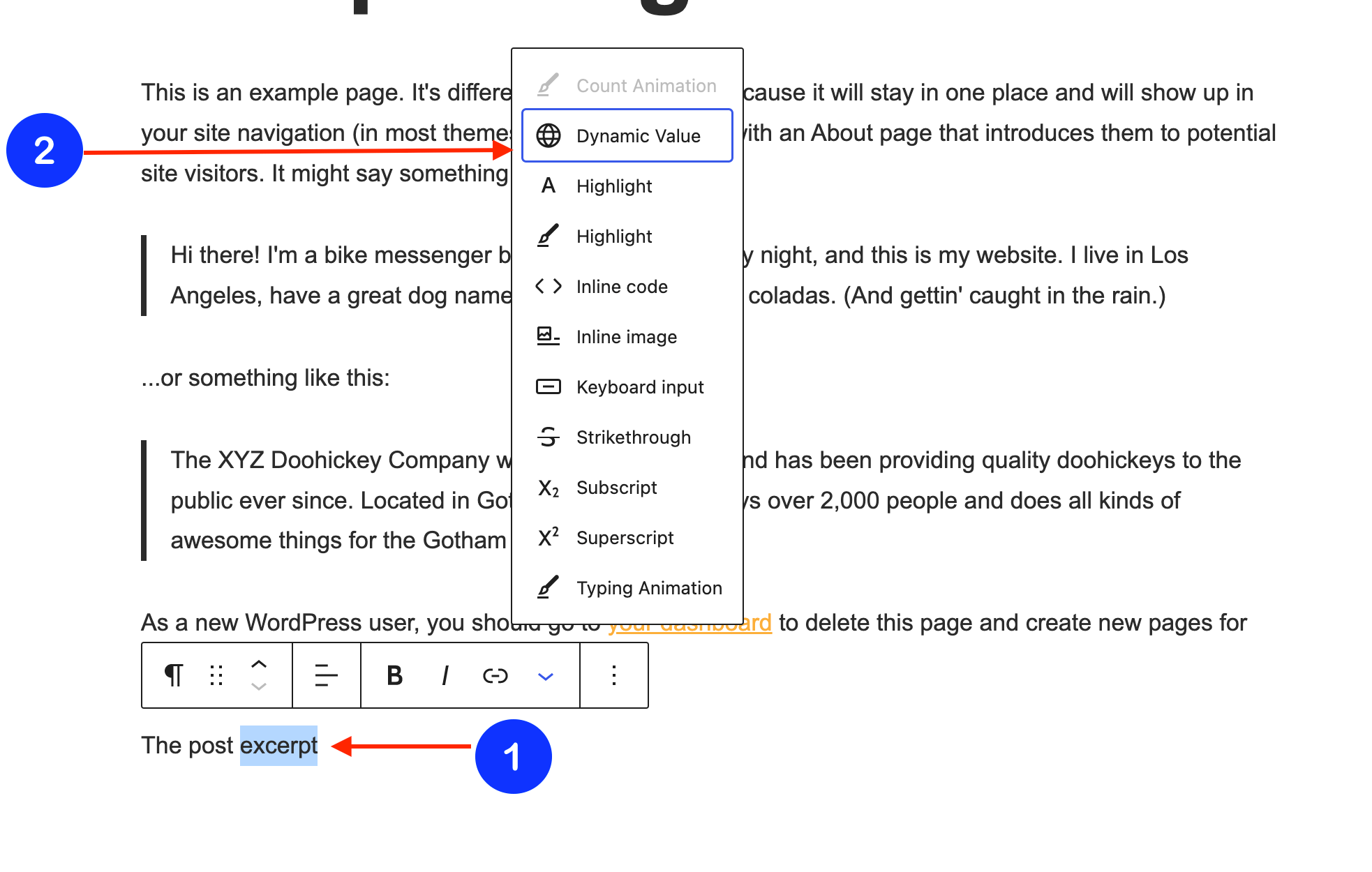
Apart from directly adding a dynamic value, you can also select a previously added word / phrase and convert it into a dynamic value by clicking on the 🔽 icon and selecting the Dynamic Value from the list of options.
After that, the popup with item customizations will appear on the screen. It contains specific options depending on the data type.
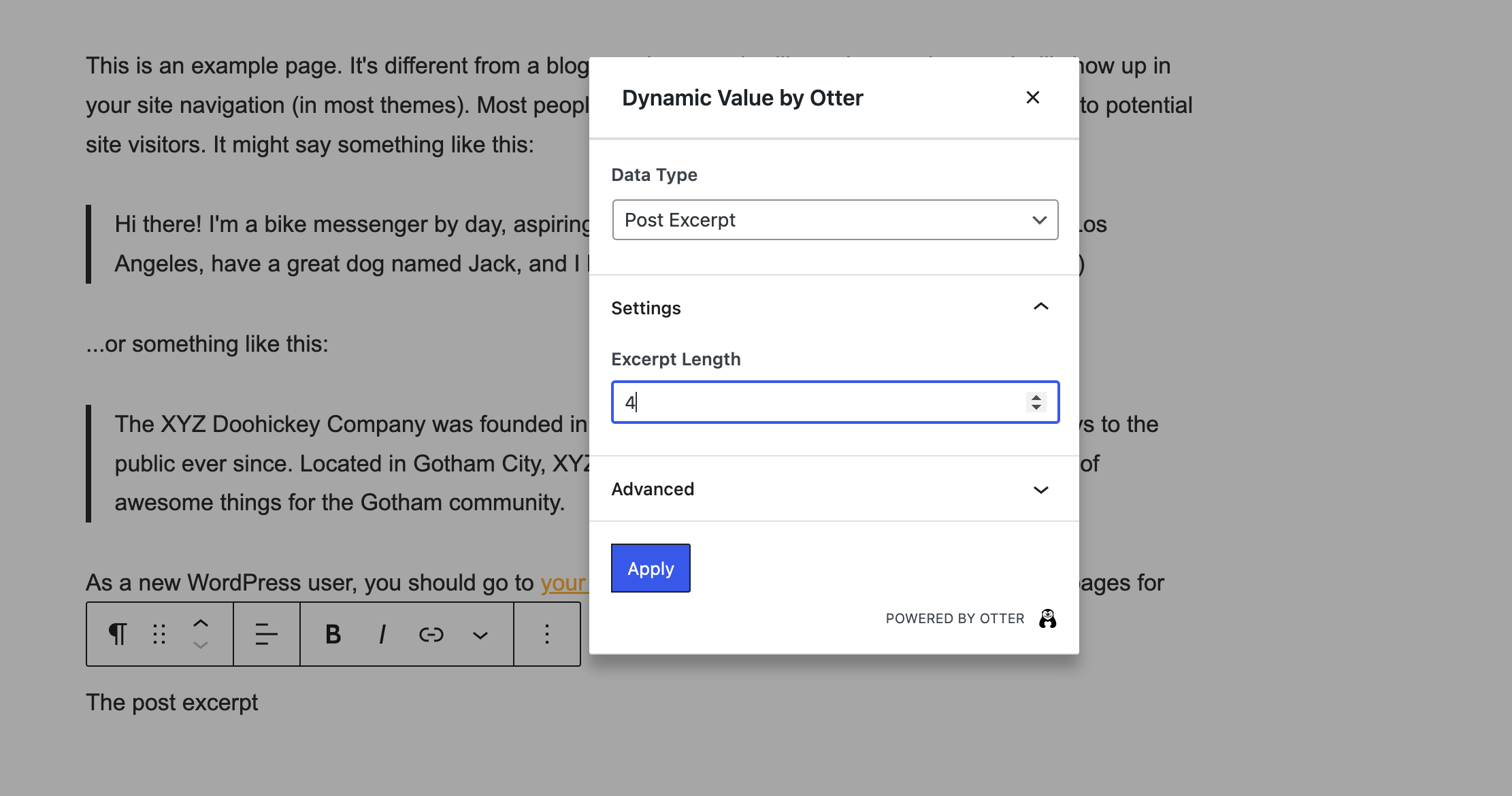
Also, the Advanced tab allows you to introduce text before and after the dynamic value.
📝 Note: If you change the data type, the text inserted in the advanced tab will not be inherited. You can modify it.
This feature integrates with the ACF plugin. In Otter Pro, two data types work with ACF fields:
- Post Custom Field: type the meta key of a custom field directly. This works with any custom field, including those created by ACF.
- Advanced Custom Fields: select a registered ACF field from a list instead of typing its meta key. Supported field types appear as selectable options, and Repeater fields appear as section headers with their sub-fields indented beneath them, so you can pull a value from an individual repeater sub-field. The same field list is available when you set a dynamic link or image, where image and URL sub-fields can also be selected.
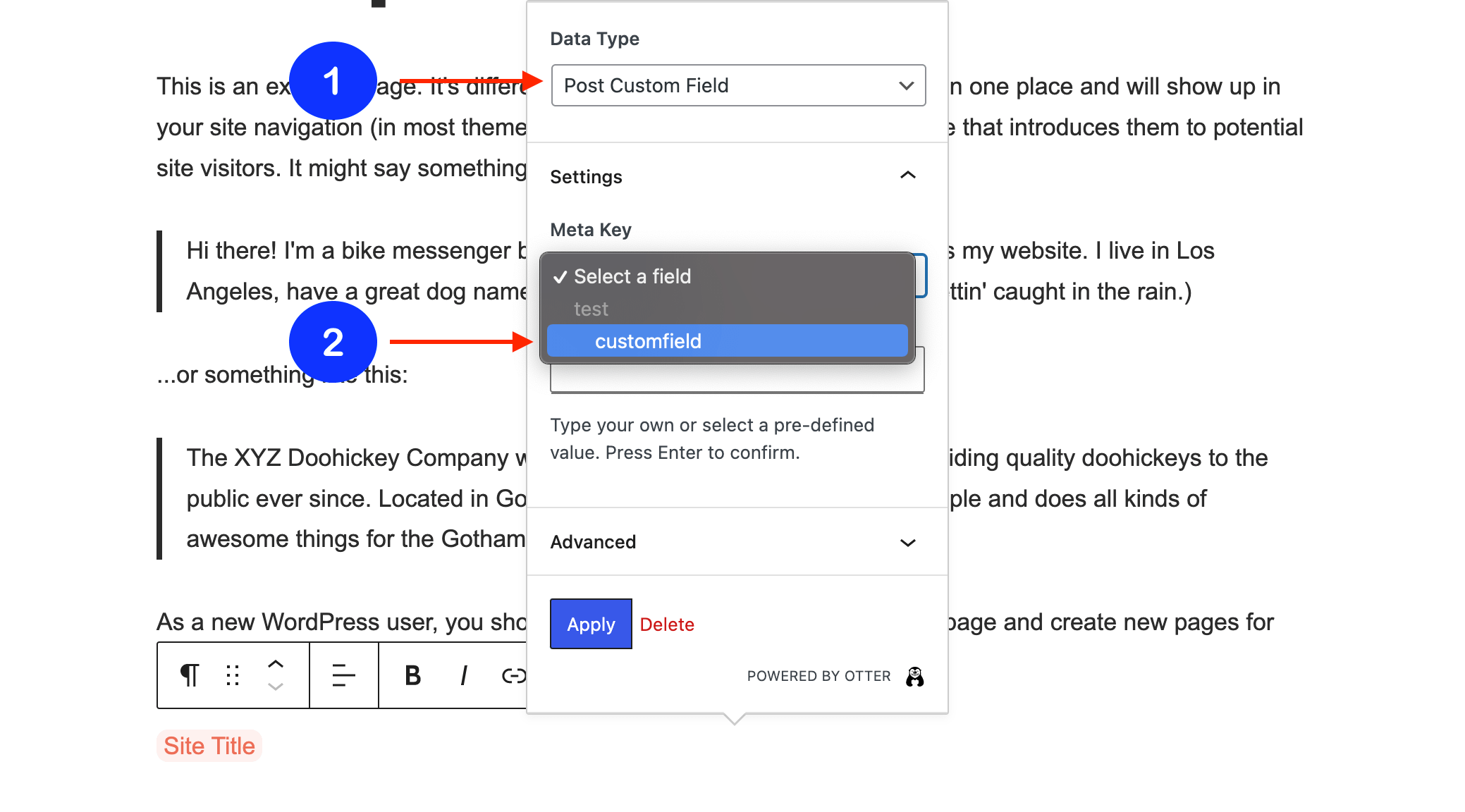
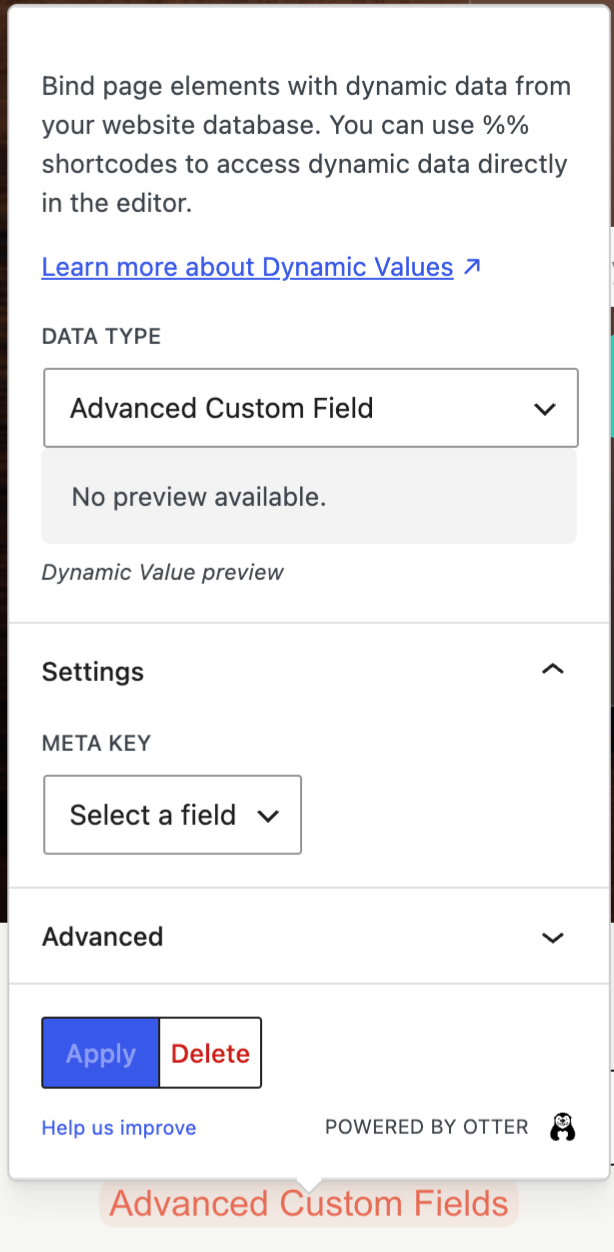
📝 Note: The Advanced Custom Fields data type requires the Advanced Custom Fields plugin to be installed and active.
📝 Note: Here you can learn more about the free and pro available dynamic values.
Archive Title
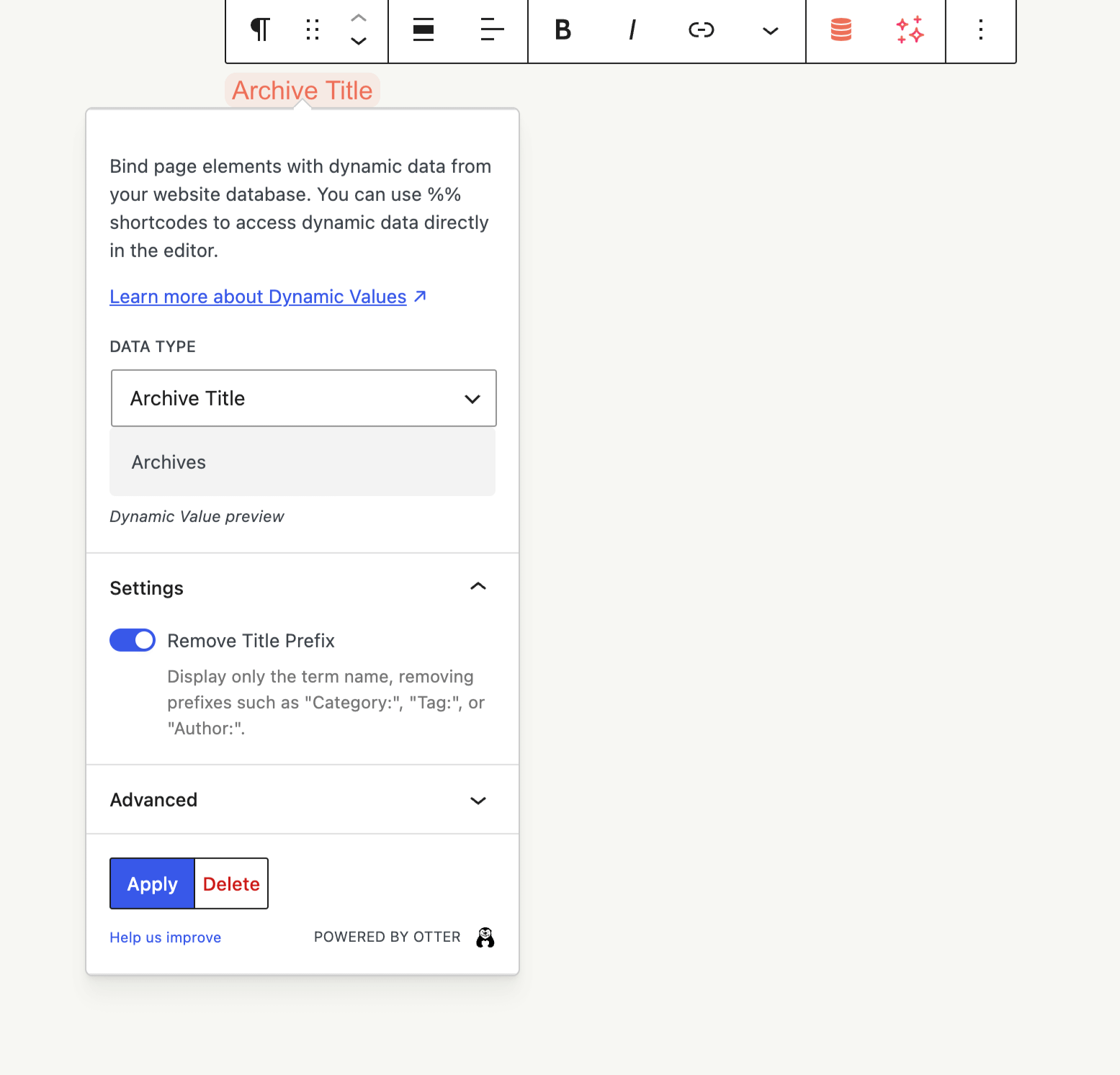
The Archive Title dynamic value displays the title of the current archive page, such as a category, tag, or author archive. By default, the title includes a prefix such as Category:, Tag:, or Author:.
To display only the term name without the prefix, open the dynamic value's Settings and enable Remove Title Prefix. For example, Category: News becomes News, and Tag: Featured becomes Featured.
Use Cases
Dynamic Values in Custom Layouts
- Display blog posts in an AI-generated magazine card layout with Query Loop and Dynamic Content — check this tutorial
- Creating a single post template using dynamic content and Custom Layouts - check this video
- Design dynamic archive pages using dynamic content and Custom Layouts - check this video
📝 Note: Check this doc for further information about the custom layouts in Neve.
Dynamic Values in Custom Taxonomies
Using Otter, you can also display dynamic values for custom taxonomies.
1. Navigate to Plugins > Add New and install the CPT UI plugin.
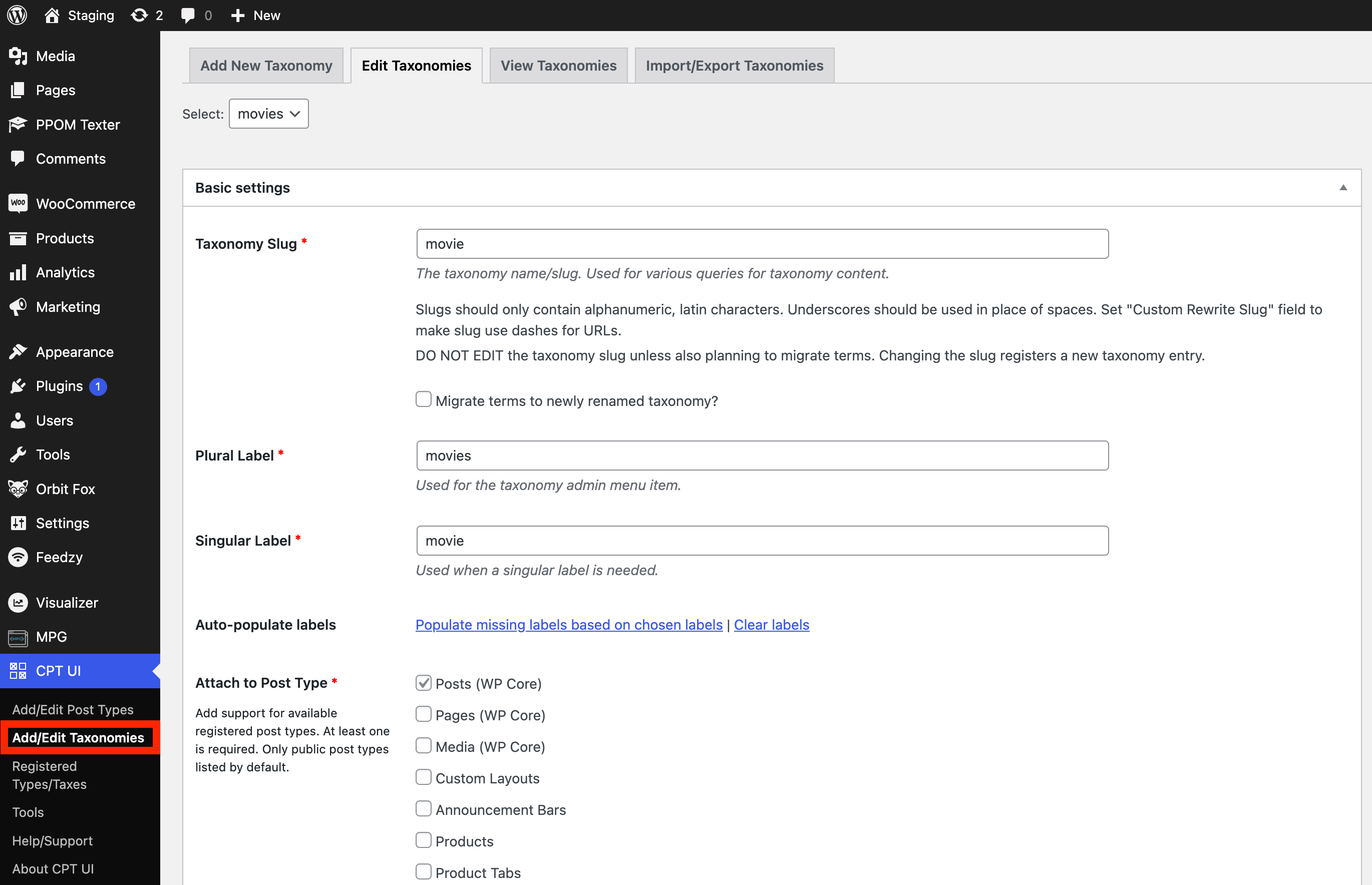
2. Once it's activated, go to CPT UI > Add/Edit Taxonomies.
3. Insert the details of the desired custom taxonomy (e.g. Movies).
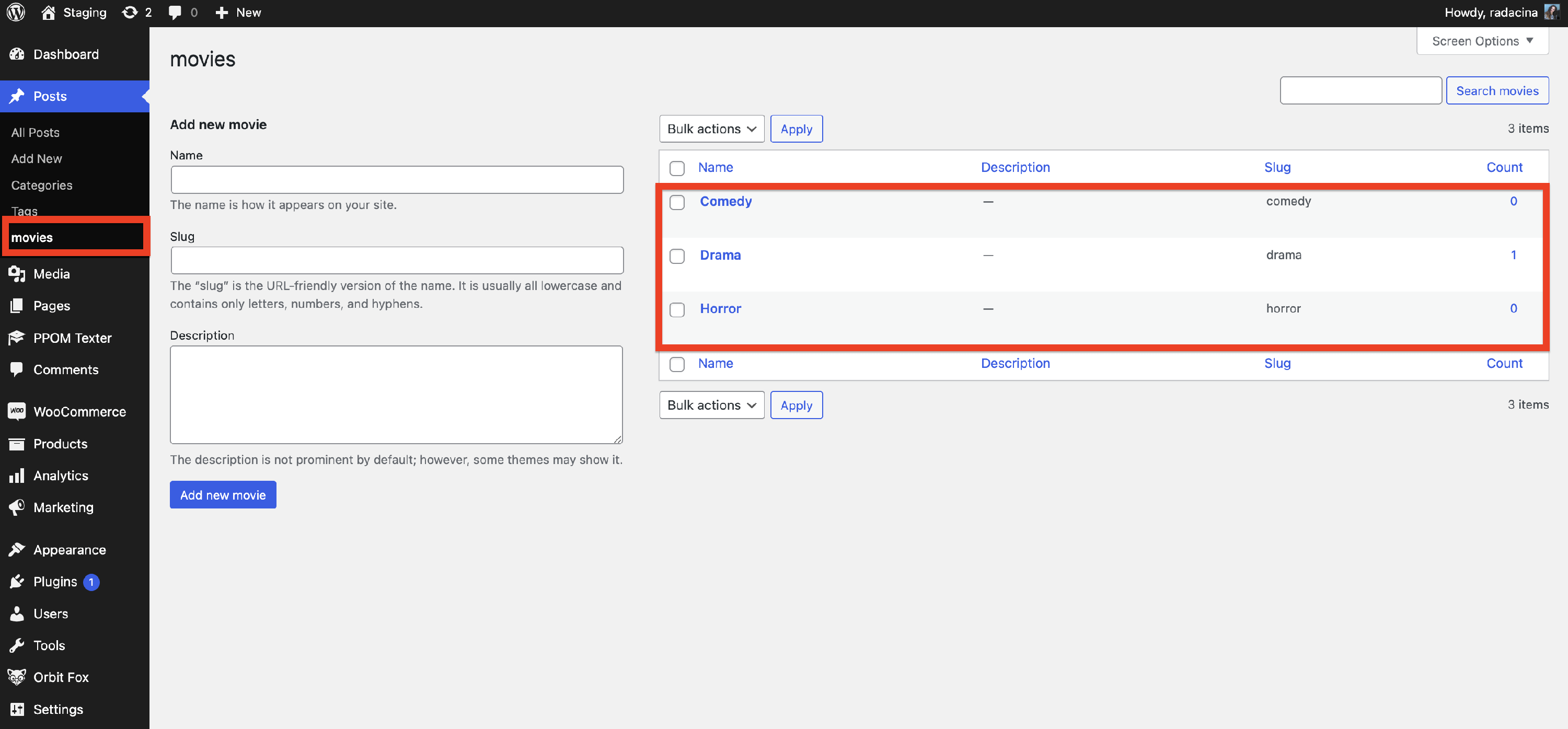
4. Populate the new taxonomy with corresponding fields (e.g. Drama, Comedy).
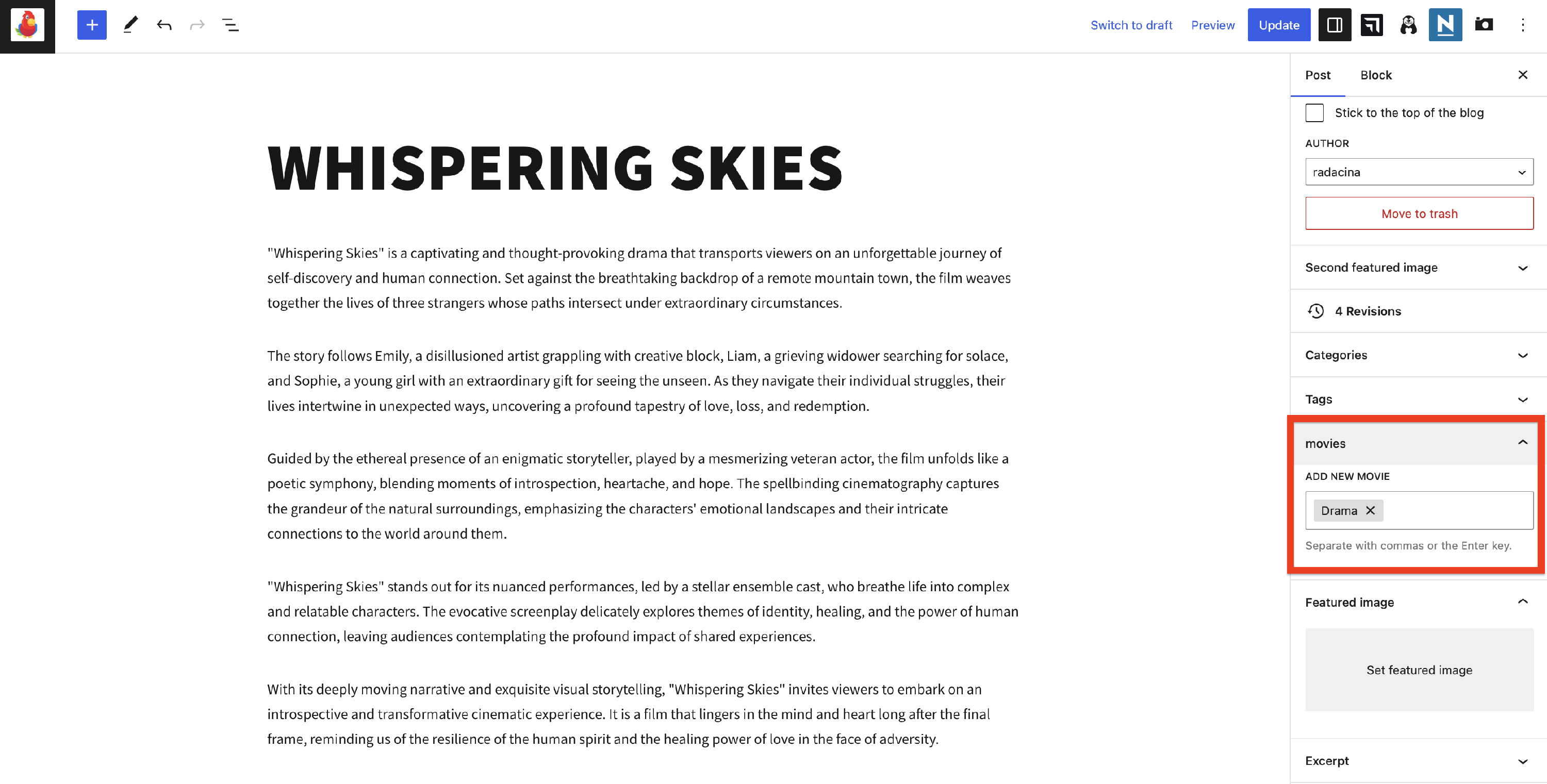
5. Create/navigate to a post and attach it to the created taxonomy.
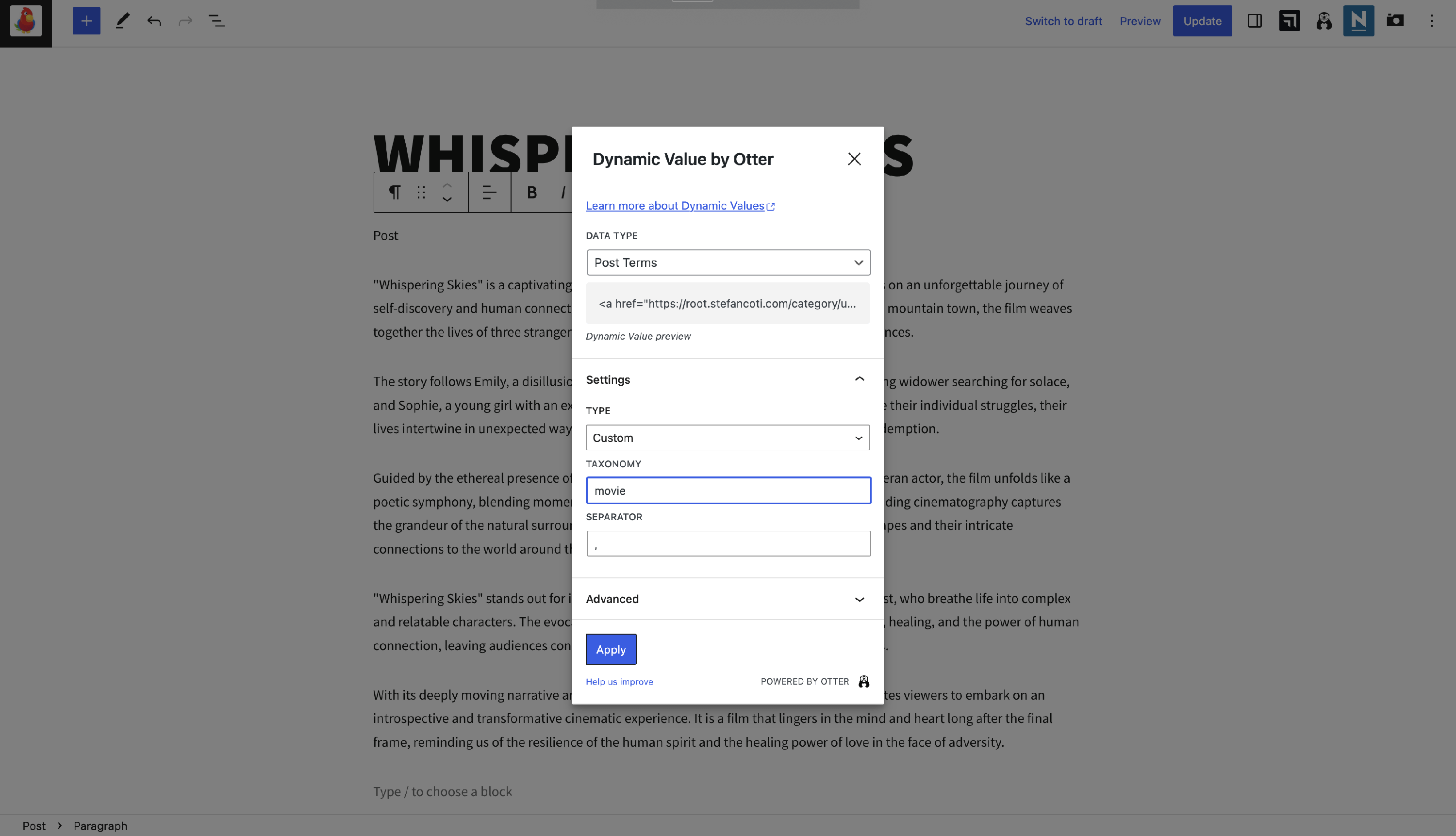
6. Insert a dynamic value, data type - Post Terms.
7. Unser the Settings accordion, insert type Custom, and the corresponding taxonomy slug.
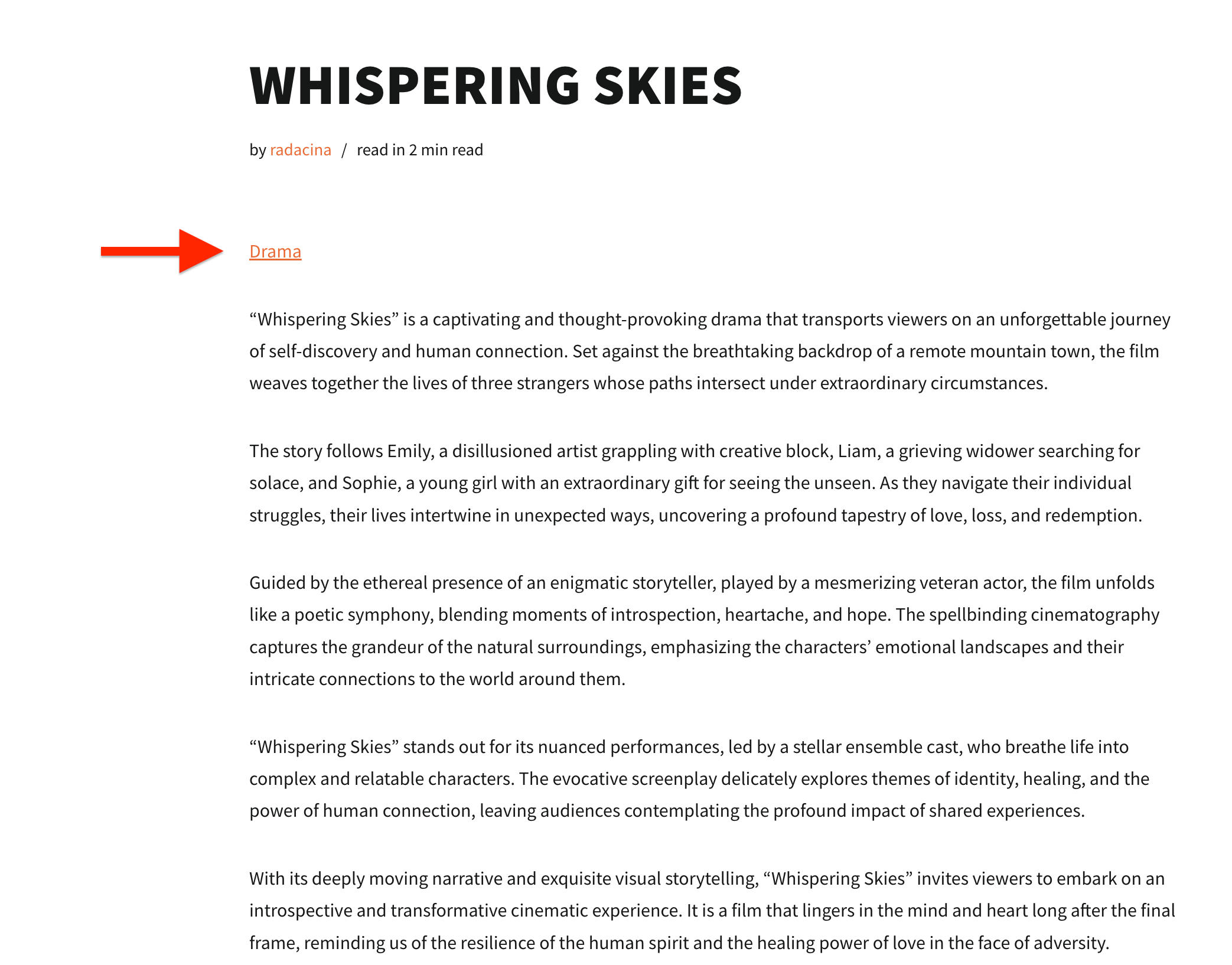
Result