
How to export and import Visualizer charts
📝 Note: This documentation presents how the import / export mechanism of WordPress works for the Visualizer: Charts and Graphs data. More details about the plugin capabilities can be found here.
Using WordPress export / import tools, you can now export all your charts into an XML file and import them into another instance.
Export Charts
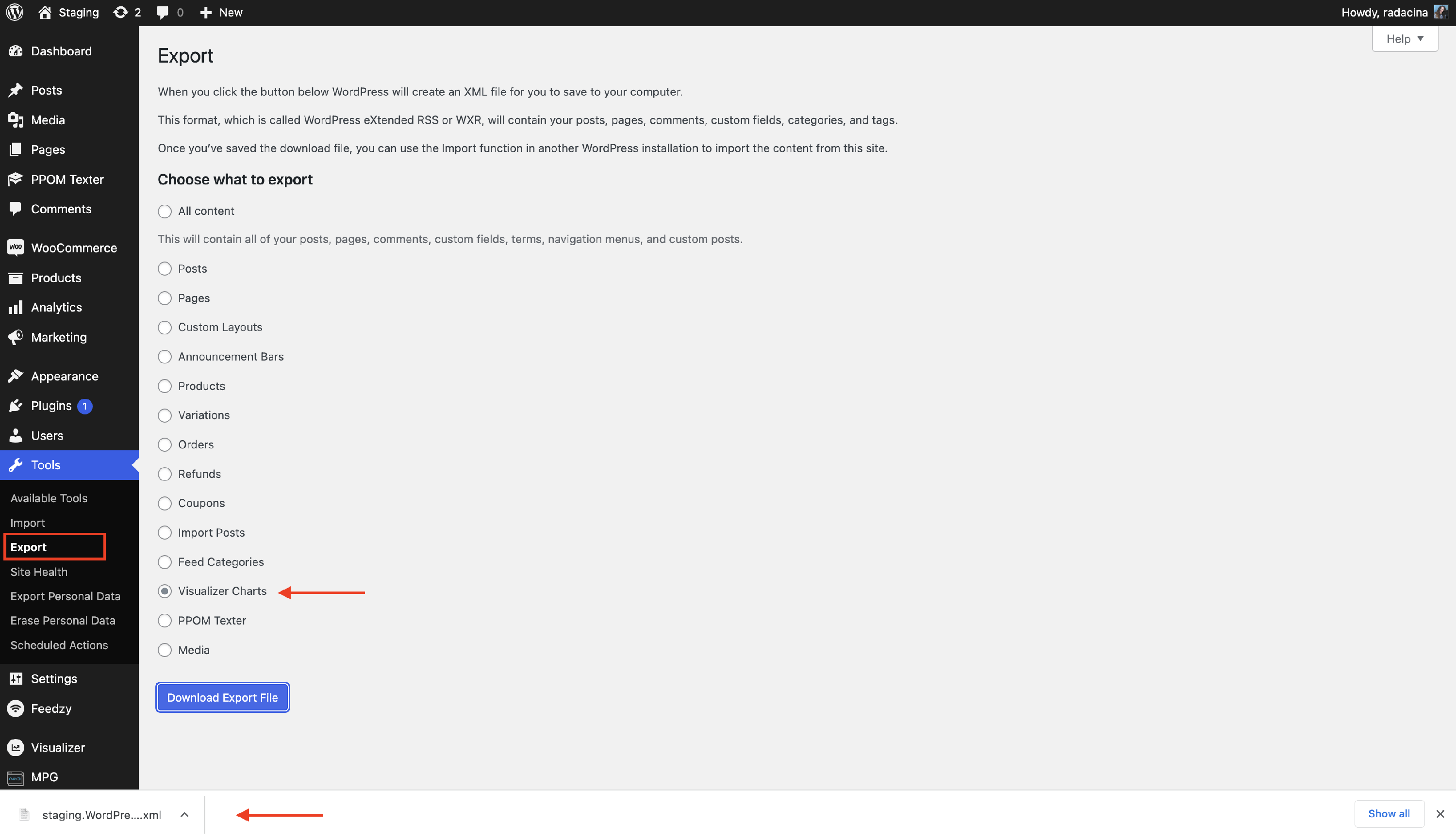
To export the charts, simply go into Tools > Export, select "Visualizer Charts" and then download the XML file wherever you wish.
Import Charts
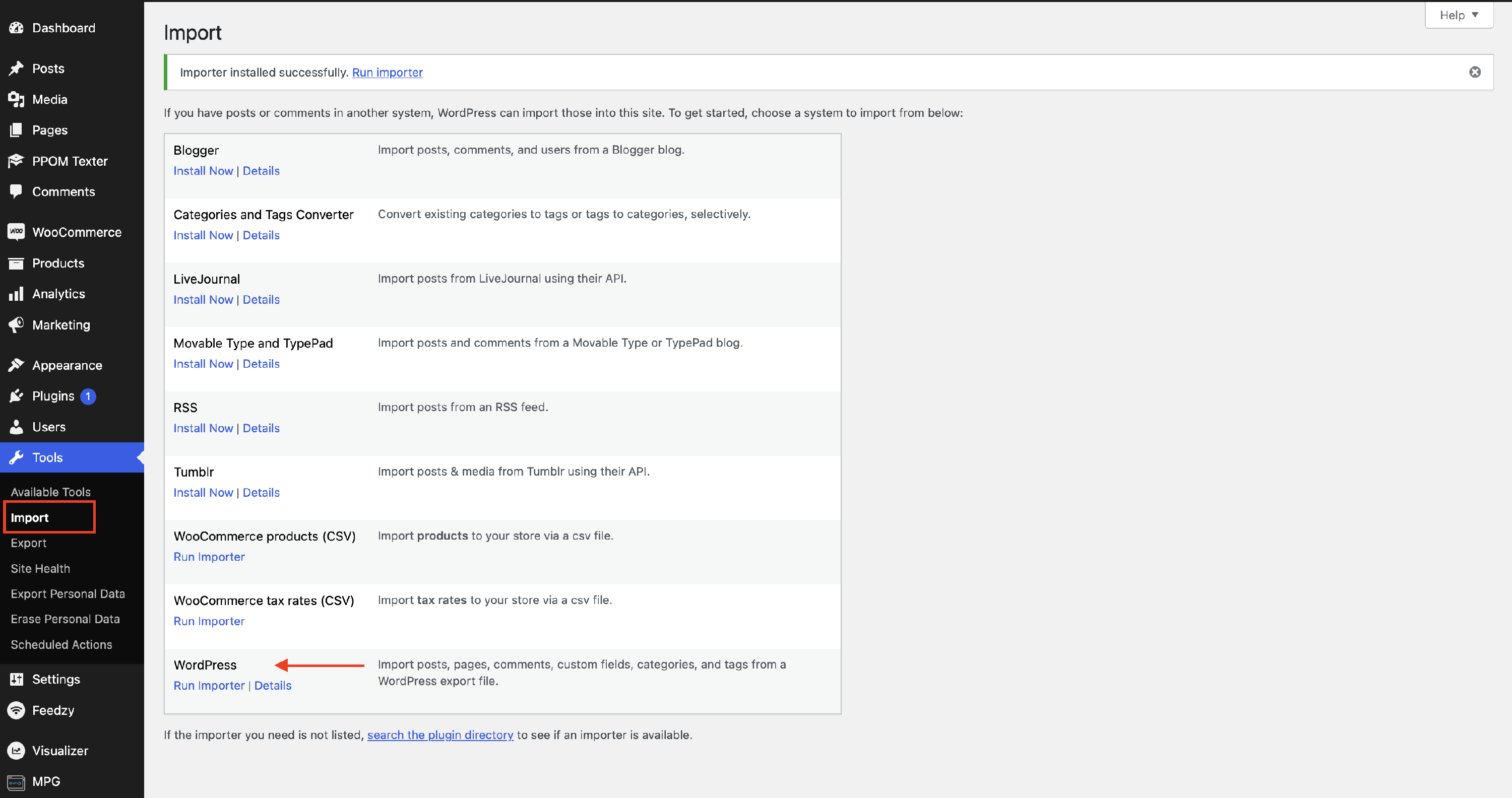
1. To import the charts, go to the instance in which you want the charts to be imported, go to Tools > Import, and choose the WordPress importer.
2. Choose the XML file you want to import and submit it.
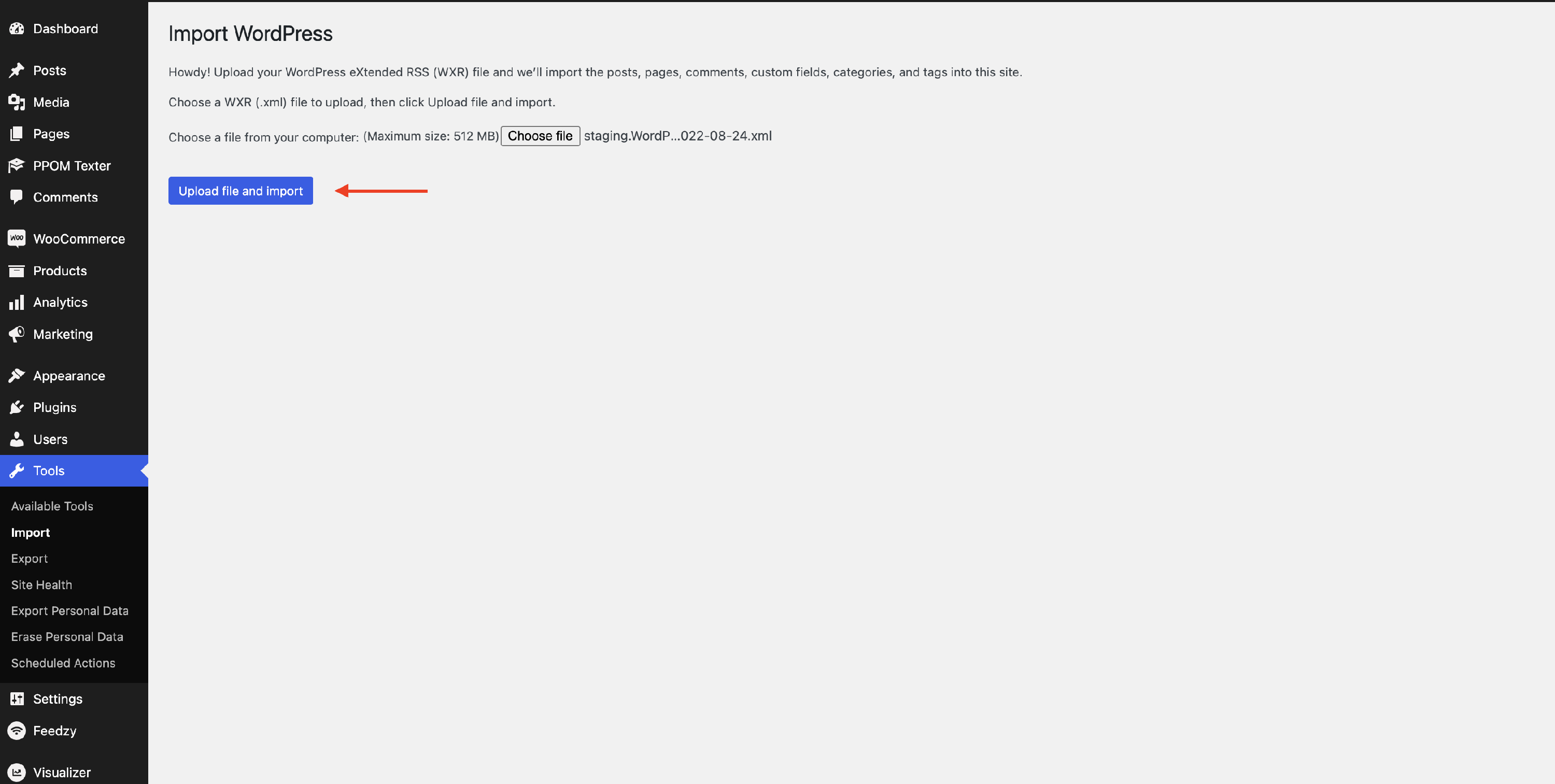 You can make a few more configurations after this, but it's optional.
📝 Note: If WordPress importer is not installed yet, you will be asked to install it beforehand.