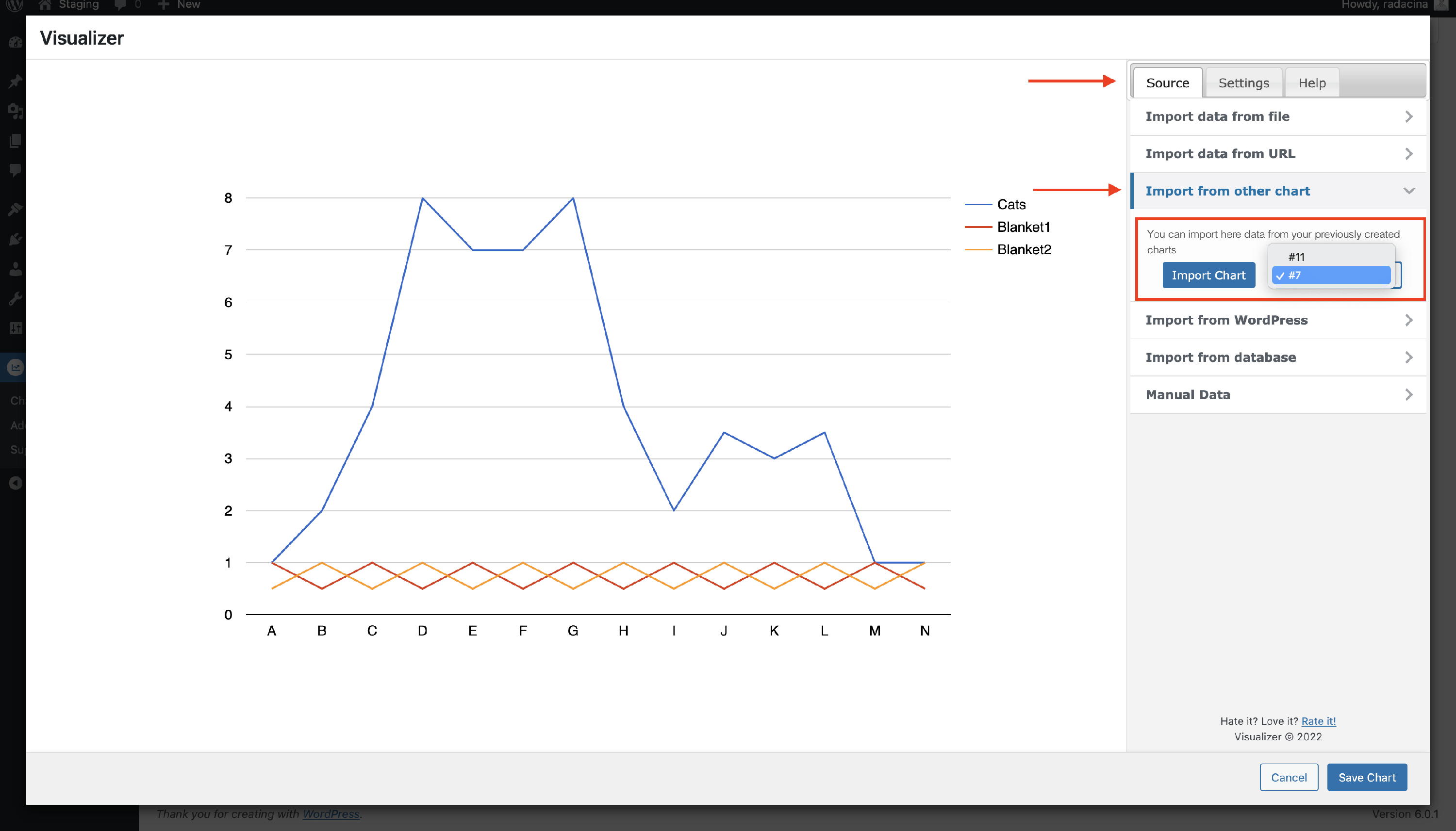
How can I import content from another chart?
📝 Note: This is a part of Visualizer's PRO features, which you can get from here.
Importing content from another chart can be easily done; just follow these steps:
1. Make sure you have installed and activated the PRO version of the plugin.
2. Navigate to Visualizer > Chart Library.
3. Click to edit an existing chart or add a new one and go to the Source tab.
4. Click on the Import from other chart option.
5. Select from the dropdown the chart you want to import data from, then click on the Import Chart button.