
Visualizer: How to extend REST endpoints with JSON response
This article explains how to extend Visualizer's REST endpoint requests using WordPress filters, covering authentication headers, POST parameters, and row filtering for JSON data sources.
In this article
Add authentication, headers and POST parameters to the request
add_filter( 'visualizer_json_args', 'visualizer_json_args', 10, 2 );
function visualizer_json_args( $args, $url ) {
	if ( $url === 'https://api.uptimerobot.com/v2/getMonitors' ) {
		$args = array(
			'method' => 'POST',
			'headers' => array(
				'cache-control' => 'no-cache',
				'content-type' => 'application/x-www-form-urlencoded'
			),
			'body'	=> array(
				'api_key' => 'apikey',
				'format' => 'json',
				'logs' => '1',
			),
		);
	}
	return $args;
}
Filter out irrelevant/invalid rows
add_filter( 'visualizer_json_include_row', 'visualizer_json_include_row', 10, 5 );
function visualizer_json_include_row( $include, $data, $root, $url, $row_num ) {
	if ( $url === 'https://data.cityofnewyork.us/api/views/kku6-nxdu/rows.json' ) {
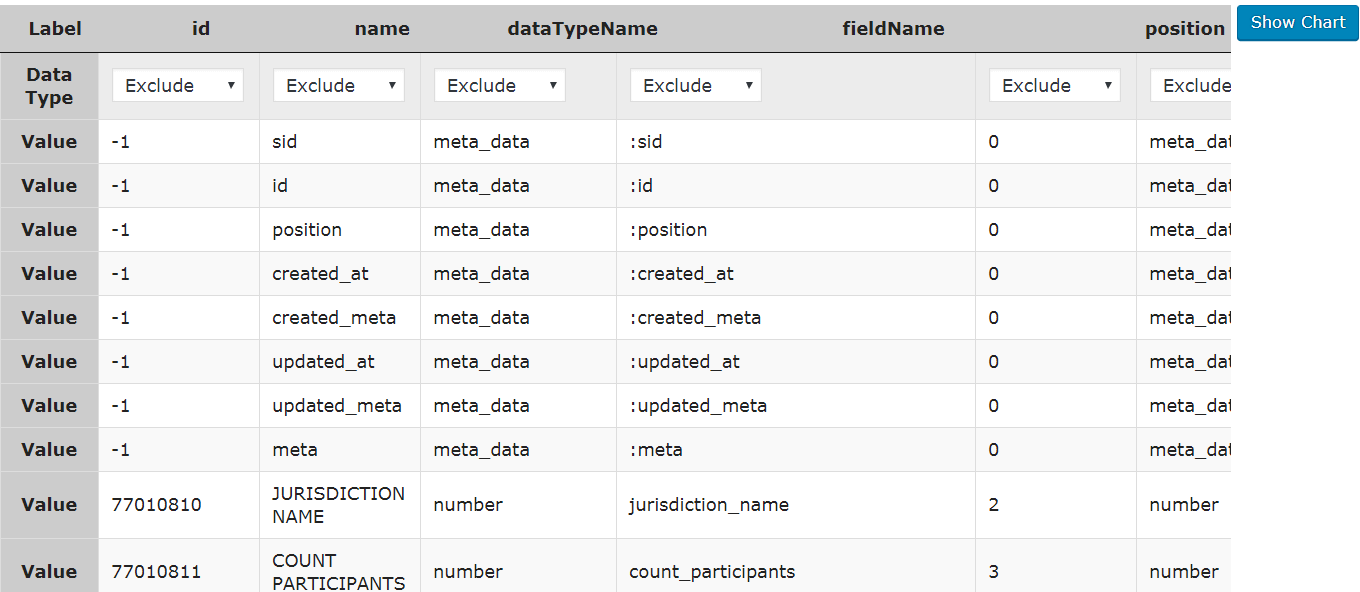
		// ignore rows that have the value of "dataTypeName" as "meta_data"
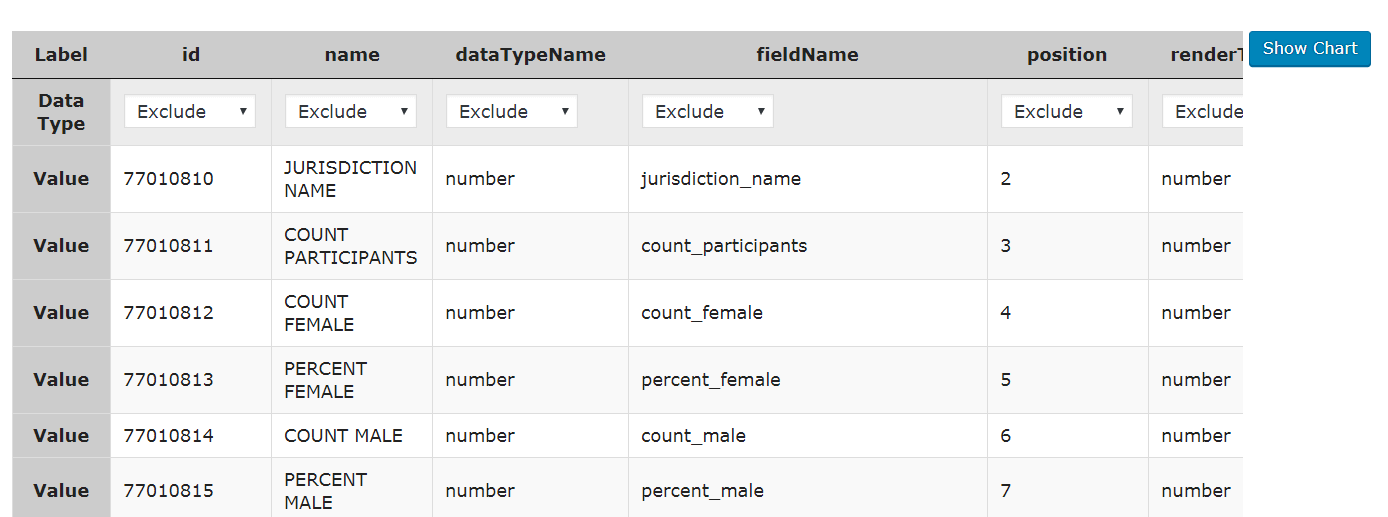
		$include = isset( $data['dataTypeName'] ) && 'meta_data' === $data['dataTypeName'] ? false : true;
	}
	return $include;
}
Using the above filter shows the below table:
instead of this one:
Placement
This code should be placed in the functions.php file of your active theme. ( Note: on a theme update, the code would be lost, so you can consider using a child theme, and add the code in the functions.php file of the child theme )