
How to use the Rephrasing Service in Feedzy
Feedzy's built-in rephrasing service automatically paraphrases imported RSS article titles and content, helping you publish clearer, more unique posts without relying on third-party tools. This feature is available in the Developer and Agency plans as a tag action within the Feed to Post import wizard.
📝 Note: The rephrasing service is part of the feed-to-post import method, and it is available in the Developer and Agency plans, which you can get from here.
In this article
Using the feature
This built-in service allows you to automatically enhance your feed's clarity by rephrasing articles' content or titles.
Paraphrase Content
1. In the Import wizard, open the Map content tab > General panel.
2. In the Content field, click on the ➕ sign and select one of the action-supporting tags from the list.
3. In the Actions modal, click on Add new.
4. From the dropdown, select the Paraphrase with Feedzy action.
5. Click on Save Actions.
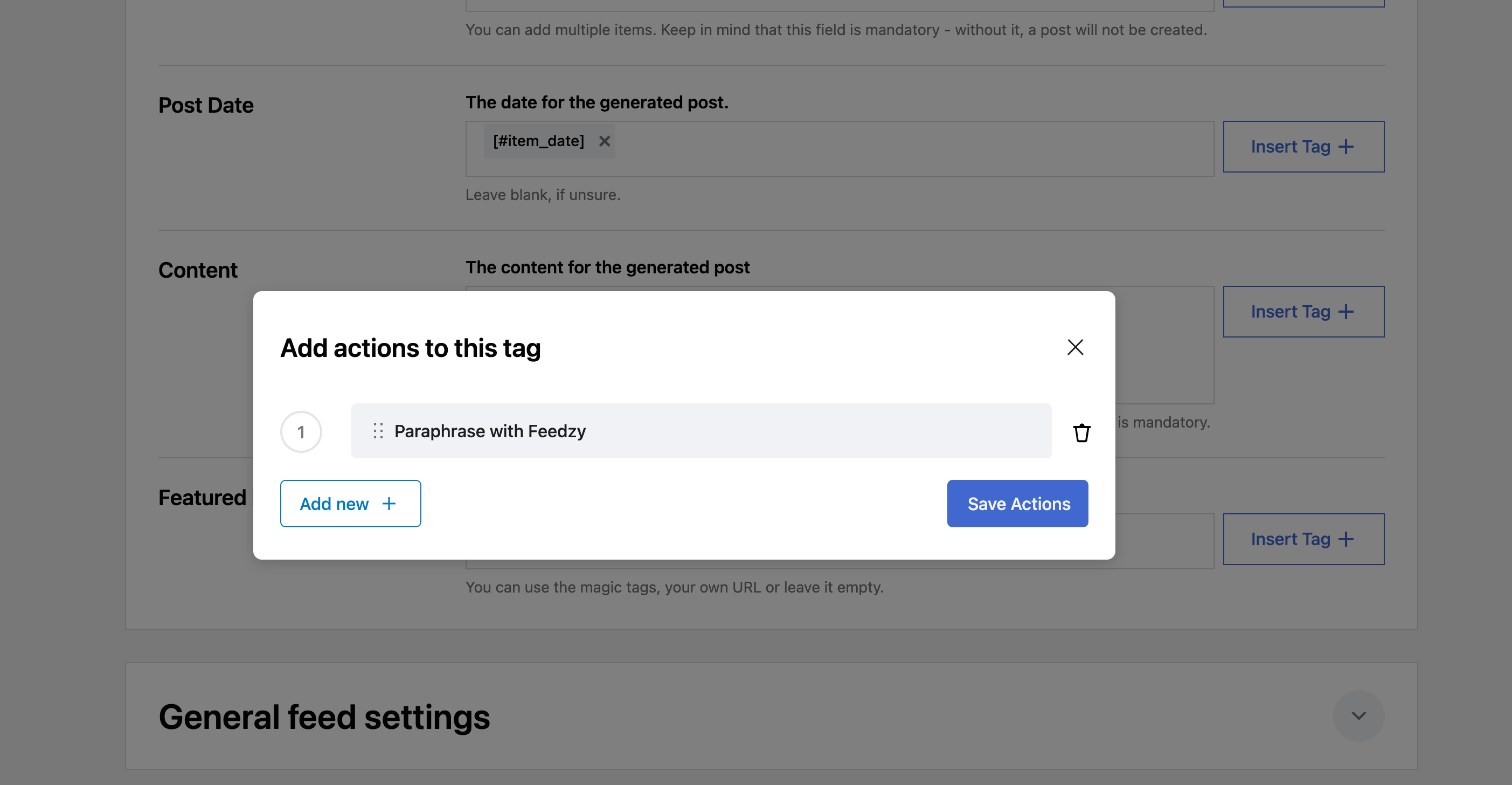
Action-Supporting Tags
- [#item_content]
- [#item_full_content]
- [#item_description]
- [#item_title]
Use Cases
- Title and Content rephrased
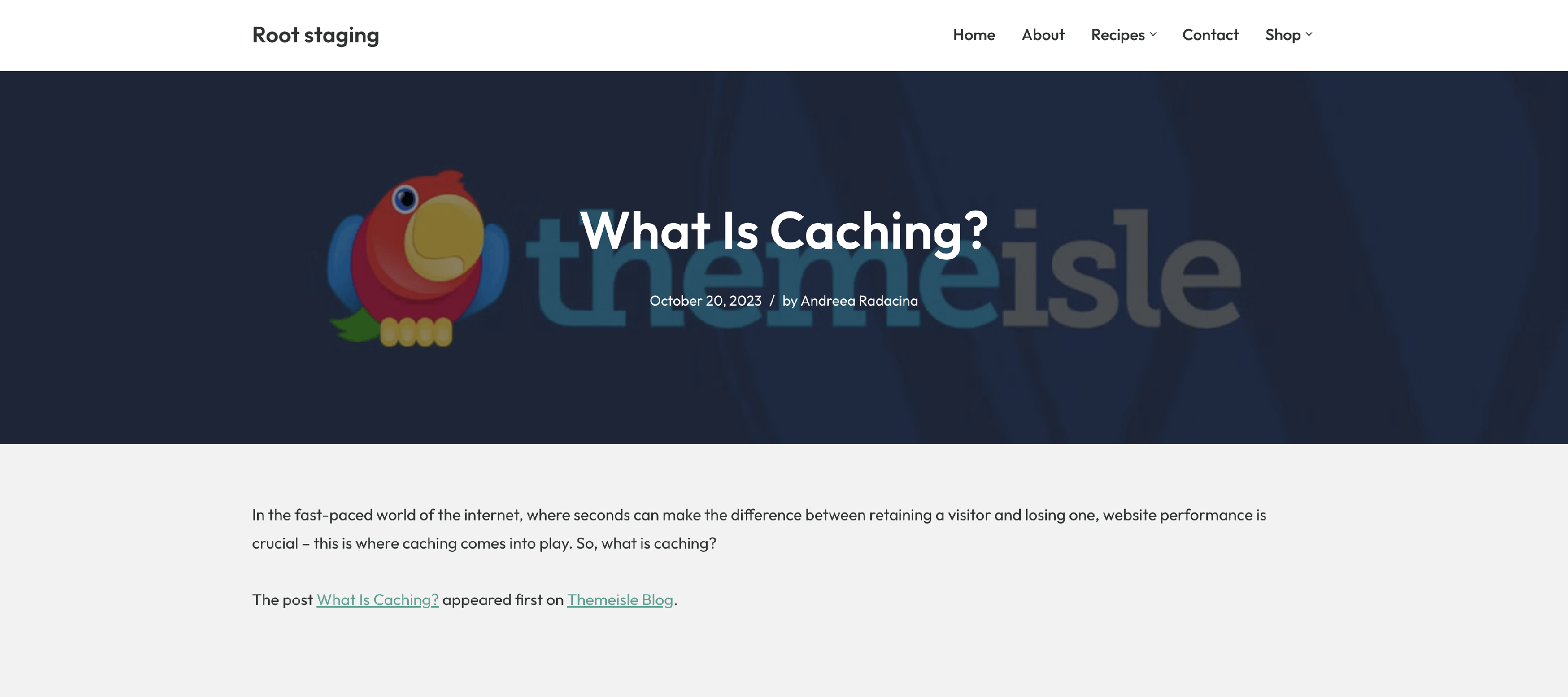
Before paraphrasing
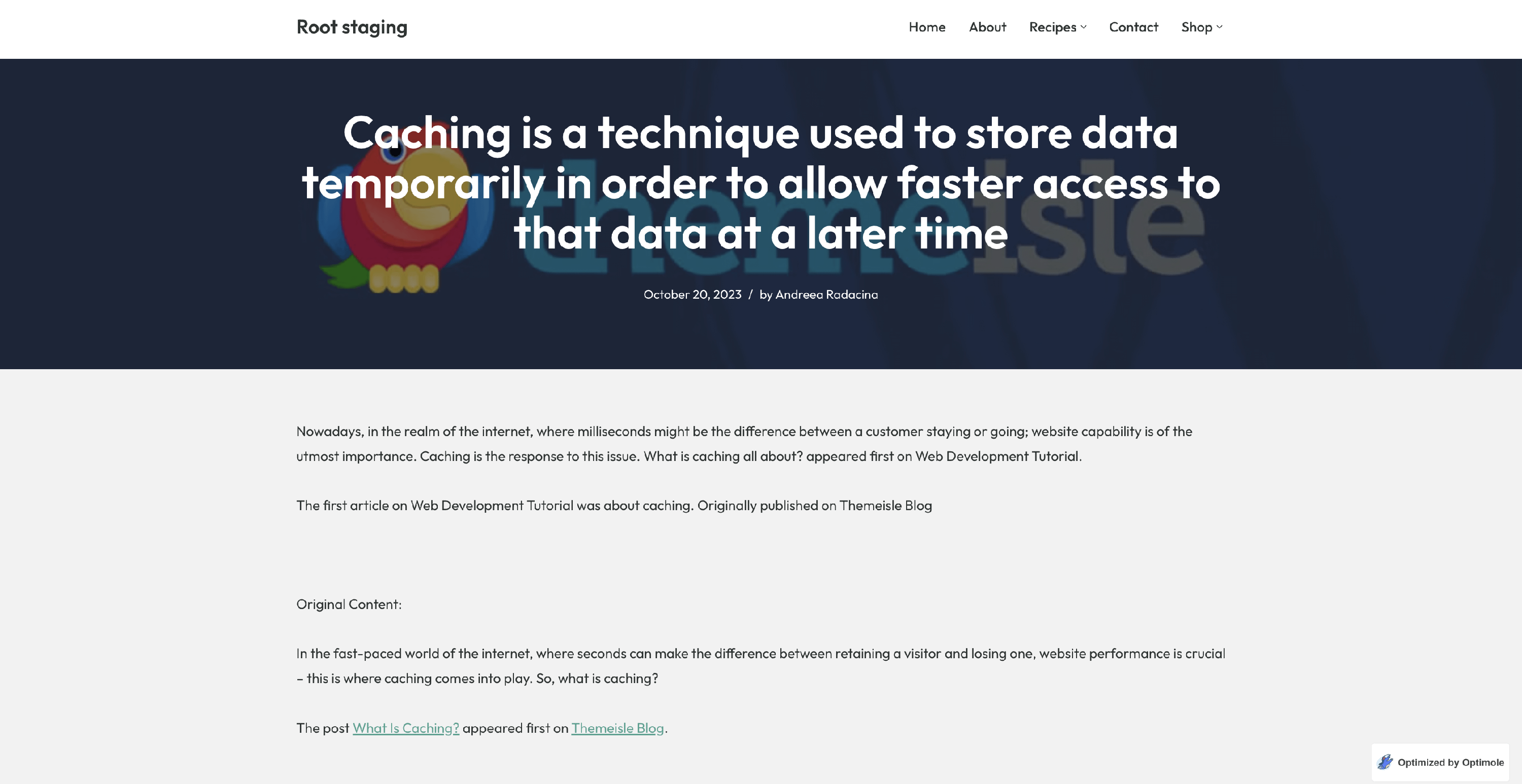
After paraphrasing