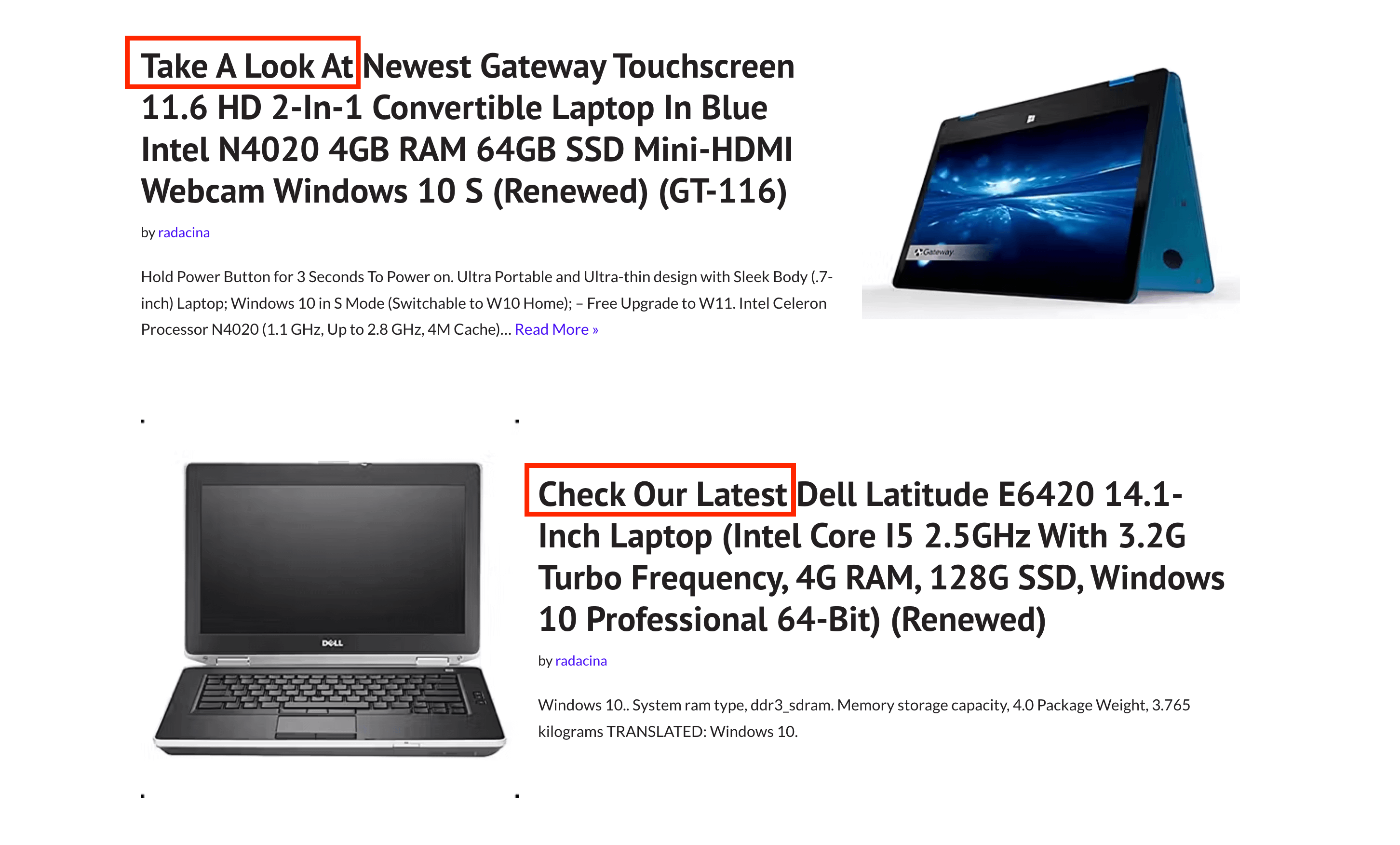
How to display Amazon Products using Feedzy?
📝 Note: This feature is part of the premium version of Feedzy RSS Feeds and is available on the Developer and Agency plans, which you can get from here.
To display Amazon Products as feed, just follow the steps below:
1. Navigate to Feedzy > Integration.
2. Open the Amazon Product Advertising tab and enter the Client ID and Client Secret from your Amazon Creator API application. Select the Marketplace associated with your Amazon Associates account, then enter the matching Partner Tag (store/tracking ID).
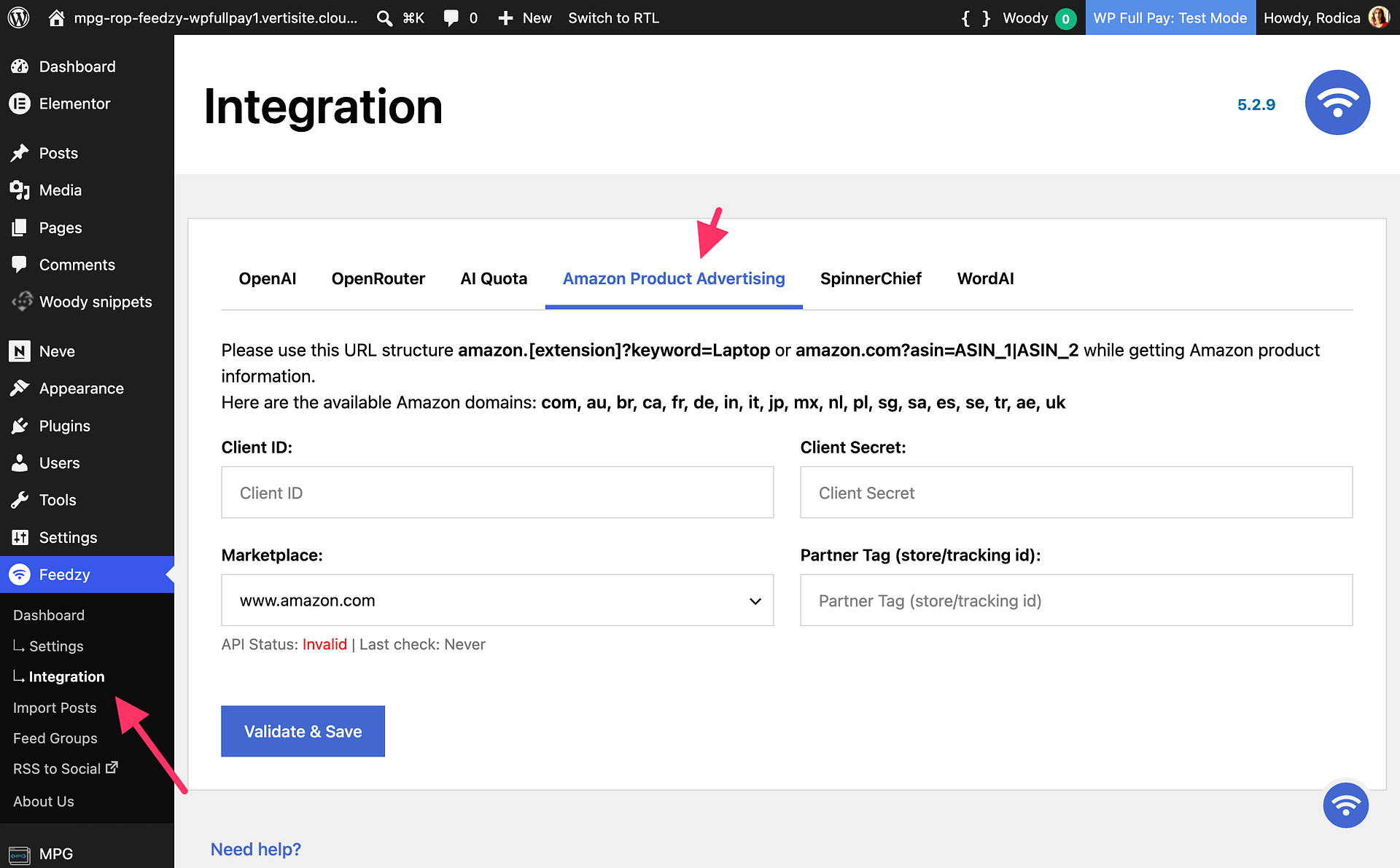
📝 Note: The Amazon Product Advertising integration only accepts Amazon Creators API credentials. Retired Product Advertising API 5.0 access keys can't be used — generate Creators API credentials before validating the integration.
📝 Note: Click Validate & Save and confirm that the API status is valid before creating the import.
3. Now go to the import wizard and insert an Amazon URL or ASIN number as source.
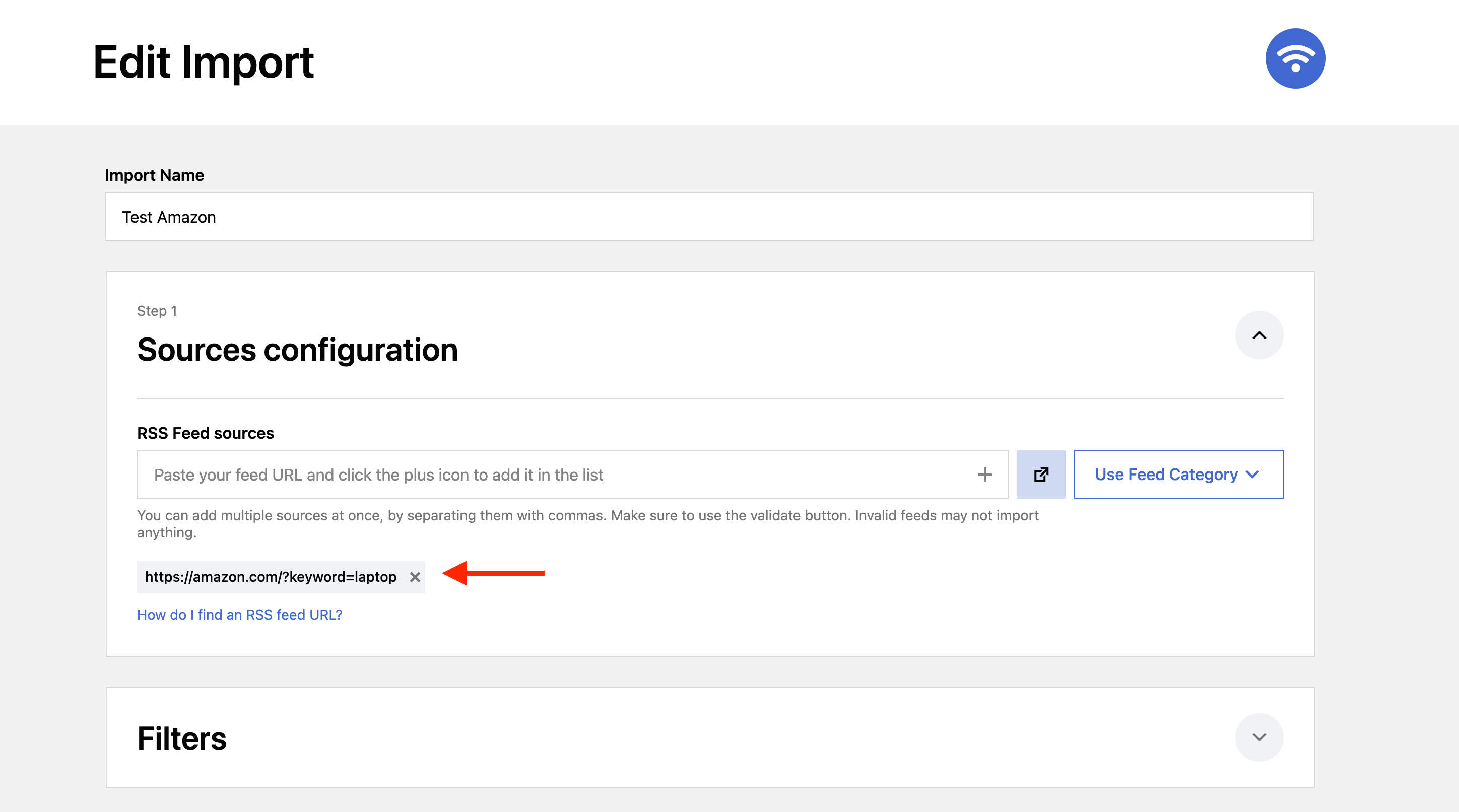
📝 Note: You can use ASIN numbers to display products, even multiple products using a pipe: amazon.com?asin=B09RQ5VL7S|B09RD2JX4P.
4. Configure the other settings to offer more product details, such as content ( #item_content), title (#item_title), and taxonomy. description, or even a featured image.
Result
Depending on what type of post you have selected inside the import wizard, the products can be displayed as posts or as products on your website:
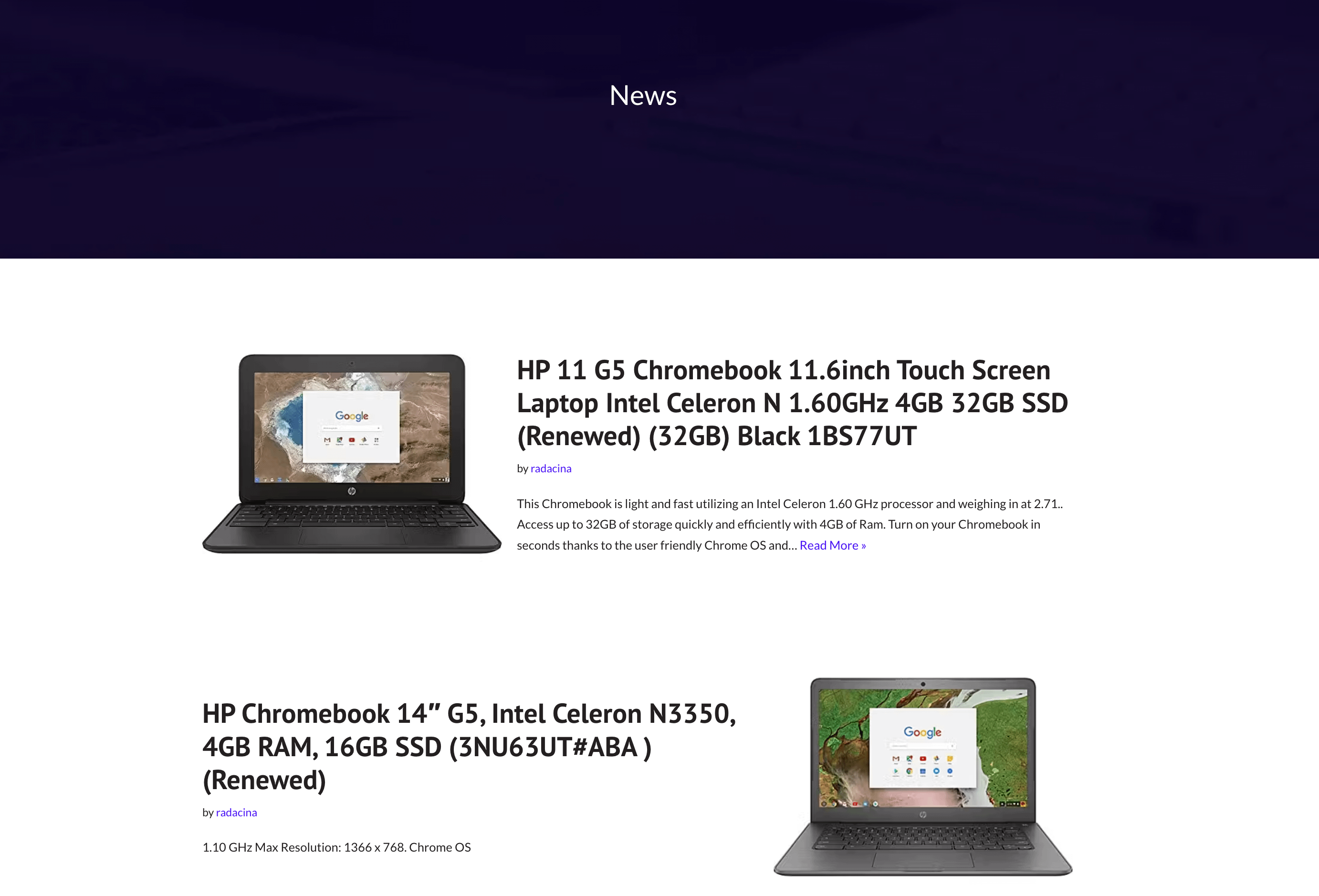 Amazon Products as Posts
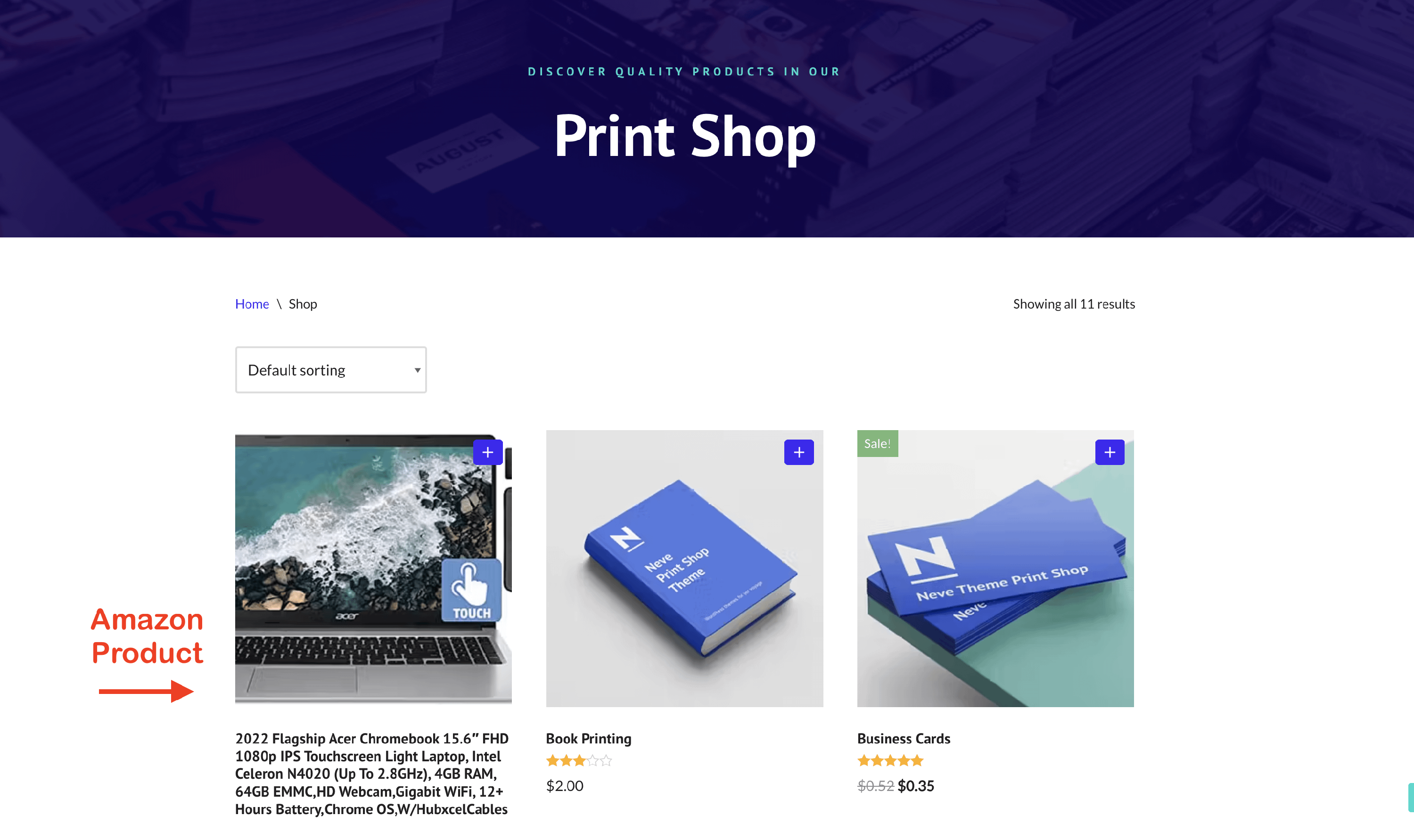 Amazon Products as Products
Advanced Services
This feature can be used in combination with the other services offered by Feedzy to create the desired design, such as:
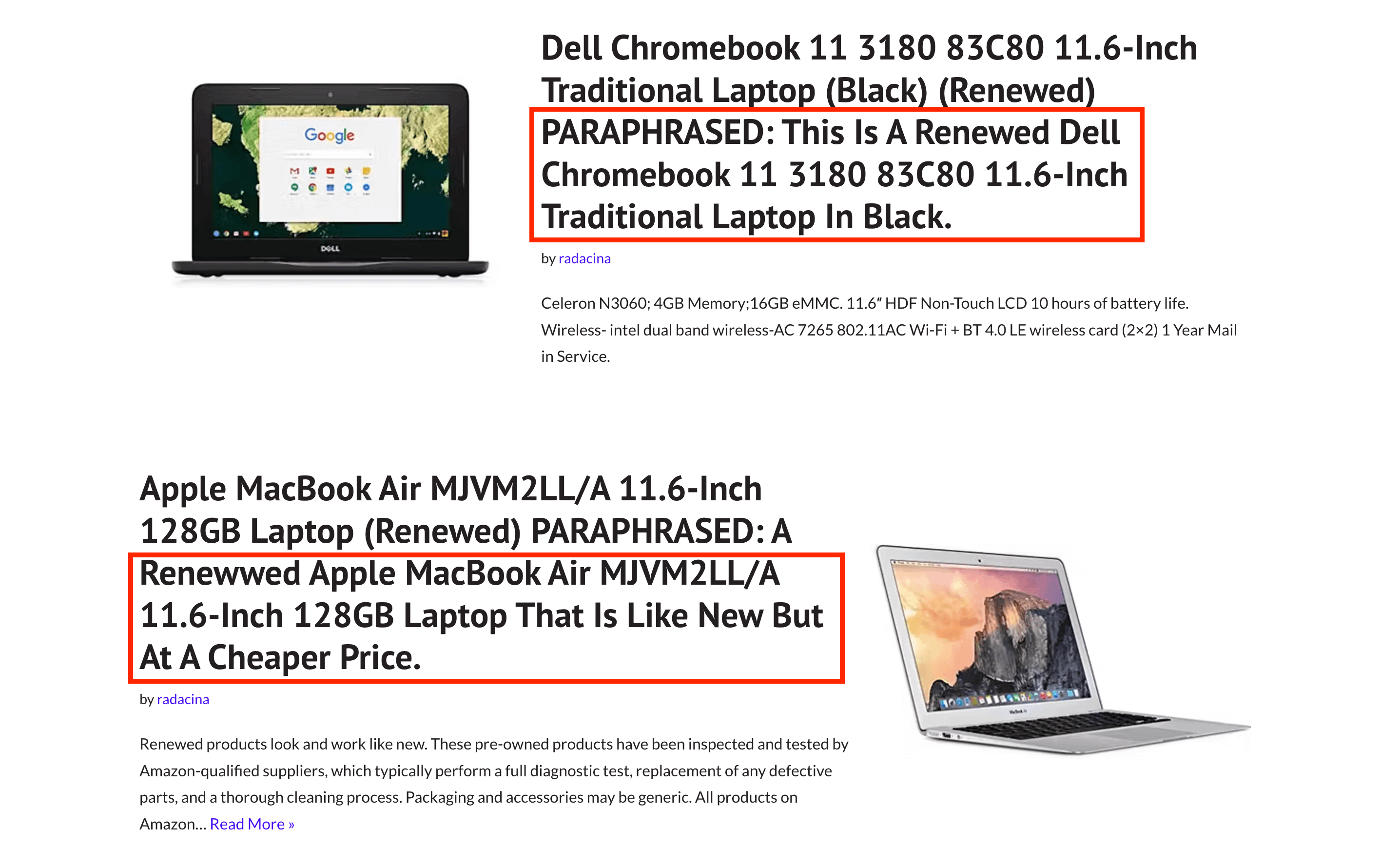
- paraphrasing service - check this doc for further details about using it.
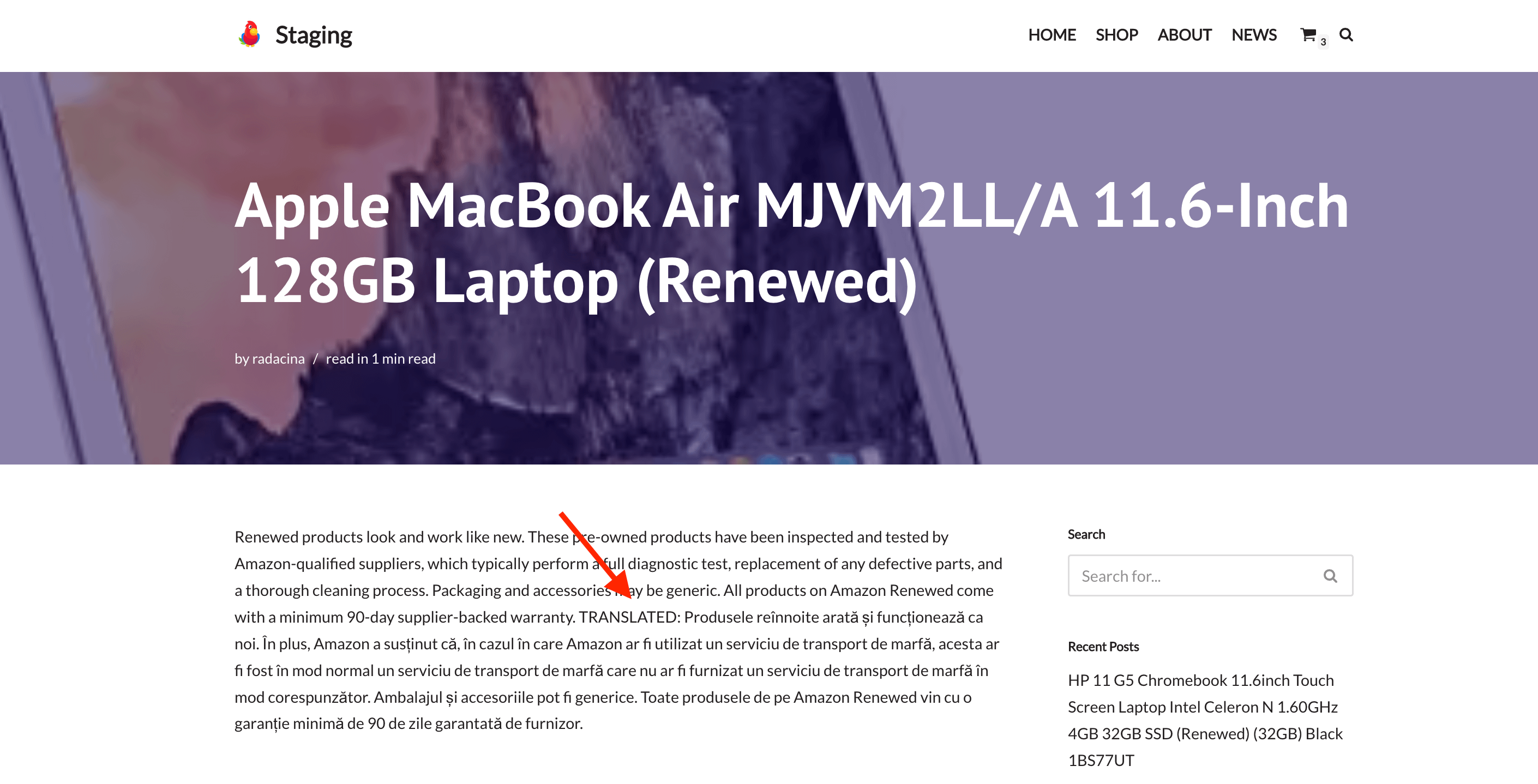
- translating service - check this doc for further details about using it.
- Spintax support - check this doc for further details about using it.