
How to Display Source Name and Link of the Feed in Feedzy?
📝 Note: This article is suitable when displaying feeds as posts. For more details about this method, check this dedicated doc.
Giving credit to the original source can be done in multiple ways, including mentioning the original author, linking the title to the original post, or displaying both the source name and a link to the original article, as this article will show.
To display both the source name and the link, you can leverage Feedzy's tags and plain text as follows:
1. Go to Feedzy > Import Posts and create an import, or open an existing import to edit it.
2. In the import wizard, open Step 3: Map content > General and scroll to the Content field.
📝 Note: The Content field is a template. Feedzy keeps the tags and the plain text in the same order in which you place them, so the position of a tag decides where it appears in each imported post. If you place [#item_url] after [#item_content], the link appears below the article; place it before, and the link appears at the top. See Place the source link at the beginning of the post below.
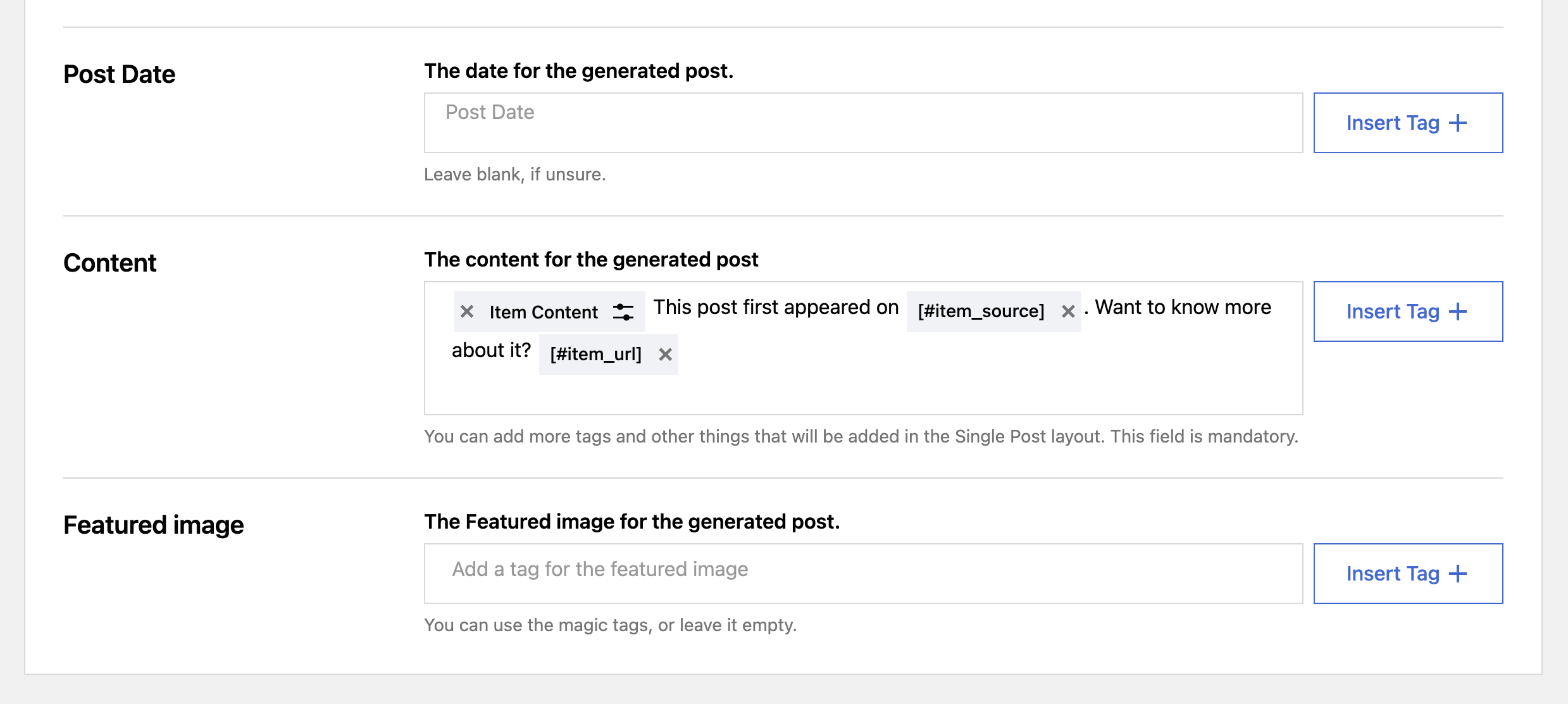
3. Apart from the Item Content tag, type in a suggestive message (e.g. This post first appeared on).
4. Using the + insert-tag icon, add the [#item_source] tag, which will display the source's name.
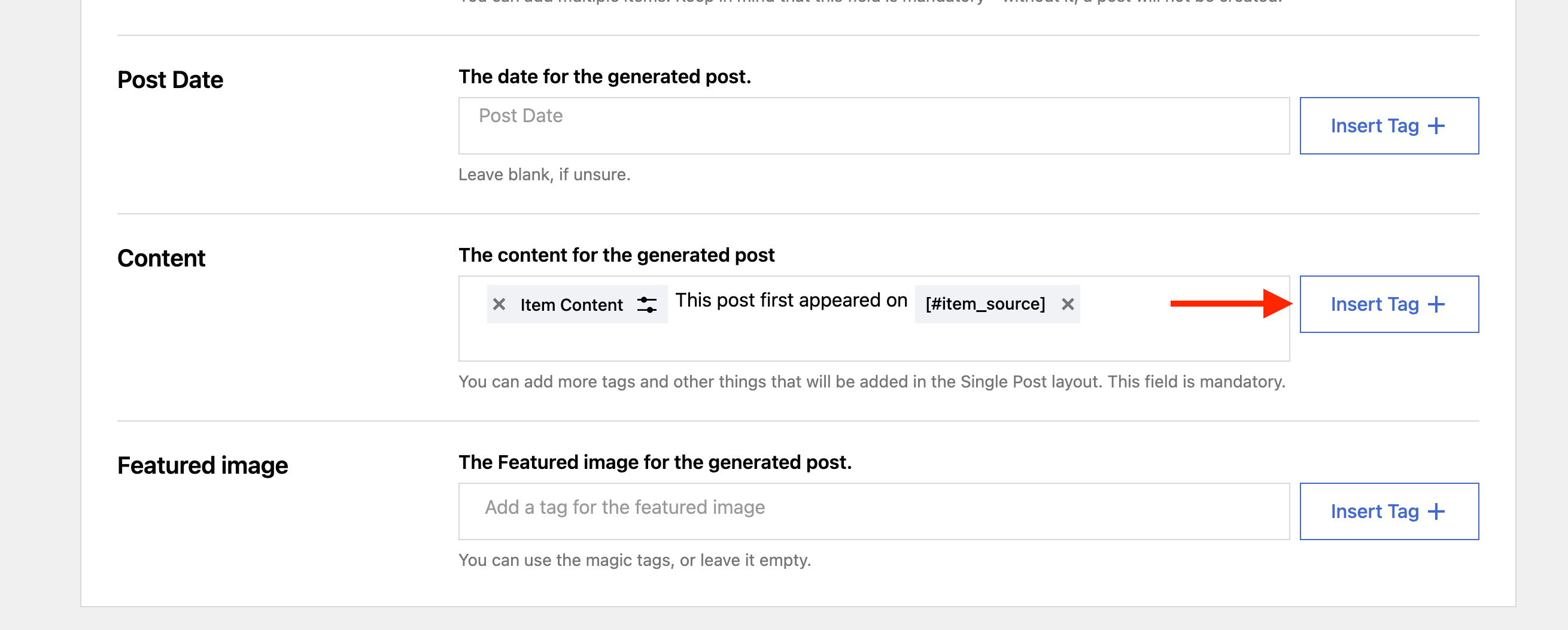
5. Now, to add also a link to the original article, add a suggestive message (e.g. Want to know more about it?).
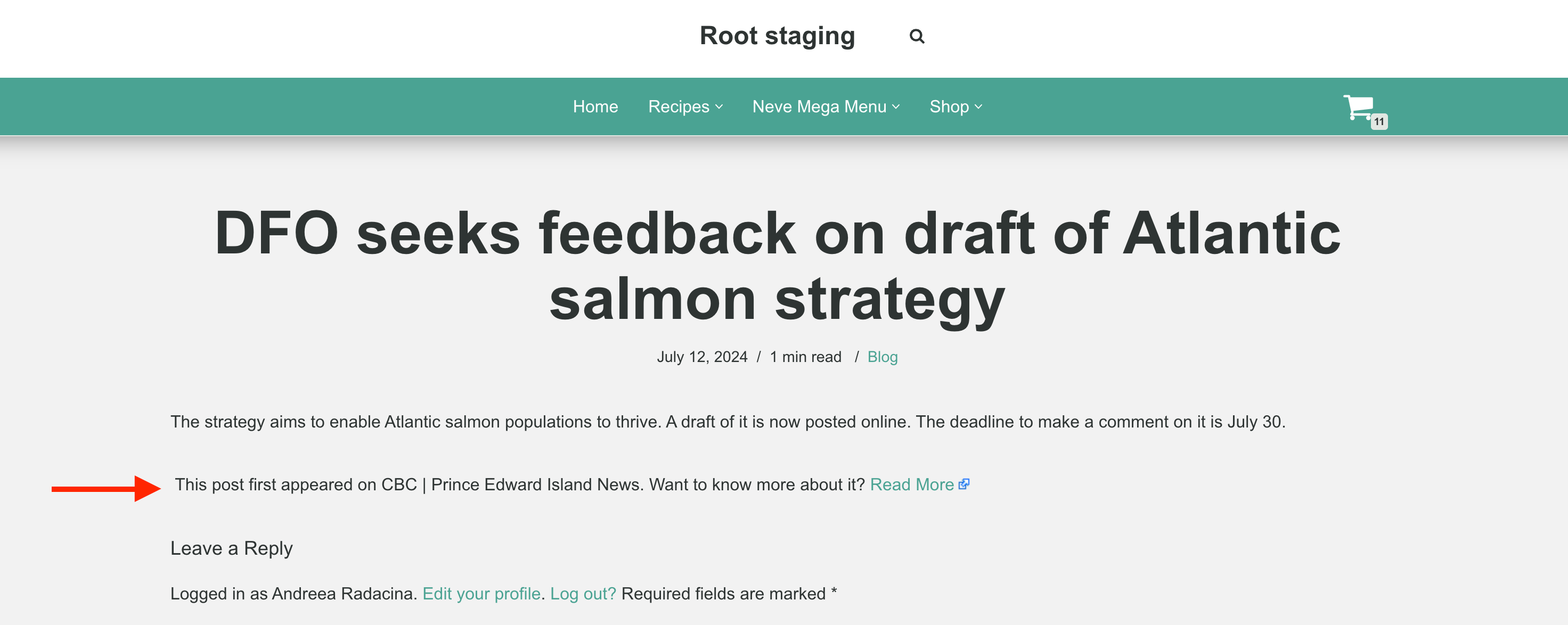
6. Then, add the [#item_url] tag using the + insert-tag icon. This tag is replaced by a clickable Read More link that points to the original article, not by the address itself, so the URL is not shown as visible text.
Result
Place the source link at the beginning of the post
In the steps above the attribution appears below the imported article, because the [#item_content] tag comes first in the Content field. To credit the source at the top of every imported post instead, put the attribution text and tags before the content tag:
This post first appeared on [#item_source] [#item_url] [#item_content]Use [#item_description] in place of [#item_content] if you import only the short description of each feed item.
You can arrange the tags in any order that suits your posts, and you can drop the [#item_source] tag if you only need the link. After you save the import, run it once and open one of the imported posts to confirm the attribution appears where you expect.