
Feed Groups in Feedzy
Feedzy comes with a useful option of grouping multiple feed sources of similar topics into a single group that can be further used as a feed source. In this submenu of the Feedzy RSS Agreggator plugin, you can add groups of the feeds.
In this article
Creating Feed Groups
1. Navigate to Dashboard > Feedzy > Feed Groups.
2. Click on the Add Group button.
3. Enter a goup title.
4. Paste the URLs of the feeds you want to display in this group. You can add multiple sources here, comma separated.
5. Click on Publish and check the library to see the changes.An advantage of this feature is that you can check if the feeds are valid from the Actions column. Click on the Validate & Clean button and see the result. 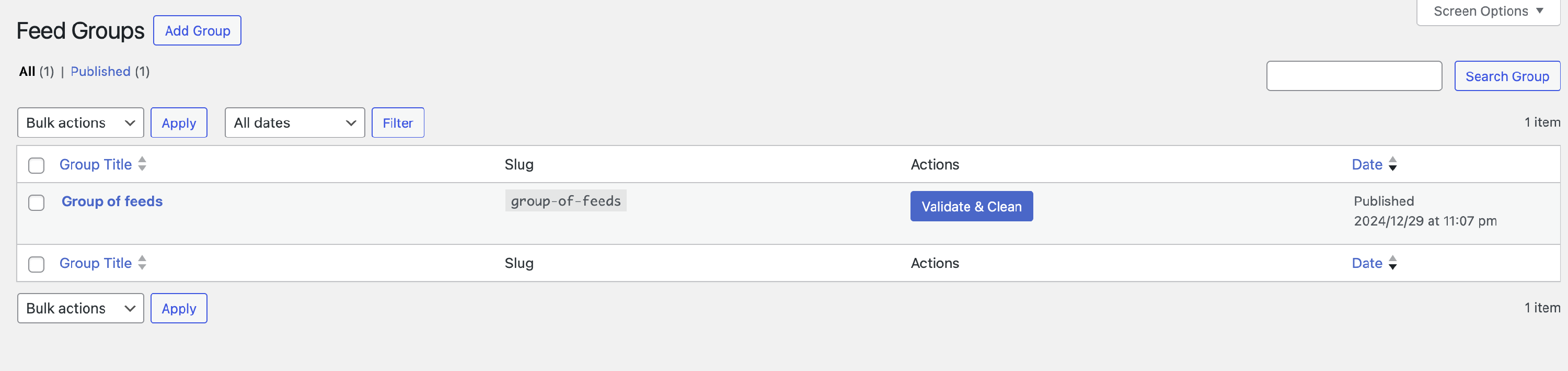
Feed Groups Usage
After publishing the feed group, you can use that as a feed source in the Feedzy block, WordPress widget, Elementor widget, or shortcode, just like you did before, except that you'll be using the newly created group slug instead of the feed URL.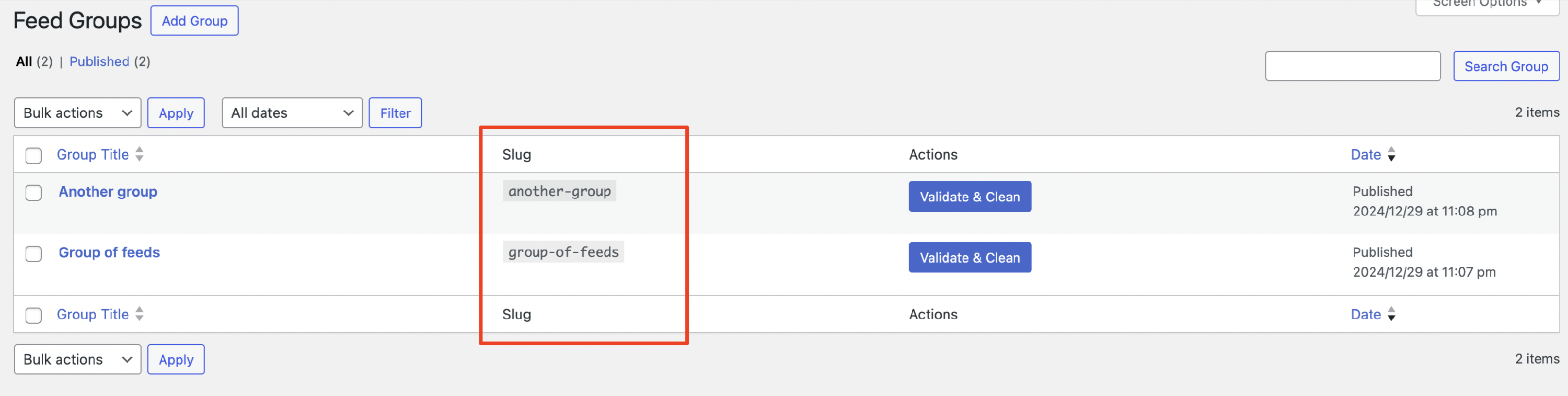
Feed Groups Slug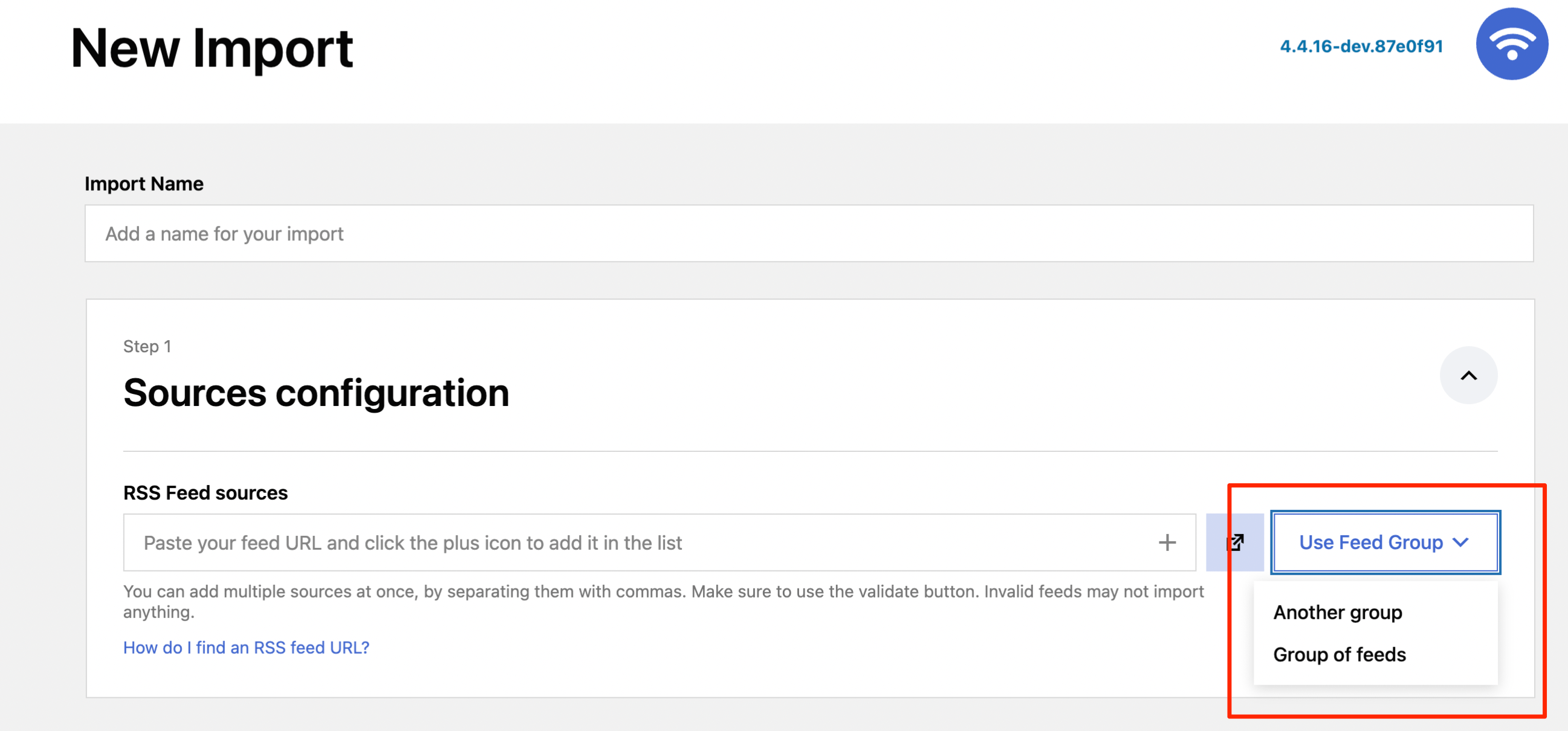 Feed Groups in the Import Wizard
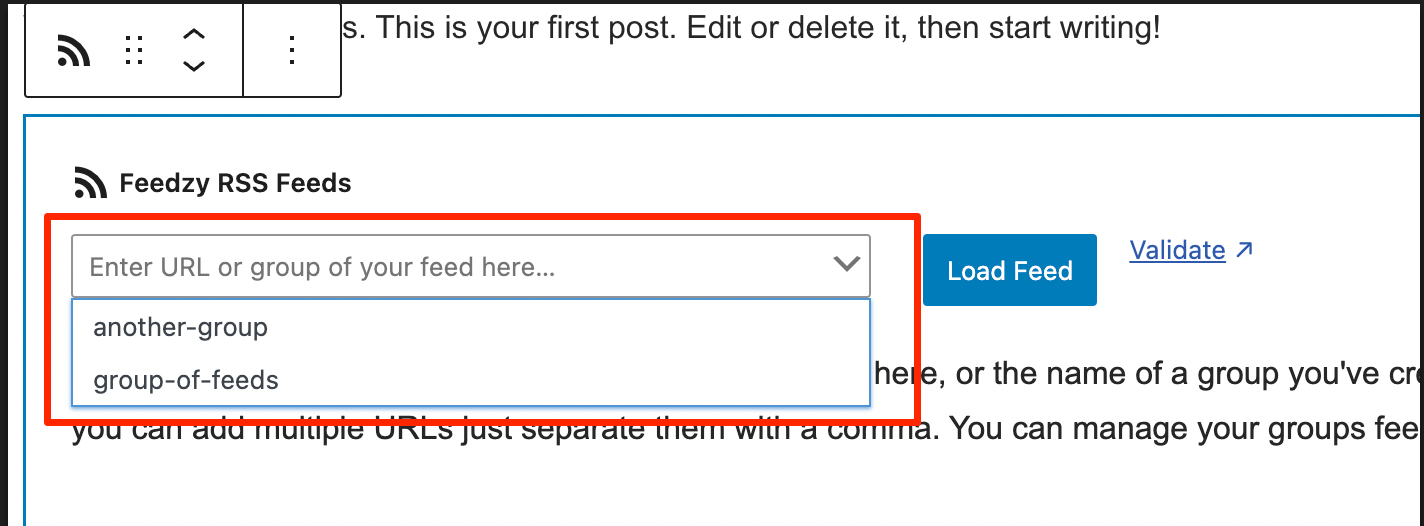 Feed Groups in Gutenberg Editor
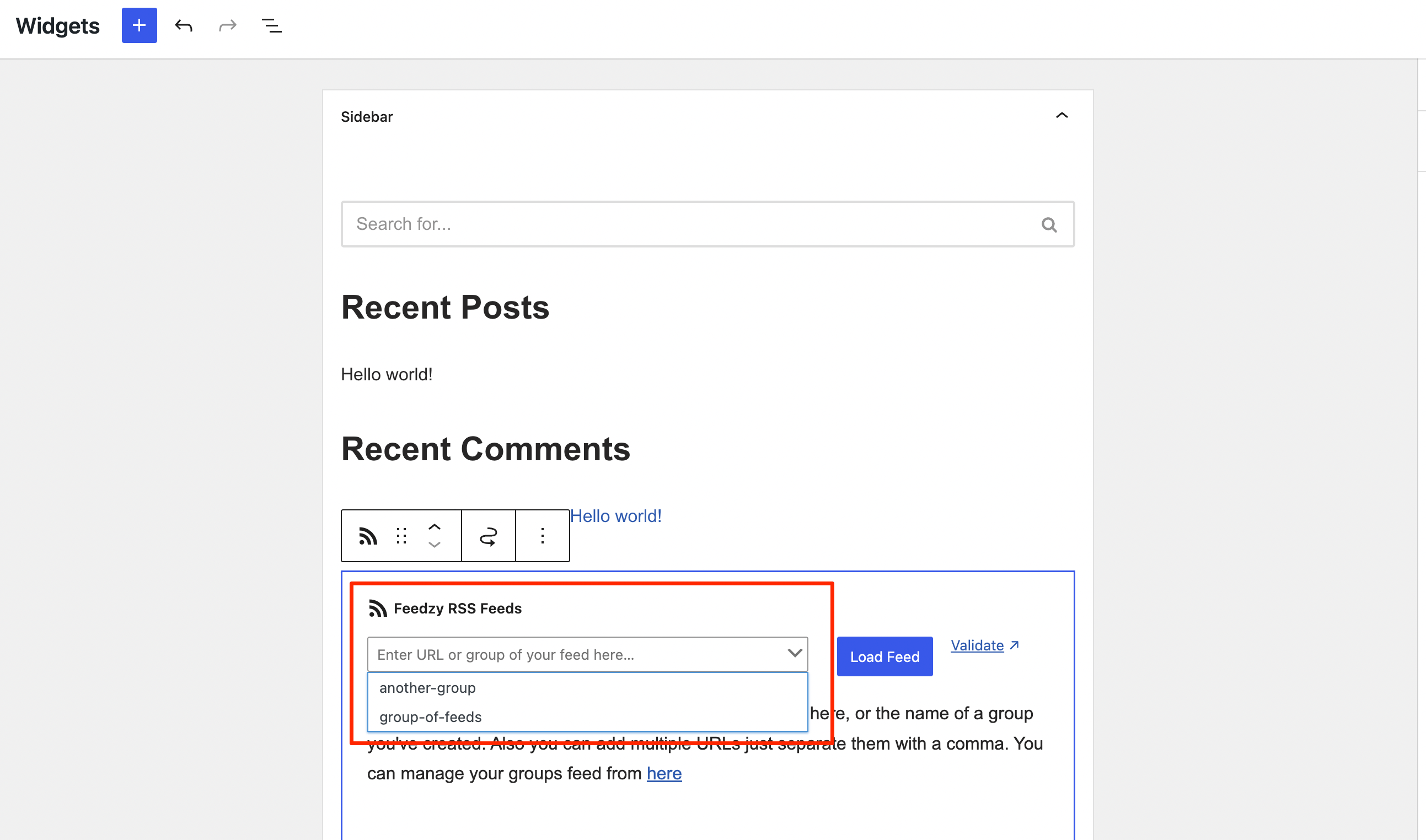
Feed Groups in WordPress Widgets
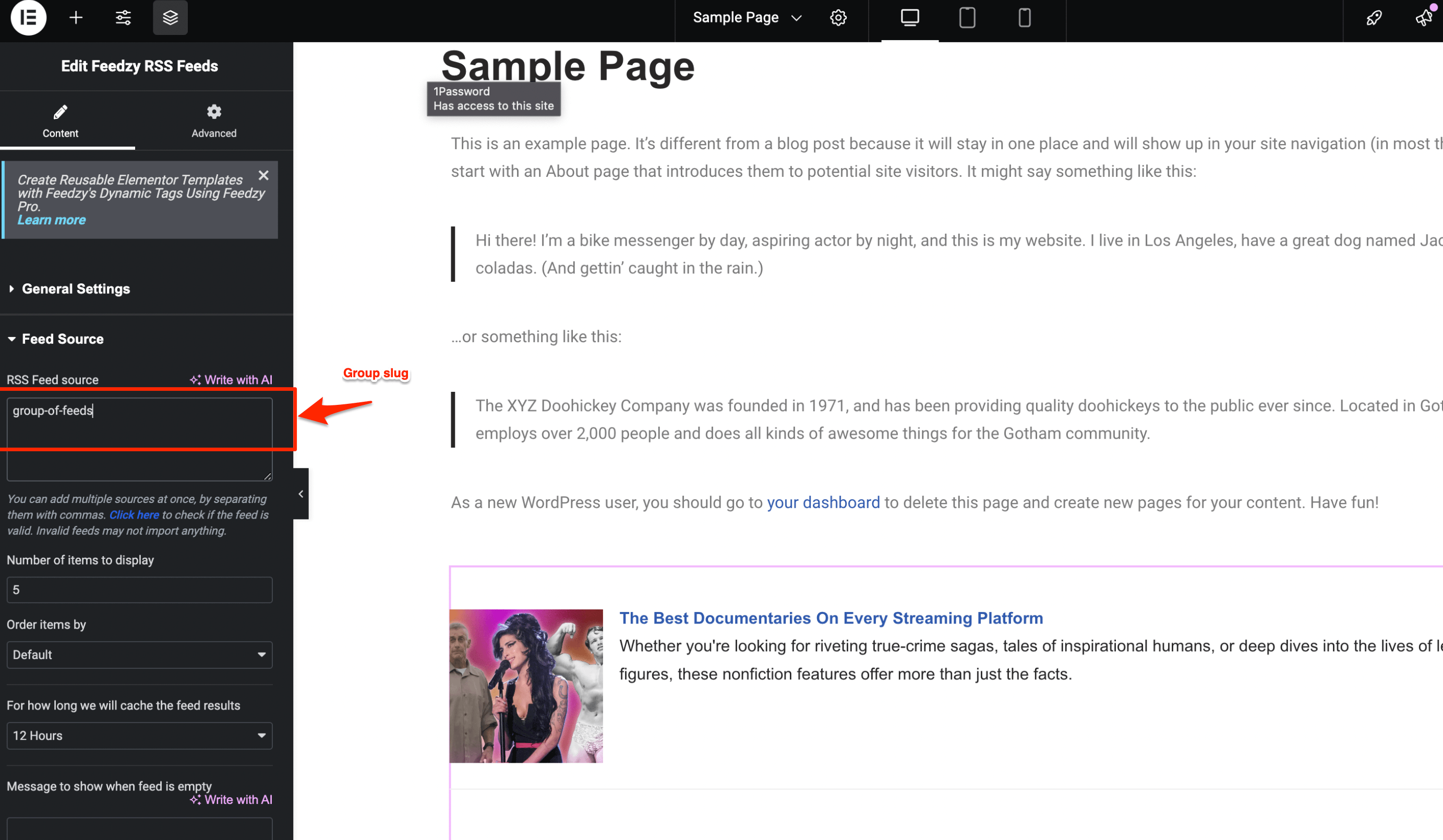
Feed Groups in Elementor Widget
Feed Groups Limit
By default, the Feed Groups list displays the latest 100 feed groups. This limit is set within the plugin and cannot be raised with a code snippet.