
How to Import Full Content with Images?
⚠️ Plan requirement: The [#item_full_content] tag (Full Post Content) is available only on the Developer and Agency plans. It is not included in the Personal plan. If you are on Personal and need full-content import, you must upgrade to Developer or Agency. See Feedzy Free vs Pro for a full plan comparison.
Before you start
Make sure you have the following in place before configuring full-content import with images:
- Feedzy RSS Feeds Pro installed and activated on your site.
- An active Developer or Agency license — the Personal plan does not include
[#item_full_content]. - In your import wizard, navigate to Step 3 – Map Content and set the Content field to
[#item_full_content].
⚠️ Personal plan users: The Personal plan is a paid plan but does not unlock [#item_full_content]. If you selected [#item_full_content] in the import wizard and it is greyed out or not returning full content, check your active license tier. You need to upgrade to Developer or Agency to use this feature. See What's the difference between Feedzy content and full post content? for more details.
Some feeds use lazy-loading image placeholders, which is why, when using the [#item_full_content] tag, Feedzy imports those placeholders, which is not the desired behavior.
In this example, we have used the Themeisle Feed ( https://themeisle.com/blog/feed/ ), and we have extracted the attribute of the images, which appears in the code snippet too ( 'data-opt-src' ):
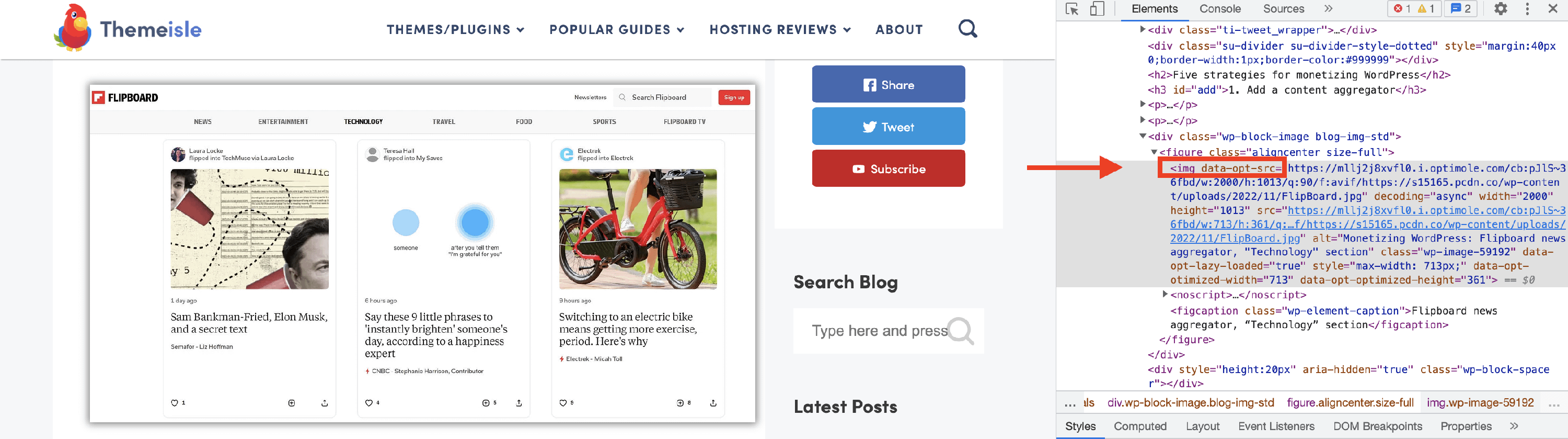
This attribute is influenced by the use of the Optimole plugin, which optimizes the images, but other plugins will have different attributes, which you can find in the same way as we did above:
1. Go to the source website.
2. Right-click on an image and select Inspect.
3. Get the attribute that appears next to the image.
4. Paste it instead of the 'data-opt-src' parameter.
To import the images, after configuring the import wizard, including the [#item_full_content] tag, navigate to the wp-config.php file and add the below PHP constants:
define( 'FEEDZY_ALLOW_UNSAFE_HTML', true );
define( 'FZ_FULL_CONTENT_LAZY_LOAD_ATTRIBUTES', 'data-opt-src' ); // Comma separated list e.g: data-opt-src,data-lazyload,data-src
📝 Note: The piece of code must be customized according to the image parameter of your source website.
Example
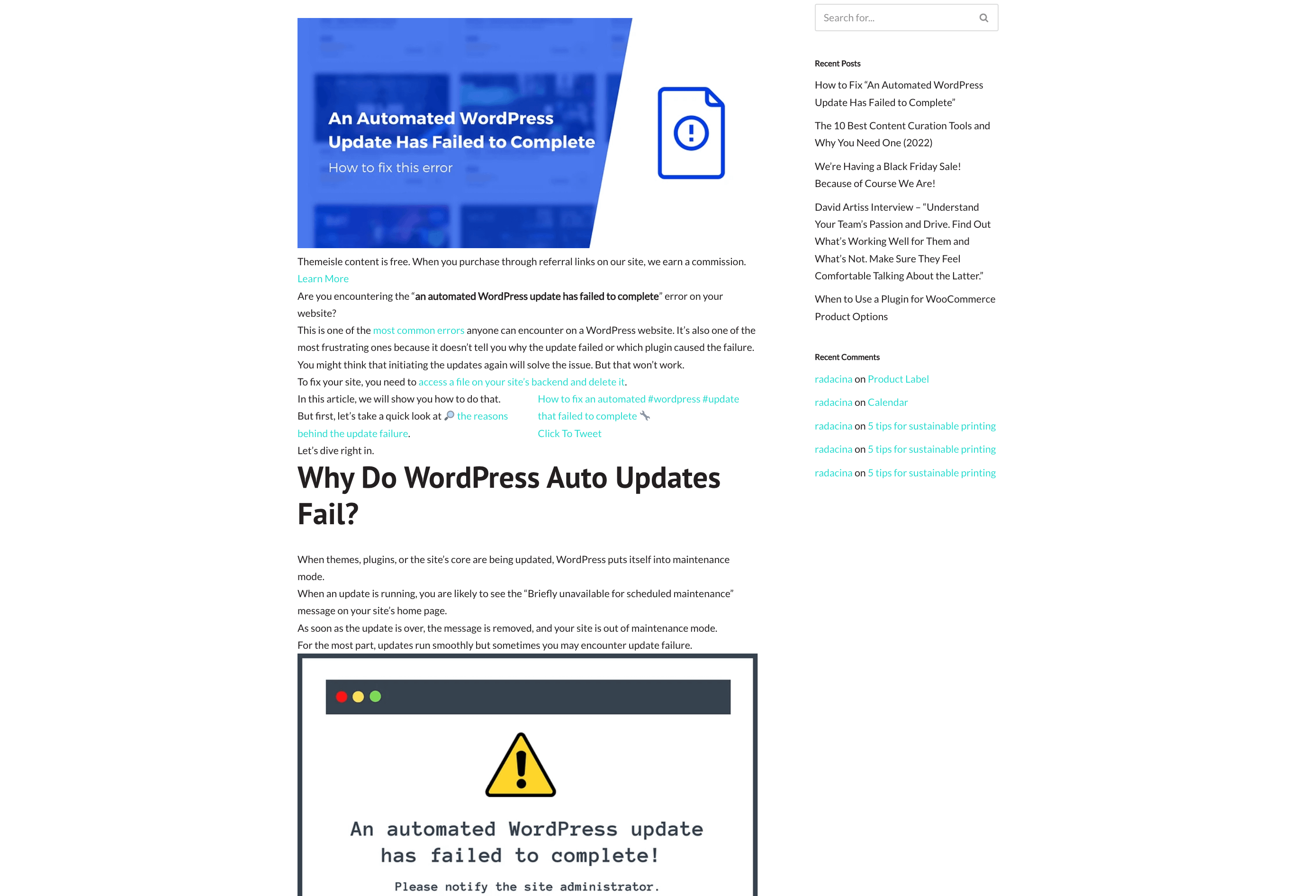
We have used the https://themeisle.com/blog/feed/, and this is what it looks like after adding the constants:
📝 Note: This happens only for the lazy-loading images when importing full content, not for regular images.