
How to Trim Content in Feed to Post?
Feedzy's Trim Content action lets you limit the amount of imported RSS content by word count, keeping posts focused and preventing overly long articles. This feature is available as a tag action within the Feed to Post import wizard.
📝 Note: The Trim Content feature is part of the Feed To Post import method in Feedzy RSS Feeds.
In this article
Using the feature
1. In the Import wizard, open the Map content tab.
2. In the Content field click on the ➕ sign and select one of the action-supporting tags from the list.
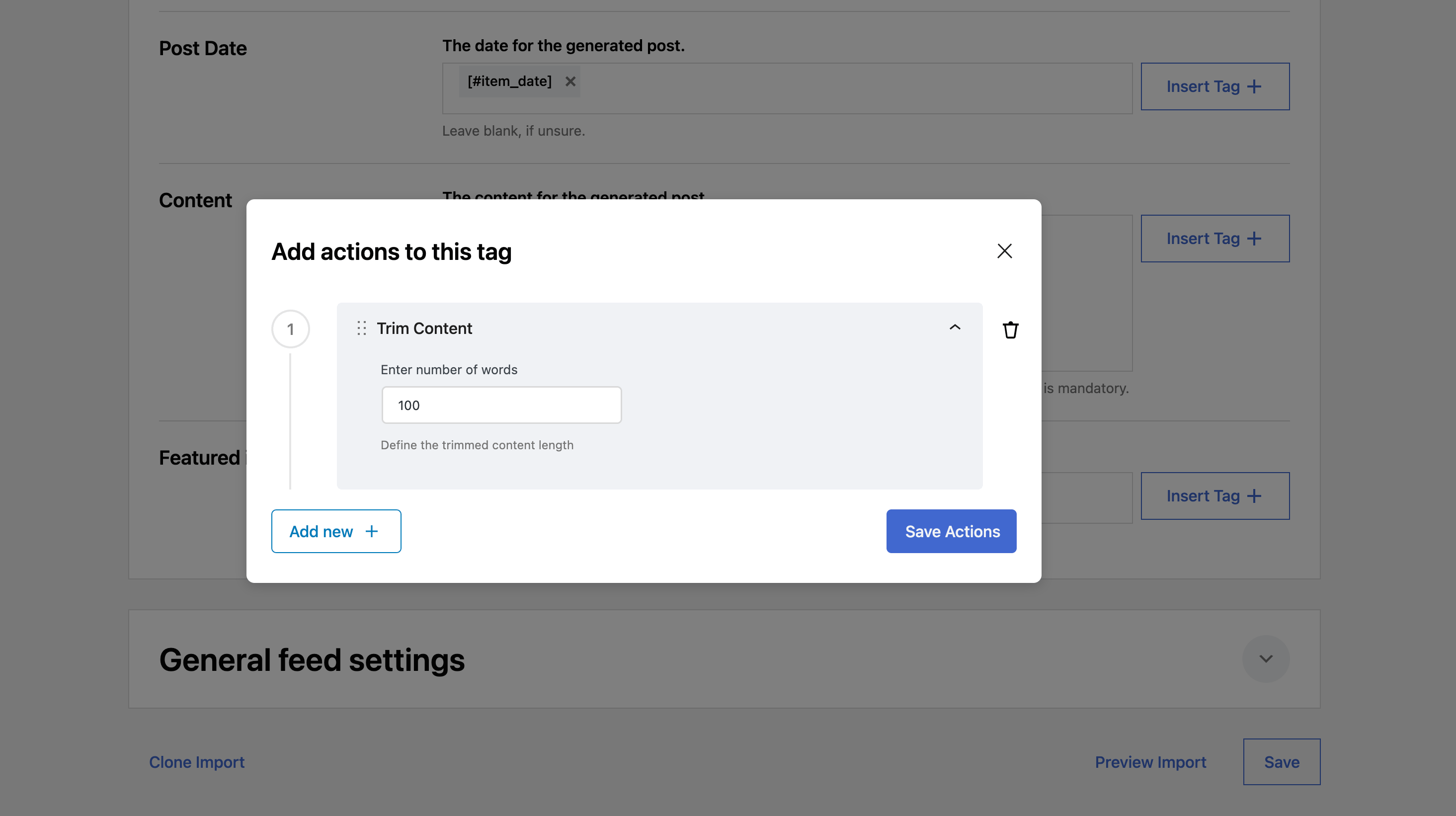
3. In the Actions modal, click on Add new.
4. From the dropdown, select the Trim Content action.
5. Insert the number of words that you want to keep in the article.
6. Click on Save Actions.
Use Cases
- maintain a clear focus on the main topic and link the original article for details
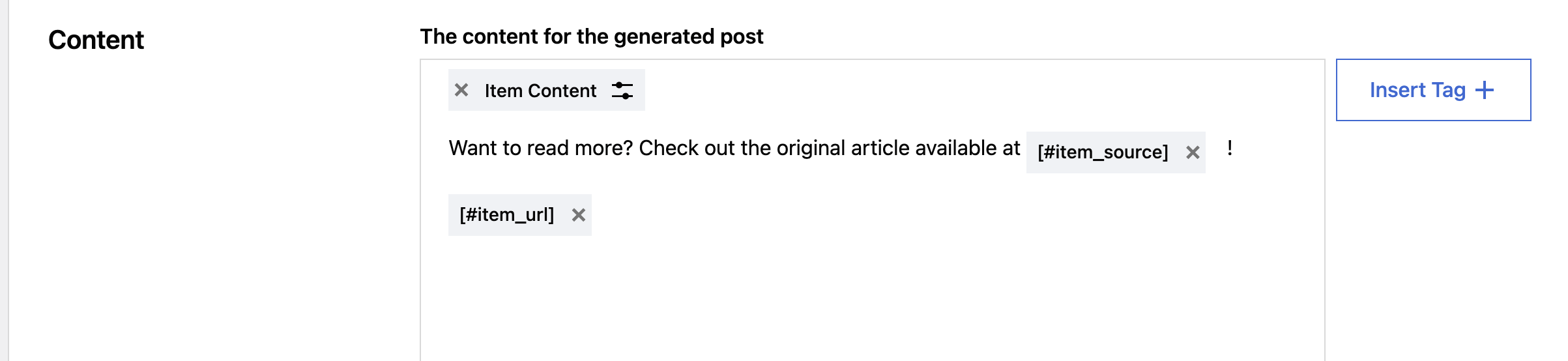
Dashboard Condition
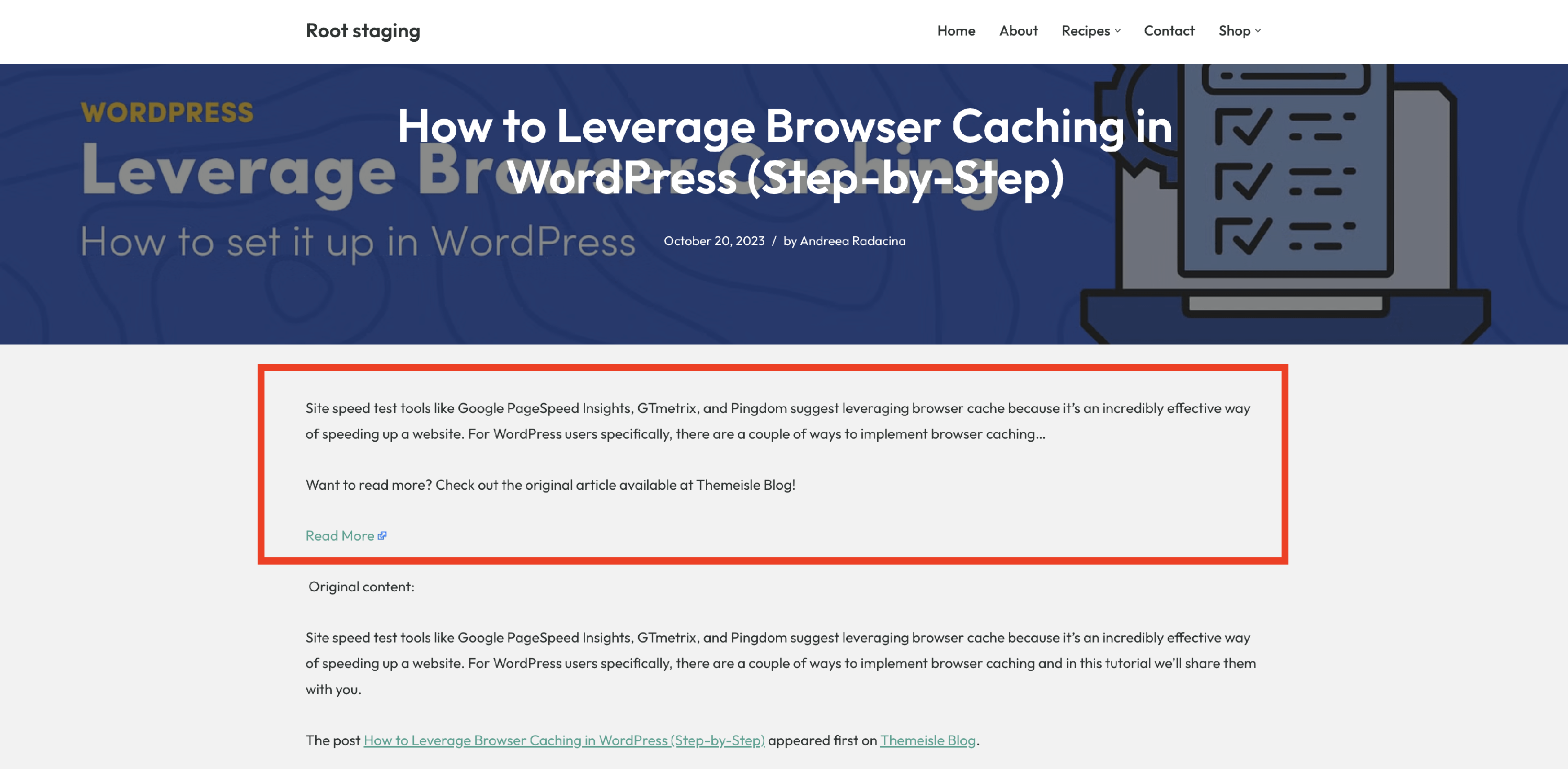
Trimmed Content
Action-Supporting Tags
- [#item_content]
- [#item_full_content]
- [#item_description]
- [#item_title]
📝 Note: The [#item_full_content] tag requires a Developer or Agency plan and is locked in the free version.