How Can I Customize Access to Feedzy Dashboard?
WordPress dashboard allows you to add multiple users on your website, depending on their role: Editor, Subscriber, Contributor, etc., inside Dashboard > Users.
In this article
Access to Feedzy Menu
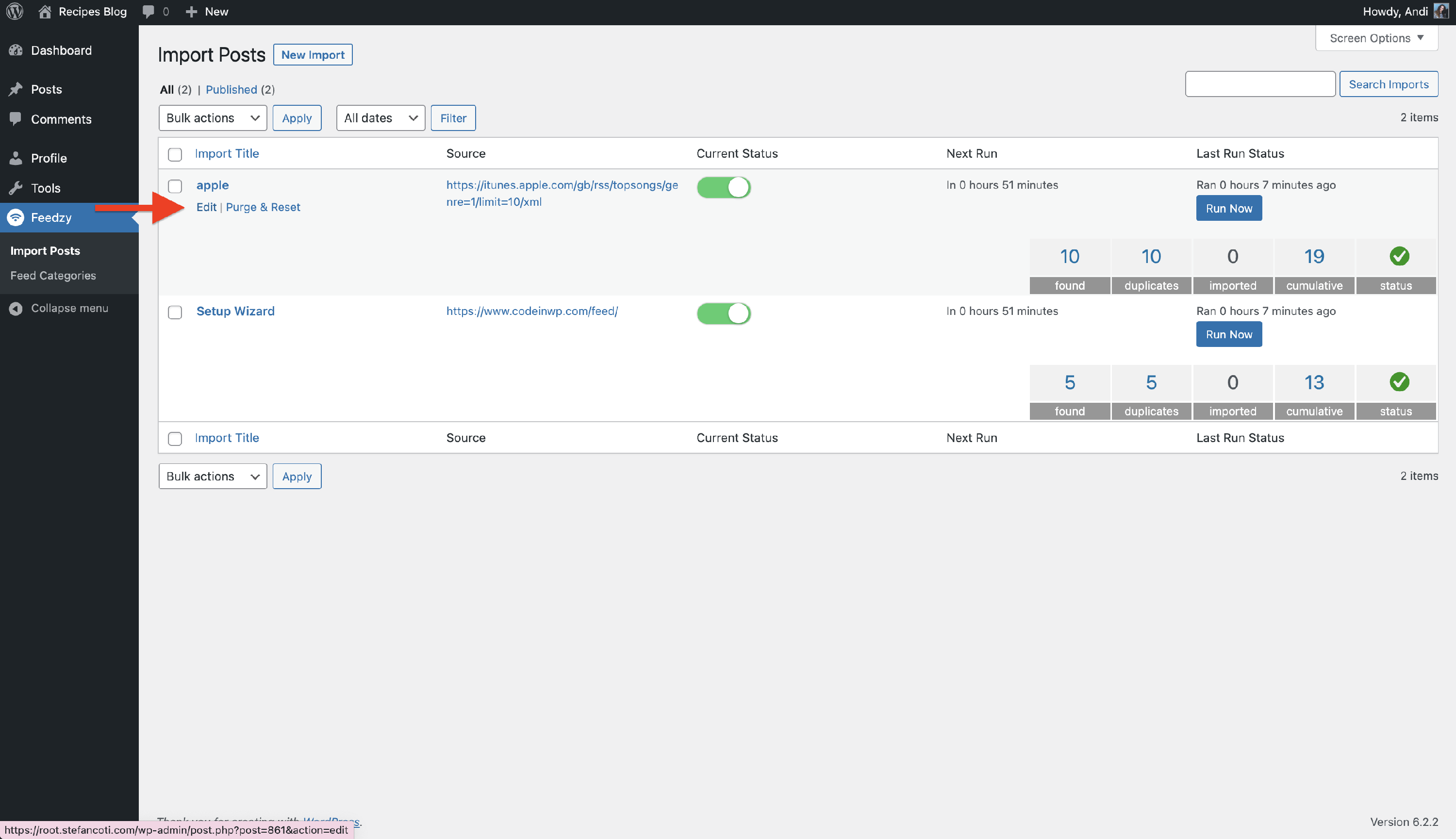
Each role has different permissions across your website, e.g. the Contributor cannot access Feedzy Dashboard. To change this, we have provided a filter that helps change the Feedzy menu register capability.
1. Copy this code snippet.
add_filter(
	'feedzy_admin_menu_capability',
	function( $capability ) {
		if ( current_user_can( 'contributor' ) ) {
			return 'edit_posts';
		}
		return $capability;
	}
);
2. Paste the code into the currently active theme functions.php file or using Code Snippets.
📝 Note: This code snippet adds capabilities for the contributor role. You can change the user role by replacing 'contributor' with what you need (e.g. 'subscriber').
📝Note: If you paste the code snippet into the plugin's source file, the changes will be lost when you update the plugin. The same thing may happen when you update the theme, this is why we recommend using a child theme.
3. Save the changes and check the website from a different role.
Before
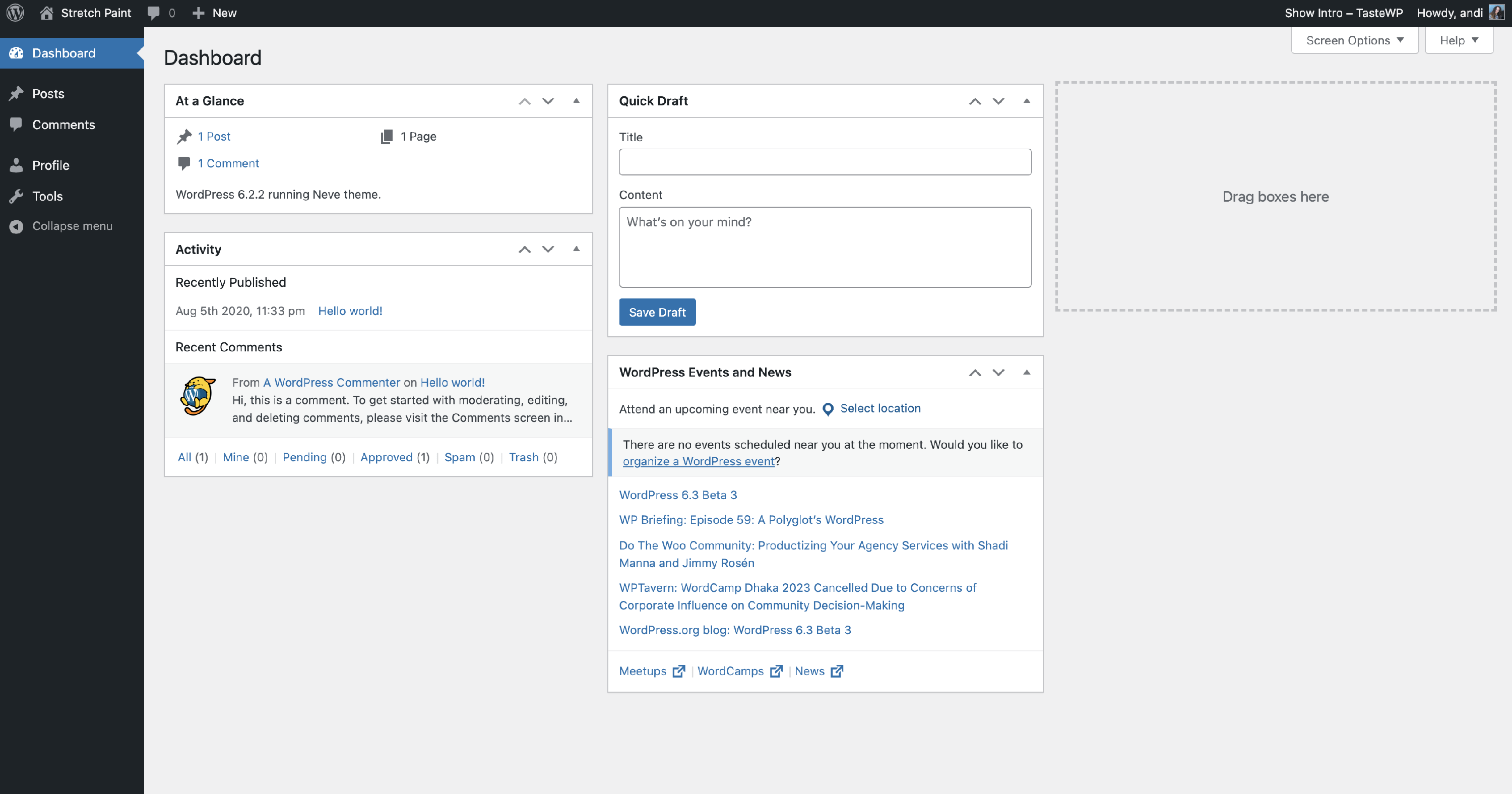
After
Extended Capabilities
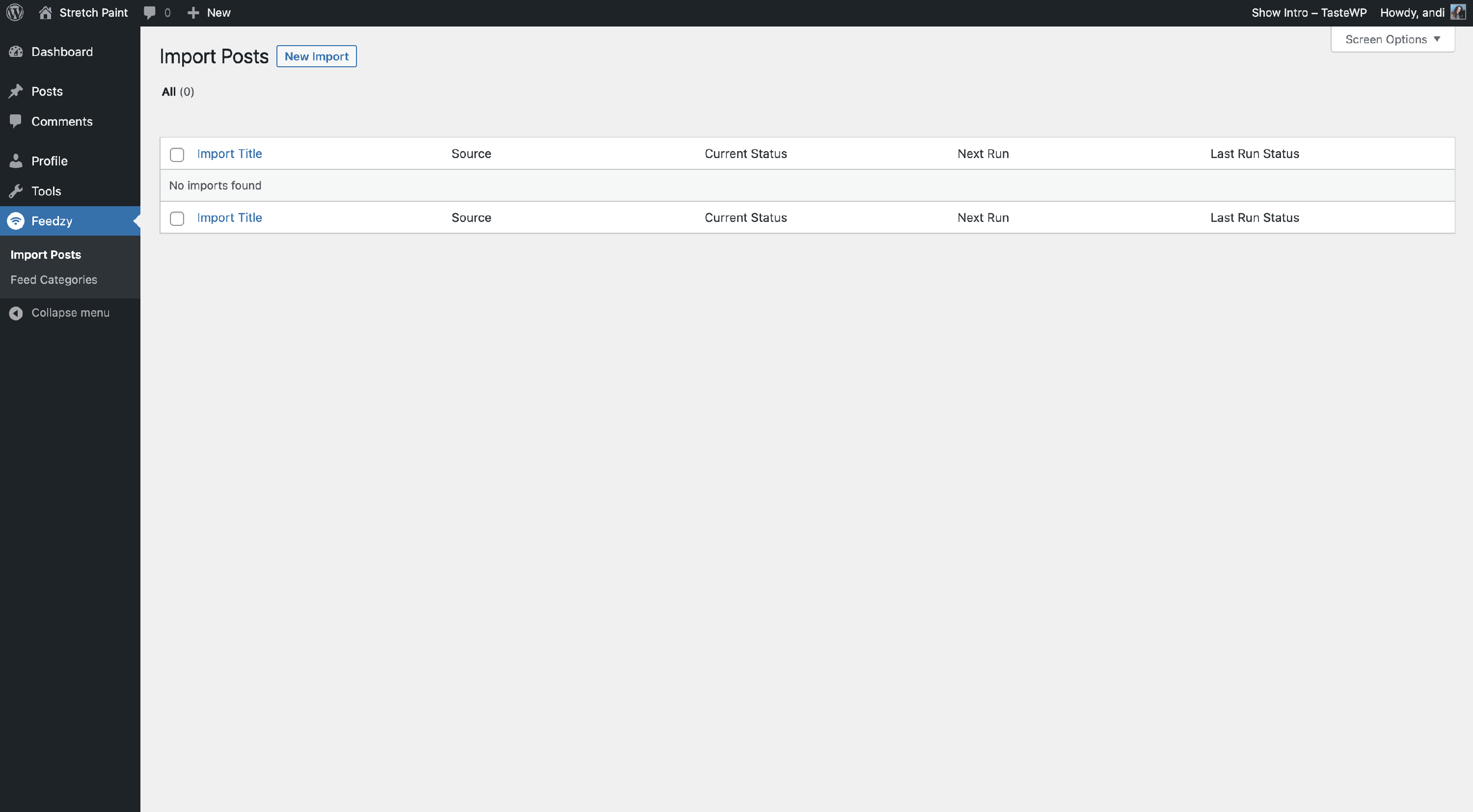
Changing feedzy_admin_menu_capability controls access to the Feedzy menu; it does not grant additional WordPress capabilities. To extend a role's post-editing capabilities, you can use the User Role Editor plugin.
In Feedzy Pro, saving Pro settings and activating or deactivating the Pro license require the manage_options capability, regardless of the menu filter. Ask an administrator to perform these actions rather than granting broad administrative permissions just to expose the menu.
1. Navigate to Users > User Role Editor.
2. Select the role for which you want to change capabilities (e.g. contributor).
3. Unlock the desired capabilities from the list.
4. Click on the Update button.
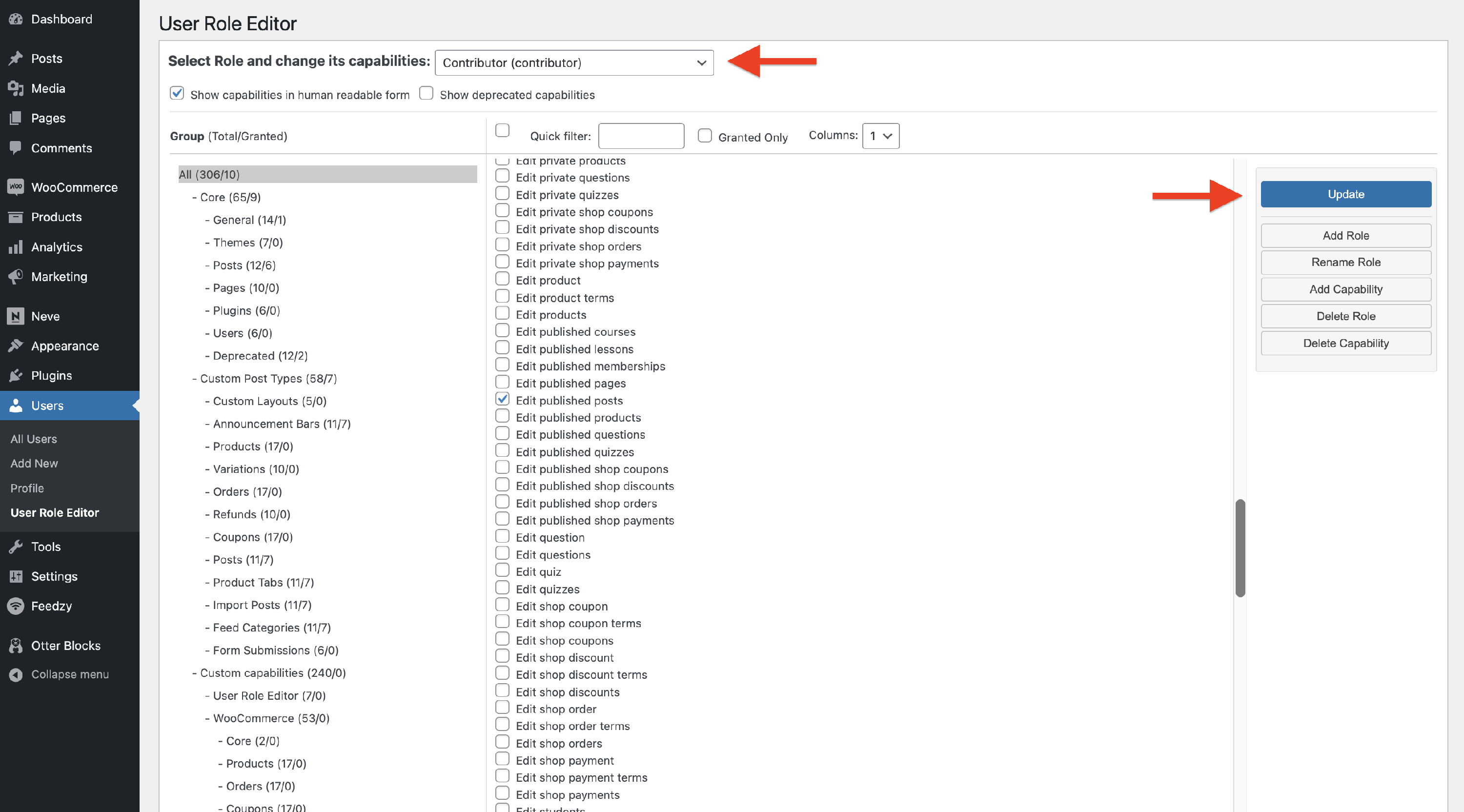
In this case, we will enable the contributor to edit posts, including Feedzy imported posts. For this, we checked the following capabilities:
- edit others posts
- edit posts
- edit published posts
Result