
How to use form shortcodes?
A guide about form shortcodes and form names.
In this article
What is a form shortcode?
A shortcode is a text command inserted into a WordPress page that renders a form.
A WP Full Pay shortcode contains parameters that uniquely identify a form:
- Name
- Layout (inline or checkout)
- Type (one-time, subscription, donation, or save card)
Here is a shortcode example:
[fullstripe_form name="paymentInlineDefault" type="inline_payment"]
How to insert a form into a page?
You can insert a form into a page by following these steps:
Create a form
One you create a form and saved it, the shortcode will be auto-generated.
Copy form shortcode into the clipboard
Insert form shortcode into a page (or an input field of another plugin)
1. Create a form
You have to save the form to be able to use its shortcode.
After you create and save a form, the shortcode will be auto-generated.
IMPORTANT!
If you change the form name then the shortcode changes as well!
2. Copy form shortcode to the clipboard
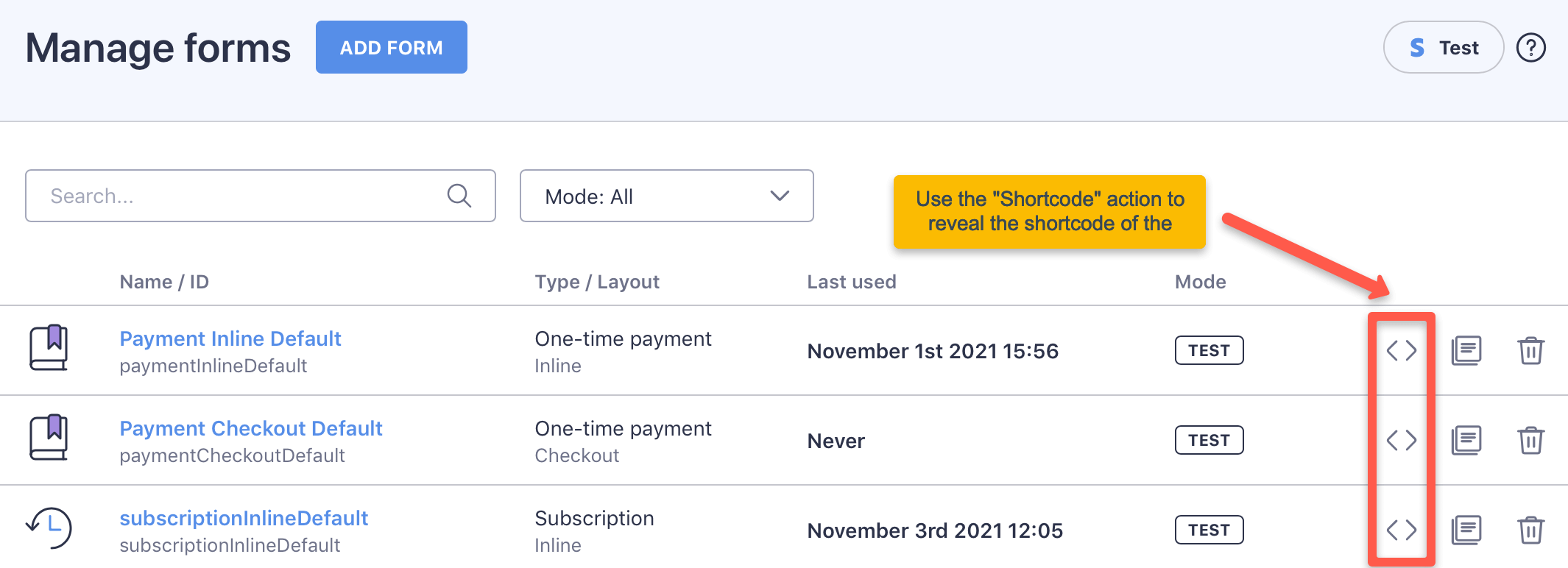
The shortcode appears as an inline field in the Shortcode column of the form list. Click the field to copy the shortcode to the clipboard:
3. Insert form shortcode into a page
You can insert a form shortcode into any place in WordPress that can deal with shortcodes.
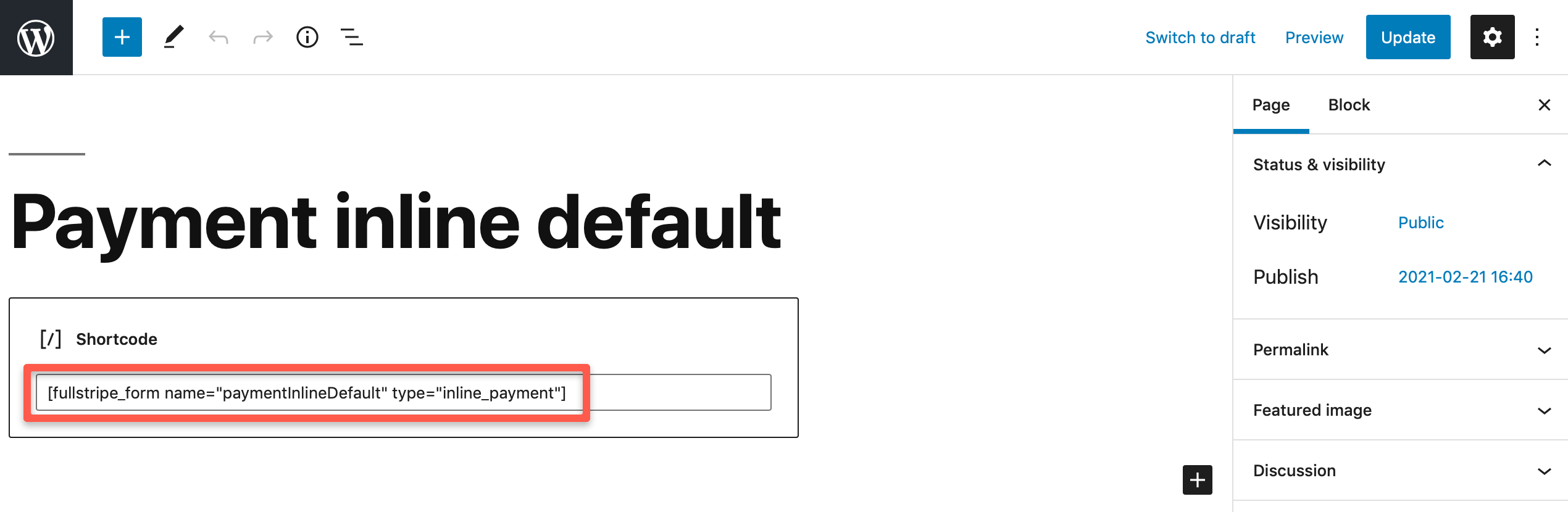
You can insert the shortcode directly into a page as a block:
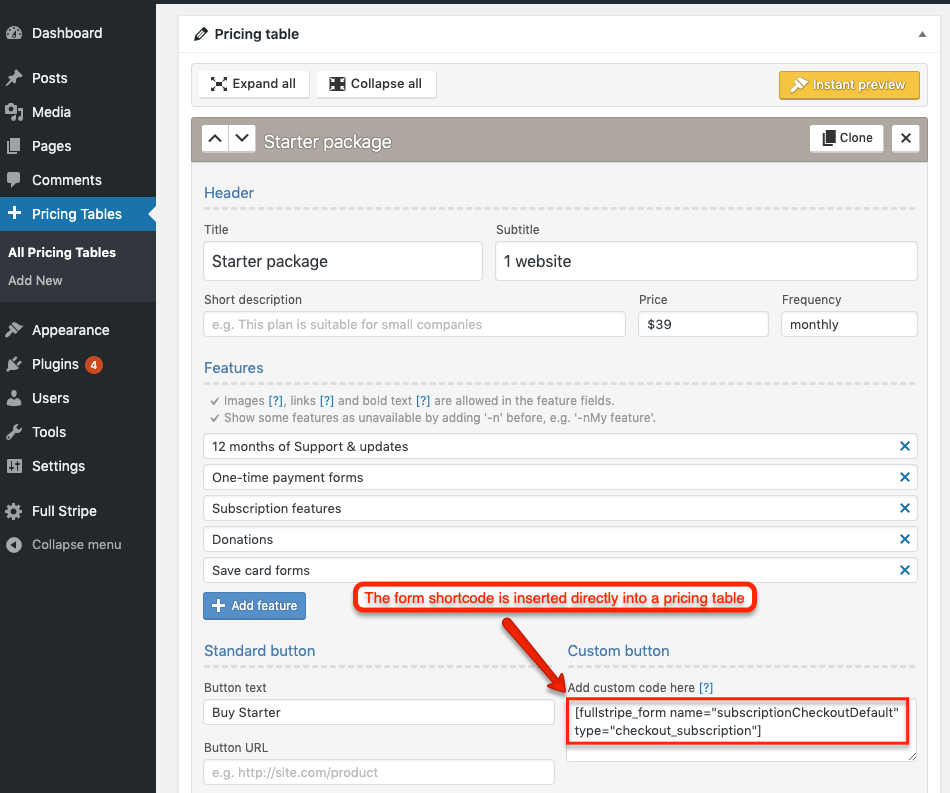
In the following example the form shortcode is inserted into a pricing table:
Add each inline form to a page only once.
Inline forms (payment, subscription, donation, and save card forms with the inline_ shortcode type) can appear only once on the same page. This includes copies placed in sections that are hidden on the frontend. When the same inline form appears twice, the card field can't load correctly and checkout fails, often with this error:
We could not retrieve data from the specified Element. Please make sure the Element you are attempting to use is mounted and the ready event has been emitted.
This error can have other causes, so if you see it, check the page for a duplicate form first:
- Edit the page and find every place the form's shortcode appears, including hidden sections and page builder widgets.
- Remove the extra copies so the form appears only once, then click Update.
- Open the page and submit the form again to confirm checkout works.
That’s it!
Don’t forget to publish the page into which the shortcode was inserted.
Shortcode catalog
Here comes the list of all form shortcodes you can use in WP Full Pay.
(“formName” is a placeholder for the actual form name)
Inline payment form:
[fullstripe_form name="formName" type="inline_payment"]
Checkout payment form:
[fullstripe_form name="formName" type="checkout_payment"]
Inline subscription form:
[fullstripe_form name="formName" type="inline_subscription"]
Checkout subscription form:
[fullstripe_form name="formName" type="checkout_subscription"]
Inline donation form:
[fullstripe_form name="formName" type="inline_donation"]
Checkout donation form:
[fullstripe_form name="formName" type="checkout_donation"]
Inline save card form:
[fullstripe_form name="formName" type="inline_save_card"]
Checkout save card form:
[fullstripe_form name="formName" type="checkout_save_card"]