
Pre-fill form fields via URL parameters
Imagine the following business cases:
- A promotional email is sent to the customer linking a payment form on your website where the coupon is already applied.
- An email is sent to the customer linking your invoice payment form, and the email address, payment amount, and invoice reference number fields of the form are already filled in.
- A payment flow starts with user registration, then it lets the customer enter order-specific data on the next page, and finally the payment form is on the last page with email address and cardholder’s name prefilled.
WP Full Pay can be integrated into these and similar payment flows by using URL parameters and filter hooks.
In this article, we’ll describe the integration capabilities, starting from simple examples going to the more complex use cases.
In this article
How to enable pre-filling form fields?
Pre-filling form fields is disabled by default.
Enable pre-filling fields globally
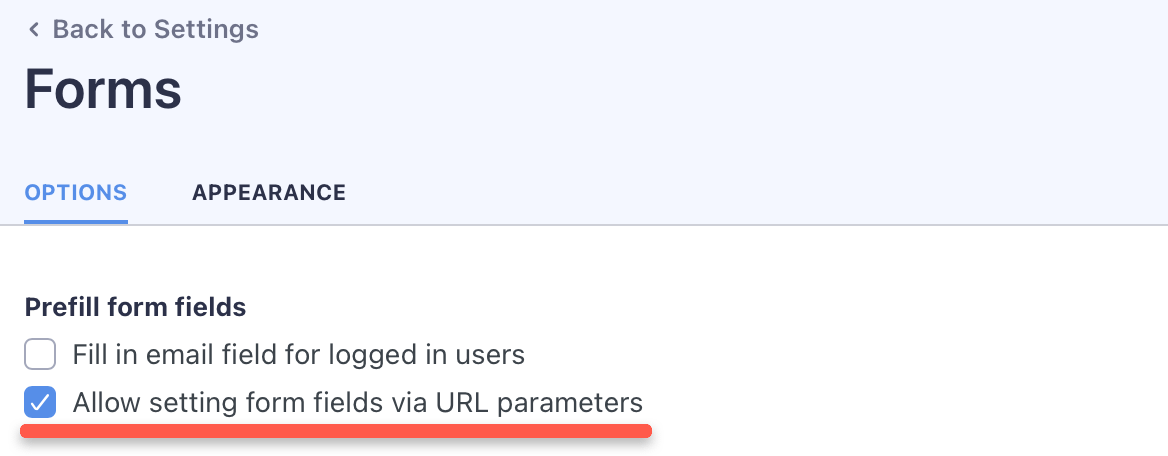
Pre-filling all fields of all forms can be enabled on the “Full Pay → Settings → Forms → Options” page in WP admin:
Enable pre-filling form fields piecemeal
You have to implement the fullstripe_form_field_configuration filter.
Use the following API functins in conjunction with the filter to specify which fields can be set via URL parameters, and which fields will become read-only once set:
- setIsFormFieldConfigurable()
- isFormFieldConfigurable()
- setFormFieldValue()
- getFormFieldValue()
- setIsFormFieldReadonly()
- isFormFieldReadonly()
Supported URL Parameters
⚠️ Important: URL parameter names are case-sensitive and must match the documented spelling exactly. For example, customField1 works, but customfield1, CustomField1, or any other casing variant will not populate the field. This applies to every parameter in the table below.
Which fields can be pre-filled
The following table summarizes which fields can be prefilled.
There are fields which are available only in one layout (inline or checkout), or on a certain form type. Some fields can be made readonly, others cannot. The table below documents all these attributes:
| URL parameter | Layout | Readonly? | Comments |
|---|---|---|---|
| inline, checkout | ✅ | On checkout forms, the email address is read-only by default. | |
| cardholdersName | inline | ✅ | |
| customerId | checkout | 𐄂 | Selects the customer, freezes the email field. |
| price | inline, checkout | 𐄂 | The value is the Stripe price ID of the product to be selected. |
| coupon | inline, checkout | 𐄂 | The value is the name of a coupon or promotional code. |
| amount | inline, checkout | ✅ | Sets the custom payment amount. The value is the payment amount in cents. |
| customField | inline, checkout | ✅ | The parameter name is numbered, eg. customField1, customField2, etc. |
| billingName | inline, checkout | ✅ | |
| billingAddress | inline, checkout | ✅ | |
| billingAddress2 | inline, checkout | ✅ | |
| billingCity | inline, checkout | ✅ | |
| billingZip | inline, checkout | ✅ | |
| billingState | inline, checkout | ✅ | |
| billingCountryCode | inline, checkout | ✅ | The two-letter ISO country code in uppercase. |
| shippingName | inline, checkout | ✅ | |
| shippingAddress | inline, checkout | ✅ | |
| shippingAddress2 | inline, checkout | ✅ | |
| shippingCity | inline, checkout | ✅ | |
| shippingZip | inline, checkout | ✅ | |
| shippingState | inline, checkout | ✅ | |
| shippingCountryCode | inline, checkout | ✅ | The two-letter ISO country code in uppercase. |
Pre-fill example with URL parameters
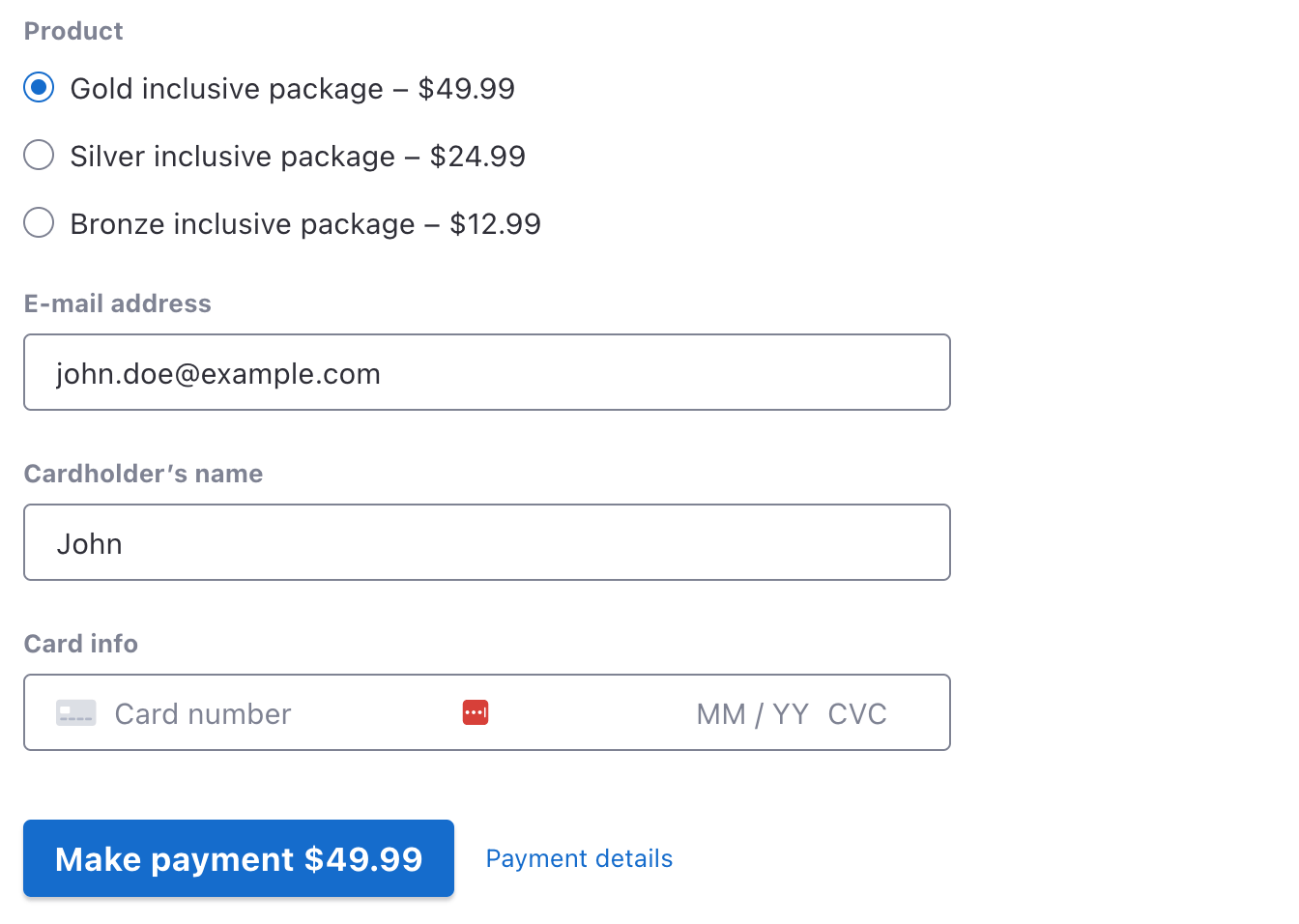
Here is an URL example of pre-filling the email, and cardholder’s name fields via URL parameters:
https://example.com/pay?email=john.doe@example.com&cardholdersName=John
When the page is loaded, here is how the form looks:
Pre-fill a custom field via URL parameter
To pre-fill a custom field, use the parameter customField1 for the first custom field, customField2 for the second, and so on. The number corresponds to the order of the custom field on the form.
For example, to pre-fill the first custom field with an invoice reference:
https://example.com/pay?customField1=Invoice-123
You can combine multiple parameters in a single URL. For example, to also pre-fill the customer's email address at the same time:
https://example.com/pay?email=john.doe@example.com&customField1=Invoice-123
Troubleshooting custom field pre-fill
If a custom field does not populate when the page loads, check the following:
- Pre-filling is enabled — Confirm that pre-filling is turned on globally under Full Pay → Settings → Forms → Options, or that the
fullstripe_form_field_configurationfilter enables the specific custom field for the target form. - The custom field exists on the form — Verify that the form includes the custom field you are trying to pre-fill.
- The parameter number matches the field order —
customField1maps to the first custom field,customField2to the second, and so on. Make sure the number in the URL matches the field's position on the form. - The parameter name uses exact camel-case spelling —
customField1(capital F) is the correct format. Usingcustomfield1,CustomField1, or any other variation will not work because parameter names are matched exactly.
Pre-fill example with a filter hook
Let’s say you don’t want to enable pre-filling form fields globally.
You’d like to implement the following rule set:
- Only fields of the form named ‘payment’ can be pre-filled.
- Only the email address and cardholder’s name fields can be prefilled.
- Once the email address is pre-filled, it should become read-only.
Here is the filter hook implementation:
<?php
/**
 * A fullstripe_form_field_configuration filter hook example for WP Full Pay.
 *
 * @param array $config The field configuration returned by the previous filter instance.
 * @param array $params with the following keys:
 *   formName               => Name of the form.
 *   formType               => Type of the form. Possible values:
 *                             	inline_payment
 * 				checkout_payment
 * 				inline_subscription
 * 				checkout_subscription
 * 				inline_donation
 *				checkout_donation
 *				inline_save_card
 * 				checkout_save_card
 *
 * @return array Field configuration
 */
function formFieldConfiguration( $config, $params ) {
	$result = $config;
	$formName = $params[formName];

	if ( $formName === payment ) {
		WPFS_API_v2::setIsFormFieldConfigurable( $result, cardholdersName, true );

		WPFS_API_v2::setIsFormFieldConfigurable( $result, email, true );
		WPFS_API_v2::setIsFormFieldReadonly( $result, email, true );
	}

	return $result;
}

add_filter(fullstripe_form_field_configuration, formFieldConfiguration, 10, 2 );
Important notes:
- Use the setIsFormFieldConfigurable() API function to enable pre-filling a field.
- Use the setIsFormFieldReadonly() API function to make a read-only once it is prefilled.