
Quick Edit List View
Quick Edit in List View allows you to update a media item's category and other metadata inline, directly from the Media Library list without navigating to a separate edit screen.
In this article
Prerequisites and Setup
- Any Media Library Organizer Pro license
Overview
Quick Edit lets you modify the category and other information such as Title, Alt text etc. of a single media file without opening the full edit screen.
How to Use:
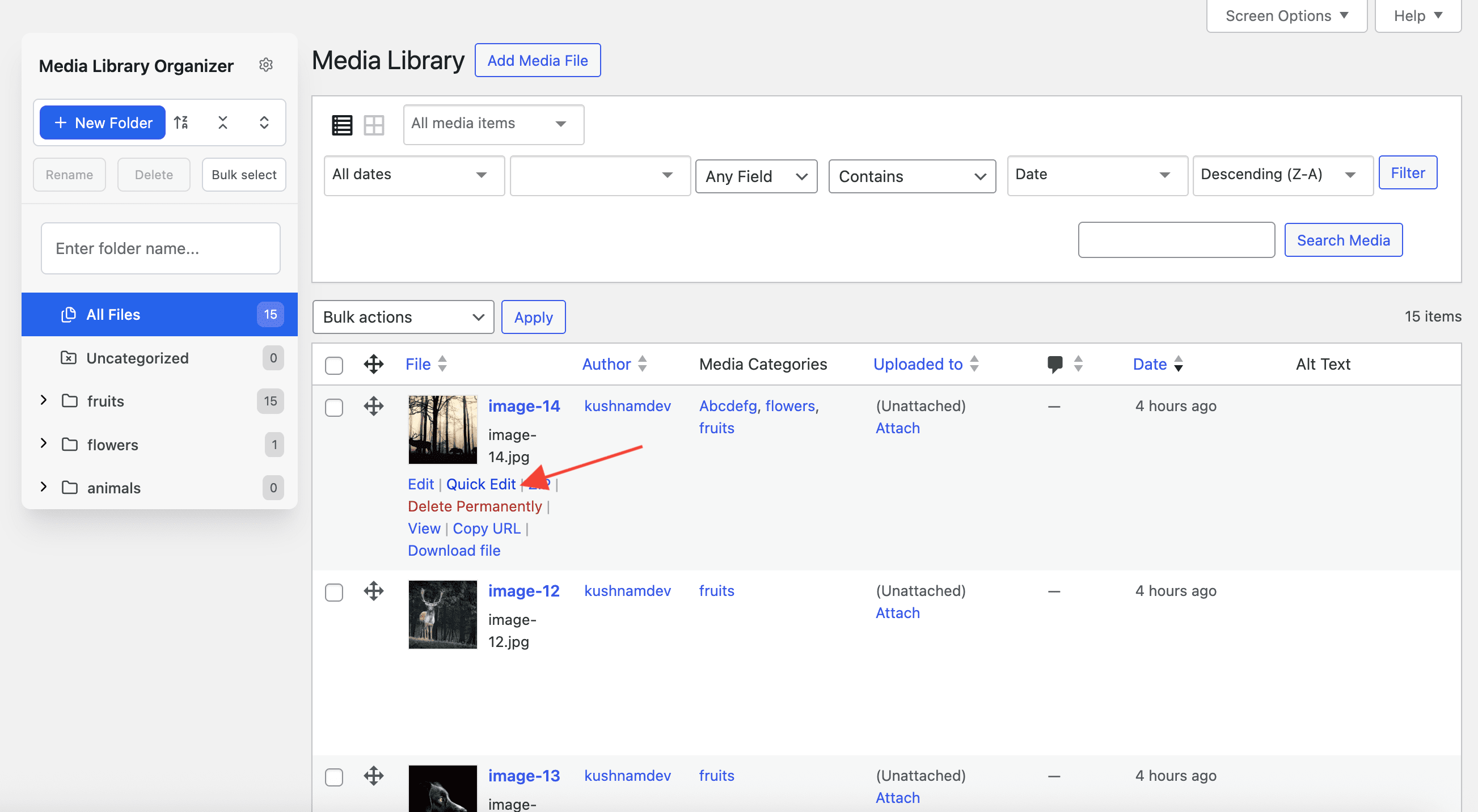
- Go to Media → Library and switch to List View.
- Hover over any media item.
- Click Quick Edit.
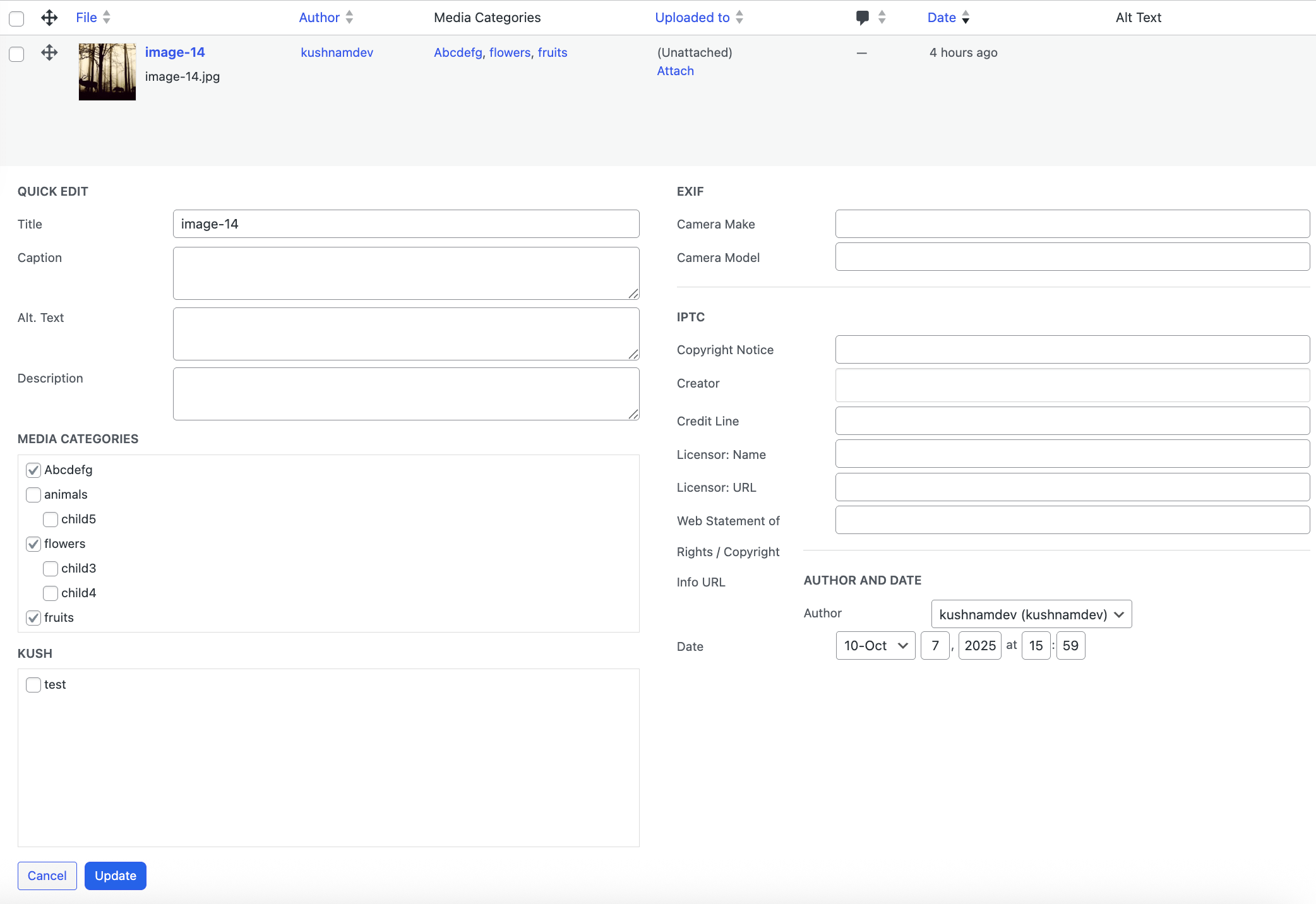
- You'll see a checklist for Categories.
- Select or change the desired category or other data that you want to change.
- Click Update to apply the change immediately.
Key Notes:
- Works for both default and custom media categories.
- No page reload — changes apply instantly via AJAX.
- Retains all existing metadata (title, caption, alt text, etc.).
- Ideal for minor adjustments on individual items.
Cancel Quick Editing
To cancel Quick Editing, click the Cancel button on the bottom left corner of the Quick Edit form.