
Use Super Page Cache with AI Assistants
Super Page Cache exposes cache-management tools through the WordPress Abilities API. A compatible, authenticated connector such as Easy MCP AI can make these tools available to an AI assistant. WordPress 6.9 or later is required.
In this article
Requirements
- WordPress 6.9 or later.
- A compatible Abilities API or MCP connector, such as Easy MCP AI, connected to your WordPress site.
- A connected WordPress user with the permissions required for the operations you want to use.
For setup instructions, see Getting Started with Easy MCP AI.
Connect your AI client and enable Super Page Cache abilities
- In your WordPress dashboard, open Easy MCP AI > Dashboard. In the Connect your AI client area, choose your AI client and follow the on-screen steps to connect it to your site. If you use another compatible connector, follow its connection instructions.
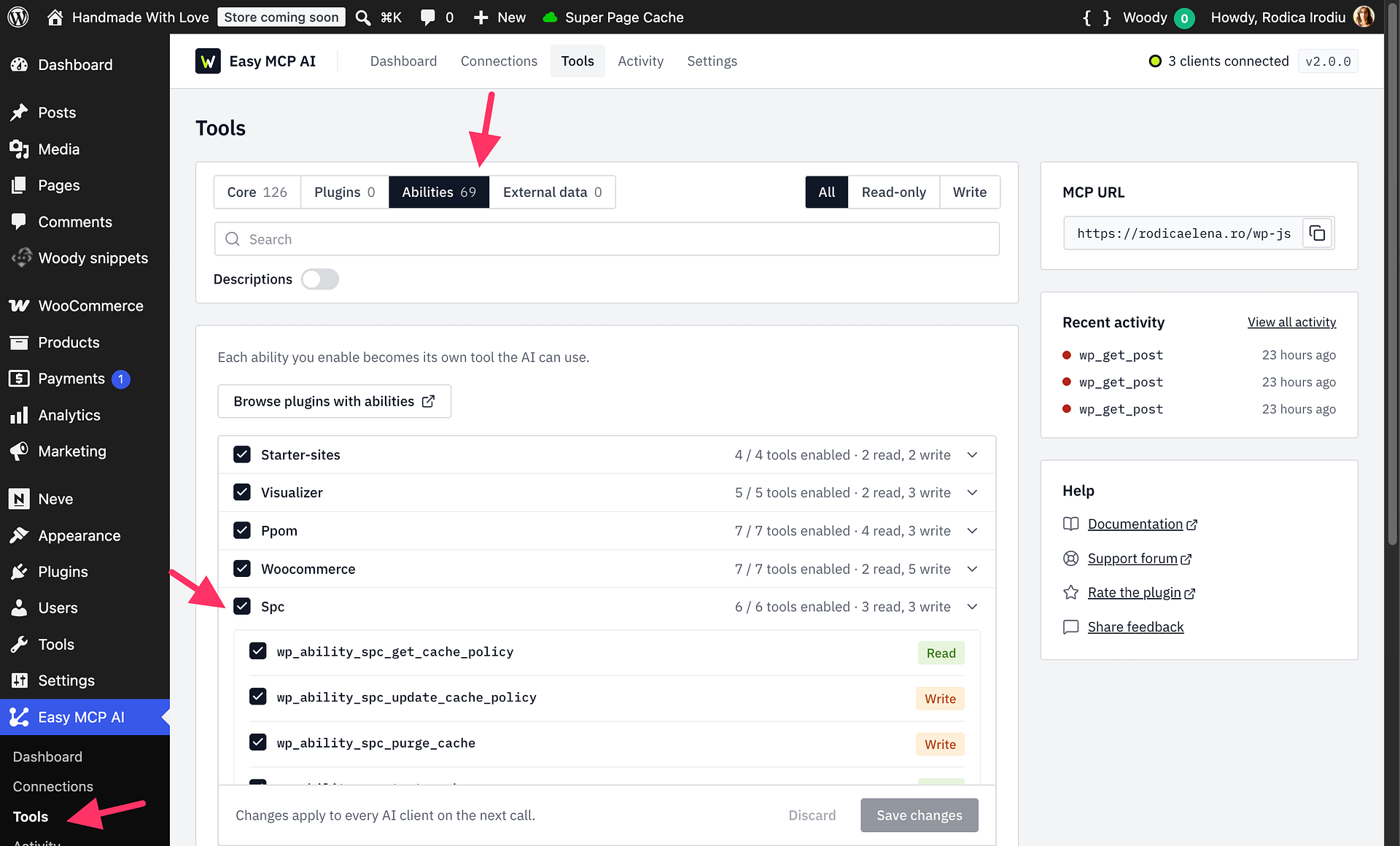
- Open Easy MCP AI > Tools, then select Abilities.
- In the SPC group, enable all six abilities and click Save changes:
spc/get-cache-policyspc/update-cache-policyspc/purge-cachespc/test-cachespc/start-preloadspc/get-status
- Refresh the tools in your AI client so it can use the enabled abilities.
Available abilities
| Ability | What it does |
|---|---|
spc/get-cache-policy | Reads the cache policy, including cache state, TTLs, exclusions, bypass rules, and settings locked by wp-config.php. |
spc/update-cache-policy | Updates supported cache policy fields. Use dry_run=true to preview changes before saving them. |
spc/purge-cache | Purges all cache, selected site URLs, posts and related archives, or cache tags. Purging by cache tags requires Super Page Cache Pro with Cache Tags enabled. |
spc/test-cache | Tests Cloudflare and disk caching against the plugin's test page. |
spc/start-preload | Starts background preloading for configured sources or selected site URLs. |
spc/get-status | Reports preload progress, plugin and Pro status, and cache and Cloudflare health. |
Super Page Cache Free and Pro
All six abilities are available with Super Page Cache Free and Pro. Purging by cache tags is the exception: it requires Super Page Cache Pro and the Cache Tags feature to be enabled.
Permissions and safe usage
Reading or updating settings, checking status, and starting preloading require a connected administrator with the manage_options capability. Cache purging and testing require a connected user who is allowed to purge cache in Super Page Cache. Enabling an ability does not bypass WordPress permissions or allow changes to settings locked through wp-config.php.
Ask the assistant to read the current cache policy before requesting changes. Use dry_run=true with policy updates and cache purges to preview the fields or targets that would be affected. Review the result, then make a separate request to perform the operation.
Example prompts
- “Show me the current Super Page Cache policy and cache-engine status.”
- “Exclude cart, checkout, and account URLs from caching. Run a dry run first and wait for my approval.”
- “Run a dry run to purge the cache for my pricing page. Show me the affected URLs, but do not purge yet.”
- “Test Cloudflare and disk caching, then summarize the results.”
- “Preload the whole site and report the progress.”