
How to install and activate MPG Free and Pro versions
This article will explain how you can install and activate the free and premium versions of MPG. There are a few steps that need to be done.
In this article
Installing the FREE version
1. Navigate to Dashboard > Plugins > Add New.
2. In the search field type " MPG" and search.
3. When the plugin appears, click on Install and then on Activate.

Installing the PRO version
⚠️ Important: You can install the Pro version alongside the free one. When both are active, MPG automatically deactivates the free version and shows an admin notice, so you don't need to remove the free plugin first. You can delete the deactivated free version afterward if you prefer a clean plugin list.
1. If the free version of MPG is active on your site, go to Dashboard > Plugins, find Multiple Pages Generator, click Deactivate, and then click Delete. Confirm the deletion when prompted.

2. Navigate to Themeisle store and download the premium version.
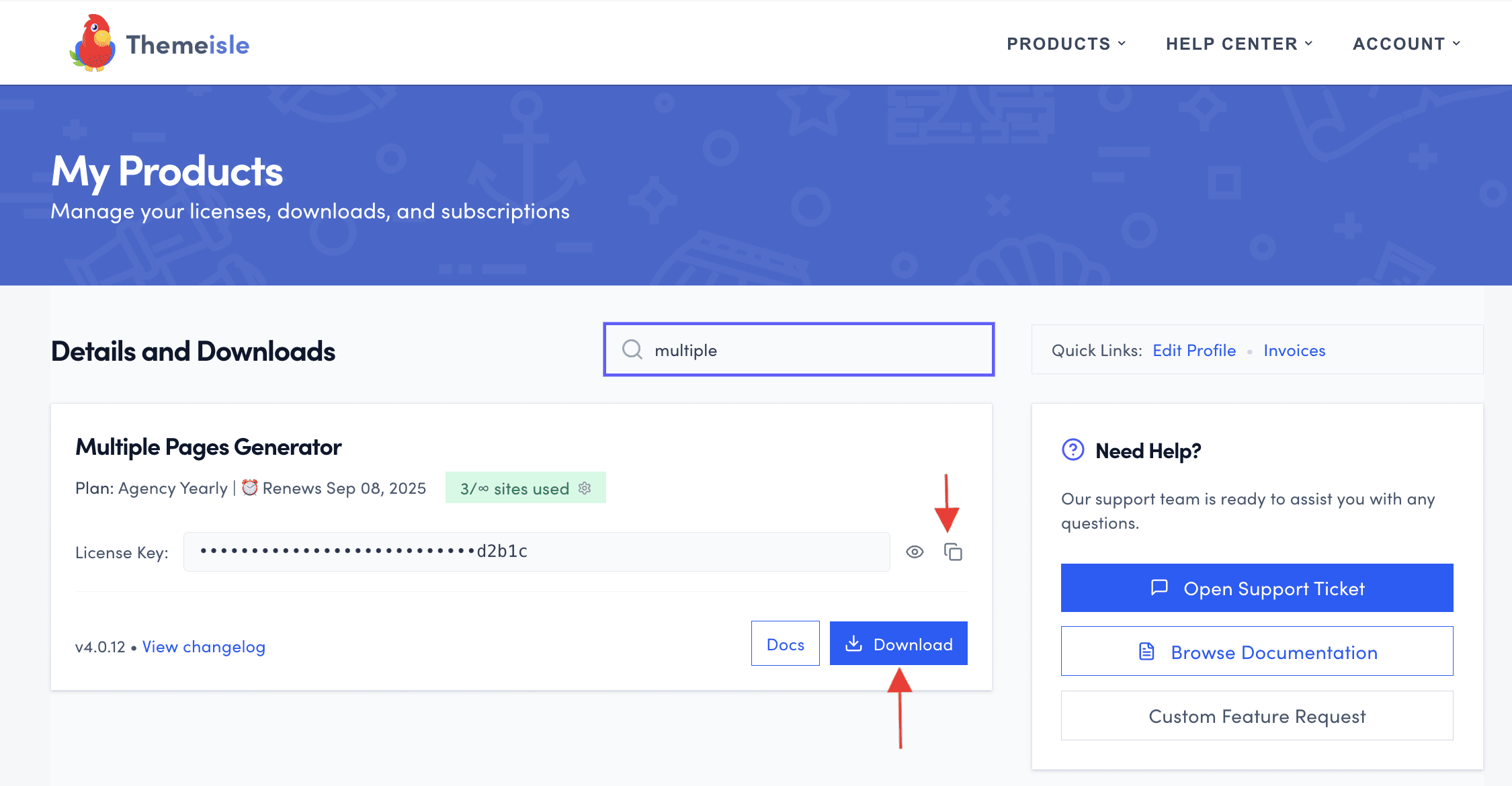
3. Click on the license key and copy it.
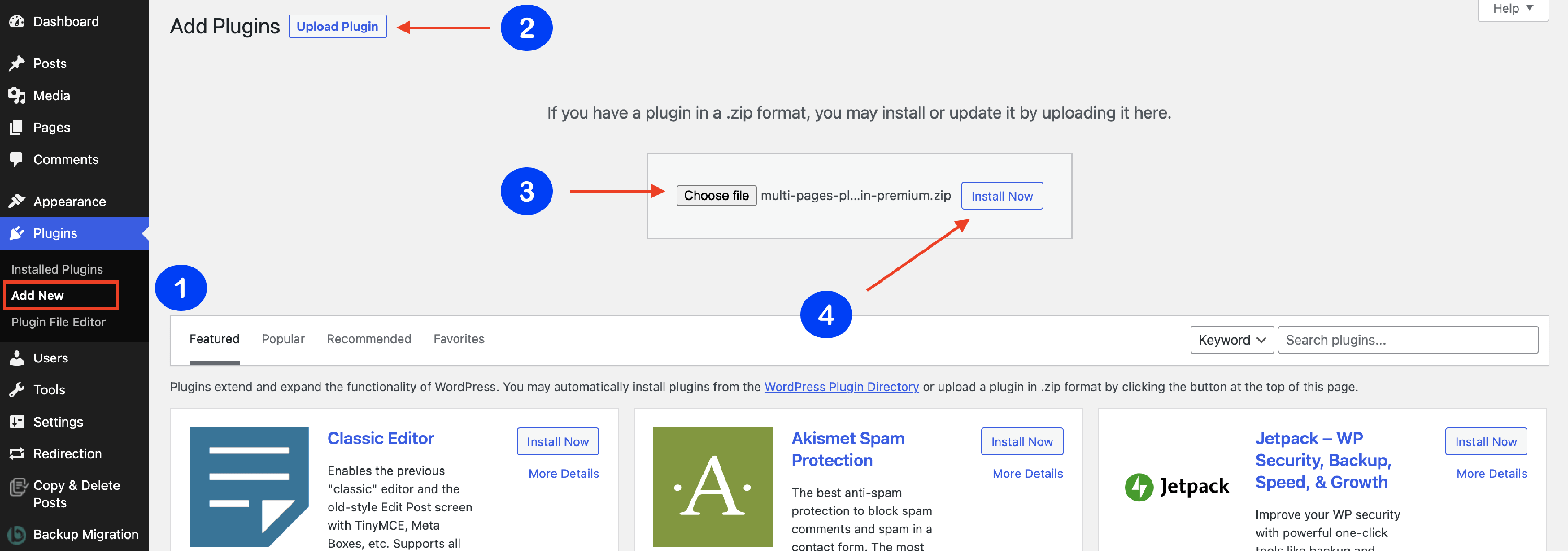
4. Navigate to Plugins > Add new and install the MPG premium version, as a normal plugin.
5. Navigate to Dashboard > MPG > Advanced settings and introduce the copied license key to activate it. 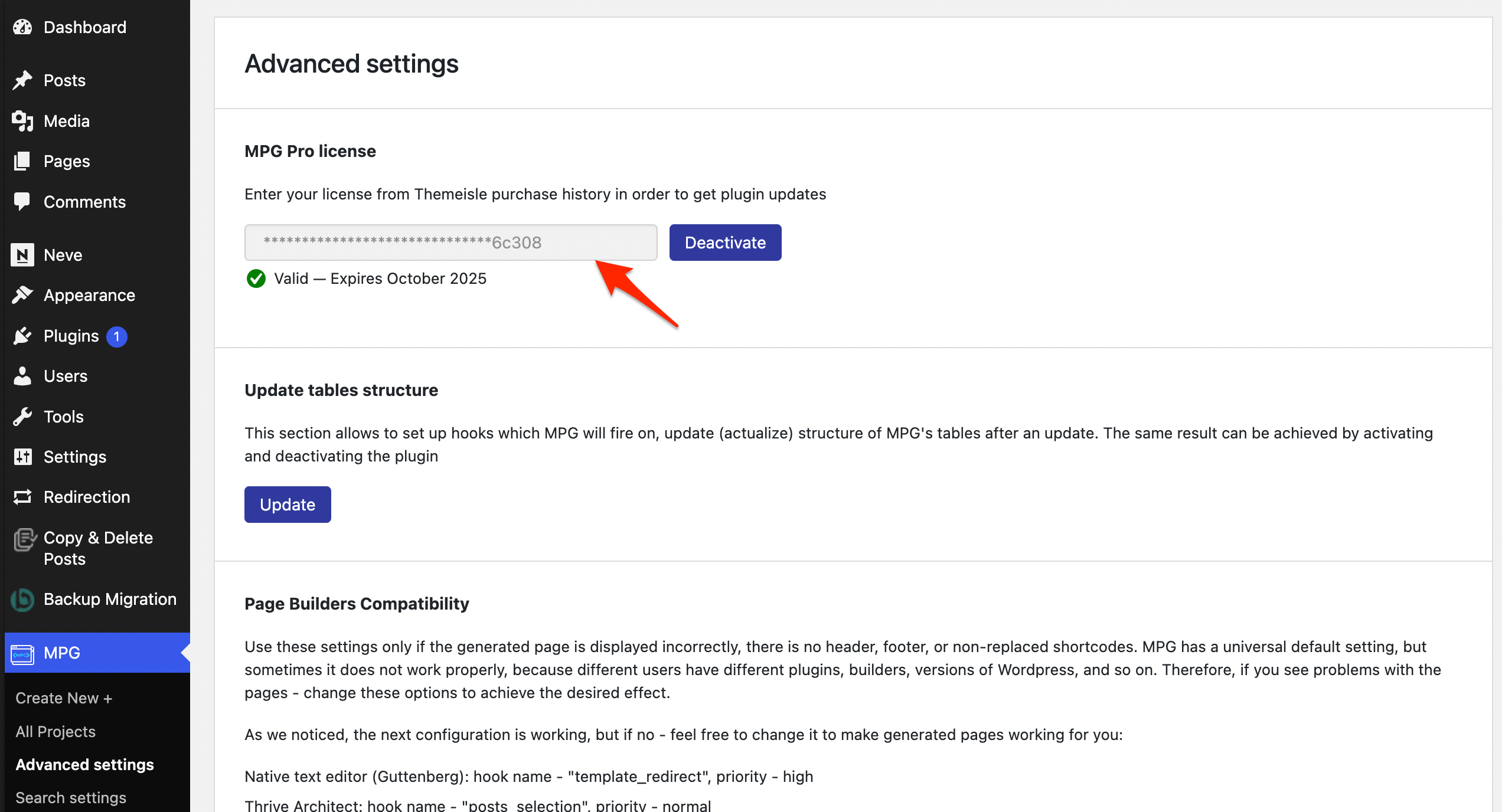
📝 Note: If both the free and Pro versions are installed, MPG automatically deactivates the free version once the Pro version is active. You can then delete the deactivated free plugin from your Plugins list.
Legacy Freemius subscriptions for MPG
If you purchased MPG Pro before Themeisle acquired the plugin, your subscription may still be active in the original Freemius system.
A recurring Freemius charge for MPG can be legitimate when that legacy subscription is still active.
If your license key is not available in your Themeisle account, check your Freemius account or your original MPG purchase email to find your license details.
Moving to the Themeisle licensing system
If you want to move your legacy MPG subscription to the current Themeisle licensing system, contact our support team.
Include the following details so support can verify your account and guide you through available migration options:
- The purchase email address used for MPG Pro.
- Your current license details (license key, order details, or invoice, if available).
- The site URL where MPG Pro is active.
Upgrading from Free to Pro
If you have been using the free version of MPG and have purchased a Pro license, follow these steps to upgrade without losing your existing projects:
1. Go to Dashboard > Plugins and find Multiple Pages Generator (the free version).
2. Click Deactivate, then click Delete and confirm. This removes the free plugin completely — your MPG projects are stored separately and will not be deleted.
3. Follow the Installing the PRO version steps above to install and activate the premium plugin.
4. Once the Pro plugin is active, navigate to Dashboard > MPG > Advanced settings, paste your license key into the license field, and click Activate.
5. After activation, your existing MPG projects will be available and all Pro features will be unlocked.
💡 Tip: After installing the Pro version, enter your license key under Dashboard > MPG > Advanced settings to unlock Pro features. If the license field does not appear right away, refresh the page.