
How to install PPOM free and pro version?
This article will explain how you can install and activate the free and premium versions of PPOM. There are a few steps that need to be done.
In this article
Installing the FREE version
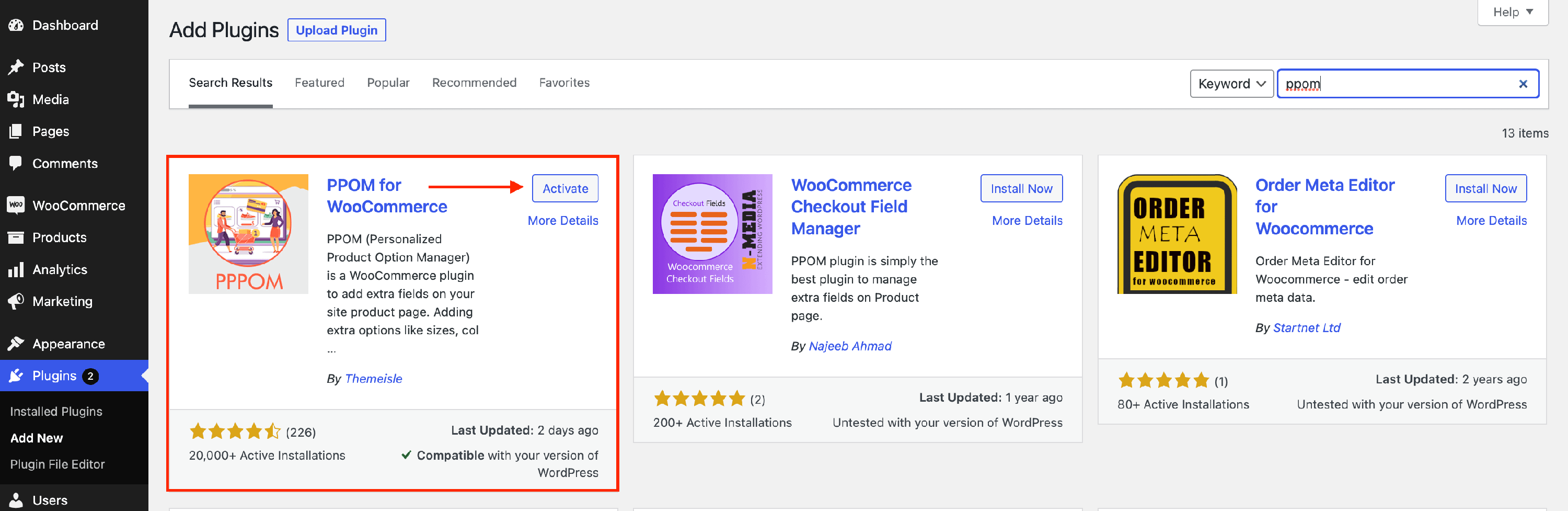
1. Navigate to Dashboard > Plugins > Add New.
2. In the search field type " PPOM" and search.
3. When the plugin appears, click on Install and then on Activate.
Installing the PRO version
📝 Note: It is essential for you to keep the PPOM ( free ) in your plugins directory activated for the pro version to work.
1. Navigate to Themeisle store and download the premium version.
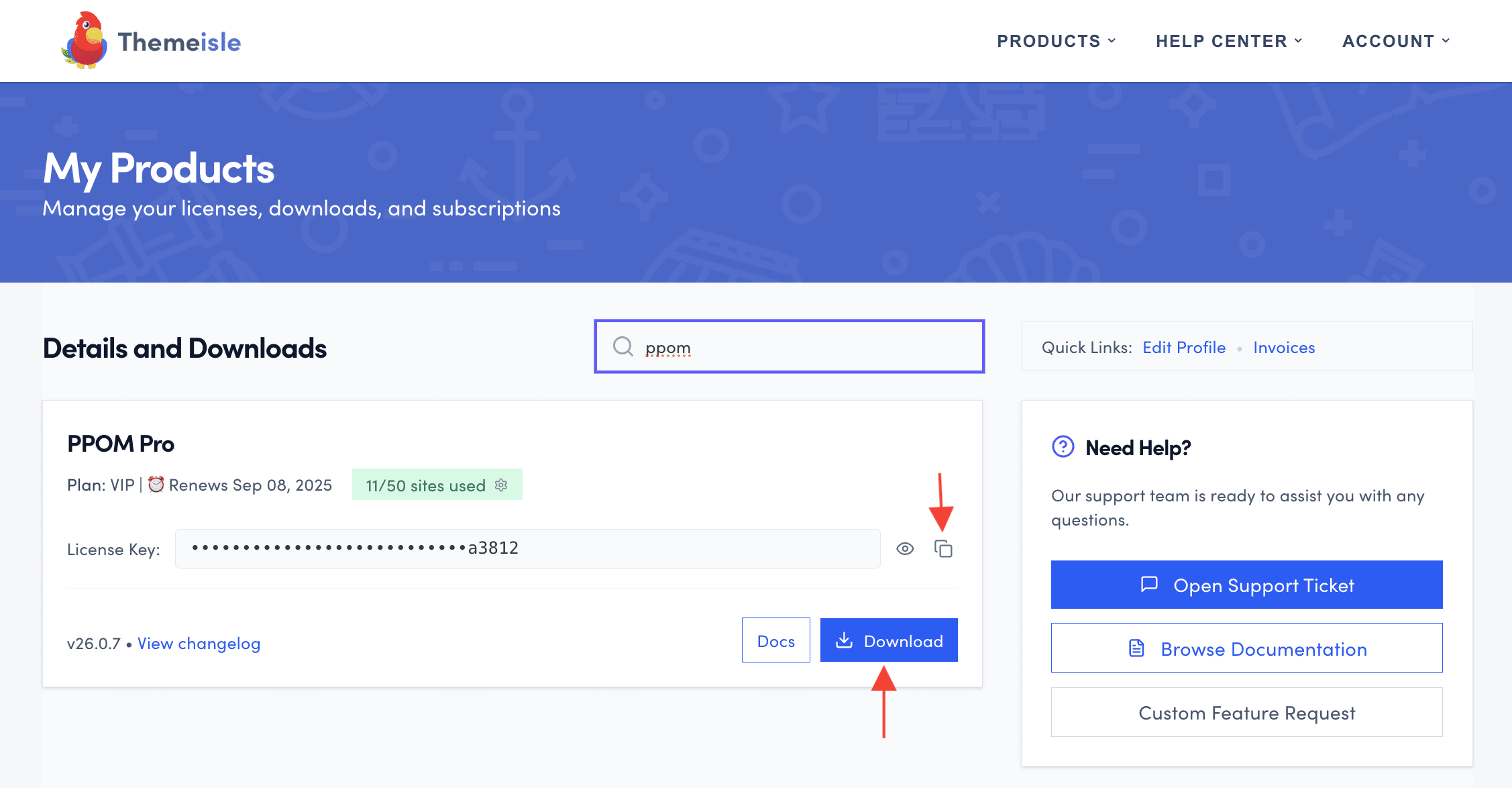
2. Click on the license key and copy it.
3. Navigate to Plugins > Add new and install the PPOM premium version, as a normal plugin.

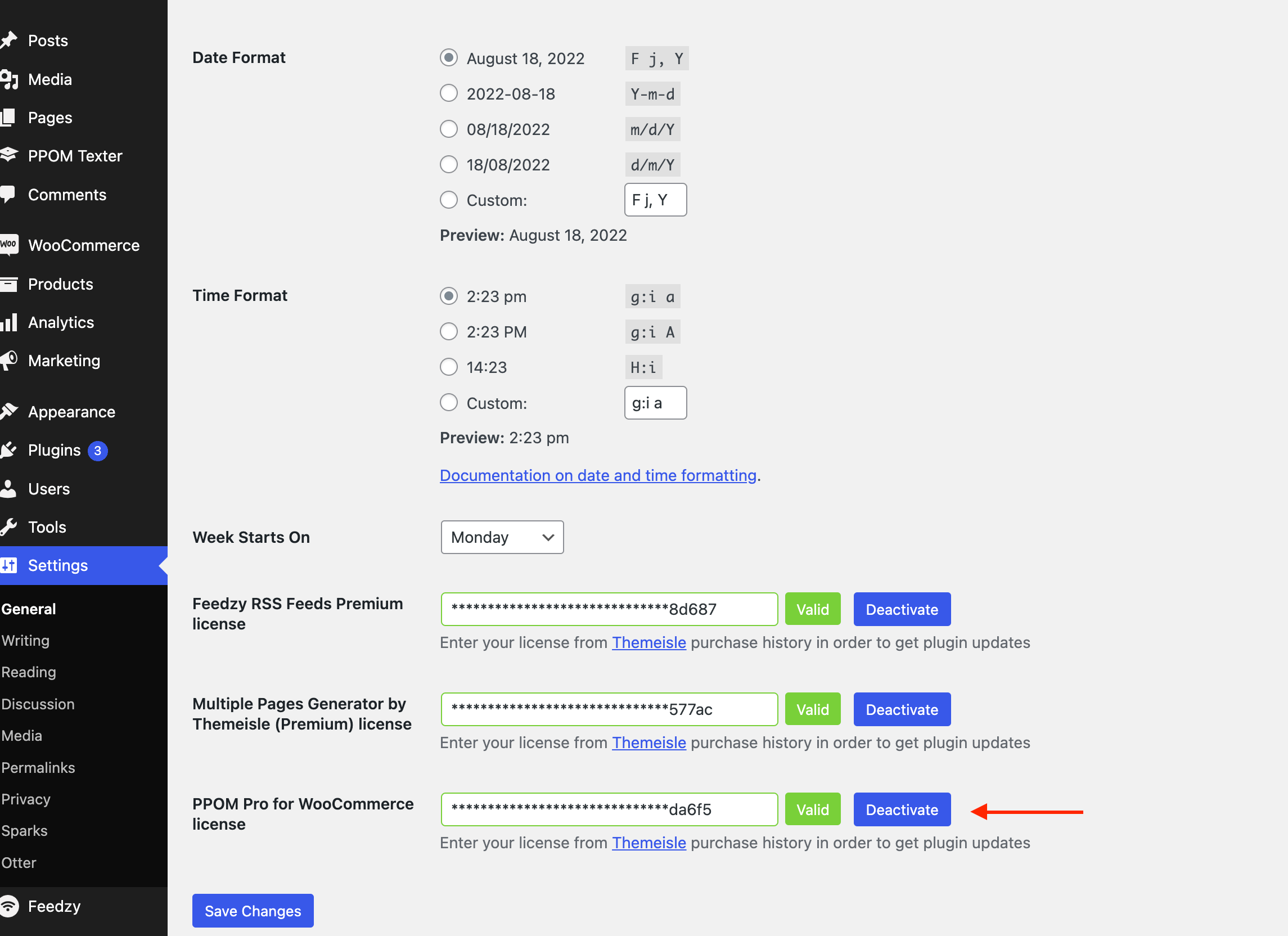
4. Navigate to Dashboard > Settings > General and introduce the copied license key to activate it.
Useful resources
Check these docs to find out more about the plugin and how to use it: