
How to Configure Taxes for PPOM Options?
📝 Note: This feature is available only in the premium version of PPOM, which you can get from here.
⚠️ Keep in mind: PPOM options stay on the same WooCommerce cart line item as the parent product, so they inherit the parent product tax class. PPOM does not support mixed-tax setups where the main product uses one tax rate and an option uses another (for example, a parent product taxed at one rate and an add-on taxed at another). Using tax-inclusive option pricing does not change this limitation.
If a product component must use a different tax class, set it up as a separate WooCommerce product and cart line item with an appropriate bundle or composite-product solution instead of a PPOM option.
To make PPOM option prices taxable, you can enable Taxable Options Price so WooCommerce applies your configured tax rules to option surcharges. This does not assign separate tax classes to individual options. To do this, follow these steps:
1. Navigate to WooCommerce > Settings > Tax.
2. Add the "PPOM product Tax" option under the Additional tax classes field. 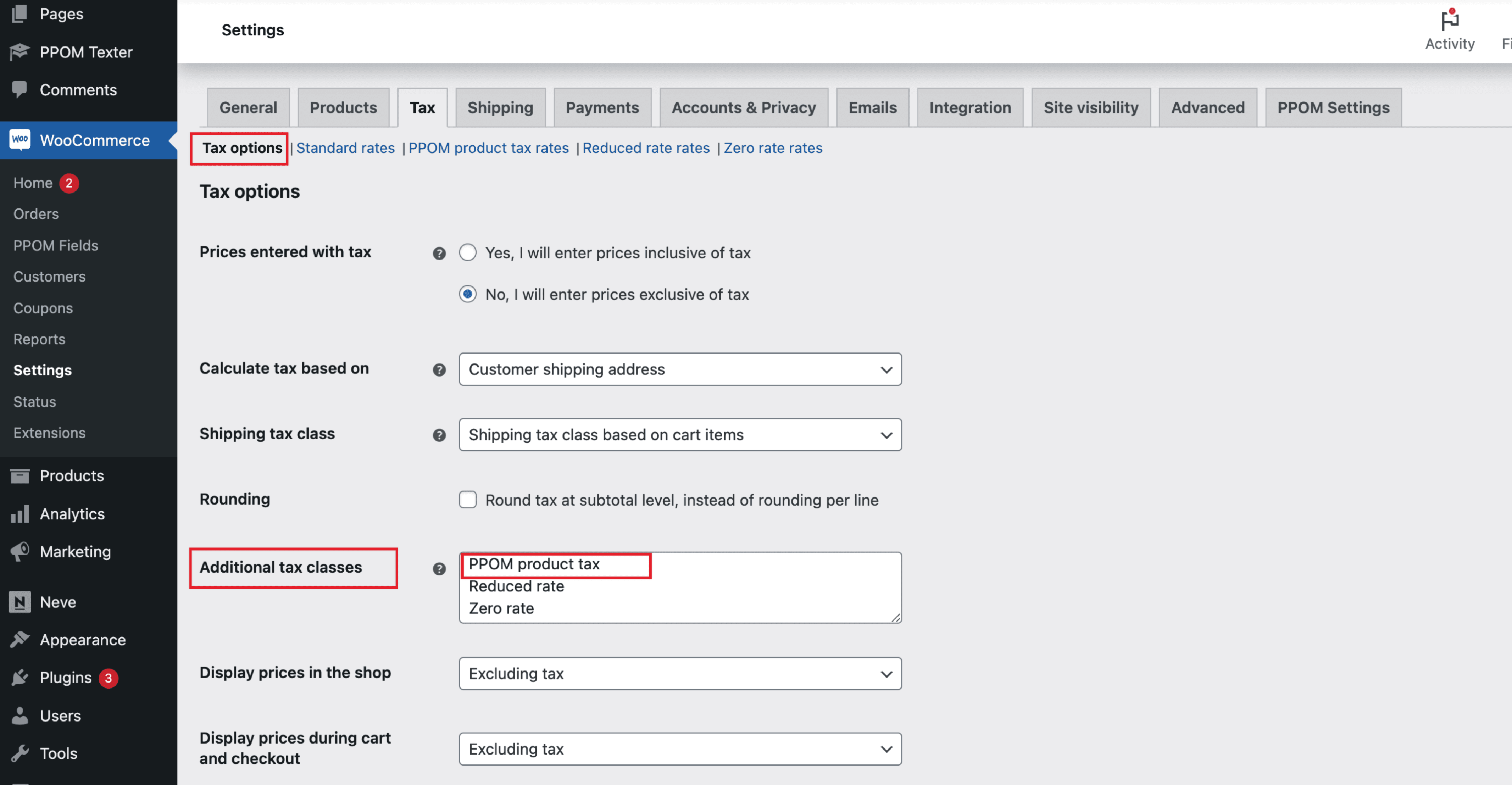
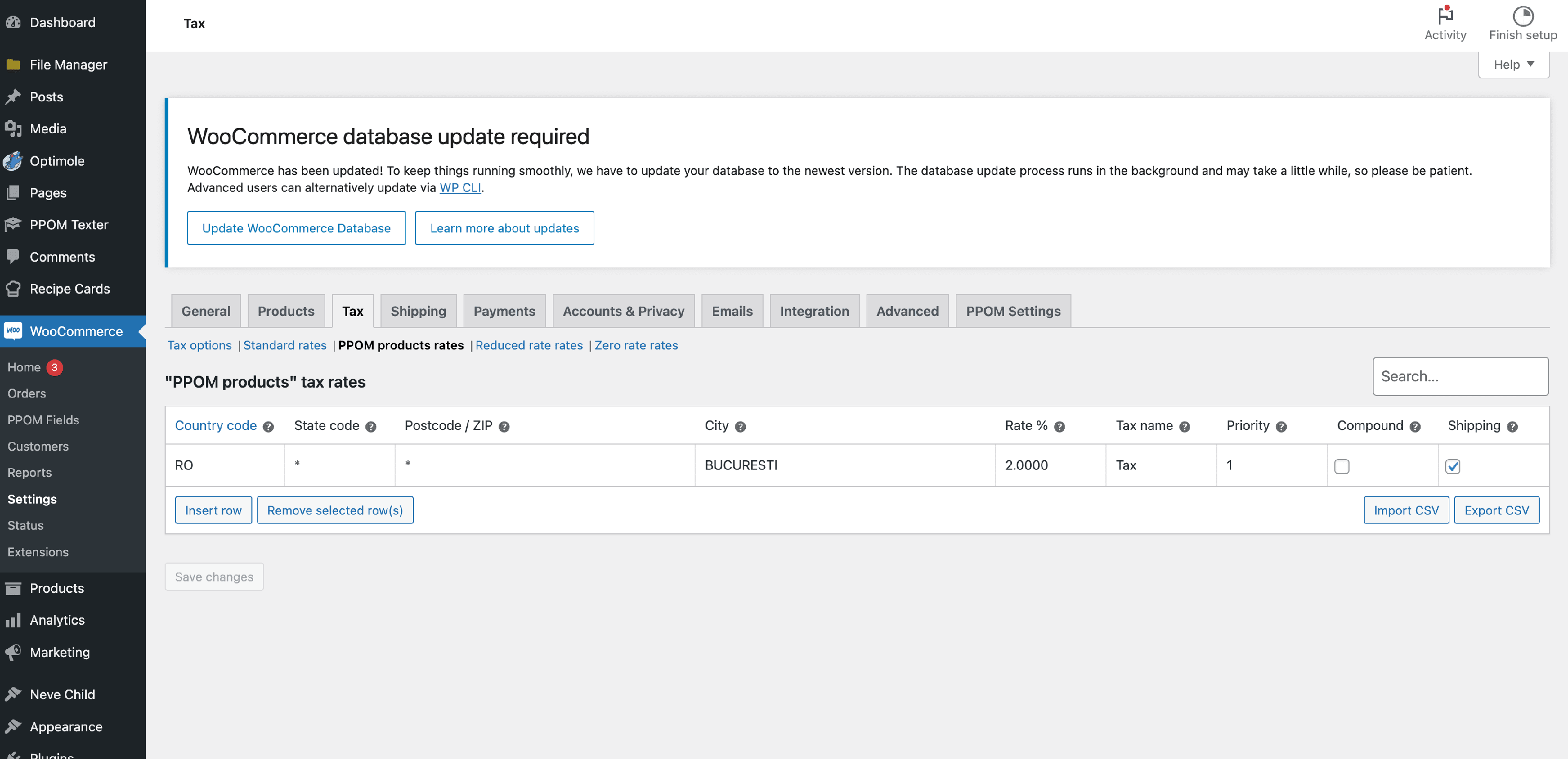
3. Now open the PPOM product rates tab and make the configurations.
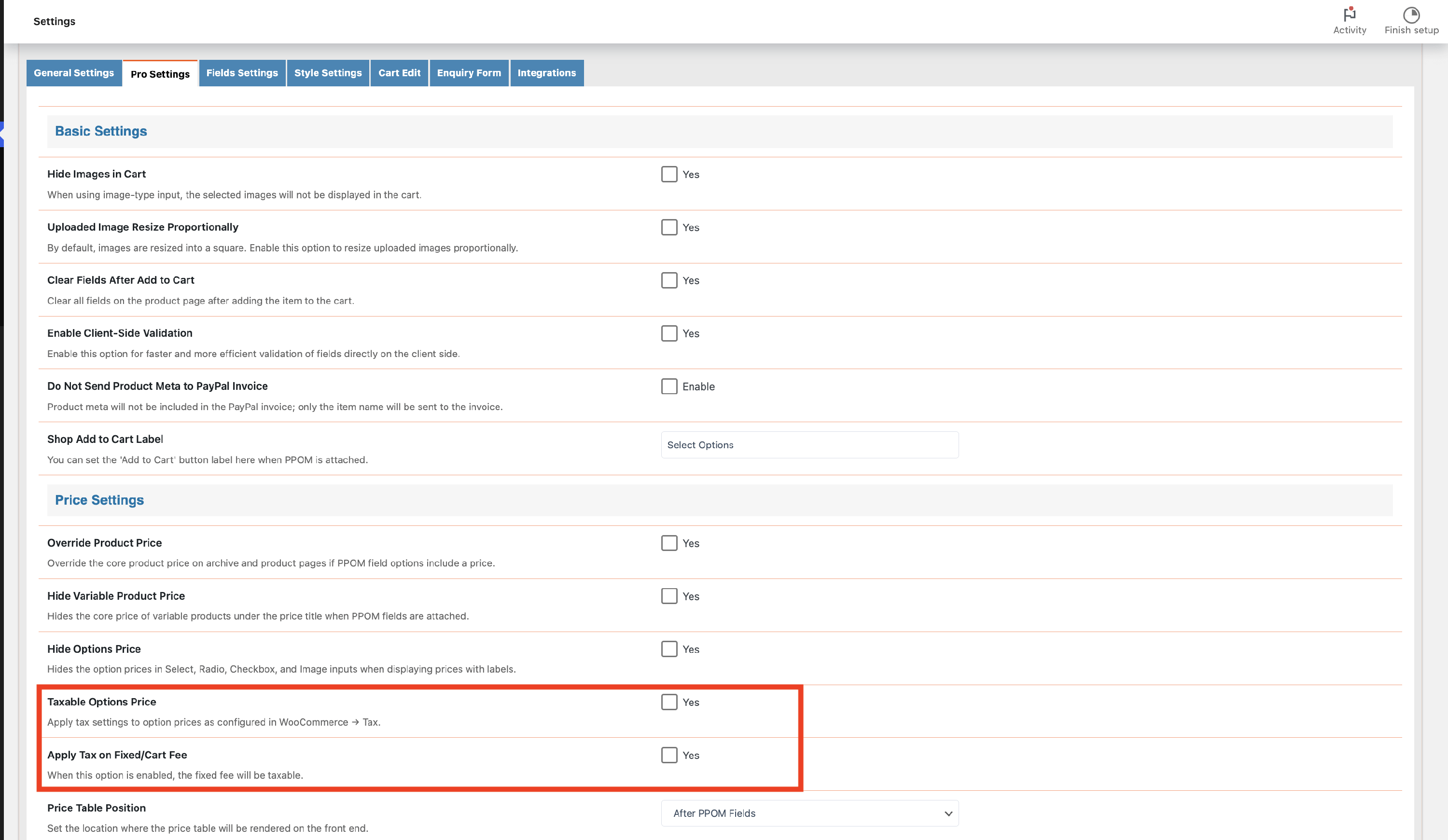
4. Once you do that, go to WooCommerce > Settings > PPOM Settings.
5. Open the Pro Settings tab and enable "Taxable Options Price".
Result
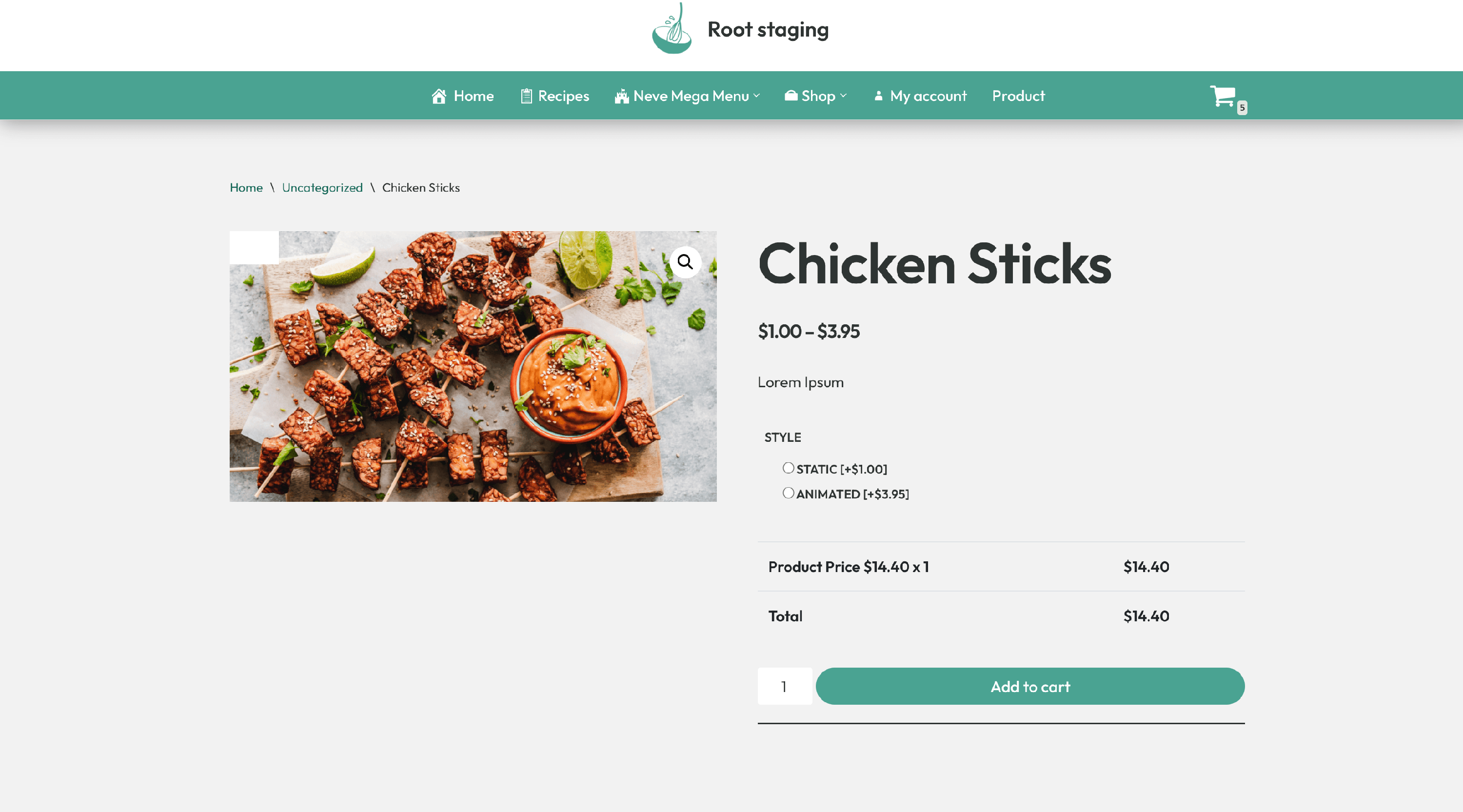
Before having taxable options
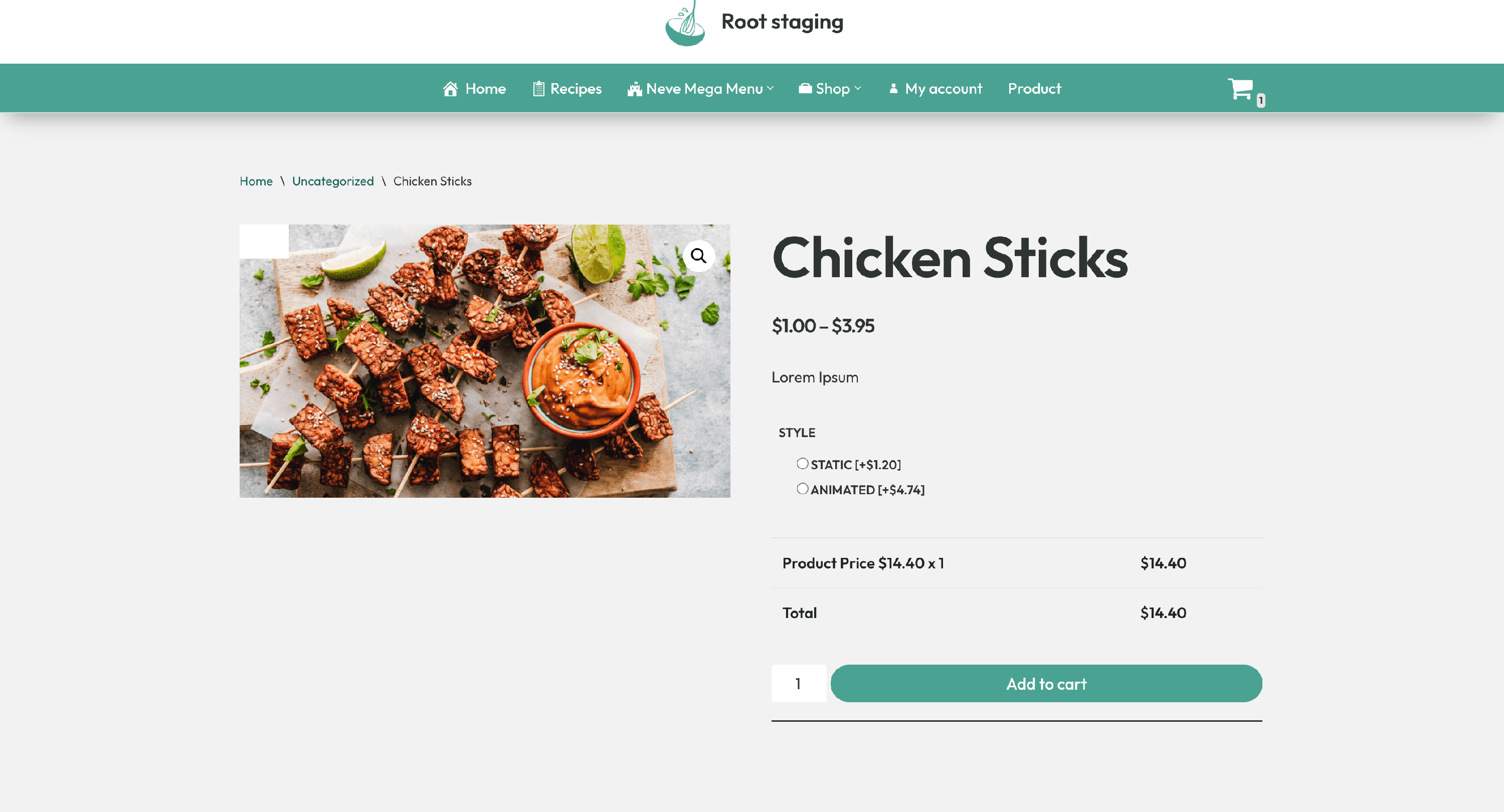
After having taxable options